
With nb-studio, you can manage Studio from your usual Claude Code, Codex, or other local Coding Agent. The Agent uses the CLI to read tasks and documents, create requests, and add comments. Studio runtimes can execute the development work.
Install and sign in
- Open the avatar menu in Studio and choose Use Studio in your agent.
- Copy the setup instructions to your Coding Agent.
- After it installs the CLI, open the sign-in URL it provides and authorize in your browser.
- The Agent checks your identity and installs the CLI skill.
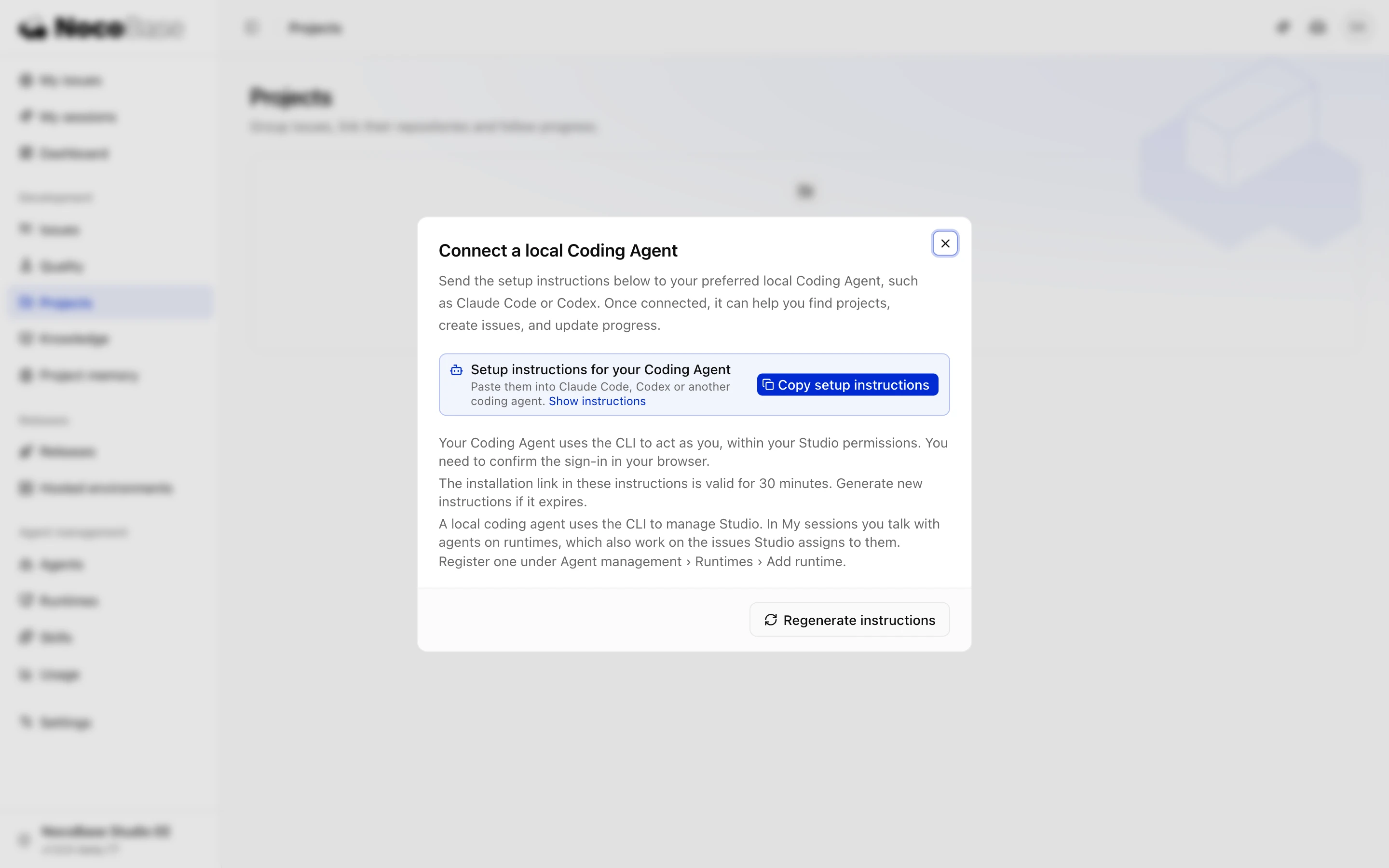
Node.js 24 or later and npm are required. The package comes from your Studio instance and matches its version. The download link expires after 30 minutes; generate another if needed.
nb-studio uses your account permissions. Keep the login command running until browser authorization finishes.
Ask for work
List the Studio tasks waiting for me, ordered by urgency.Read docs/supplier-rating.md and create tasks in Supplier Management for its requirements. Do not start them yet.Find out what is blocking PUR-23 and tell me what information I need to provide.You can also give the Agent a Studio task URL.
Check the connection
nb-studio whoami
nb-studio docs
whoami shows your identity. docs lists commands available on the connected server. See nb-studio commands.
To chat through the Studio browser interface, use a Runner Agent.