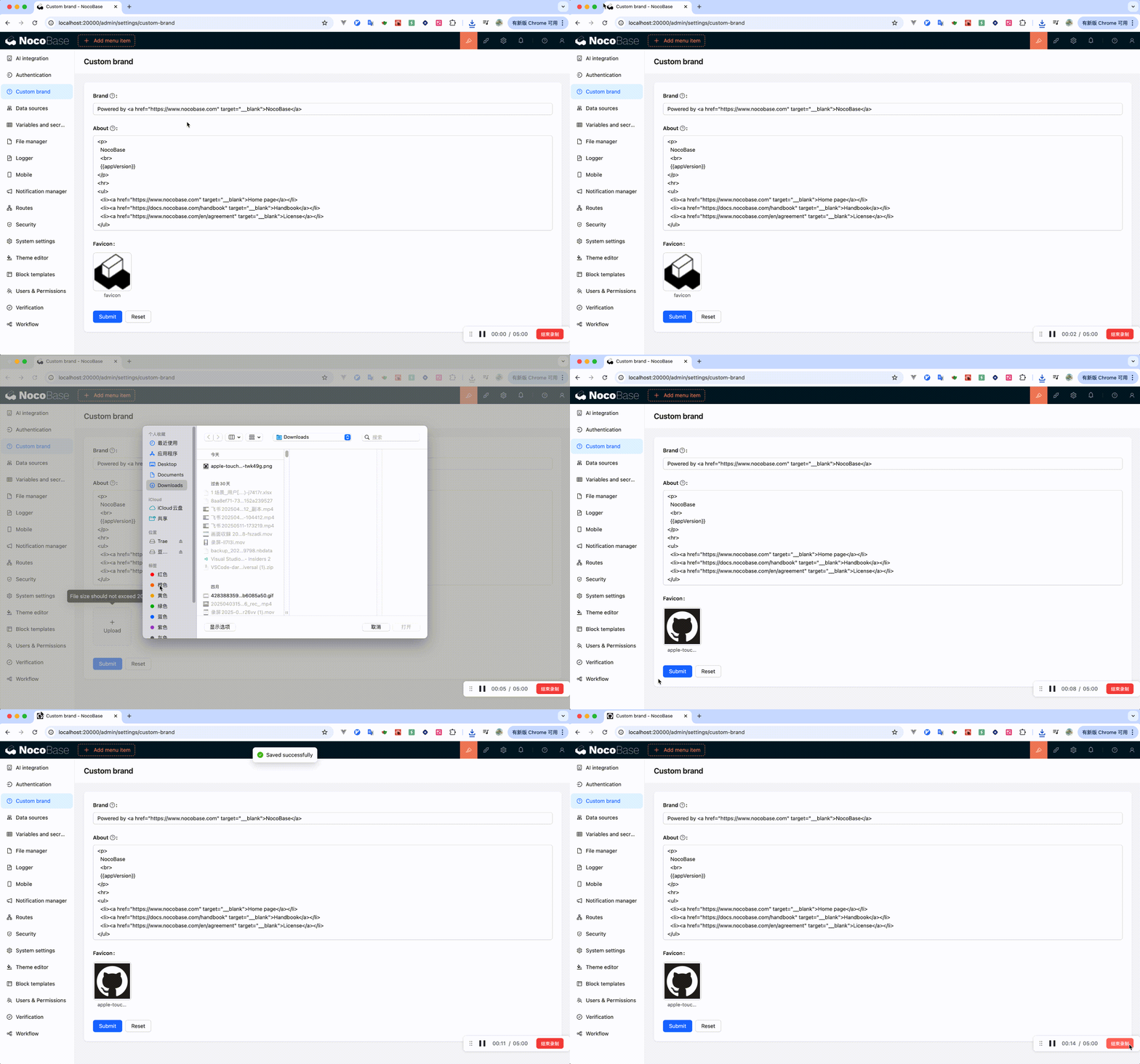
Custom Brand
Introduction
The default brand name is "NocoBase", which is primarily displayed in the following three places:
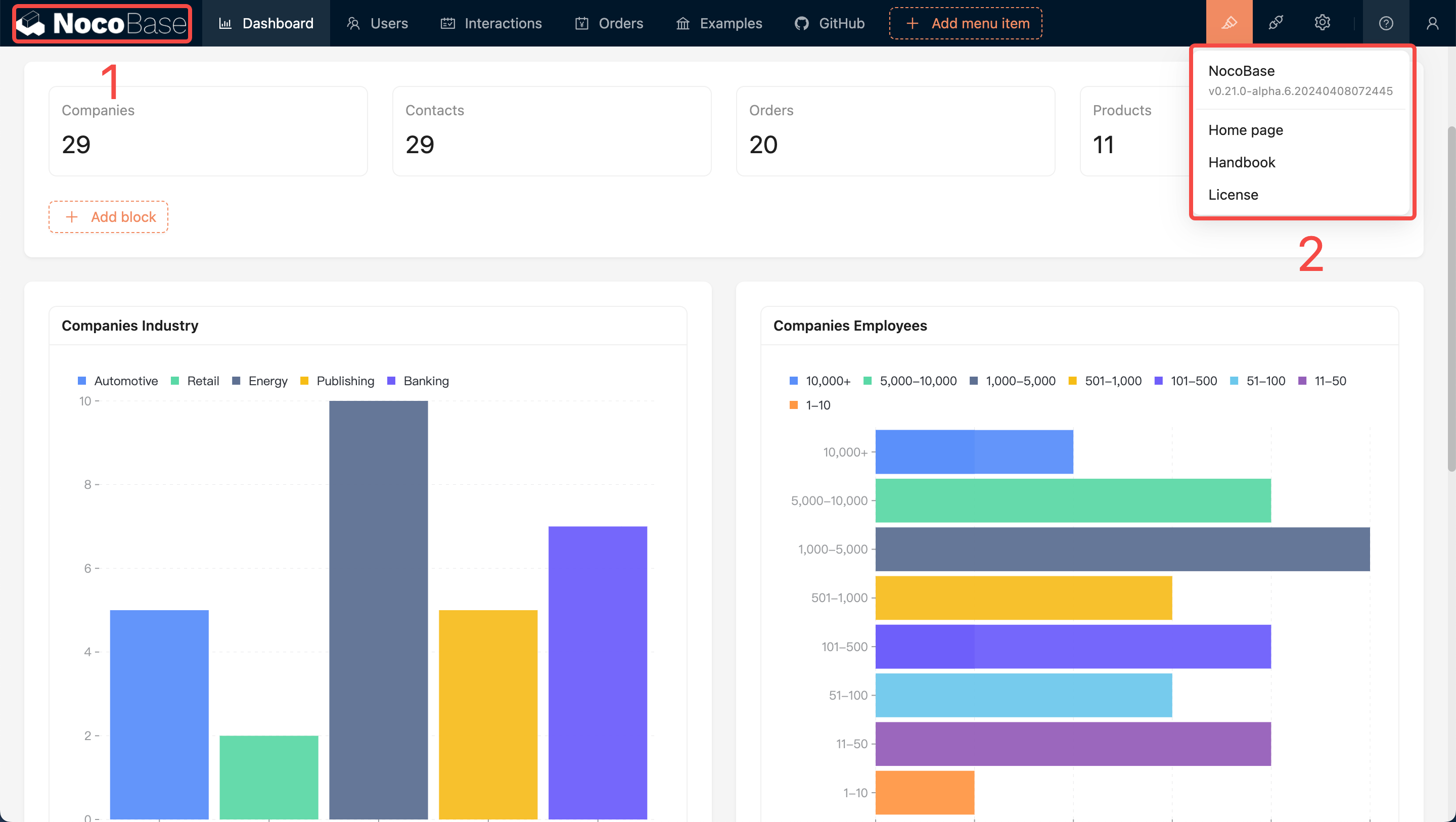
At the bottom of the login page:
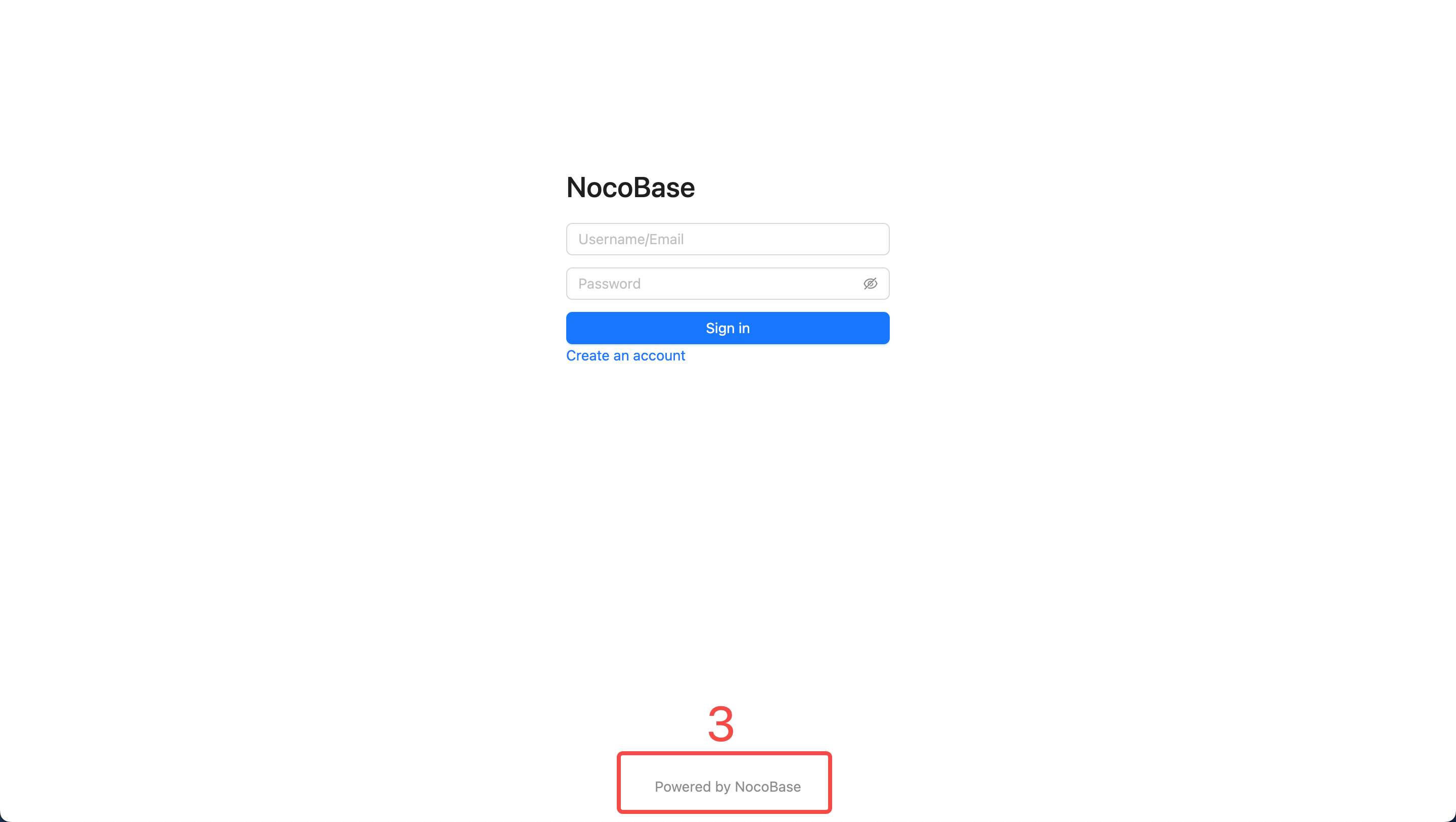
Position 1 can be configured via the Logo option in System Settings. Positions 2 and 3 can be configured using this plugin.
Usage Instructions
After activating the plugin, click the "Custom Brand" menu in the upper right corner of the page to access the configuration page.
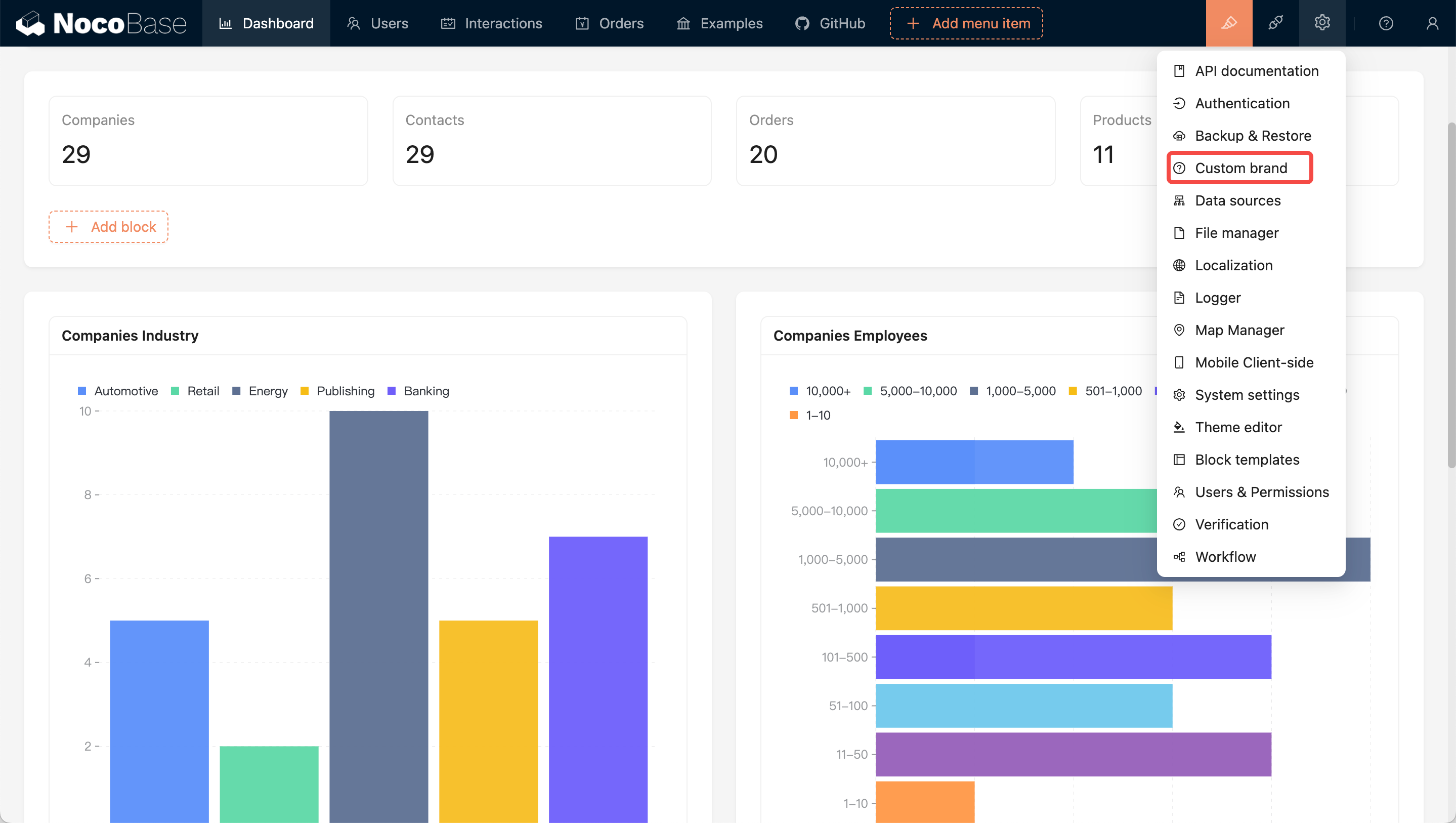
- Brand: Used to set the text at the bottom of the login page (position 3)
- About: Used to configure the content of the menu in the upper right corner (as shown in the image below)
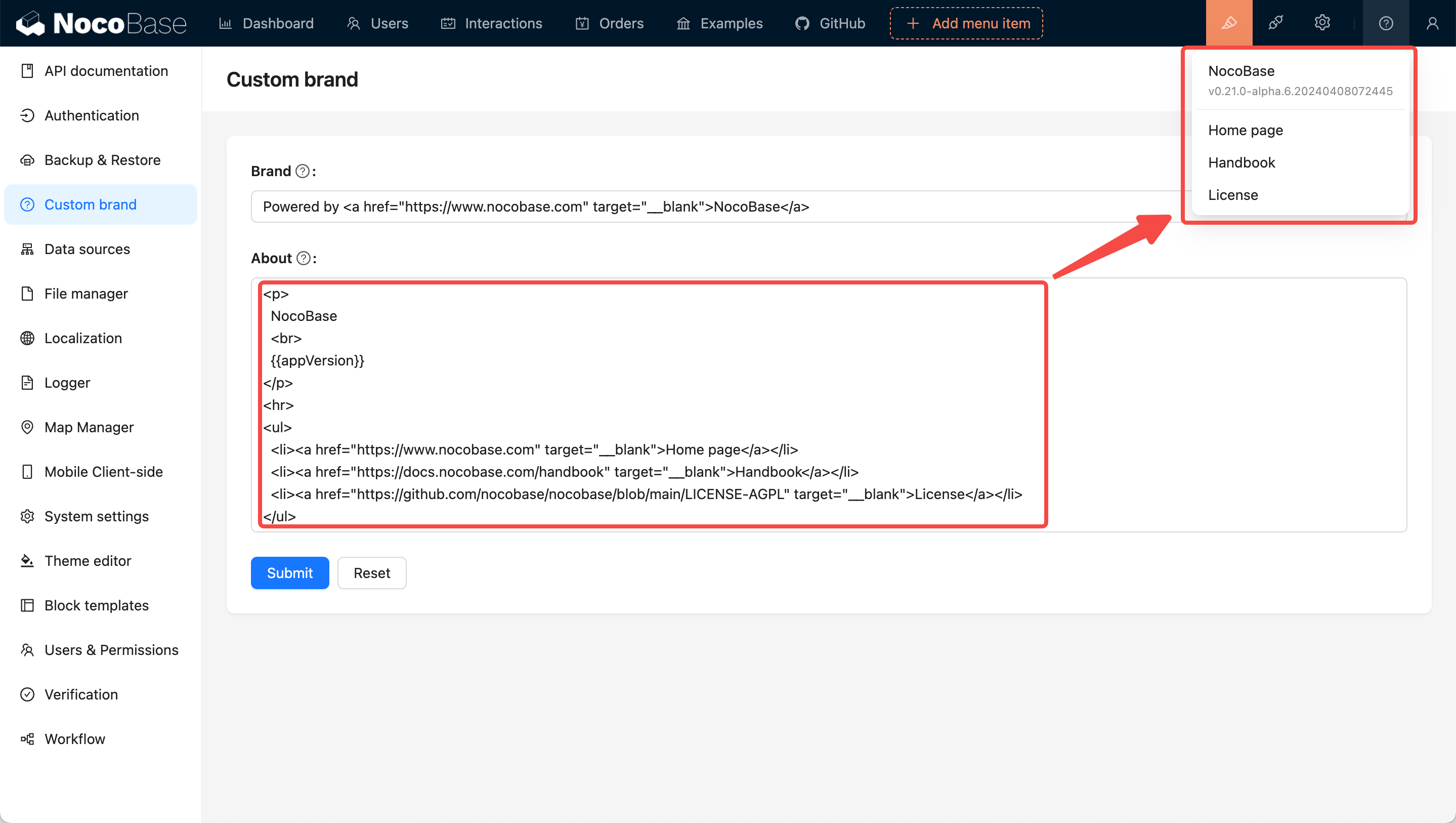
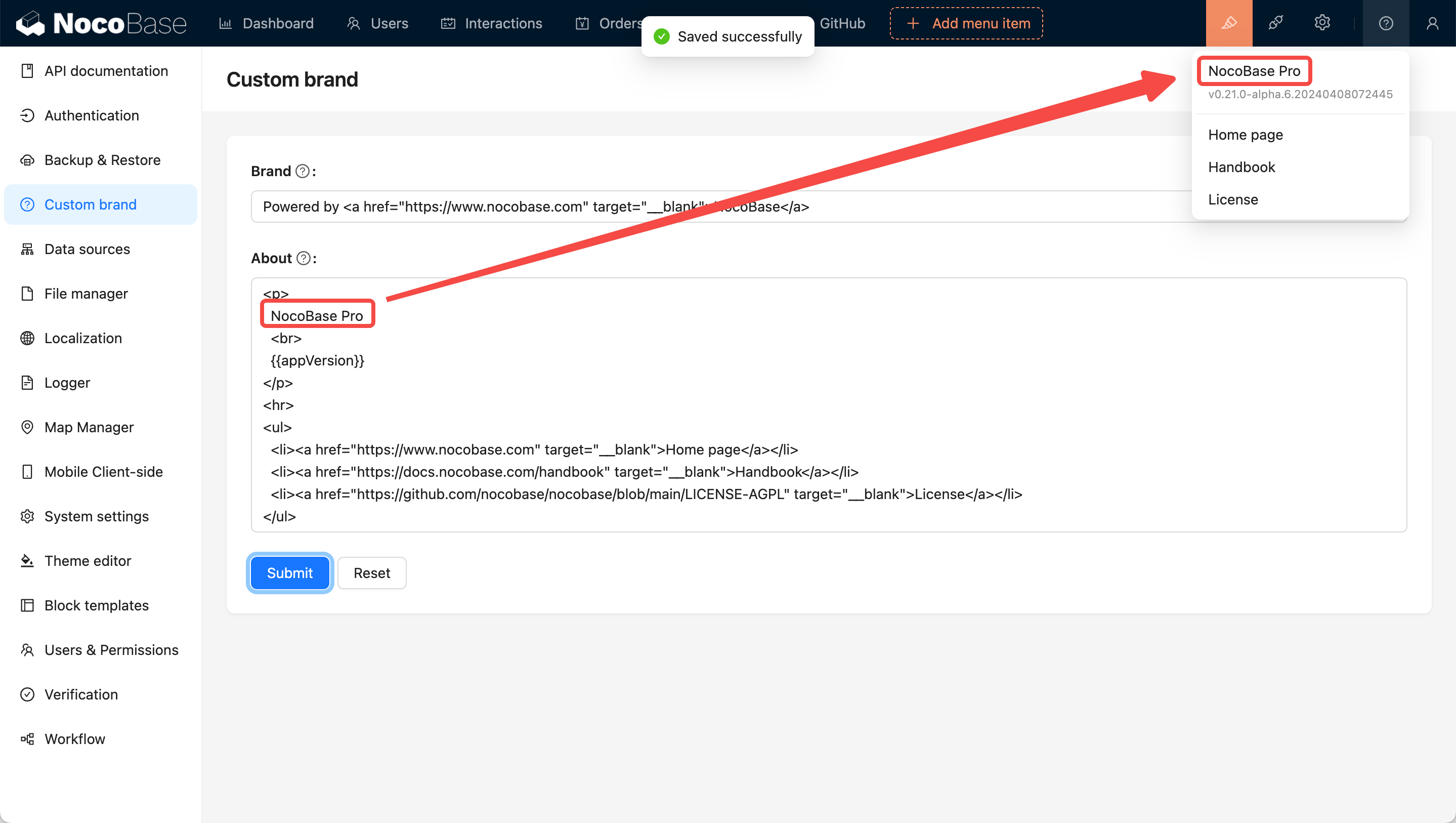
The configuration supports HTML format for flexible content customization. If you only need to make simple text changes, you can directly modify the existing content as shown below:
Setting website favicon