

Localization Management
Introduction
The Localization Management plugin is used to manage and implement NocoBase's localization resources. It can translate system menus, collections, fields, and all plugins to adapt to the language and culture of specific regions.
If you want to contribute default translations for the system and official plugins to NocoBase, see Translation Contribution.
Installation
This plugin is built-in and requires no additional installation.
Usage Instructions
Activating the Plugin
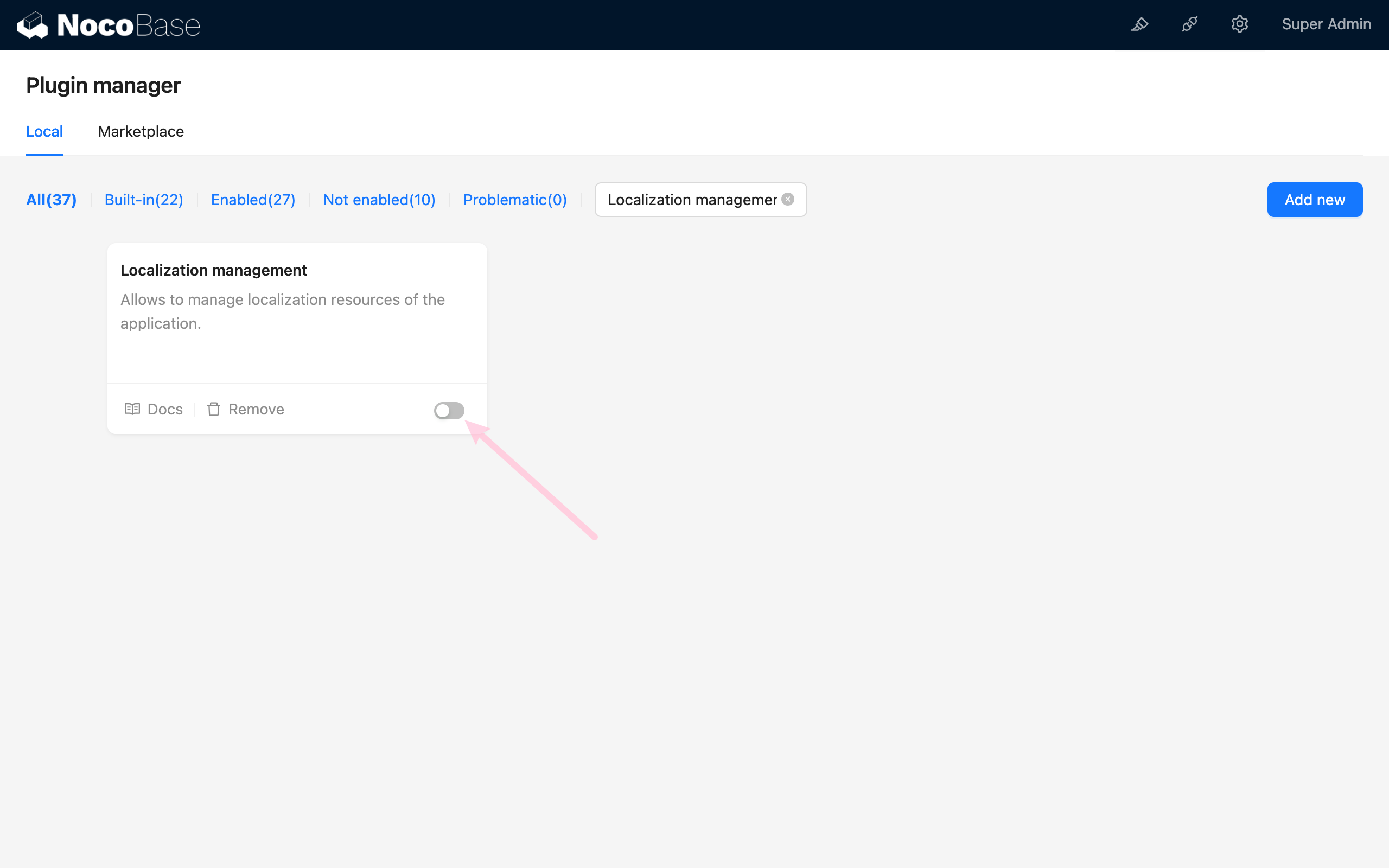
Accessing the Localization Management Page
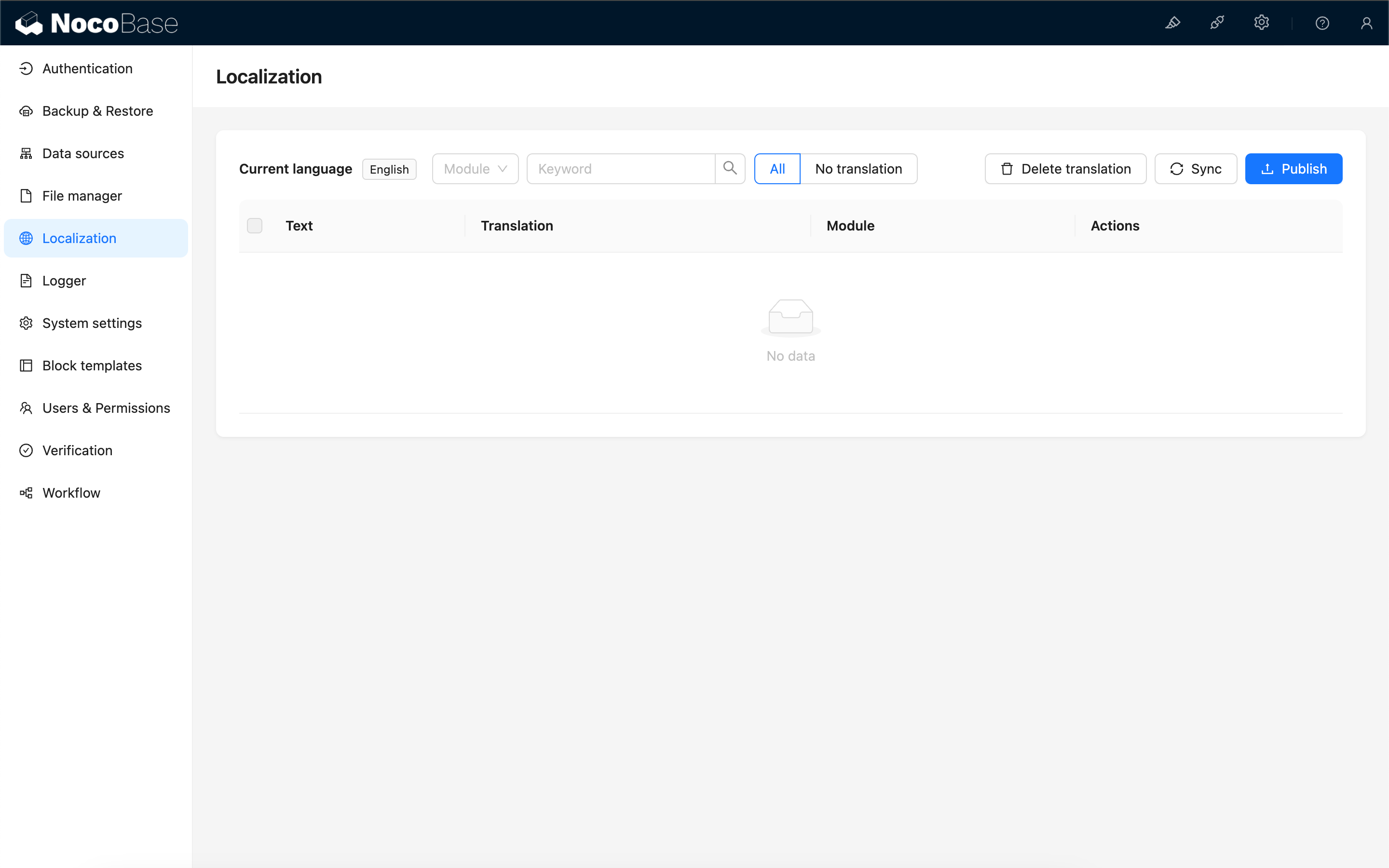
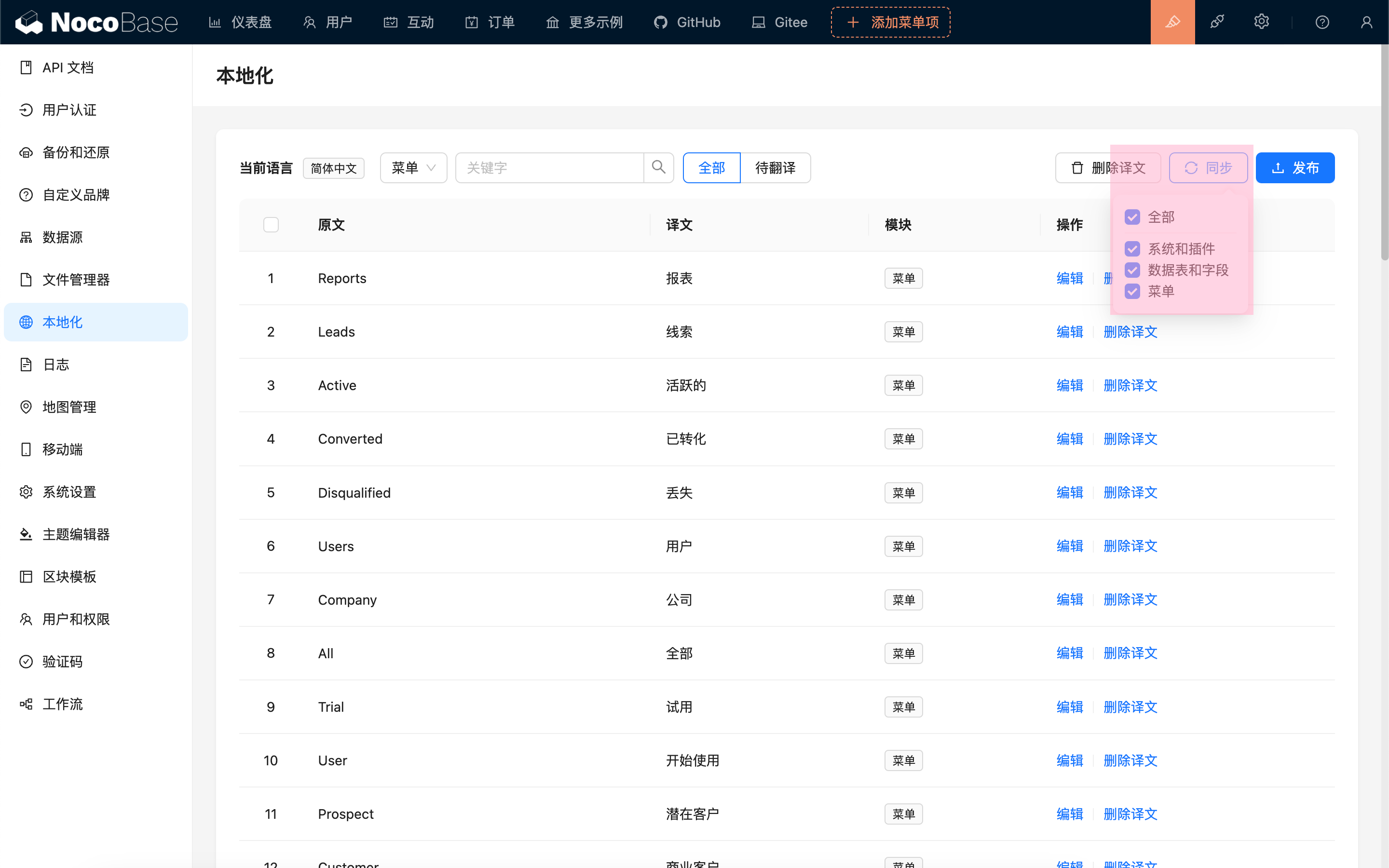
Synchronizing Translation Entries
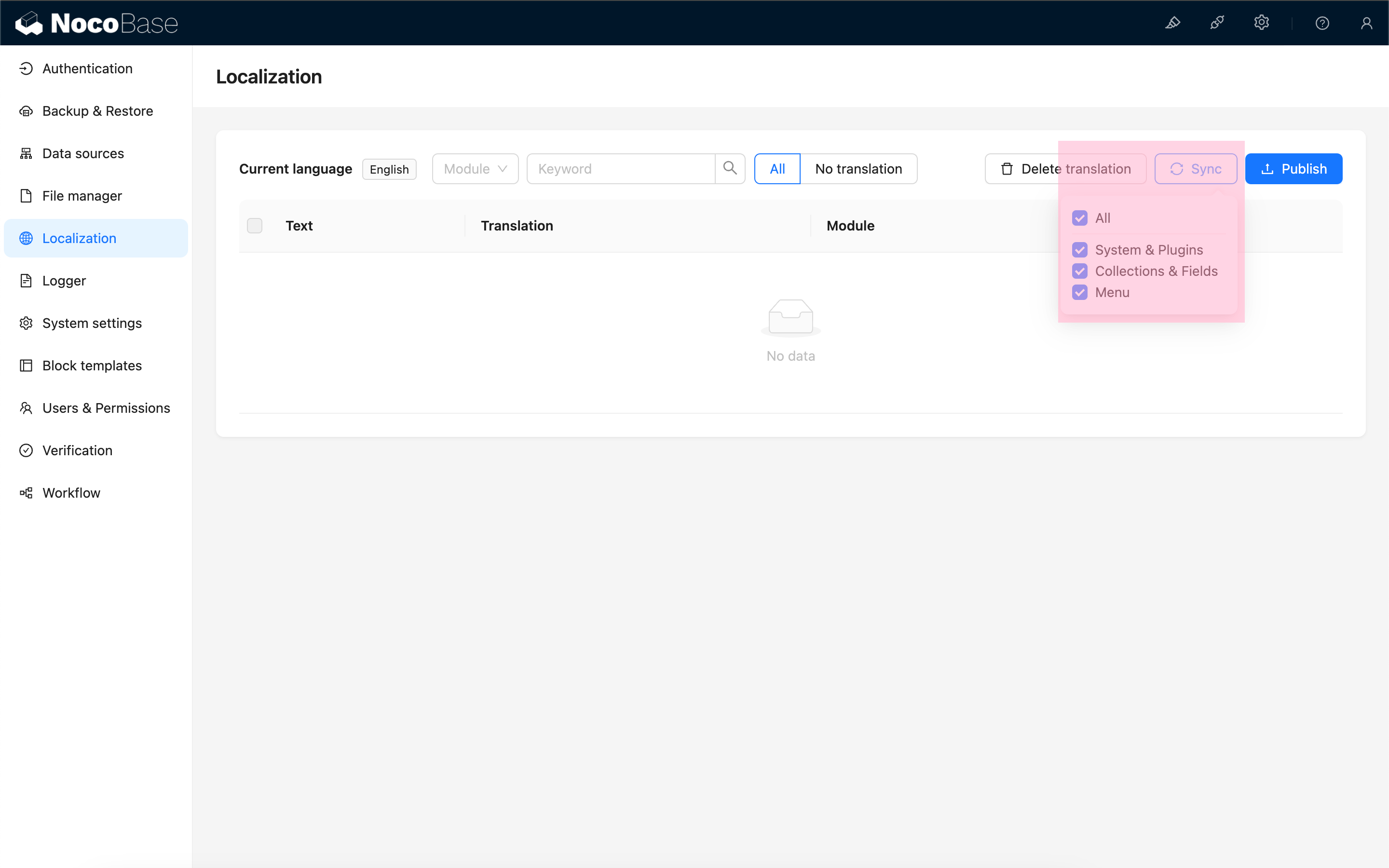
Currently, the following content can be synchronized:
- Local language packs for the system and plugins
- Collection titles, field titles, and field option labels
- Menu titles
After synchronization, the system will list all translatable entries for the current language.
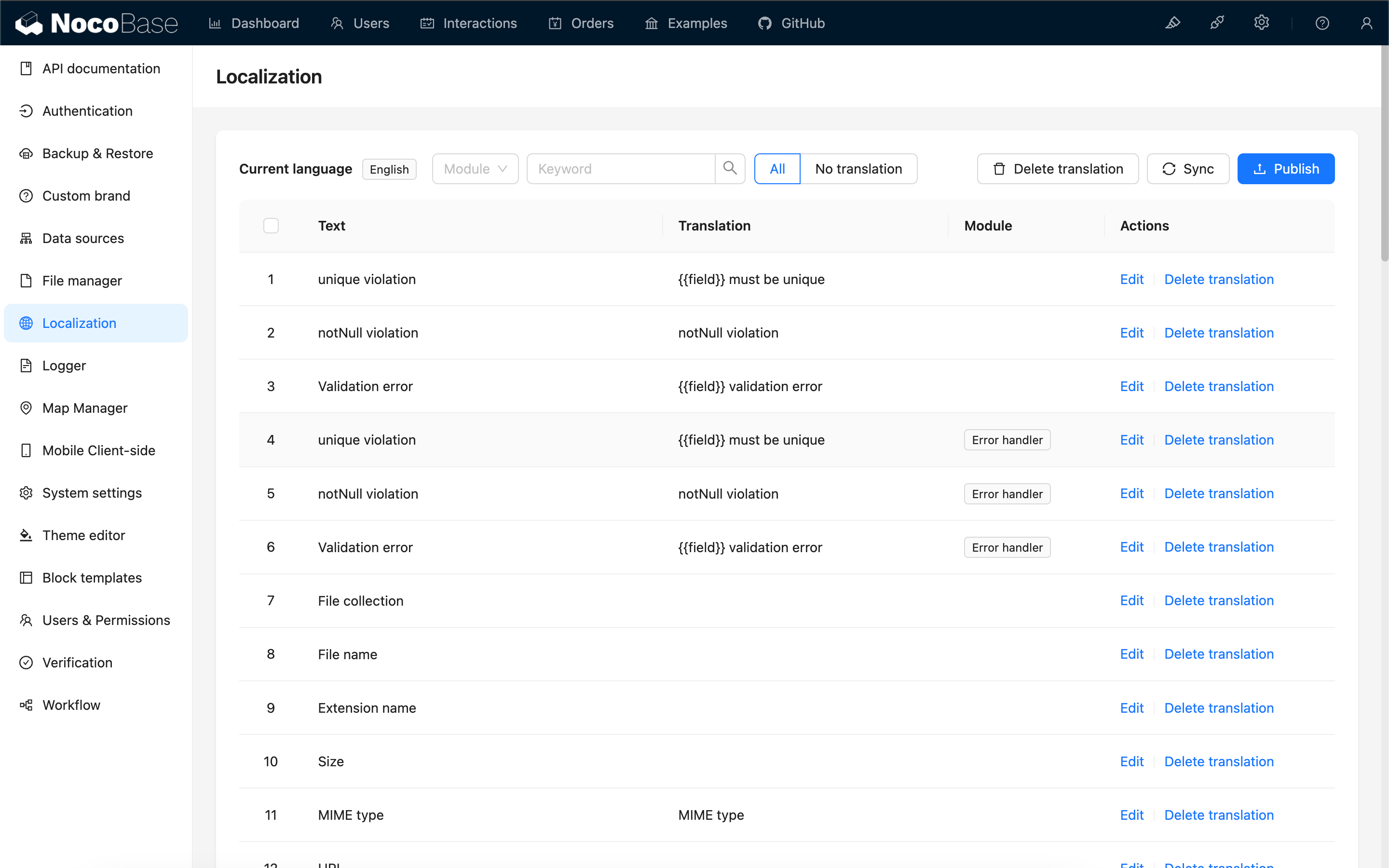
Different modules may have the same original text entries, which need to be translated separately.
If translations for system or plugin built-in entries are manually changed or overwritten by AI translation, select Reset system built-in entry translations during synchronization. After synchronization, the system will overwrite existing built-in entry translations for the current language with translations from the built-in language pack to restore the defaults.
Automatically Create Translation Entries
When editing a page, custom text within each block will automatically generate the corresponding i18n entry and simultaneously create the translation for the current language.
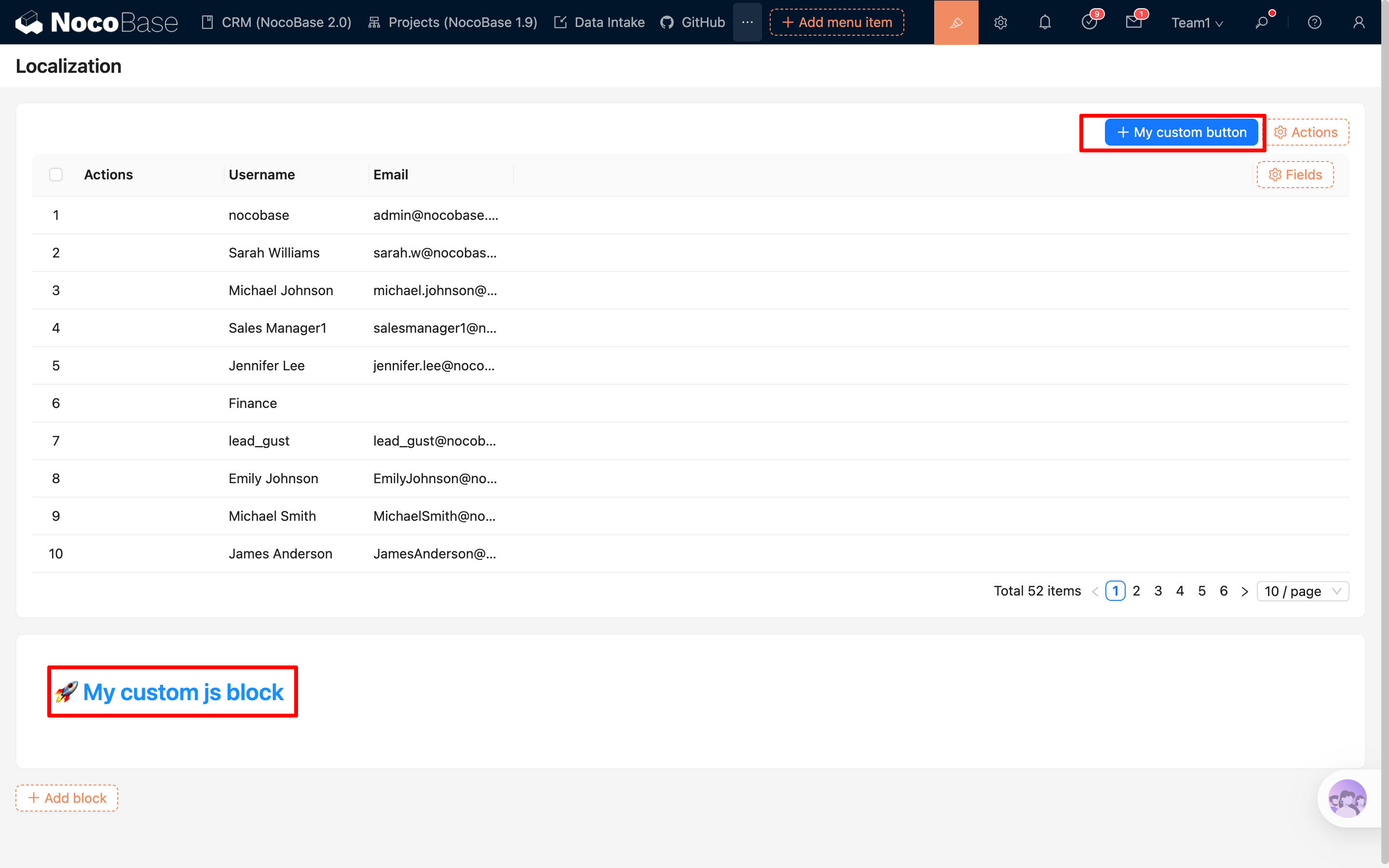
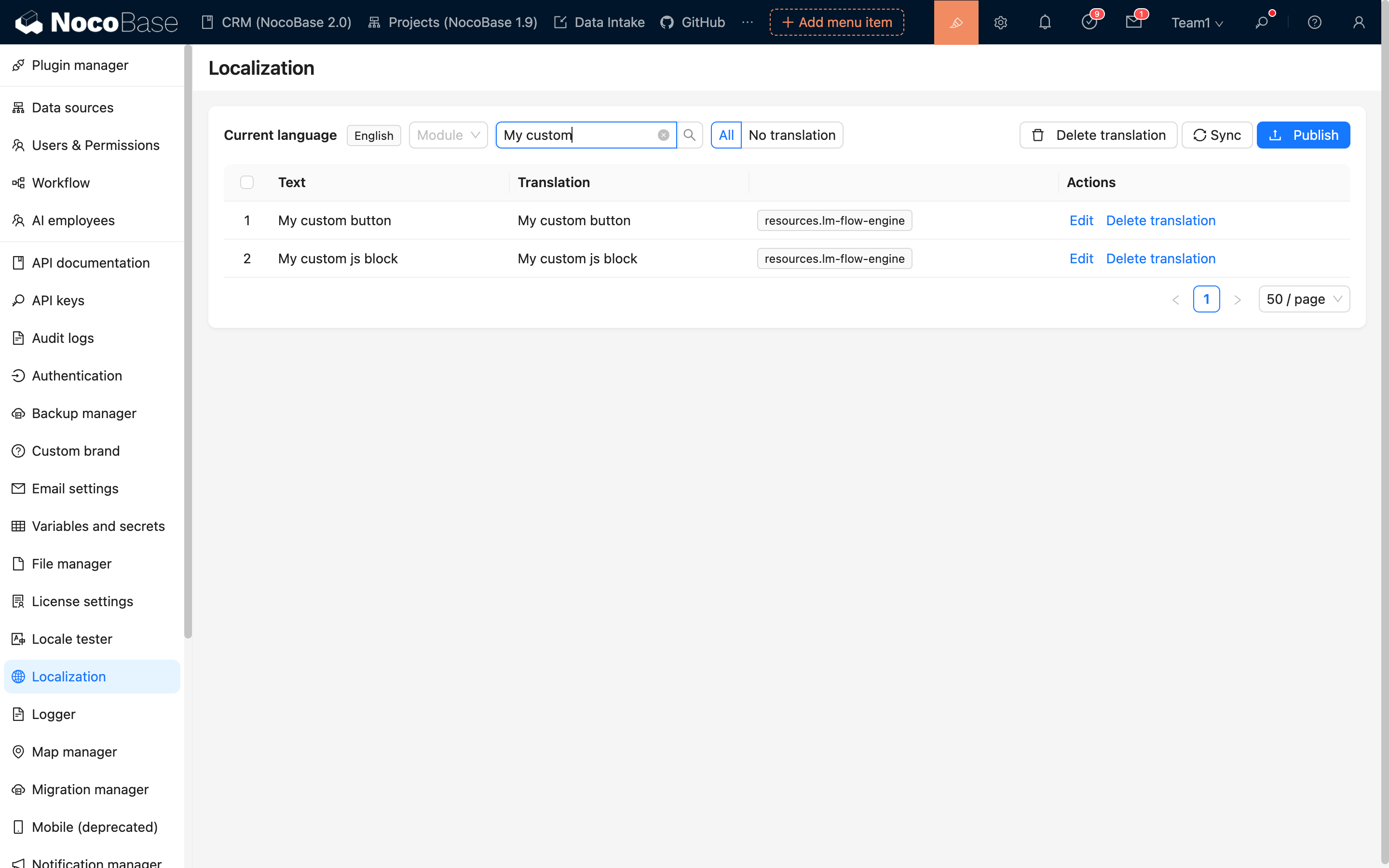
When defining text in code, you need to manually specify the ns (namespace), for example:
${ctx.i18n.t('My custom js block', { ns: 'lm-flow-engine' })}
Editing Translation Content
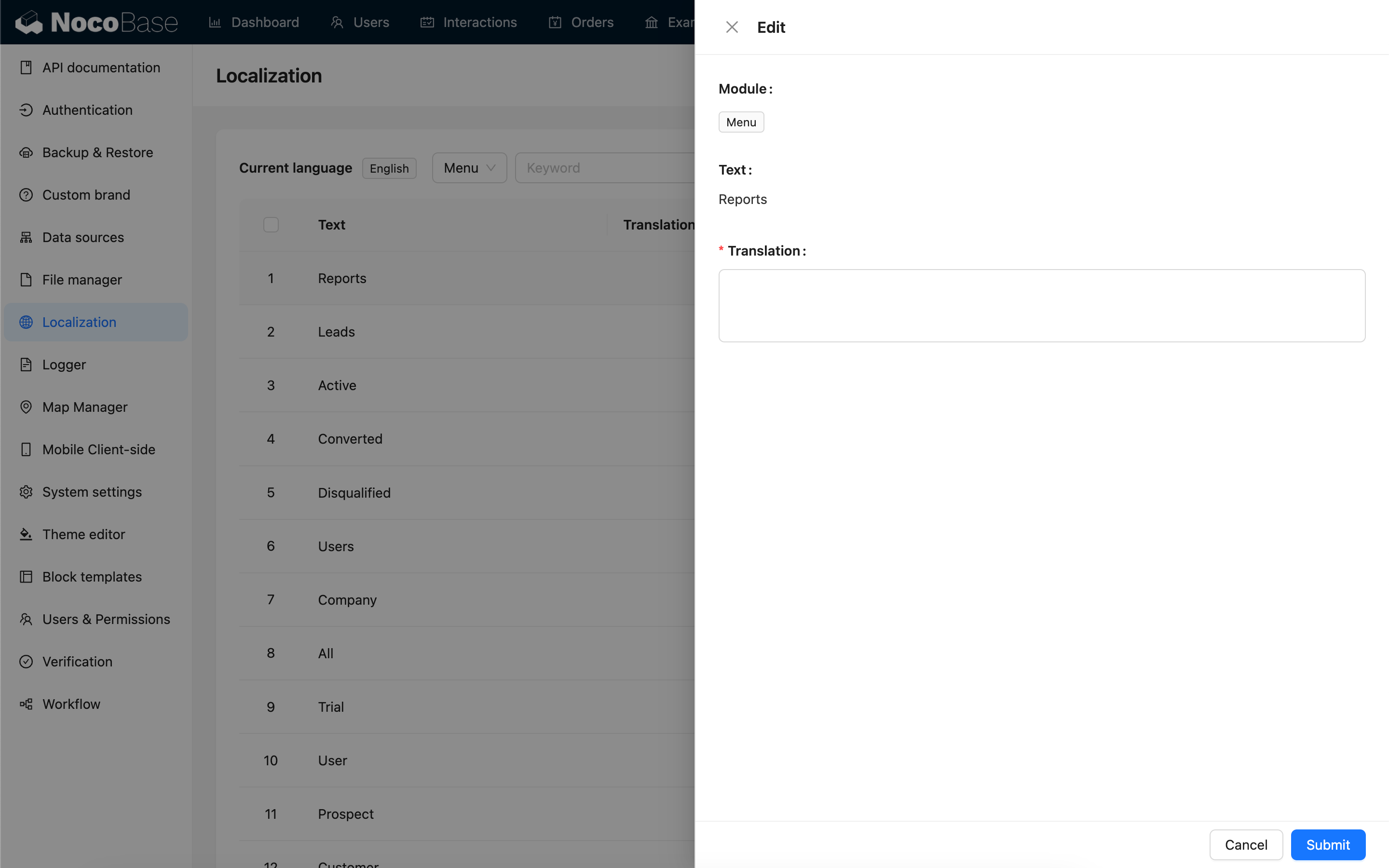
The translation column supports quick editing. You can click a translation cell in the table to edit it directly, press Enter or move focus out of the input to save, and press Esc to cancel the change. To view the source text, module, or longer translations, you can still use the edit button in the row actions to open the drawer editor.
Using AI Translation
Localization Management supports translating entries through the AI Employee Lina. After enabling AI Employees and configuring a model service, you can use AI translation on the Localization Management page to batch generate translations for the current language.
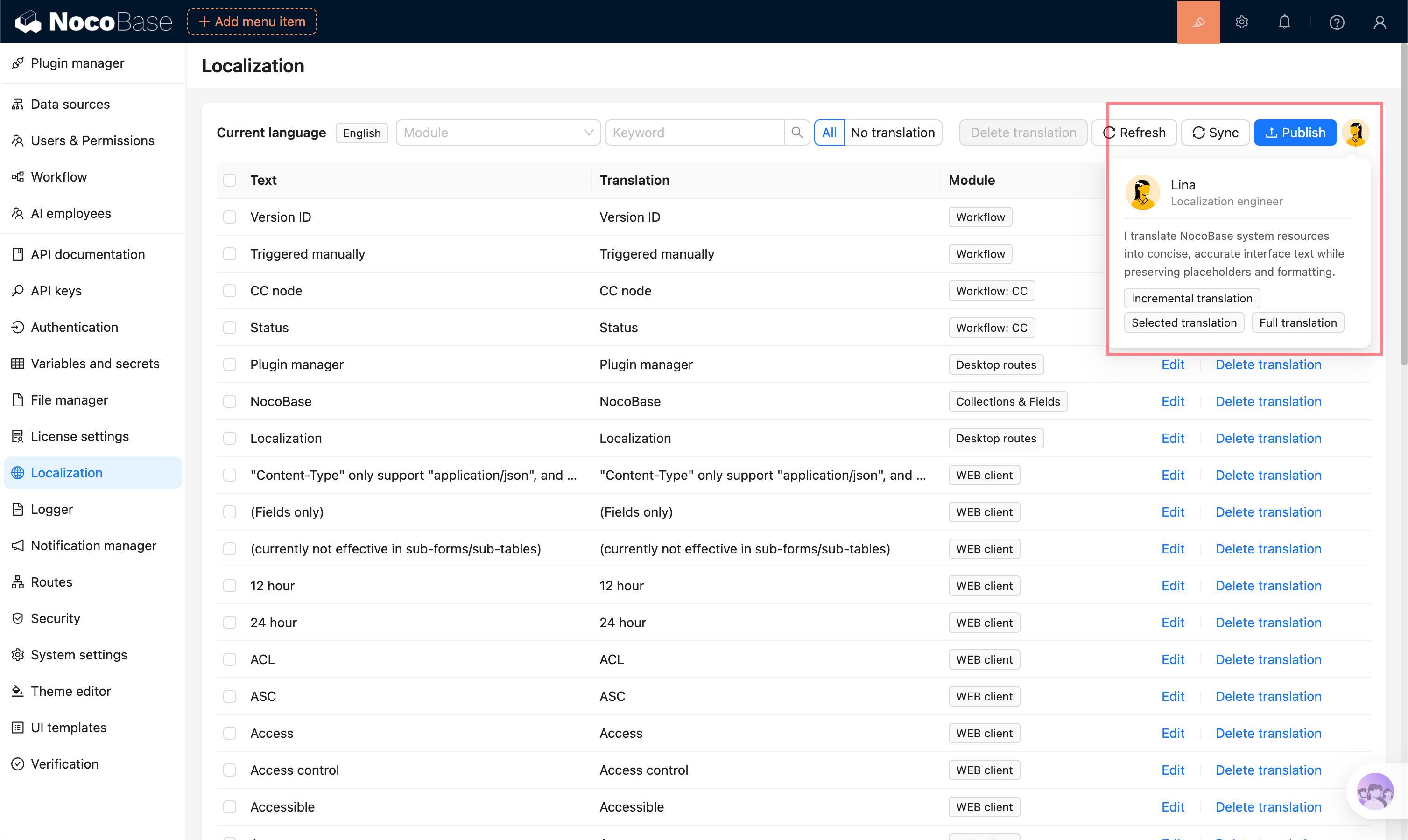
Supported translation scopes:
- Full translation: translate all entries in the current language and overwrite existing translations.
- Incremental translation: only translate entries that do not have translations yet in the current language. For built-in entries, if a translation already exists in the target language's system or plugin language pack, it is also treated as already translated.
- Selected translation: select entries in the table and translate only the selected content.
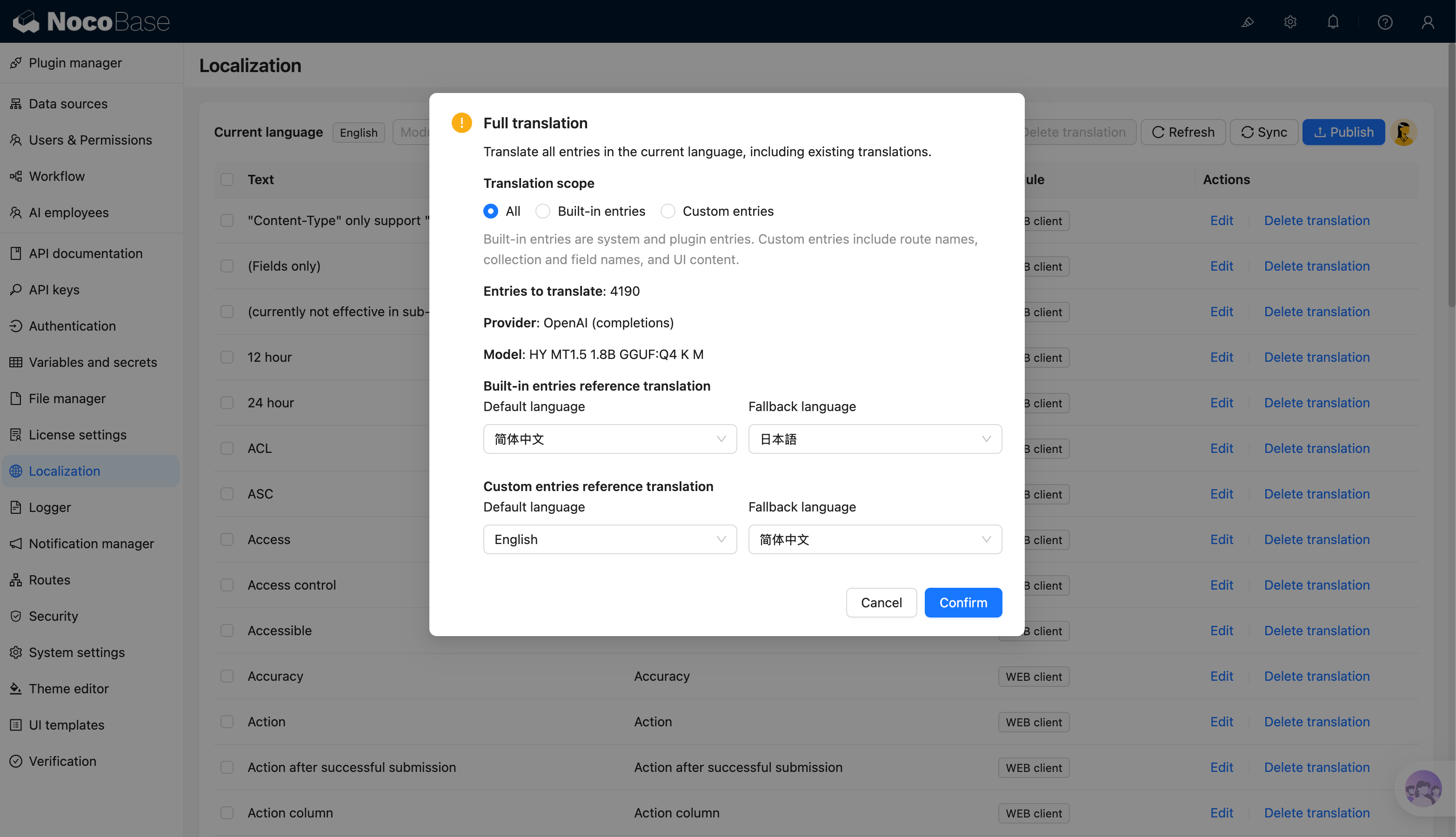
When creating a full or incremental translation task, you can choose the translation scope in the confirmation dialog:
- All: process all entries that match the current task conditions.
- Built-in entries: system and plugin entries.
- Custom entries: route names, collection and field names, and UI content.
The confirmation dialog also supports configuring reference translation languages. Full and incremental translation separately configure the default and fallback languages for built-in entries and custom entries. Selected translation only shows one general reference translation language configuration.
AI translation creates a background task. You can view progress while the task runs. After completion, translations are written to the corresponding language and should still be reviewed and corrected according to the actual context.
For the complete guide, see AI Employee - Lina.
AI-generated translations may have semantic deviations, inconsistent terminology, or insufficient context understanding. Before publishing, manually review important pages, business terminology, and user-facing copy.
Publishing Translations
After completing the translation, you need to click the "Publish" button to make the changes take effect.
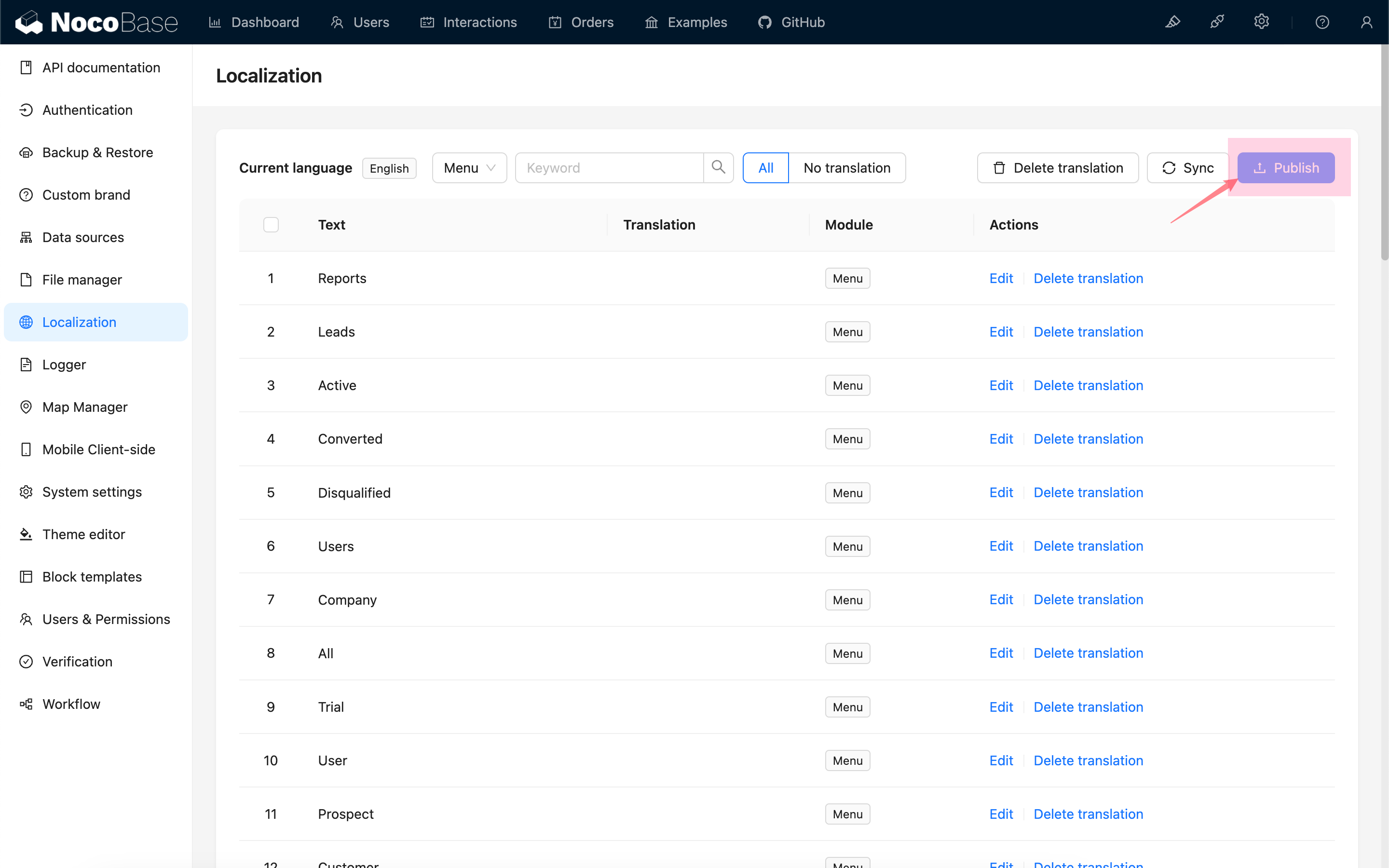
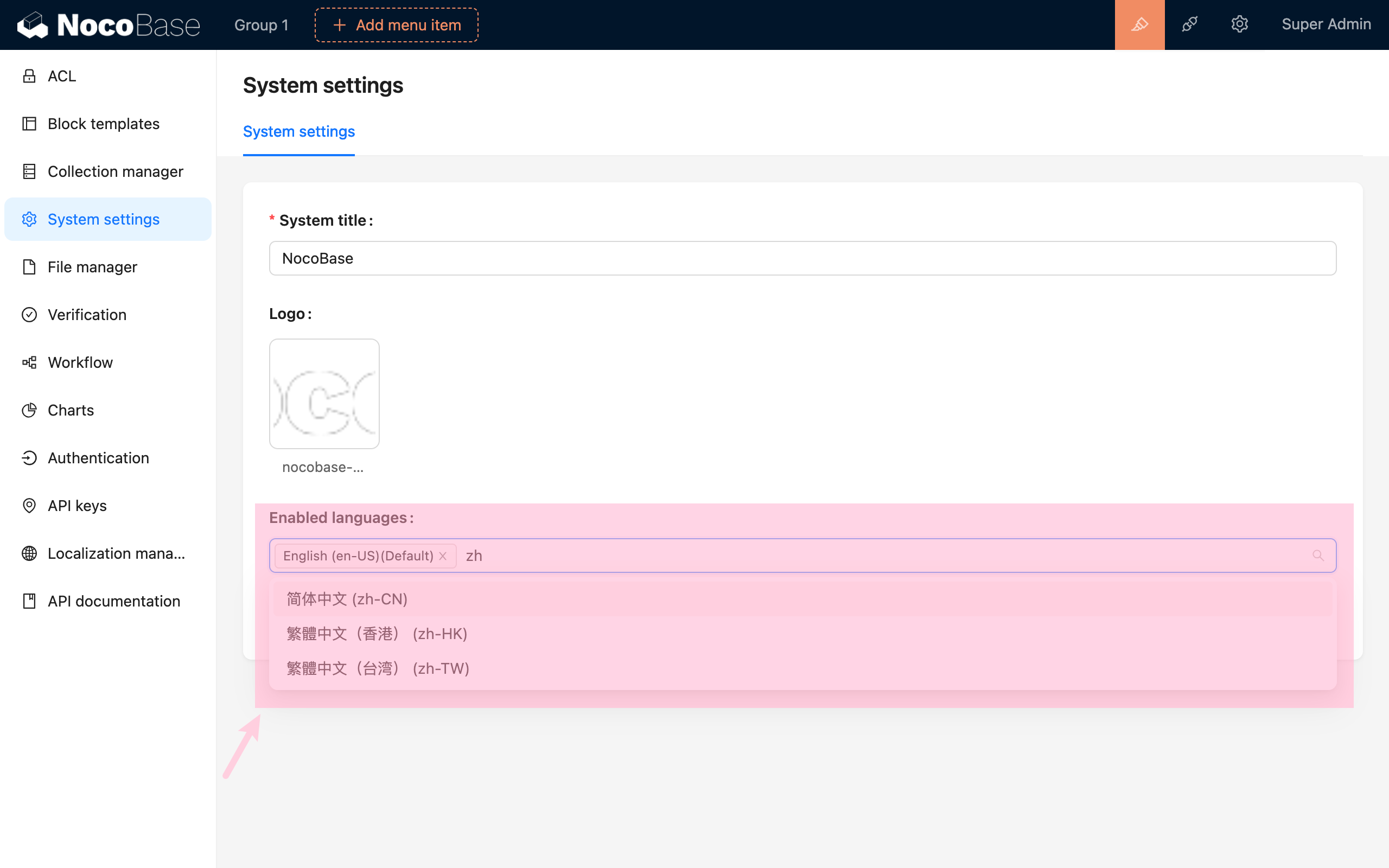
Translating Other Languages
Enable other languages in "System Settings", for example, Simplified Chinese.
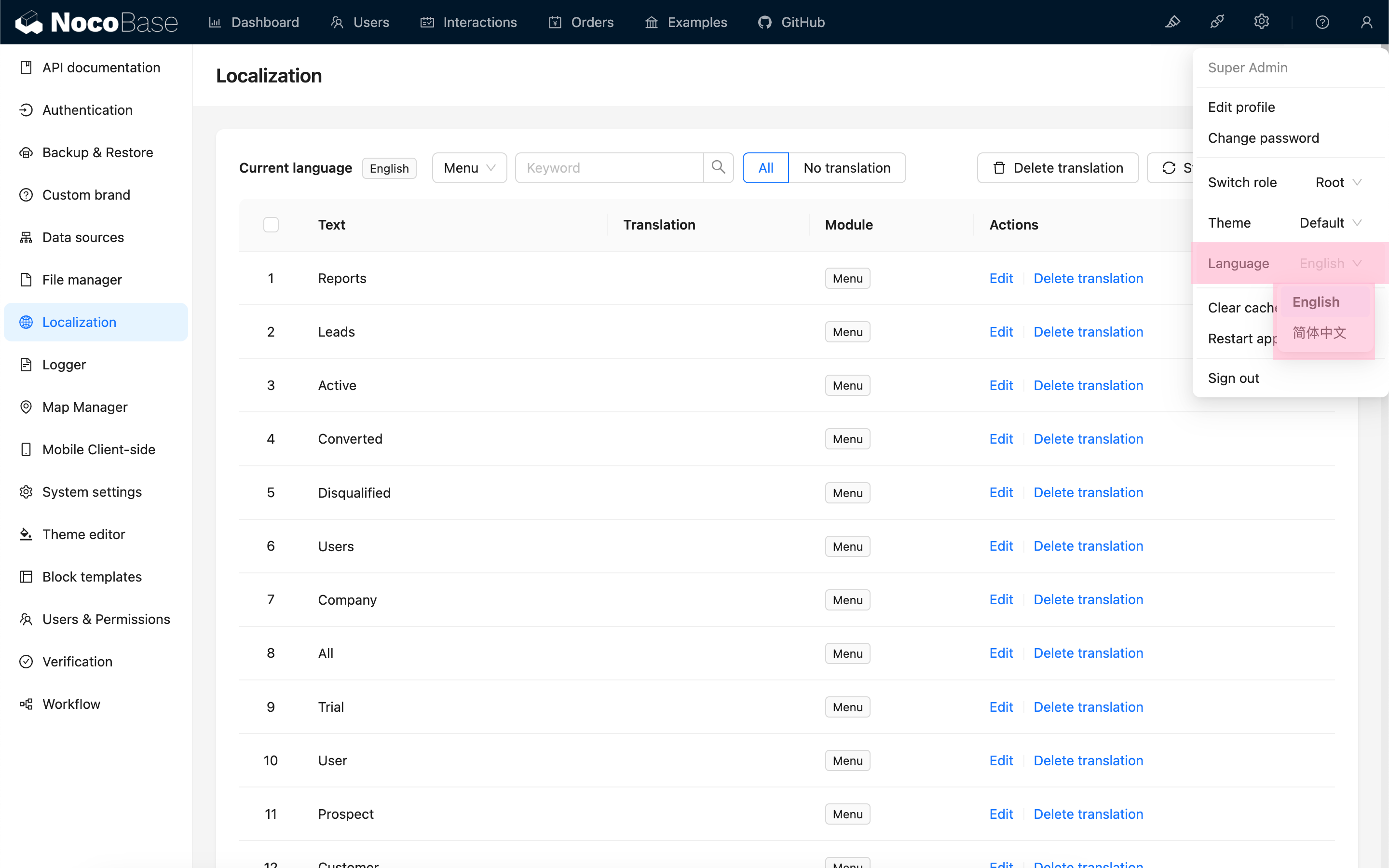
Switch to that language environment.
Synchronize the entries.
Translate and publish.