Extending Synchronized Data Sources

Overview

NocoBase allows users to extend data source types for user data synchronization as needed.

Server Side

Data Source Interface

The built-in user data synchronization plugin provides registration and management for data source types. To extend a data source type, inherit the SyncSource abstract class provided by the plugin and implement the relevant standard interfaces.

import { SyncSource, UserData } from '@nocobase/plugin-user-data-sync';

class CustomSyncSource extends SyncSource {
  async pull(): Promise<UserData[]> {
    return [];
  }
}

The SyncSource class includes an options property to retrieve custom configurations for the data source.

import { SyncSource, UserData } from '@nocobase/plugin-user-data-sync';

class CustomSyncSource extends SyncSource {
  async pull(): Promise<UserData[]> {
    //...
    const { appid, secret } = this.options;
    //...
    return [];
  }
}

Description of UserData Fields

FieldDescription
dataTypeData type, options are user and department
uniqueKeyUnique identifier field
recordsData records
sourceNameData source name

If dataType is user, the records field contains the following fields:

FieldDescription
idUser ID
nicknameUser nickname
avatarUser avatar
emailEmail
phonePhone number
departmentsArray of department IDs

If dataType is department, the records field contains the following fields:

FieldDescription
idDepartment ID
nameDepartment name
parentIdParent department ID

Example Implementation of the Data Source Interface

import { SyncSource, UserData } from '@nocobase/plugin-user-data-sync';

class CustomSyncSource extends SyncSource {
  async pull(): Promise<UserData[]> {
    // ...
    const ThirdClientApi = new ThirdClientApi(
      this.options.appid,
      this.options.secret,
    );
    const departments = await this.clientapi.getDepartments();
    const users = await this.clientapi.getUsers();
    // ...
    return [
      {
        dataType: 'department',
        uniqueKey: 'id',
        records: departments,
        sourceName: this.instance.name,
      },
      {
        dataType: 'user',
        uniqueKey: 'id',
        records: users,
        sourceName: this.instance.name,
      },
    ];
  }
}

Registering a Data Source Type

The extended data source must be registered with the data management module.

import UserDataSyncPlugin from '@nocobase/plugin-user-data-sync';

class CustomSourcePlugin extends Plugin {
  async load() {
    const syncPlugin = this.app.pm.get(
      UserDataSyncPlugin,
    ) as UserDataSyncPlugin;
    if (syncPlugin) {
      syncPlugin.sourceManager.registerType('custom-source-type', {
        syncSource: CustomSyncSource,
        title: 'Custom Source',
      });
    }
  }
}

Client Side

The client user interface registers data source types using the registerType method provided by the user data synchronization plugin's client interface:

import SyncPlugin from '@nocobase/plugin-user-data-sync/client';

class CustomSourcePlugin extends Plugin {
  async load() {
    const sync = this.app.pm.get(SyncPlugin);
    sync.registerType(authType, {
      components: {
        AdminSettingsForm, // Backend management form
      },
    });
  }
}

Backend Management Form

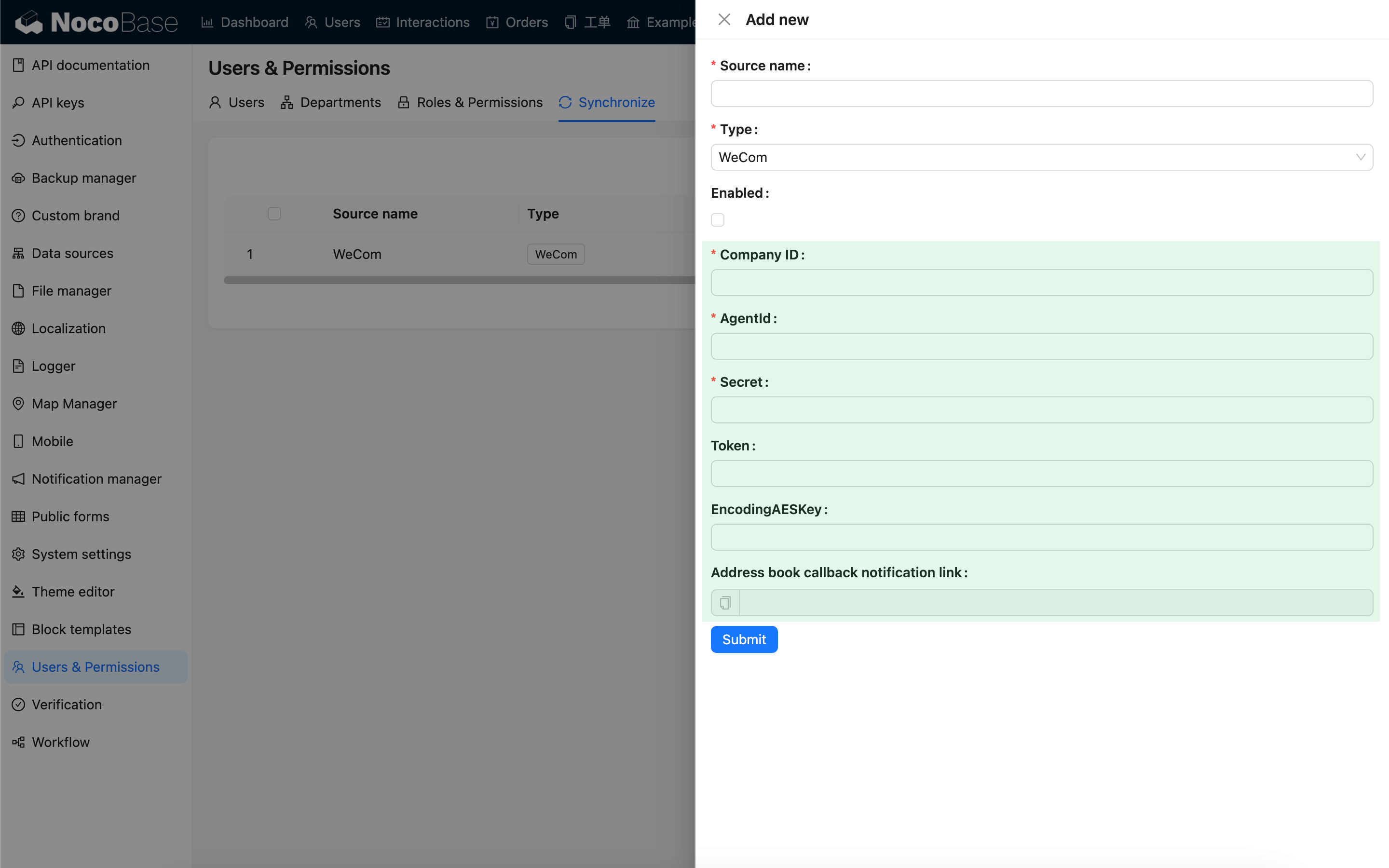
The top section provides general data source configuration, while the bottom section allows for registration of custom configuration forms.