

Extending permission configuration tabs

Below is an example of the "Mobile Menu" configuration item, demonstrating how to extend a new permission configuration tab. The effect is shown in the figure below:
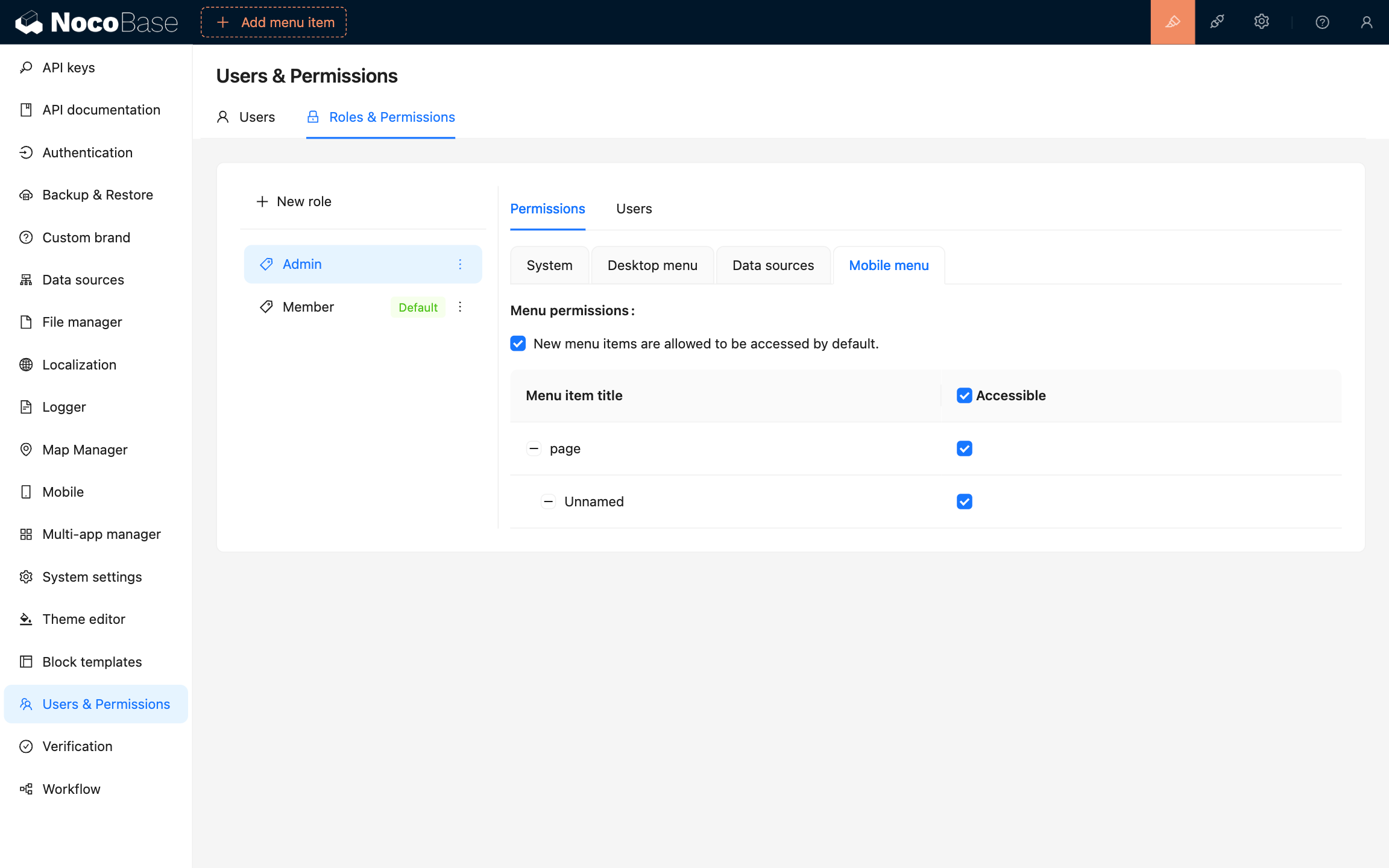
20240903210248

The code is as follows:

import { Plugin } from '@nocobase/client';
import PluginACLClient from '@nocobase/plugin-acl/client';

class PluginMobileClient extends Plugin {
  async load() {
    const aclInstance = this.app.pm.get(PluginACLClient);

    aclInstance?.settingsUI.addPermissionsTab(({ t, TabLayout, activeKey }) => ({
      key: 'mobile-menu',
      label: t('Mobile menu', {
        ns: 'plugin-mobile',
      }),
      children: (
        <TabLayout>
          <MenuPermissions />
        </TabLayout>
      ),
    }));
  }
}

First, we need to obtain an instance of the PluginACLClient plugin (other methods to obtain plugin instances), and add a new permission configuration tab using the settingsUI.addPermissionsTab method. In this example, we added a permission configuration tab named "Mobile Menu".

The value of the settingsUI property is an instance of a class named ACLSettingsUI, and its type information is as follows:

import { TabsProps } from 'antd/es/tabs/index';

interface ACLSettingsUI {
  addPermissionsTab(tab: Tab | TabCallback): void;
  getPermissionsTabs(props: PermissionsTabsProps): Tab[];
}

type Tab = TabsProps['items'][0];

type TabCallback = (props: PermissionsTabsProps) => Tab;

interface PermissionsTabsProps {
  /**
   * the key of the currently active tab panel
   */
  activeKey: string;
  /**
   * the currently selected role
   */
  role: Role;
  /**
   * translation function
   */
  t: TFunction;
  /**
   * used to constrain the size of the container in the Tab
   */
  TabLayout: React.FC;
}