

AI Plugin Development Quick Start
AI plugin development is an AI-assisted plugin development capability provided by NocoBase -- you can describe your requirements in natural language, and AI will automatically generate complete frontend and backend code, including collections, APIs, frontend blocks, permissions, and i18n. It offers a more modern and efficient plugin development experience.
The AI plugin development capability is powered by the nocobase-plugin-development Skill. If you have already initialized via the NocoBase CLI (nb init), this Skill is automatically installed.
Quick Start
If you have already installed the NocoBase CLI, you can skip this step.
One-Click AI Installation
Copy the following prompt to your AI assistant (Claude Code, Codex, Cursor, Trae, etc.) to automatically complete the installation and configuration:
Manual Installation
Your browser will automatically open the visual configuration page, guiding you through installing NocoBase Skills, configuring the database, and starting the application. For detailed steps, refer to the Quick Start.
- NocoBase is migrating from
client(v1) toclient-v2, andclient-v2is still under development. The client code generated by AI development is based onclient-v2and can only be used under the/v/path. It is available for early access and experimentation, but is not recommended for production use. - AI-generated code may not be 100% correct. We recommend reviewing it before enabling. If you encounter issues at runtime, send the error message to AI and let it investigate and fix -- it usually takes just a few rounds of conversation to resolve.
- We recommend using GPT or Claude series models for development, as they produce the best results. Other models can also work, but generation quality may vary.
From One Sentence to a Complete Plugin
After installation, you can directly tell AI in natural language what plugin you want to develop. Here are a few real-world scenarios to give you a feel for the capabilities of AI plugin development.
Build a Watermark Plugin with One Sentence
With a single prompt, AI can help you generate a complete watermark plugin -- including frontend rendering logic, tamper detection, backend settings storage API, and a plugin settings page.
Throughout the process, you only need to describe your requirements and make decisions -- AI handles the rest. Want to see the full process? -> Tutorial: Building a Watermark Plugin
Build a Custom Field Component with One Sentence
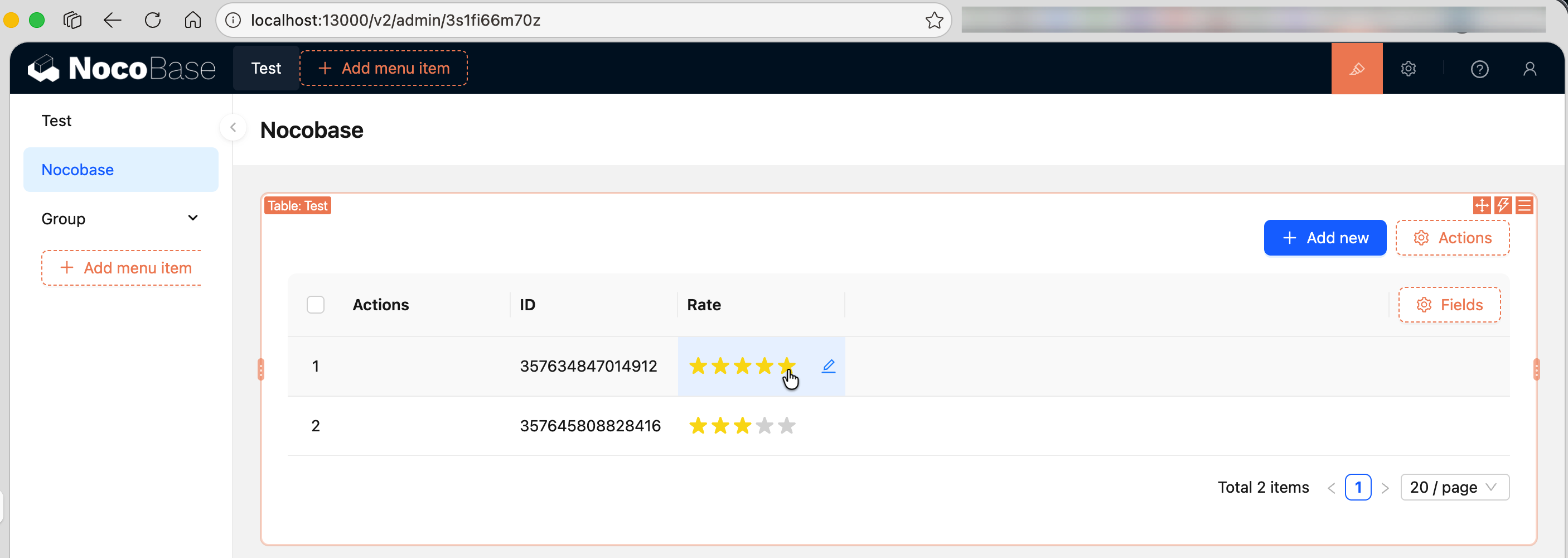
Want to display an integer field as star ratings? Tell AI the display effect you want, and it will generate a custom FieldModel to replace the default field rendering component.
To learn more about available capabilities, see Supported Capabilities.
What AI Can Do for You
Detailed descriptions and sample prompts for each capability -> Supported Capabilities
Related Links
- Tutorial: Building a Watermark Plugin -- A complete hands-on AI development case study, from one sentence to a working plugin
- Supported Capabilities -- Everything AI can help you do, with sample prompts
- NocoBase CLI -- Command-line tool for installing and managing NocoBase
- NocoBase CLI Reference -- Complete parameter documentation for all commands
- Plugin Development -- The complete guide to NocoBase plugin development
- AI Portal -- Have AI write frontend pages. A plugin extends NocoBase itself; a Portal builds a standalone entry on top of those capabilities
- AI Builder -- Build NocoBase applications with AI (no coding required)