

Tutorial: Building a Watermark Plugin
This tutorial demonstrates how to use a single sentence to have AI develop a complete NocoBase watermark plugin -- from creating the scaffold to enabling and verifying, all done by AI.
Final Result
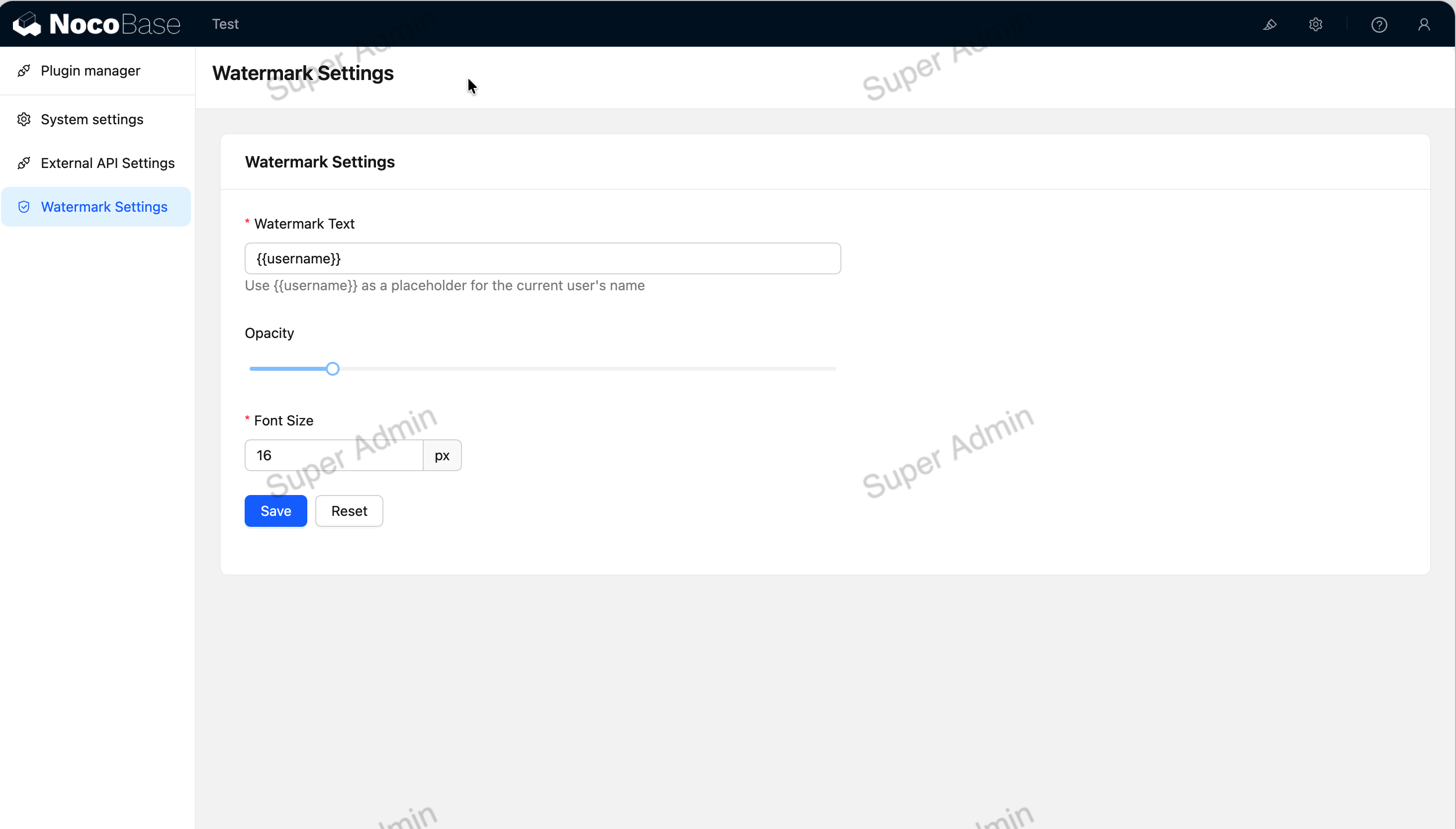
After enabling the plugin:
- A semi-transparent watermark overlays NocoBase pages, displaying the current logged-in username
- The watermark cannot be removed by deleting the DOM -- periodic detection will automatically regenerate it
- Watermark text, opacity, and font size can be adjusted in the "Plugin Settings"
Prerequisites
- NocoBase CLI -- Installing and starting NocoBase
- AI Plugin Development Quick Start -- Installing Skills
Make sure you have:
- A running NocoBase development environment (NocoBase Skills are automatically installed during NocoBase CLI initialization)
- An editor that supports AI Agent open (e.g., Claude Code, Codex, Cursor, etc.)
- NocoBase is migrating from
client(v1) toclient-v2, andclient-v2is still under development. The client code generated by AI development is based onclient-v2and can only be used under the/v/path. It is available for early access and experimentation, but is not recommended for production use. - AI-generated code may not be 100% correct. We recommend reviewing it before enabling. If you encounter issues at runtime, send the error message to AI and let it investigate and fix -- it usually takes just a few rounds of conversation to resolve.
Getting Started
In your NocoBase project root directory, send the following prompt to AI:
What AI Did
After receiving the requirements, AI will automatically execute the following steps:
1. Analyze Requirements and Confirm the Plan
AI will first analyze which NocoBase extension points this plugin needs, then present a development plan. For example:
Server-side:
- A
watermarkSettingscollection to store watermark configuration (text, opacity, font size)- A custom API to read and write watermark settings
- ACL configuration: logged-in users can read, admins can write
Client-side:
- A plugin settings page with a form to configure watermark parameters
- Watermark rendering logic that reads the configuration and overlays the watermark on the page
- Tamper detection with a timer to monitor the watermark DOM
After you confirm the plan, AI starts writing code.
2. Create the Plugin Scaffold
AI generates a standard plugin directory structure under packages/plugins/@my-project/plugin-watermark/.
Once the scaffold is created, start development mode so your code changes hot-reload: for a project created by nb init, run nb source dev from the project root (<app-path>); for a NocoBase source repository you cloned yourself, run yarn dev from the source root.
3. Write Server-Side Code
AI will generate the following files:
- Collection definition -- A
watermarkSettingstable withtext,opacity, andfontSizefields - Custom API -- Endpoints to read and update watermark settings
- ACL configuration -- Logged-in users can read watermark settings, admins can modify them
4. Write Client-Side Code
- Plugin settings page -- An Ant Design form for configuring watermark text, opacity (slider), and font size
- Watermark rendering -- Creates a fullscreen canvas/div overlay on the page, displaying the current logged-in username
- Tamper detection -- Dual protection with
MutationObserver+ timer; the watermark is immediately regenerated if the DOM is removed
5. Internationalization
AI automatically generates Chinese and English language packs -- no extra action needed from you:
src/locale/zh-CN.json-- Chinese translationssrc/locale/en-US.json-- English translations
6. Enable the Plugin
After enabling, open the NocoBase page and you'll see the watermark overlaying the content.
How Long Did It Take
From entering the prompt to having a working plugin, it takes approximately 3-5 minutes. AI completed the following work:
Want to Build More Plugins?
The watermark plugin primarily involves frontend rendering and simple backend storage. If you want to learn what else AI can help you with -- such as custom blocks, complex collection relationships, workflow extensions, and more -- check out Supported Capabilities.
Related Links
- AI Plugin Development Quick Start -- Quick start and capability overview
- Supported Capabilities -- Everything AI can help you do, with sample prompts
- Plugin Development -- The complete guide to NocoBase plugin development
- NocoBase CLI -- Command-line tool for installing and managing NocoBase