自定义交互事件

在事件编辑器编写 JS,通过 ECharts 实例 chart 注册交互行为,实现联动。例如跳转到新页面、打开弹窗下钻分析等。
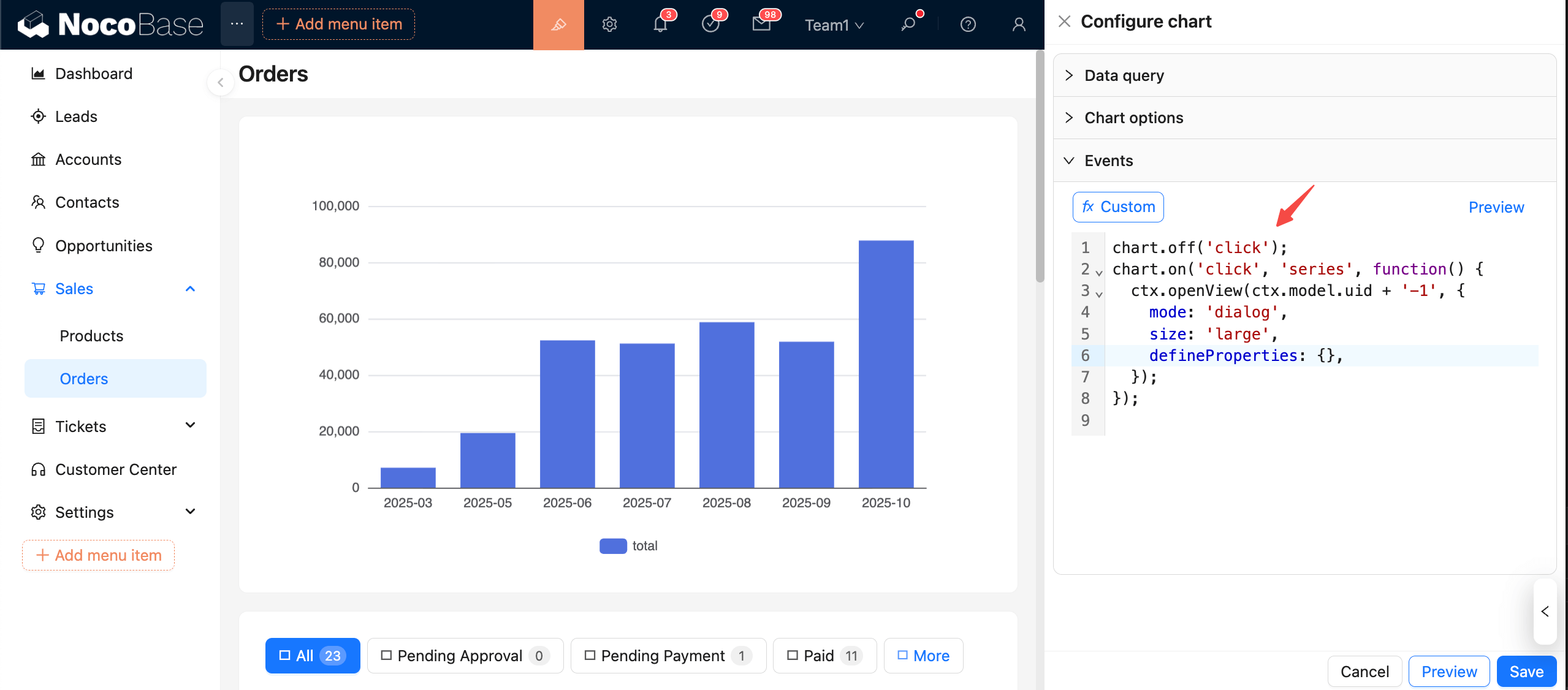
clipboard-image-1761489617

事件注册与解绑

  • 注册:chart.on(eventName, handler)
  • 解绑:chart.off(eventName, handler)chart.off(eventName) 清理同名事件

注意: 安全考虑,强烈建议注册事件前先进行解绑!

handler 函数入参 params 的数据结构
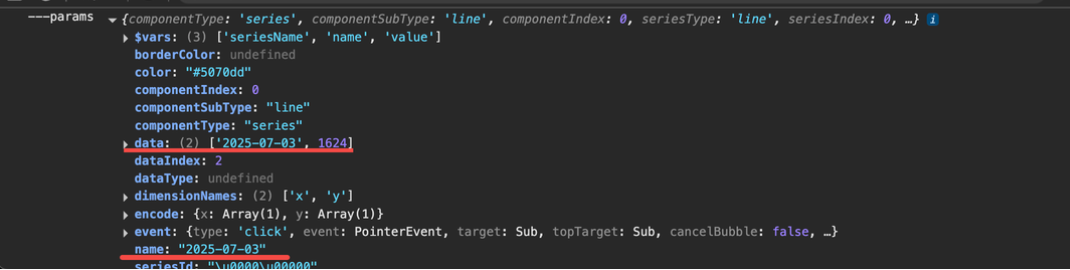
20251026222859

常用的有 params.dataparams.name

示例:点击高亮选中

chart.off('click');
chart.on('click', (params) => {
  const { seriesIndex, dataIndex } = params;
  // 高亮当前数据点
  chart.dispatchAction({ type: 'highlight', seriesIndex, dataIndex });
  // 取消其它高亮
  chart.dispatchAction({ type: 'downplay', seriesIndex });
});

示例:点击跳转页面

chart.off('click');
chart.on('click', (params) => {
  const order_date = params.data[0]
  
  // 方式1、应用内部跳转,不强制刷新页面,体验更好(推荐),只需相对路径path
  ctx.router.navigate(`/new-path/orders?order_date=${order_date}`)

  // 方式2、跳转外部页面,需要完整链接
  window.location.href = `https://www.host.com/new-path/orders?order_date=${order_date}`

  // 方式3、新标签页打开外部页面,需要完整链接
  window.open(`https://www.host.com/new-path/orders?order_date=${order_date}`)
});

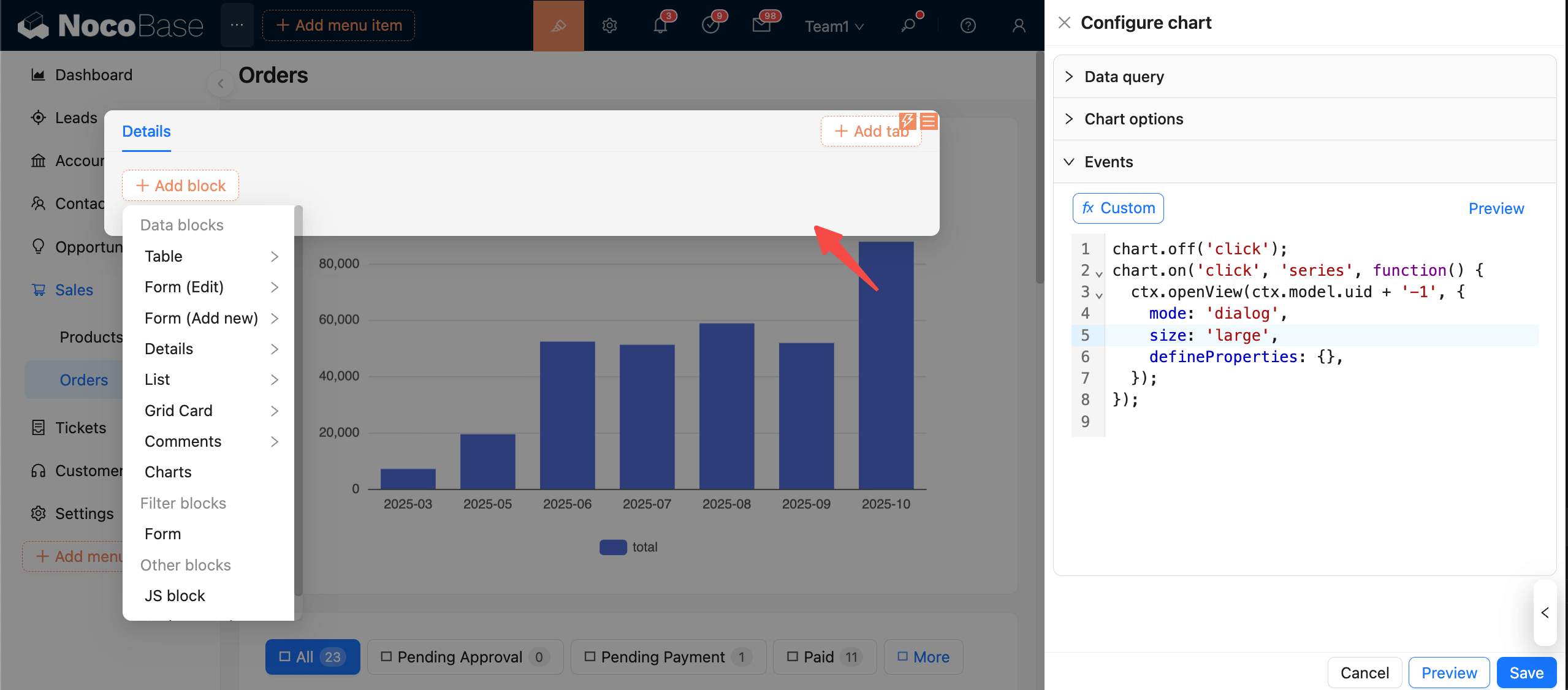
示例:点击显示详情弹窗(下钻分析)

chart.off('click');
chart.on('click', (params) => {
  ctx.openView(ctx.model.uid + '-1', {
    mode: 'dialog',
    size: 'large',
    defineProperties: {}, // 注册上下文变量,供新弹窗使用
  });
});

clipboard-image-1761490321

新打开的弹窗中使用图表声明的上下文变量 ctx.view.inputArgs.XXX

预览与保存

  • 点击“预览”加载并执行事件代码。
  • 点击“保存”则保存当前事件配置内容。
  • 点击“取消”回到上次保存状态。

建议:

  • 每次绑定前先 chart.off('event'),避免多次绑定导致重复执行或内存增长。
  • 事件里尽量使用轻量操作(dispatchActionsetOption),避免阻塞渲染。
  • 与图表选项、数据查询配合验证,确保事件处理的字段与当前数据一致。