自定义图表配置

自定义模式配置图表,可以在代码编辑器编写 JS,基于 ctx.data 返回完整的 ECharts option,适合多系列合并、复杂提示与动态样式。理论上可以支持完整的 Echart 功能和所有的图表类型。
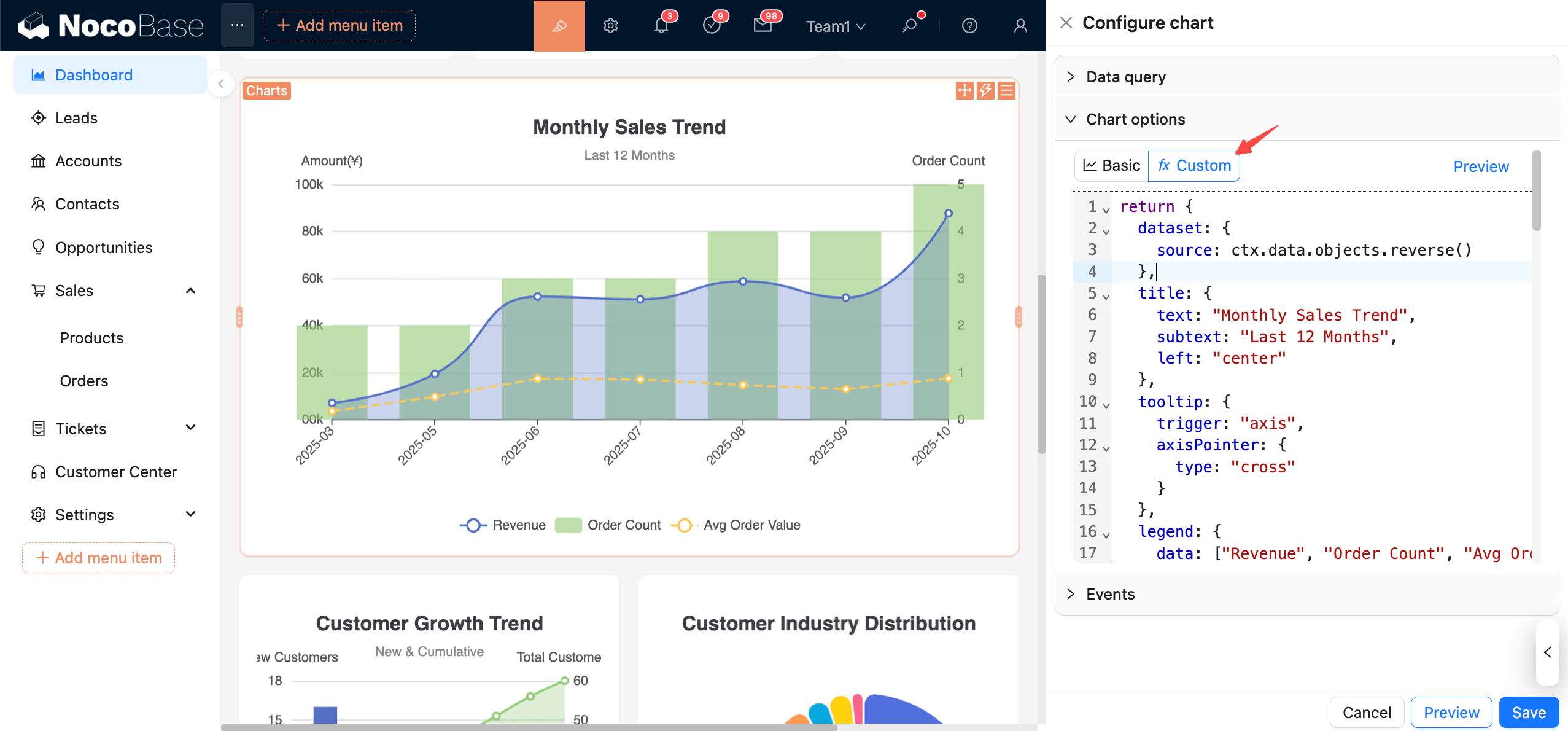
clipboard-image-1761524637

数据上下文

  • ctx.data.objects:对象数组(每行记录)
  • ctx.data.rows:二维数组(含表头)
  • ctx.data.columns:按列分组的二维数组

推荐用法: 把数据统一收敛在 dataset.resource 中,详细用法请参考 Echars 文档

Dataset

坐标轴

示例

先来看一个最简单的例子:

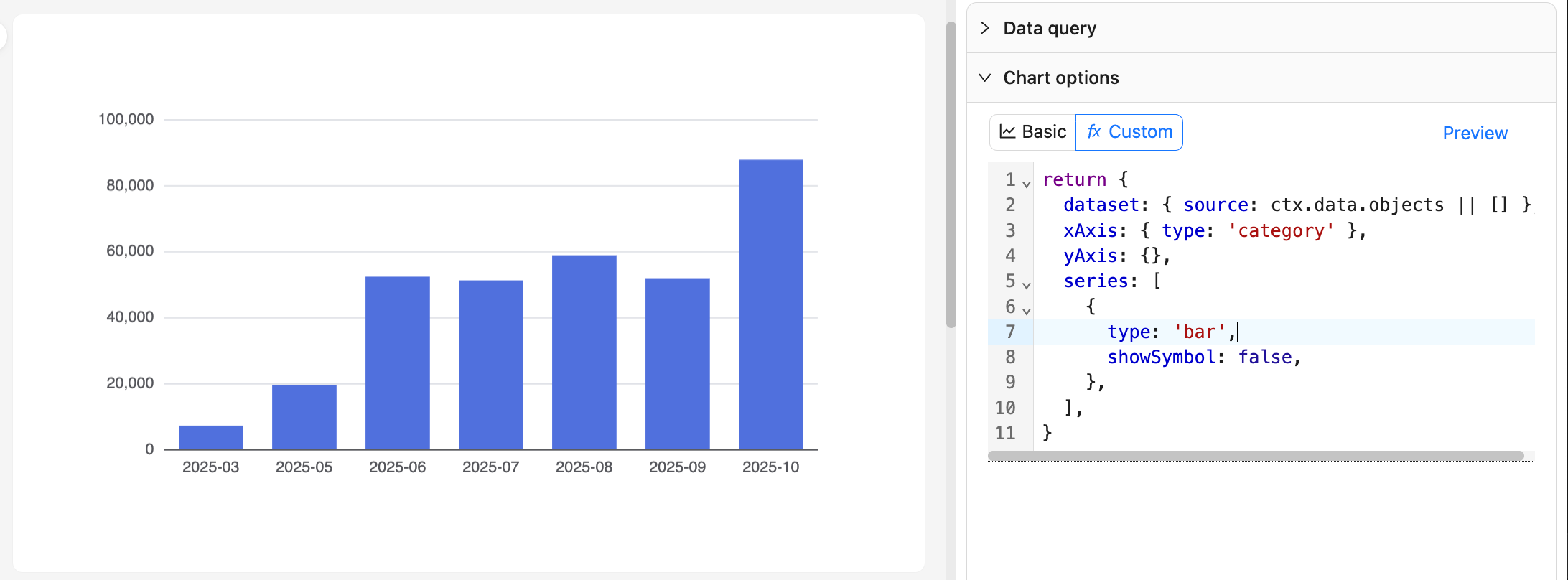
示例一:按月订单量柱状图

20251027082816

return {
  dataset: { source: ctx.data.objects || [] },
  xAxis: { type: 'category' },
  yAxis: {},
  series: [
    {
      type: 'bar',
      showSymbol: false,
    },
  ],
}

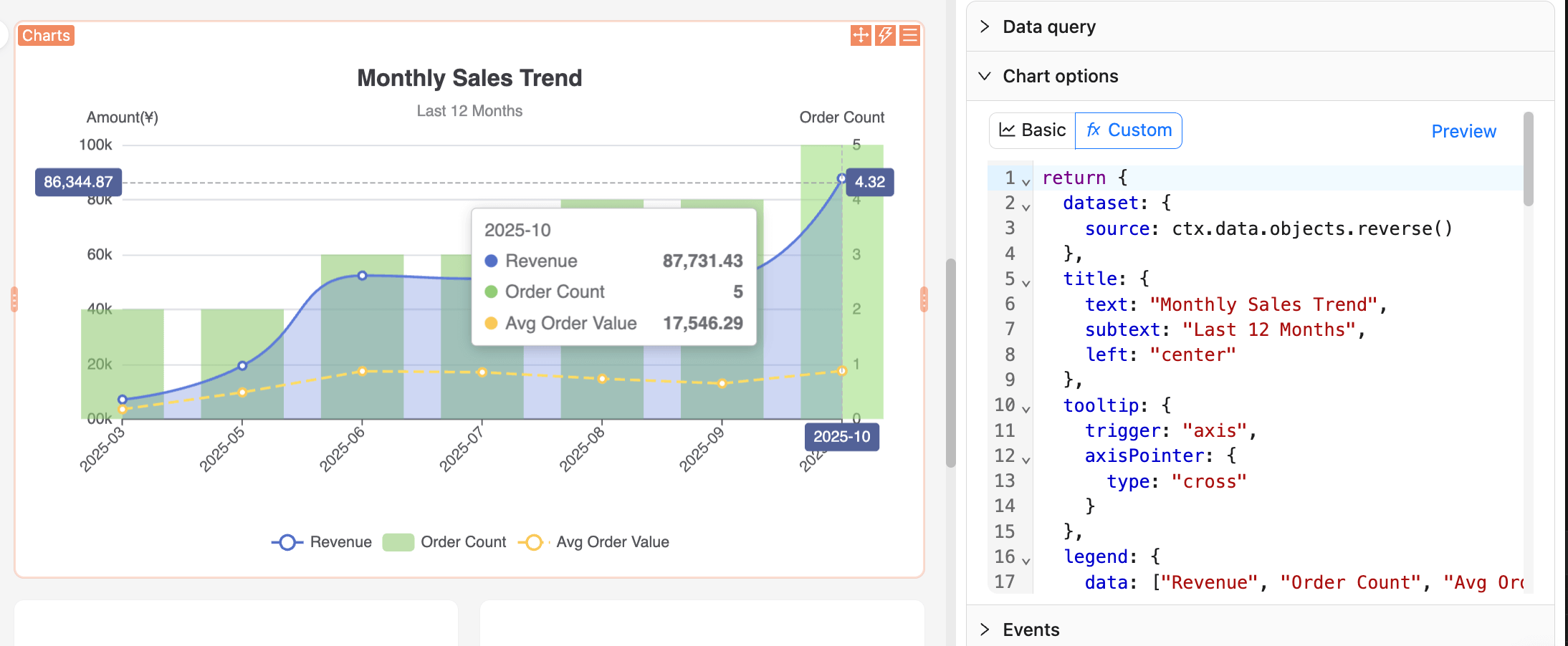
示例二:阅读销售趋势图

clipboard-image-1761525188

return {
  dataset: {
    source: ctx.data.objects.reverse()
  },
  title: {
    text: "Monthly Sales Trend",
    subtext: "Last 12 Months",
    left: "center"
  },
  tooltip: {
    trigger: "axis",
    axisPointer: {
      type: "cross"
    }
  },
  legend: {
    data: ["Revenue", "Order Count", "Avg Order Value"],
    bottom: 0
  },
  grid: {
    left: "5%",
    right: "5%",
    bottom: "60",
    top: "80",
    containLabel: true
  },
  xAxis: {
    type: "category",
    boundaryGap: false,
    axisLabel: {
      rotate: 45
    }
  },
  yAxis: [
    {
      type: "value",
      name: "Amount(¥)",
      position: "left",
      axisLabel: {
        formatter: (value) => {
          return (value/10000).toFixed(0) + '0k';
        }
      }
    },
    {
      type: "value",
      name: "Order Count",
      position: "right"
    }
  ],
  series: [
    {
      name: "Revenue",
      type: "line",
      smooth: true,
      encode: {
        x: "month",
        y: "monthly_revenue"
      },
      areaStyle: {
        opacity: 0.3
      },
      itemStyle: {
        color: "#5470c6"
      }
    },
    {
      name: "Order Count",
      type: "bar",
      yAxisIndex: 1,
      encode: {
        x: "month",
        y: "order_count"
      },
      itemStyle: {
        color: "#91cc75",
        opacity: 0.6
      }
    },
    {
      name: "Avg Order Value",
      type: "line",
      encode: {
        x: "month",
        y: "avg_order_value"
      },
      itemStyle: {
        color: "#fac858"
      },
      lineStyle: {
        type: "dashed"
      }
    }
  ]
}

建议:

  • 保持纯函数风格,仅根据 ctx.data 生成 option,避免副作用。
  • 查询列名调整会影响索引,统一命名并在“查看数据”确认再修改代码。
  • 数据量大时避免在 JS 中做复杂同步计算,必要时在查询阶段聚合。

更多示例

更多使用示例,可以参考 Nocobase Demo应用

也可以查看 Echarts 的官方 示例 从中选择你想要的图表效果,参考和复制 JS 配置代码。

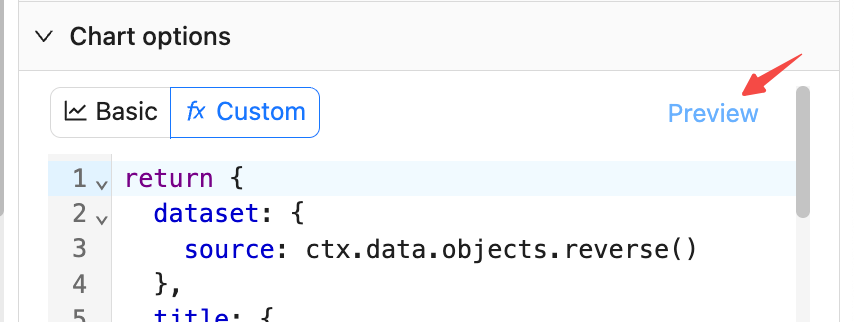
预览与保存
20251027083938

  • 点击右侧“预览”,或底部“预览”,刷新图表以验证 JS 配置内容。
  • 点击“保存”会将当前 JS 配置内容保存到数据库。
  • 点击“取消”则回退到上次保存状态。