

Email Alias
Email managerEnterprise Edition+Overview
An email alias allows you to send emails using different sender identities under the same mailbox account.
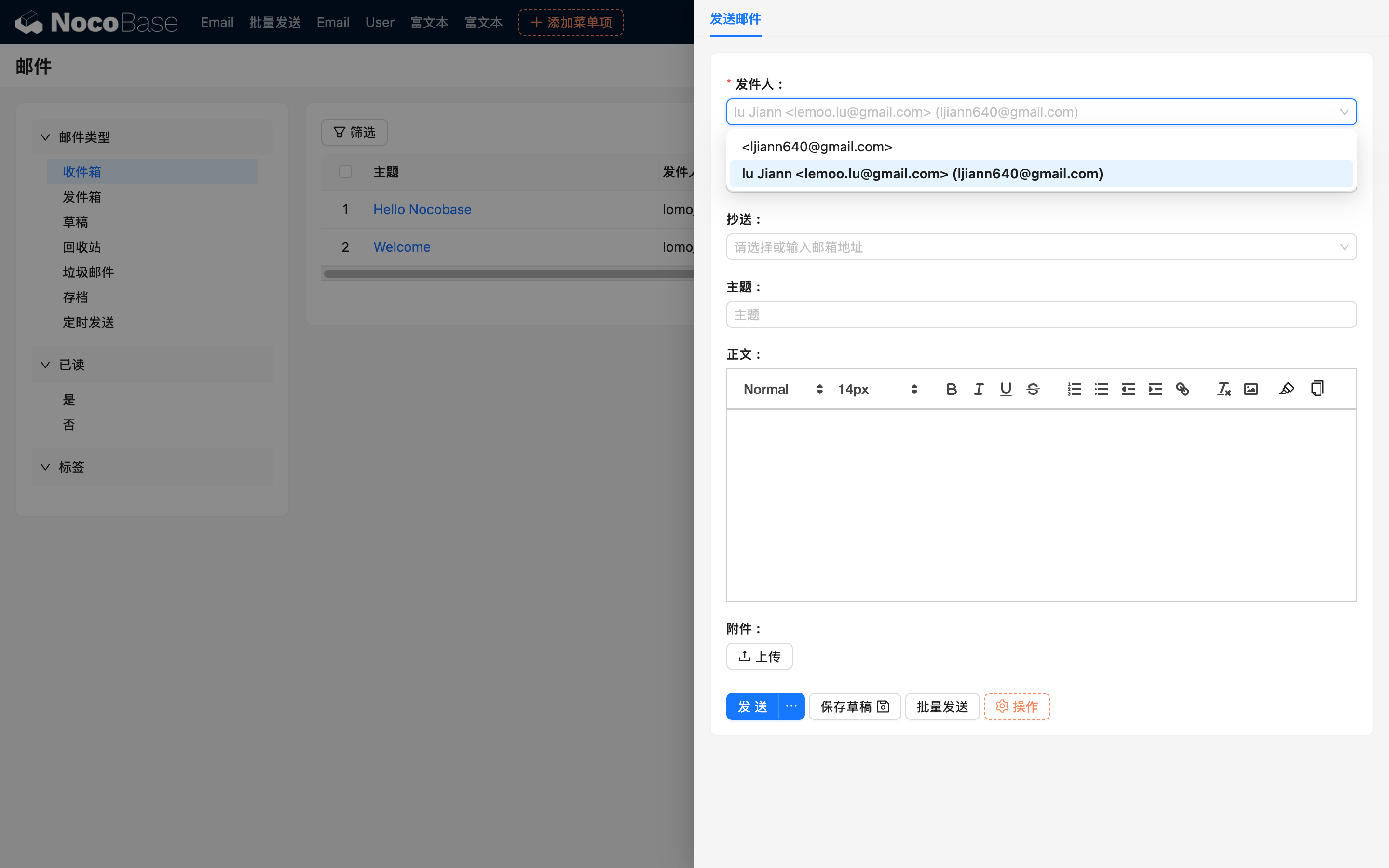
When composing an email, you can choose either the primary email address or any synced alias from the sender selector. When replying, forwarding, or restoring drafts, the system preserves the original sender identity.
Outlook does not support this feature.
Alias Sync
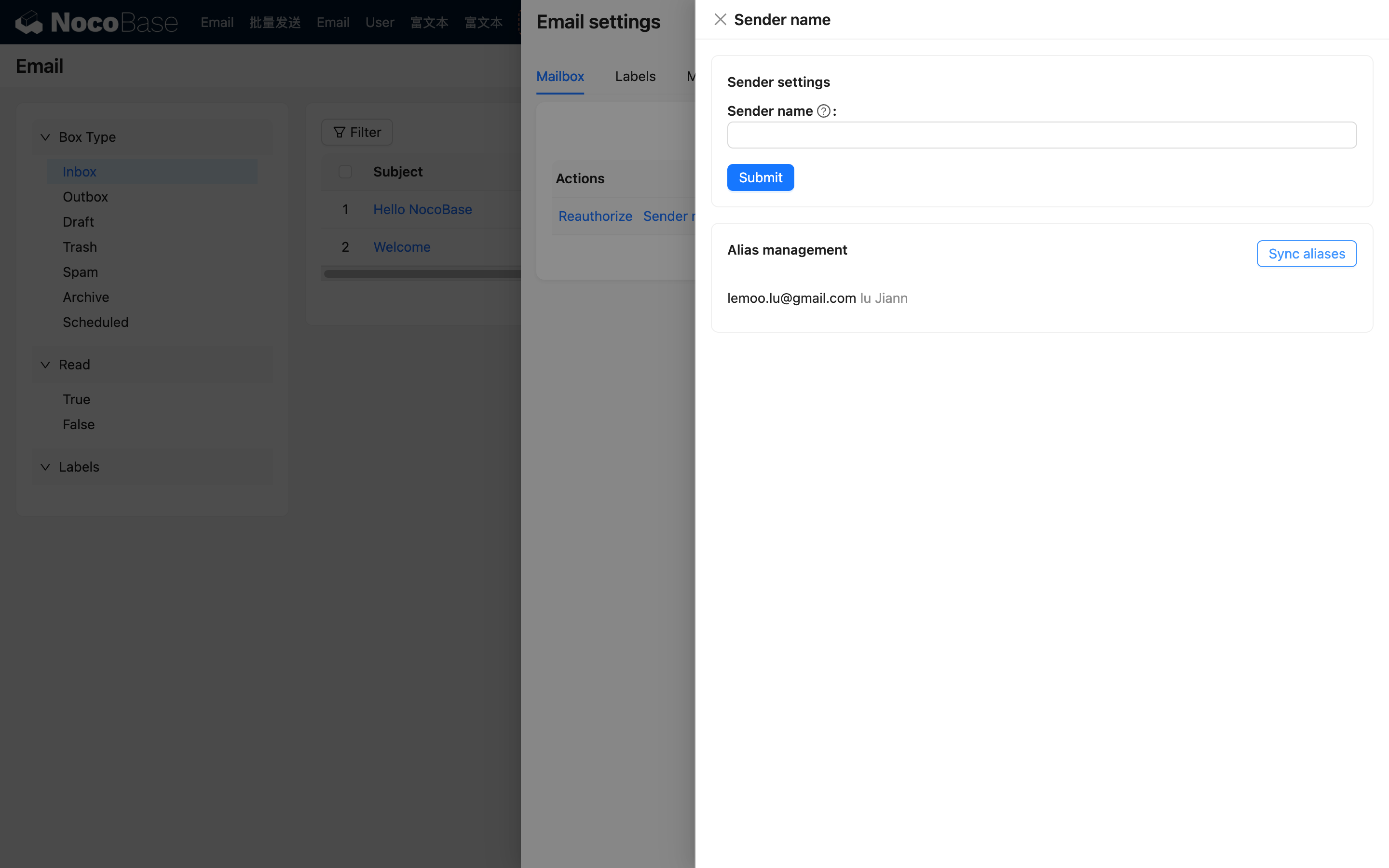
After successfully authorizing a Gmail account, the system will automatically sync the available aliases under that mailbox.
If you later add or modify aliases in Gmail, you can go to Email Settings and click "Sync aliases" under the "Sender Name" configuration to refresh the list.
Selecting an Alias When Sending
In the email editor, click the sender selector to view the primary email address and all synced aliases under the account.
If the same alias address is associated with multiple accounts, the selector will display the corresponding primary mailbox to help you distinguish which account context is being used.