

Ambil dokumen
AI: Knowledge BaseProfessional Edition+Introduction
In NocoBase, the Retrieve document node searches an AI knowledge base in a workflow and returns matched document snippets. It is suitable before an AI employee node: retrieve knowledge base snippets with task input first, then pass the results to the AI employee as task context.
The Retrieve document node is asynchronous. Before using it, configure the knowledge base and make sure it already contains vectorized documents.
Workflow structure
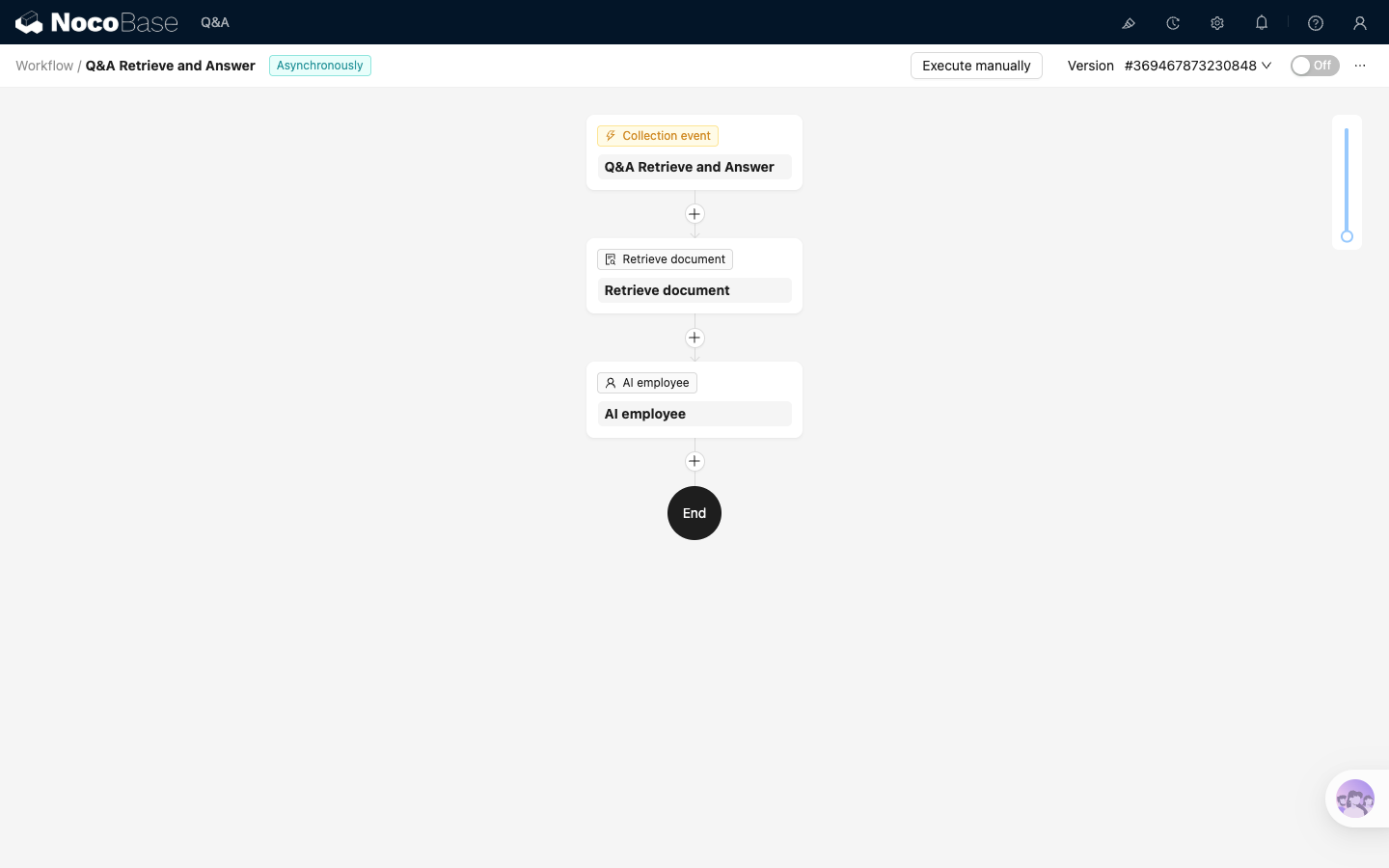
The example workflow listens for new records in Questions, sends matching text to Retrieve document, and passes the retrieval result to a downstream AI employee node for task processing.
Where:
Collection eventreceives task inputRetrieve documentretrieves snippets from the knowledge baseAI employeeprocesses the task based on snippets
In real business workflows, the result generated by the AI employee usually needs to be saved. You can continue with database operation nodes after it. This guide omits those later saving steps to focus on the Retrieve document node.
Before you start
This example is an independent retrieval workflow. Before configuring it, confirm that:
- The knowledge base already contains vectorized documents. For document maintenance, see Knowledge base overview and Create document
- A data source for matching text is ready. The example uses the
Questionscollection - A usable downstream AI employee node is ready. See AI employee node
Configure the trigger
Select Collection event as the trigger. In the trigger configuration:
- Set
Collectionto the matching-text source collection, such asMain / Questions - Set
Trigger ontoAfter record added
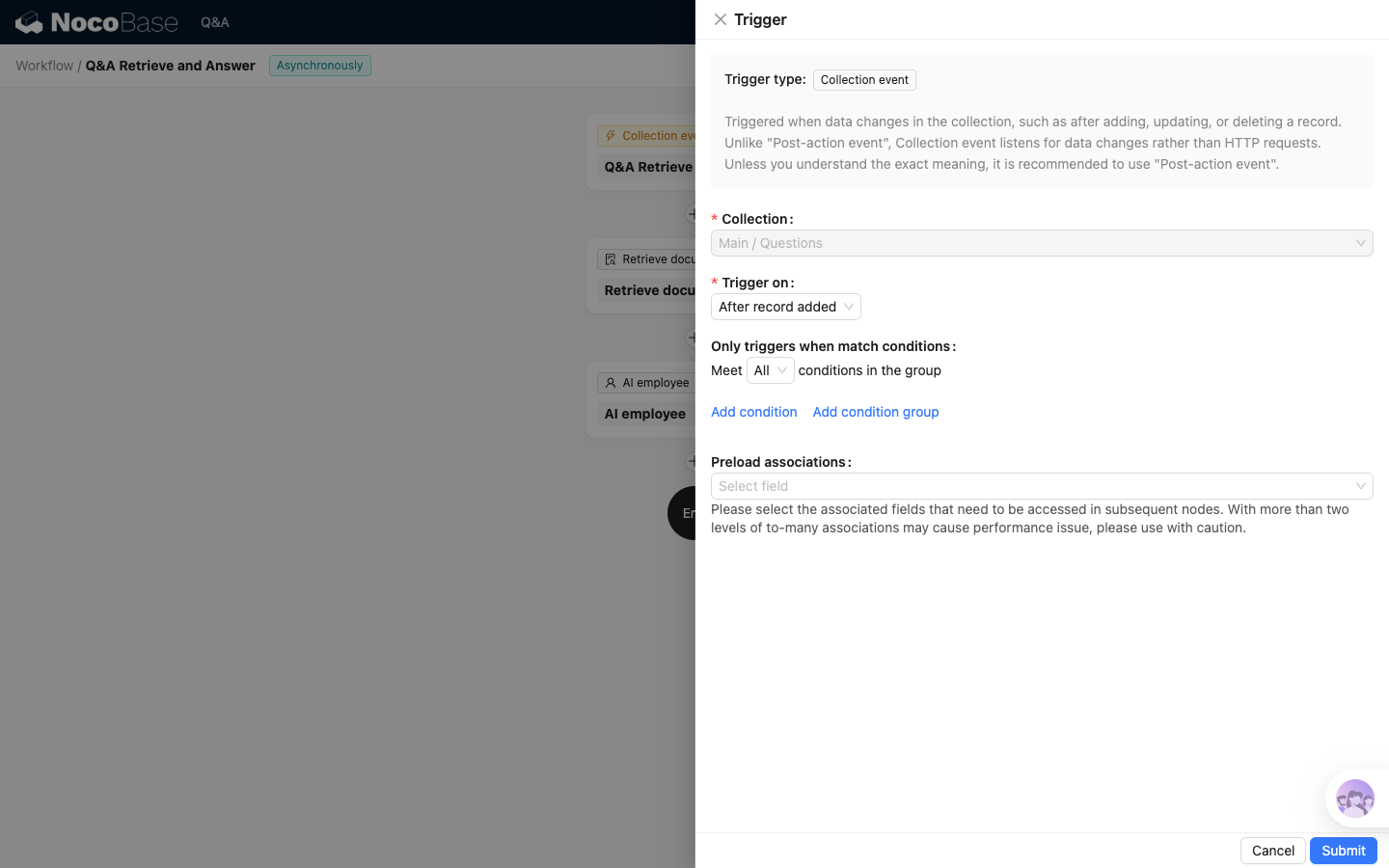
Each time an input record is added, the workflow automatically enters retrieval and task processing.
Configure the Retrieve document node
Add a Retrieve document node after the trigger. It is recommended to change the node key to an easy-to-reference name, such as retrieve_docs.
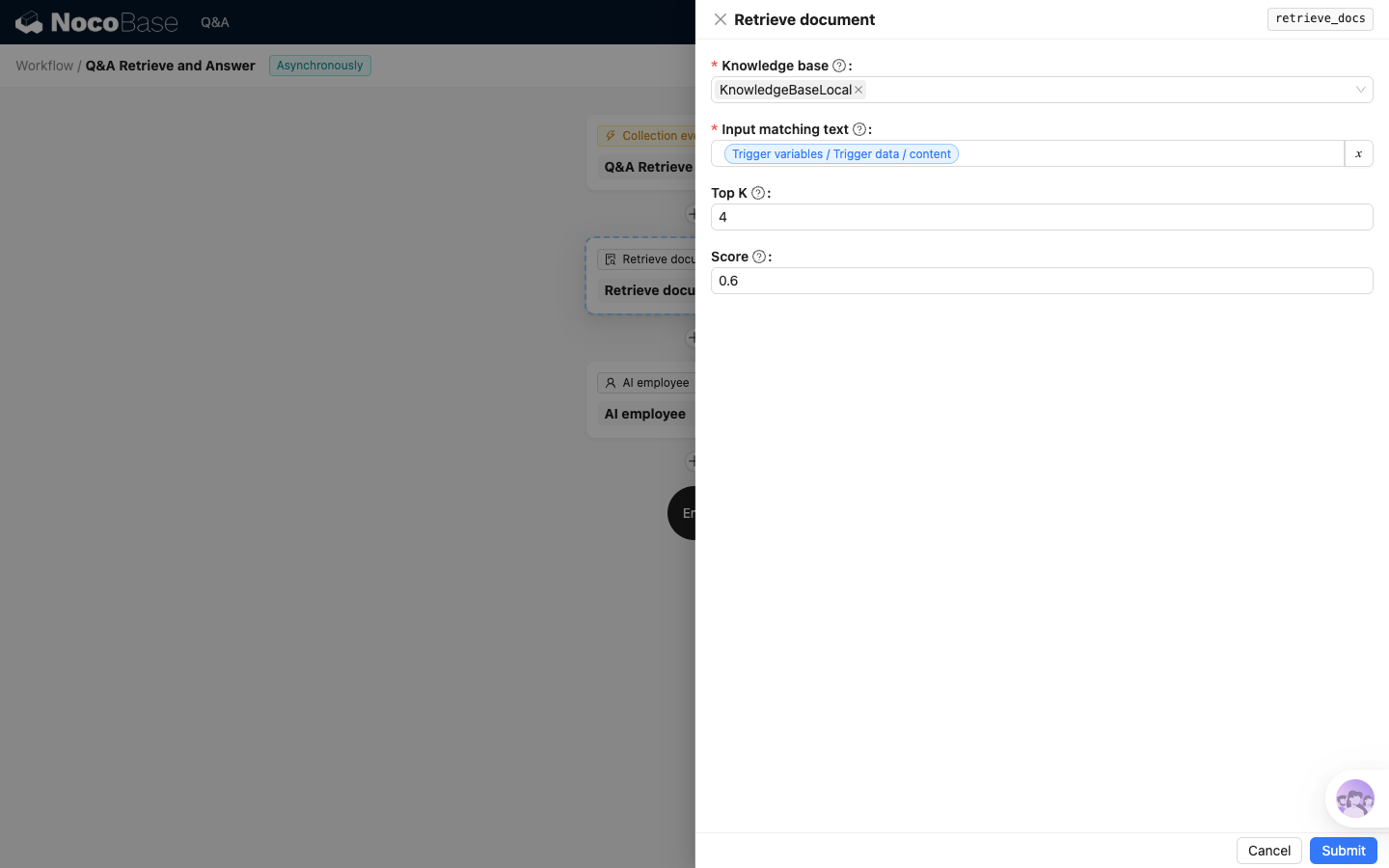
Key settings:
- Select one or more knowledge bases in
Knowledge base - Set
Input matching textto the matching text field - Set
Top Kto the maximum number of snippets to return - Set
Scoreto the minimum similarity threshold
After execution, the node returns an array of document snippets. Each result contains id, content, score, and metadata, sorted by score from high to low.
Pass the result to the AI employee node
In the AI employee node, write the retrieval result into the prompt. The example directly references the Retrieve document node output:
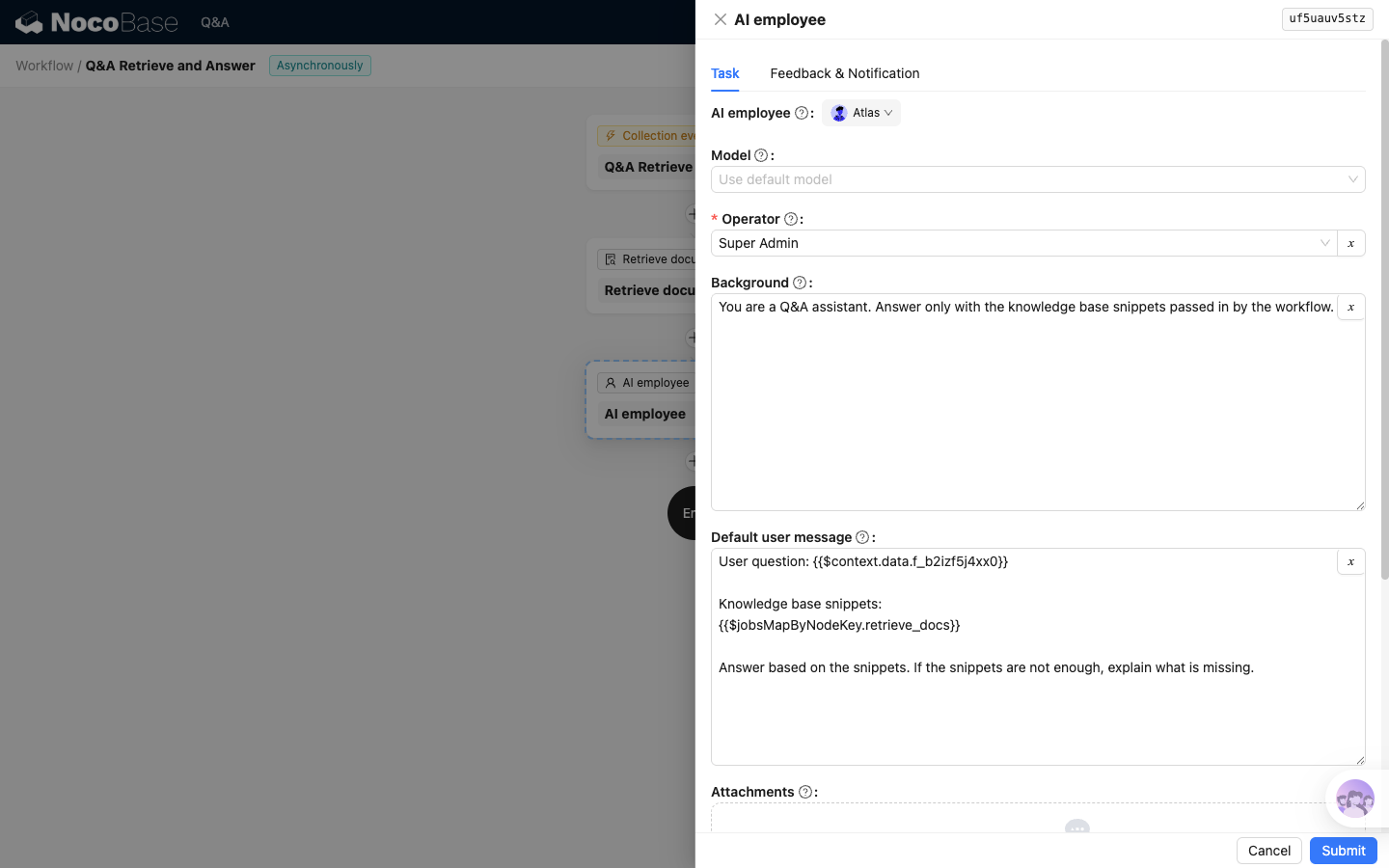
retrieve_docs is the key of the retrieval node. If your node key is different, replace it with the actual key.
If you only want to pass snippet text, reference the content field in the retrieval result through the variable selector. Passing the whole result array also includes score and metadata, which helps the AI judge source and relevance.