

logologo
Start
Handbuch
Entwicklung
Plugins
API
Startseite
English
简体中文
日本語
한국어
Español
Português
Deutsch
Français
Русский
Start
Handbuch
Entwicklung
Plugins
API
Startseite
logologo

Benutzerauthentifizierung

Überblick
Authenticator-Verwaltung

Authentifizierungstypen

Passwort
SMS

OIDC

Konfiguration

Beispiele

Google-Login
Microsoft-Login

SAML

Konfiguration

Beispiele

Google-Login
LDAP
CAS
WeChat Work
DingTalk
API-Schlüssel

Entwicklerhandbuch

Authentifizierungstypen erweitern
API-Referenz

Verifizierung

Überblick

Verifizierungstypen

SMS
TOTP-Authenticator

Entwicklerhandbuch

Verifizierungstypen erweitern
Verifizierungsszenarien erweitern
SMS-Anbieter erweitern
API-Referenz
Zwei-Faktor-Authentifizierung (2FA)
Previous PageVerifizierungsszenarien erweitern
Next PageAPI-Referenz
KI-Übersetzungshinweis

Diese Dokumentation wurde automatisch von KI übersetzt.

#SMS-Anbieter erweitern

In diesem Artikel erfahren Sie, wie Sie die Funktionalität von SMS-Anbietern in der Verifizierung: SMS-Funktion mithilfe eines Plugins erweitern können.

#Client

#Konfigurationsformular registrieren

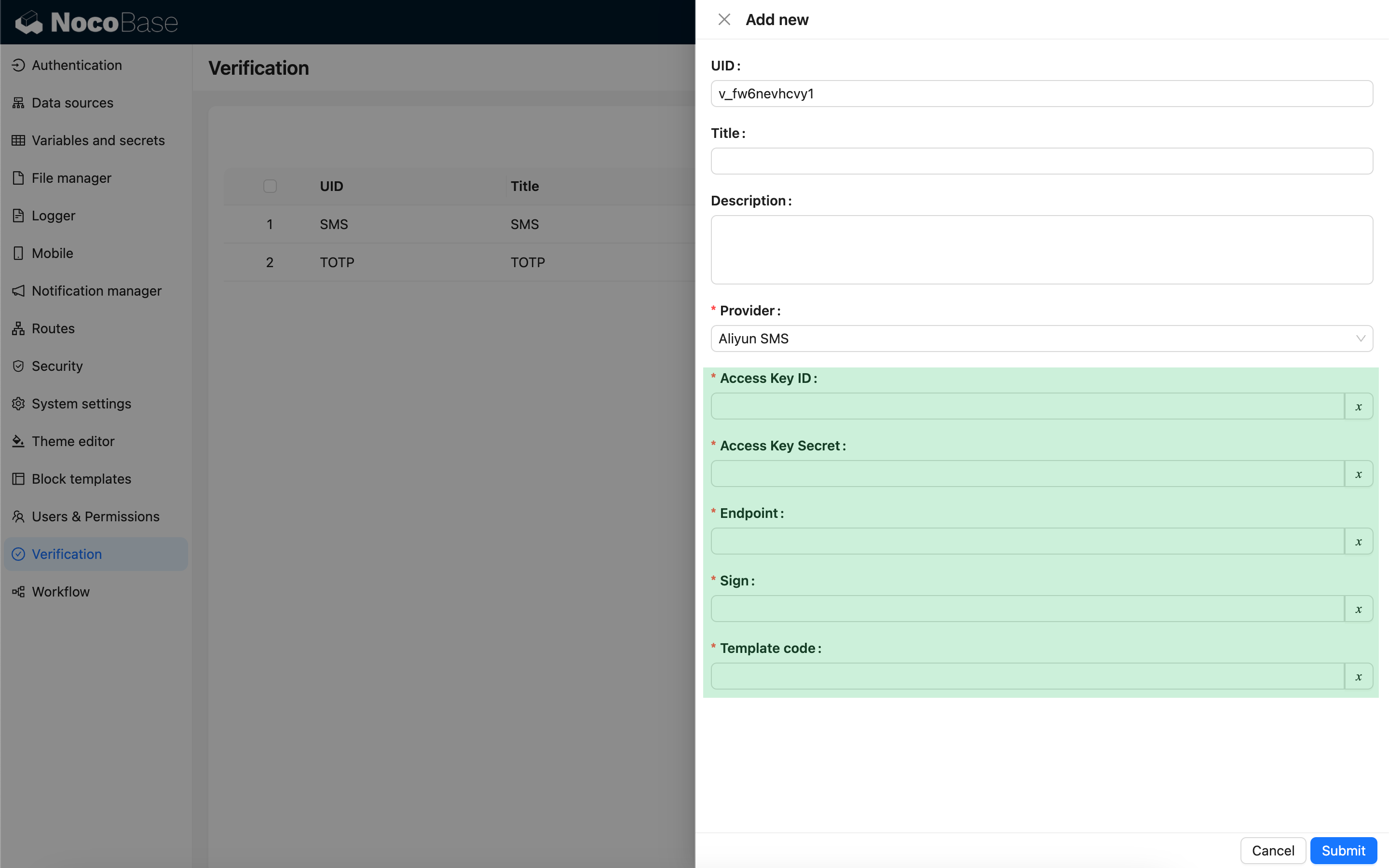
Wenn Sie den SMS-Verifizierer konfigurieren und einen SMS-Anbieter-Typ auswählen, erscheint ein Konfigurationsformular, das mit diesem Anbieter-Typ verknüpft ist. Dieses Konfigurationsformular müssen Entwickler clientseitig selbst registrieren.
import { Plugin, SchemaComponent } from '@nocobase/client';
import PluginVerificationClient from '@nocobase/plugin-verification/client';
import React from 'react';

const CustomSMSProviderSettingsForm: React.FC = () => {
  return <SchemaComponent schema={{
    type: 'void',
    properties: {
      accessKeyId: {
        title: `{{t("Zugriffsschlüssel-ID", { ns: "${NAMESPACE}" })}}`,
        type: 'string',
        'x-decorator': 'FormItem',
        'x-component': 'TextAreaWithGlobalScope',
        required: true,
      },
      accessKeySecret: {
        title: `{{t("Zugriffsschlüssel-Geheimnis", { ns: "${NAMESPACE}" })}}`,
        type: 'string',
        'x-decorator': 'FormItem',
        'x-component': 'TextAreaWithGlobalScope',
        'x-component-props': { password: true },
        required: true,
      },
    }
  }} />
}

class PluginCustomSMSProviderClient extends Plugin {
  async load() {
    const plugin = this.app.pm.get('verification') as PluginVerificationClient;
    plugin.smsOTPProviderManager.registerProvider('custom-sms-provider-name', {
      components: {
        AdminSettingsForm: CustomSMSProviderSettingsForm,
      },
    });
  }
}

#Server

#Sende-Schnittstelle implementieren

Das Verifizierungs-Plugin kapselt bereits den Prozess zur Erstellung von Einmalpasswörtern (OTPs). Entwickler müssen lediglich die Sendelogik implementieren, um mit dem SMS-Anbieter zu interagieren.

class CustomSMSProvider extends SMSProvider {
  constructor(options) {
    super(options);
    // options ist das Konfigurationsobjekt vom Client
    const options = this.options;
    // ...
  }

  async send(phoneNumber: string, data: { code: string }) {
    // ...
  }
}

#Verifizierungstyp registrieren

Nachdem die Sende-Schnittstelle implementiert wurde, muss sie registriert werden.

import { Plugin } from '@nocobase/server';
import PluginVerificationServer from '@nocobase/plugin-verification';
import { tval } from '@nocobase/utils';

class PluginCustomSMSProviderServer extends Plugin {
  async load() {
    const plugin = this.app.pm.get('verification') as PluginVerificationServer;
    // Der Name muss dem auf dem Client verwendeten Namen entsprechen
    plugin.smsOTPProviderManager.registerProvider('custom-sms-provider-name', {
      title: tval('Benutzerdefinierter SMS-Anbieter', { ns: namespace }),
      provider: CustomSMSProvider,
    });
  }
}