Tip

このドキュメントはAIによって翻訳されました。不正確な情報については、英語版をご参照ください

SMSプロバイダーの拡張

この記事では、認証:SMS 機能で利用するSMSプロバイダーを、プラグインとしてどのように拡張するかを主に説明します。

クライアント

設定フォームの登録

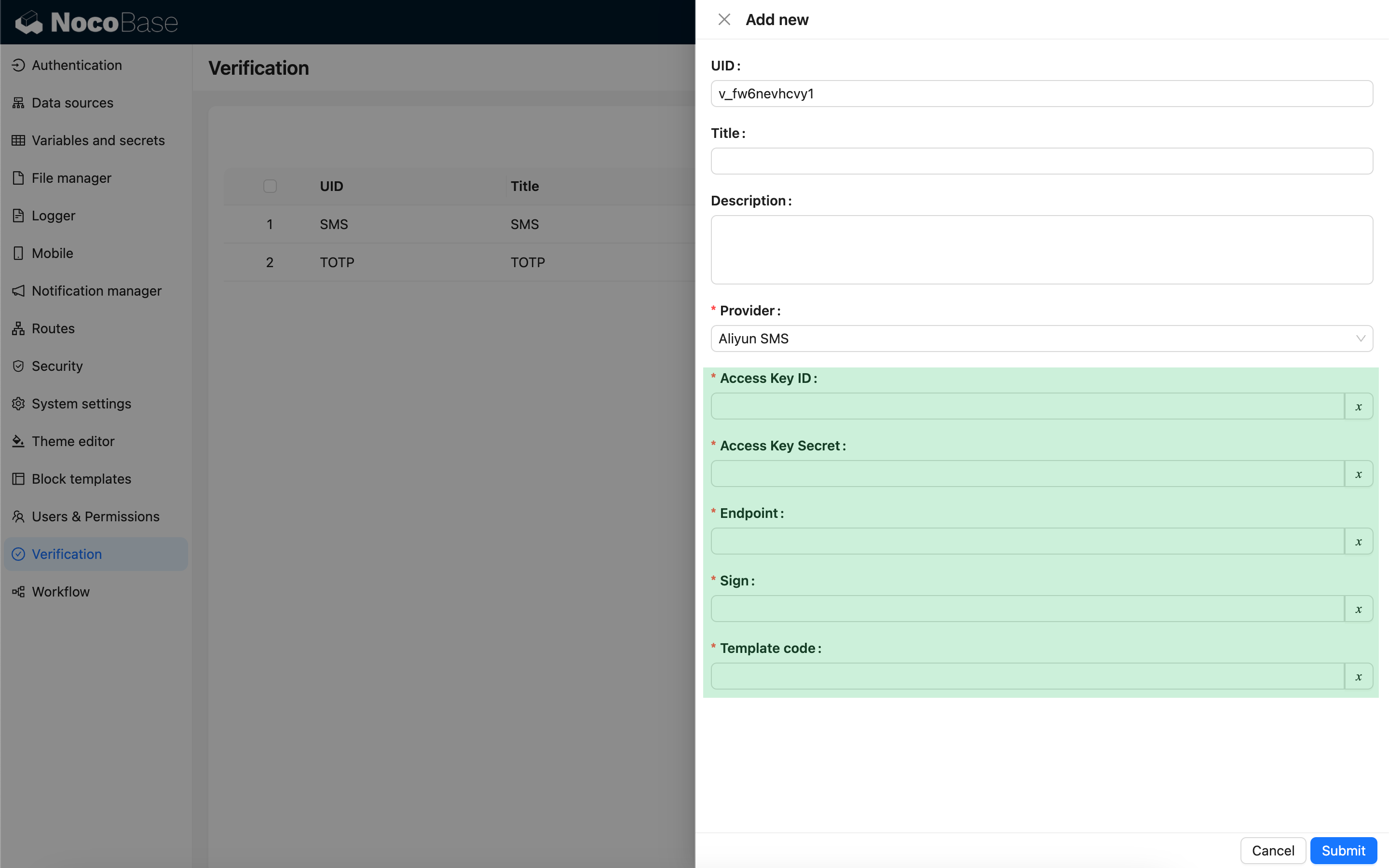
ユーザーがSMS認証機能を設定する際にSMSプロバイダーの種類を選択すると、そのプロバイダーに関連する設定フォームが表示されます。この設定フォームは、開発者がクライアント側で登録する必要があります。

import { Plugin, SchemaComponent } from '@nocobase/client';
import PluginVerificationClient from '@nocobase/plugin-verification/client';
import React from 'react';

const CustomSMSProviderSettingsForm: React.FC = () => {
  return <SchemaComponent schema={{
    type: 'void',
    properties: {
      accessKeyId: {
        title: `{{t("Access Key ID", { ns: "${NAMESPACE}" })}}`,
        type: 'string',
        'x-decorator': 'FormItem',
        'x-component': 'TextAreaWithGlobalScope',
        required: true,
      },
      accessKeySecret: {
        title: `{{t("Access Key Secret", { ns: "${NAMESPACE}" })}}`,
        type: 'string',
        'x-decorator': 'FormItem',
        'x-component': 'TextAreaWithGlobalScope',
        'x-component-props': { password: true },
        required: true,
      },
    }
  }} />
}

class PluginCustomSMSProviderClient extends Plugin {
  async load() {
    const plugin = this.app.pm.get('verification') as PluginVerificationClient;
    plugin.smsOTPProviderManager.registerProvider('custom-sms-provider-name', {
      components: {
        AdminSettingsForm: CustomSMSProviderSettingsForm,
      },
    });
  }
}


サーバー

送信インターフェースの実装

認証プラグインは、ワンタイムパスワード (OTP) を作成するプロセスをすでにカプセル化しています。開発者は、SMSプロバイダーと連携するための送信ロジックを実装するだけで済みます。

class CustomSMSProvider extends SMSProvider {
  constructor(options) {
    super(options);
    // options はクライアントからの設定オブジェクトです
    const options = this.options;
    // ...
  }

  async send(phoneNumber: string, data: { code: string }) {
    // ...
  }
}

認証タイプの登録

送信インターフェースを実装したら、登録が必要です。

import { Plugin } from '@nocobase/server';
import PluginVerificationServer from '@nocobase/plugin-verification';
import { tval } from '@nocobase/utils';

class PluginCustomSMSProviderServer extends Plugin {
  async load() {
    const plugin = this.app.pm.get('verification') as PluginVerificationServer;
    // name はクライアント側のものと一致させる必要があります
    plugin.smsOTPProviderManager.registerProvider('custom-sms-provider-name', {
      title: tval('Custom SMS provider', { ns: namespace }),
      provider: CustomSMSProvider,
    });
  }
}