

Mở rộng nhà cung cấp SMS

Bài viết này chủ yếu giới thiệu cách mở rộng nhà cung cấp SMS trong tính năng Xác minh: SMS thông qua hình thức plugin.

Client

Đăng ký form cấu hình

Khi người dùng cấu hình SMS verifier, sau khi chọn loại nhà cung cấp SMS, sẽ xuất hiện một form cấu hình liên kết với loại nhà cung cấp đó. Form cấu hình này cần được nhà phát triển tự đăng ký phía client.
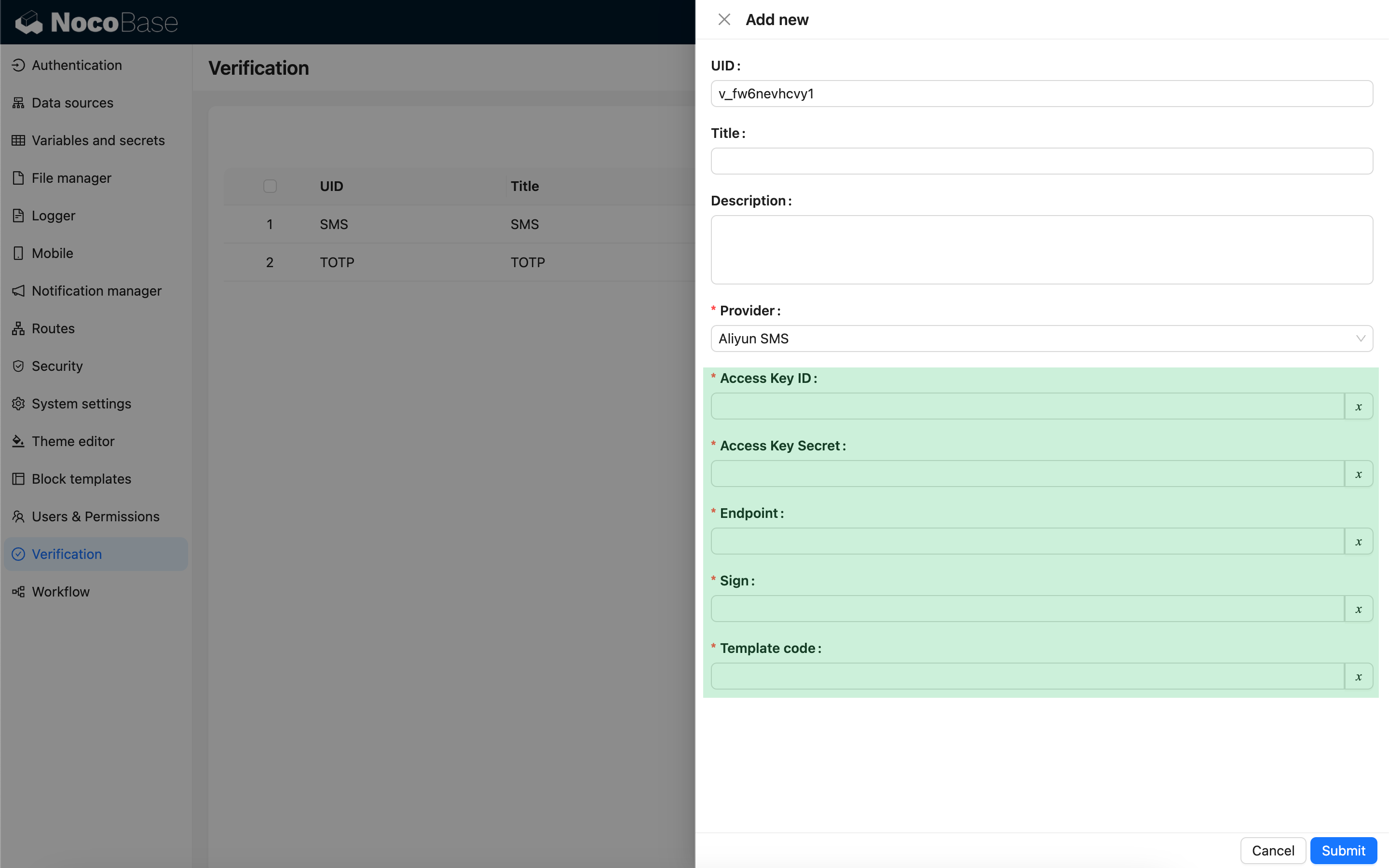
import { Plugin, SchemaComponent } from '@nocobase/client';
import PluginVerificationClient from '@nocobase/plugin-verification/client';
import React from 'react';

const CustomSMSProviderSettingsForm: React.FC = () => {
  return <SchemaComponent schema={{
    type: 'void',
    properties: {
      accessKeyId: {
        title: `{{t("Access Key ID", { ns: "${NAMESPACE}" })}}`,
        type: 'string',
        'x-decorator': 'FormItem',
        'x-component': 'TextAreaWithGlobalScope',
        required: true,
      },
      accessKeySecret: {
        title: `{{t("Access Key Secret", { ns: "${NAMESPACE}" })}}`,
        type: 'string',
        'x-decorator': 'FormItem',
        'x-component': 'TextAreaWithGlobalScope',
        'x-component-props': { password: true },
        required: true,
      },
    }
  }} />
}

class PluginCustomSMSProviderClient extends Plugin {
  async load() {
    const plugin = this.app.pm.get('verification') as PluginVerificationClient;
    plugin.smsOTPProviderManager.registerProvider('custom-sms-provider-name', {
      components: {
        AdminSettingsForm: CustomSMSProviderSettingsForm,
      },
    });
  }
}

Server

Triển khai interface gửi

Plugin xác minh đã đóng gói sẵn quy trình tạo mã xác minh động một lần (OTP), nhà phát triển chỉ cần triển khai logic gửi tương tác với nhà cung cấp SMS.

class CustomSMSProvider extends SMSProvider {
  constructor(options) {
    super(options);
    // options là object cấu hình từ phía client
    const options = this.options;
    // ...
  }

  async send(phoneNumber: string, data: { code: string }) {
    // ...
  }
}

Đăng ký loại xác minh

Sau khi triển khai xong interface gửi, cần thực hiện đăng ký.

import { Plugin } from '@nocobase/server';
import PluginVerificationServer from '@nocobase/plugin-verification';
import { tval } from '@nocobase/utils';

class PluginCustomSMSProviderServer extends Plugin {
  async load() {
    const plugin = this.app.pm.get('verification') as PluginVerificationServer;
    // name cần khớp với phía client
    plugin.smsOTPProviderManager.registerProvider('custom-sms-provider-name', {
      title: tval('Custom SMS provider', { ns: namespace }),
      provider: CustomSMSProvider,
    });
  }
}