

Kiểm thử truy xuất
AI: Cơ sở tri thứcProfessional Edition+Open the Hit tests page
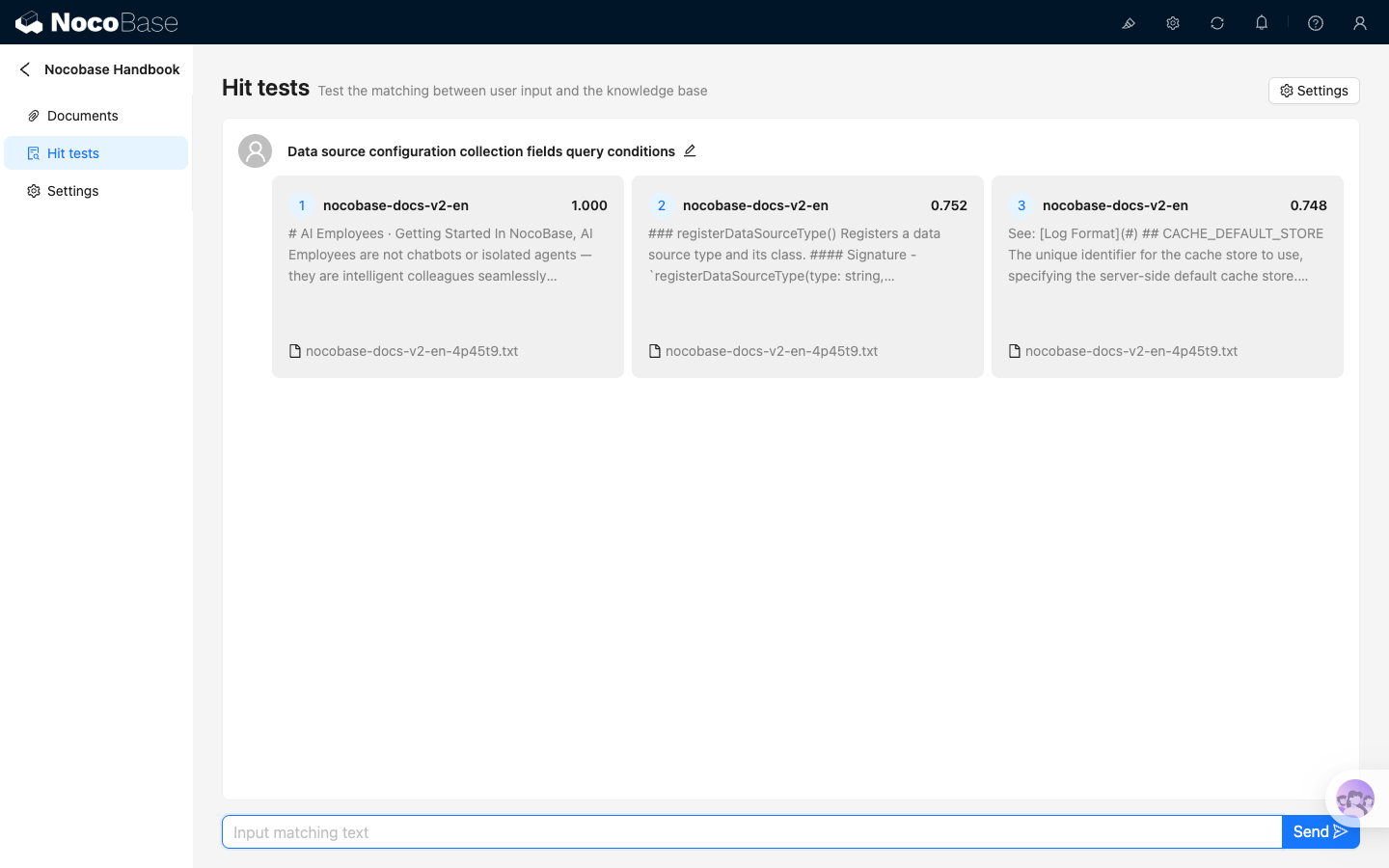
After opening the knowledge base detail page, click Hit tests in the left sidebar. This page tests which document segments can be matched by a user input. It does not directly call AI employees and does not generate final answers.
Run a test
Enter test text in the bottom input box, then click Send. NocoBase retrieves from the current knowledge base and shows matched segments by similarity from high to low.
Each result card shows:
- Match order
- Document title
- Similarity score
- Segment preview
- Source filename
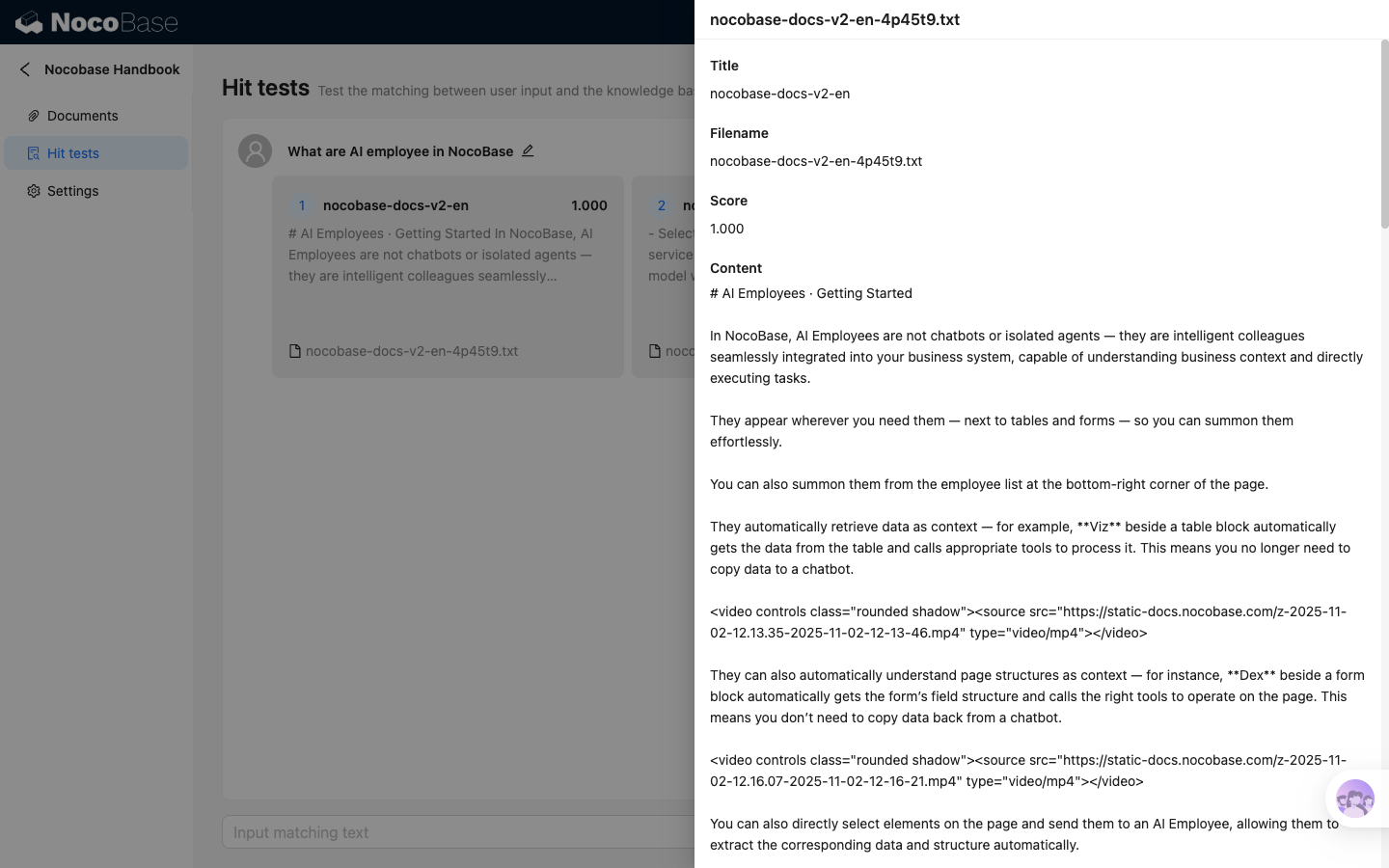
Click a result card to view fuller segment content, similarity score, and related questions matched in this test.
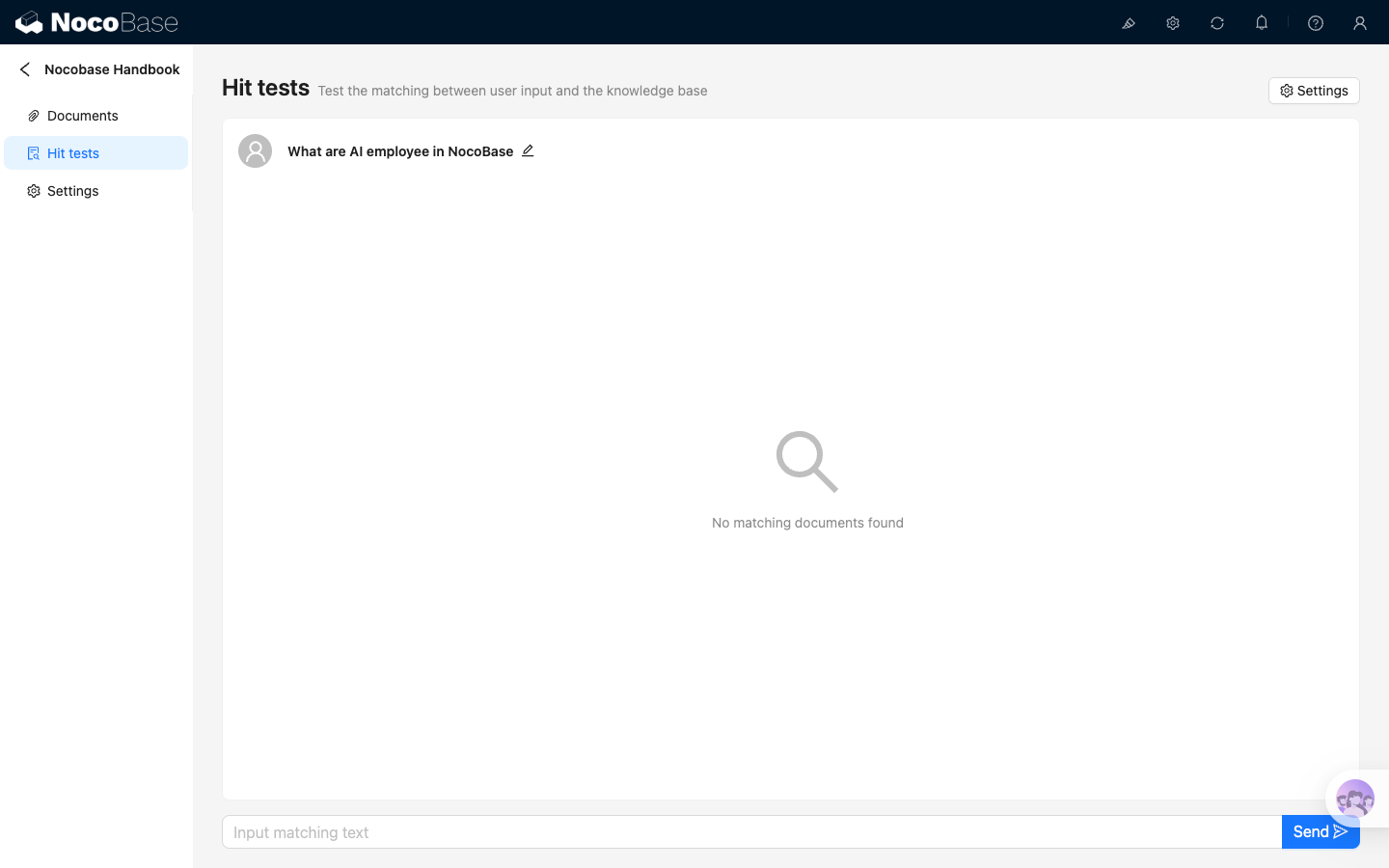
If the current input does not match any segment, the page shows No matching documents found.
Adjust test parameters
Click Settings in the upper-right corner to adjust parameters for this hit test.
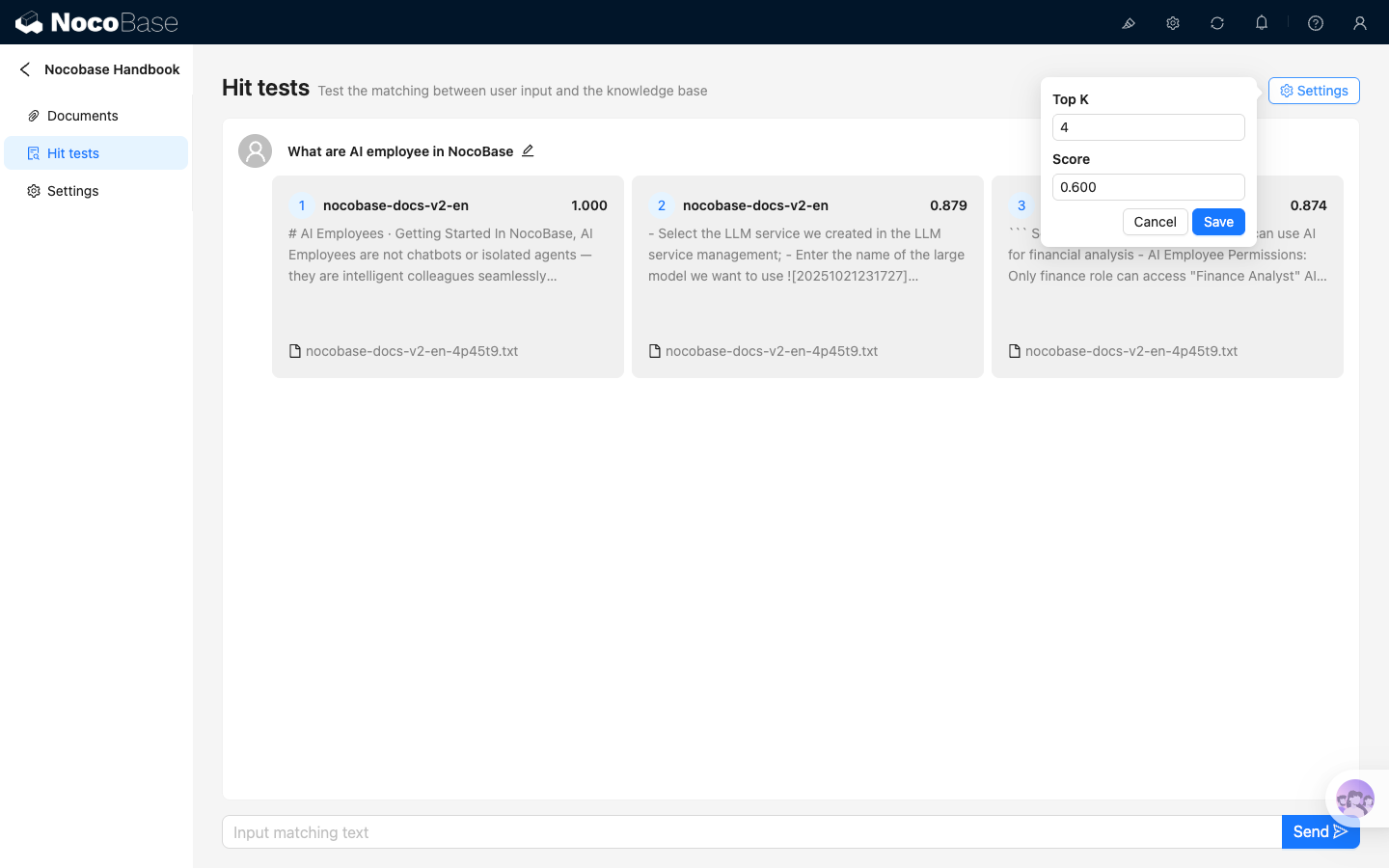
The settings are:
- Top K: maximum number of matched segments to return
- Score: minimum similarity threshold. Results below this value are filtered out
Default parameters are Top K = 4 and Score = 0.6. If there are too few results, lower Score or increase Top K. If results are too broad, increase Score.
Adjust Top K and Score here to find suitable values before configuring knowledge base retrieval for an AI employee. These settings only affect the current hit test and are not written back to the AI employee. After confirming the values, enter the same parameters in the AI employee RAG settings. See RAG retrieval for details.
Adjust based on hit results
Hit tests help determine whether the knowledge base is ready for RAG.
Common adjustments:
- Target document is not matched: check whether vectorization succeeded, or lower Score to see weakly related results
- Irrelevant content is matched: increase Score, or disable/delete noisy segments
- Matched content is too long or too short: return to Segments, adjust segmentation parameters, and regenerate segments
- Common user phrasings are not matched: add Related questions in segment details
After modifying segments, wait for vectorization to finish, then return to Hit tests and test again.