

Tổng quan
AI: Cơ sở tri thứcProfessional Edition+Introduction
AI knowledge base nodes allow workflows to manage knowledge base documents directly. When business data changes, you can synchronize added, updated, and deleted records to the knowledge base, keeping knowledge base content aligned with your business collections.
This documentation uses a Q&A scenario as an example: administrators maintain standard answers and common phrasings for each answer. Workflows synchronize the answer body and related questions to the same target knowledge base, so AI employees or other processes can later use those knowledge base documents.
Example scenario
The example uses two business collections:
Answers: stores answer content that can be synchronized to the knowledge baseQuestions: stores common phrasings related to each answer
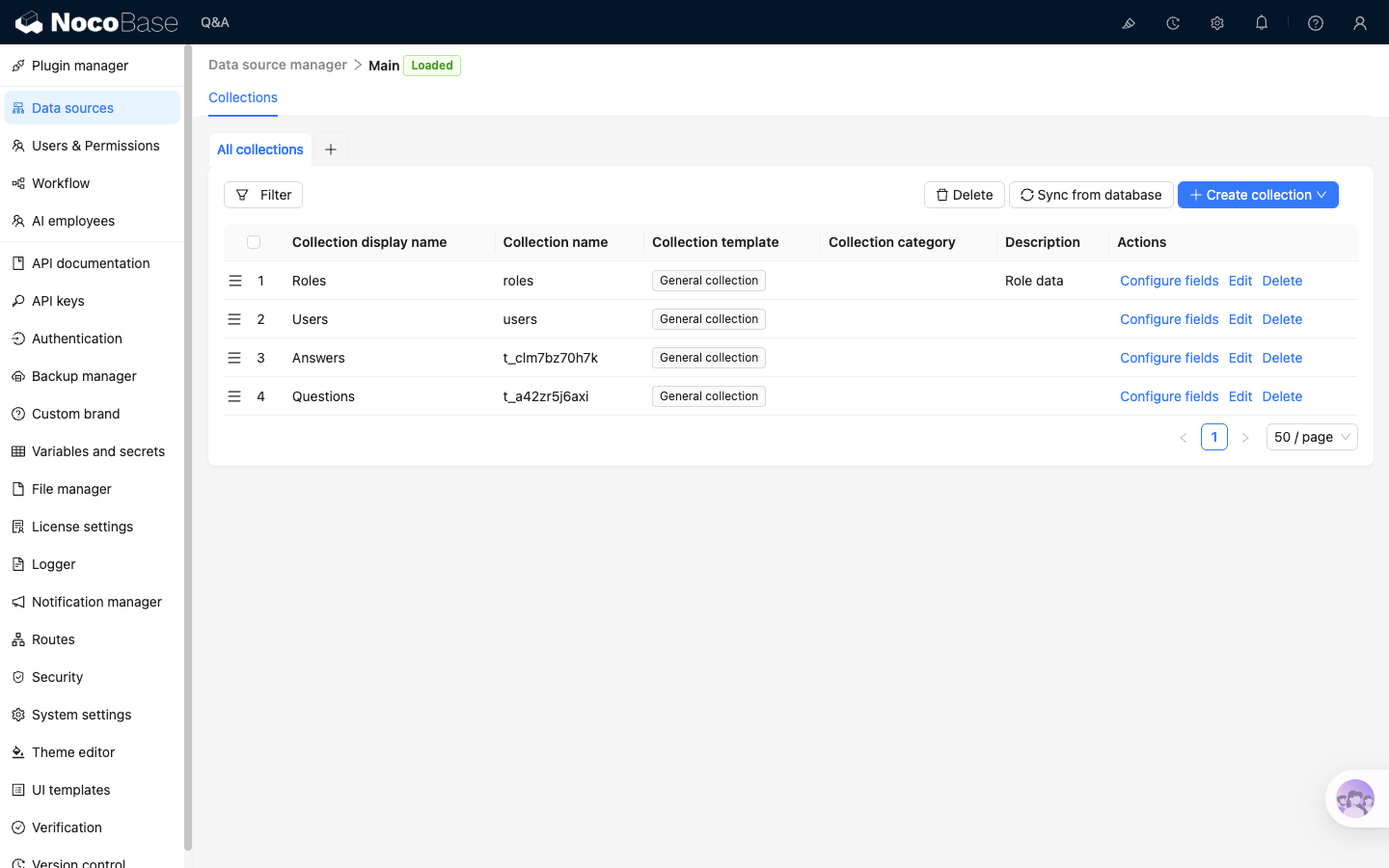
Answers is the source collection for knowledge base documents. When an answer is added, a document is created. When an answer is changed, the document is updated. When an answer is deleted, the document is removed.
Questions is not an independent source of knowledge base documents. It is attached to answers through the Answers.questions relation field and supplements the different phrasings that can point to the same answer.
Before synchronization, prepare a Local knowledge base. You can name it according to your environment. The Create, Update, and Delete workflows only need to select the same knowledge base.
Answers collection structure
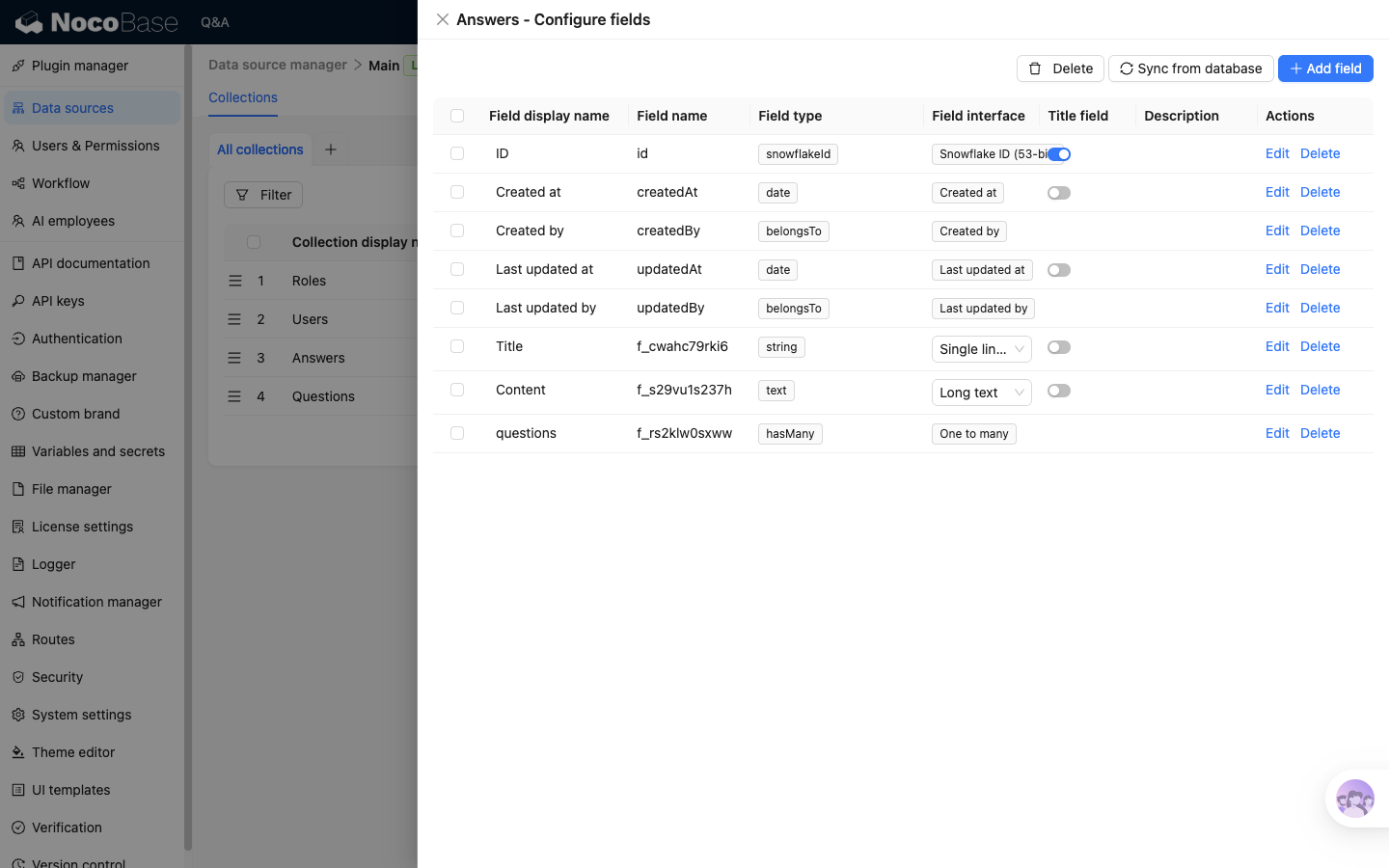
Answers mainly uses three fields:
Title: used as the knowledge base document nameContent: used as the knowledge base document bodyquestions: relation to theQuestionscollection for related questions
questions is a one-to-many relation field. Its source collection is Answers, target collection is Questions, both source key and target key use ID, and the foreign key is stored in Questions.
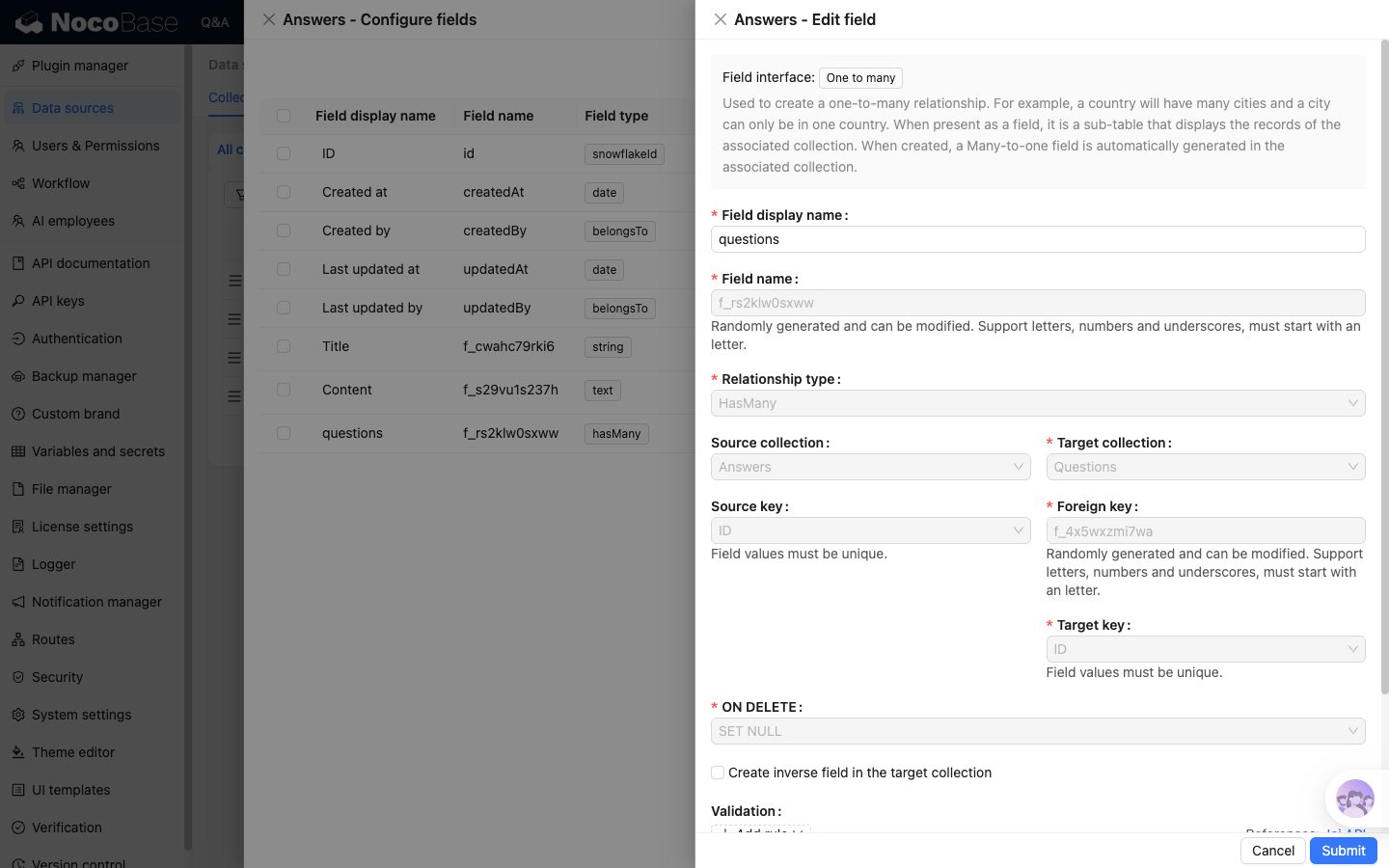
This relation field is preloaded when creating and updating documents. It writes related questions into Related questions, so one answer can be retrieved not only by body text but also by common phrasings.
If your knowledge base documents do not need related questions, you do not need a relation field like questions. A stable Key field and body content are enough for create, update, and delete synchronization.
Workflow responsibilities
The core of this example is three synchronization workflows. They process the same Answers data and write to the same target knowledge base:
Key is the most important field in the synchronization chain. Create, update, and delete workflows must use the same Key rule. The example directly uses the record ID of the Answers collection.
When configuring a Create document or Update document node, if Document type is set to Text, the workflow first saves the text field selected in Content as a .txt document, then writes it to the target knowledge base. The knowledge base then generates segments according to the current segmentation settings, vectorizes enabled segments together with their related questions, and stores them in the vector database bound to the knowledge base.
This process runs as an asynchronous workflow node. A completed node does not mean the document can be retrieved immediately. Usually, wait until Status in the Documents list changes to Success before checking segments or running hit tests.
Operation guides
Verify the synchronization chain
After configuring the Create, Update, and Delete workflows, use the same Answers record to verify the full synchronization chain.
After adding an answer, check in this order:
- Go to
Documentsin the target knowledge base, confirm that the new document appears, and check thatStatusisSuccess. See knowledge base document management for details. - Click
Segmentsfor the document and confirm thatRelated questionsincludes common phrasings fromAnswers.questions. See segment management for details. - Go to
Hit tests, enter a keyword from the answer body or a related question, and confirm that the synchronized answer can be hit. See hit tests for details.
After the add synchronization is correct, update the same Answers record and confirm that the target knowledge base document changes. Finally, delete the record and confirm that the corresponding document is removed from the target knowledge base.