

Tổng quan
AI: Cơ sở tri thứcProfessional Edition+Introduction
A knowledge base is the foundation of RAG retrieval. You can add product manuals, internal policies, business terminology, FAQs, and other documents to a knowledge base. NocoBase converts these documents into searchable segments and vector data. When an AI employee answers a question, it can retrieve related content from the knowledge base first, then send that content to the model as context.
For most scenarios, a Local knowledge base is enough. Only consider Readonly or External knowledge bases when documents and vector data are already maintained by an external system.
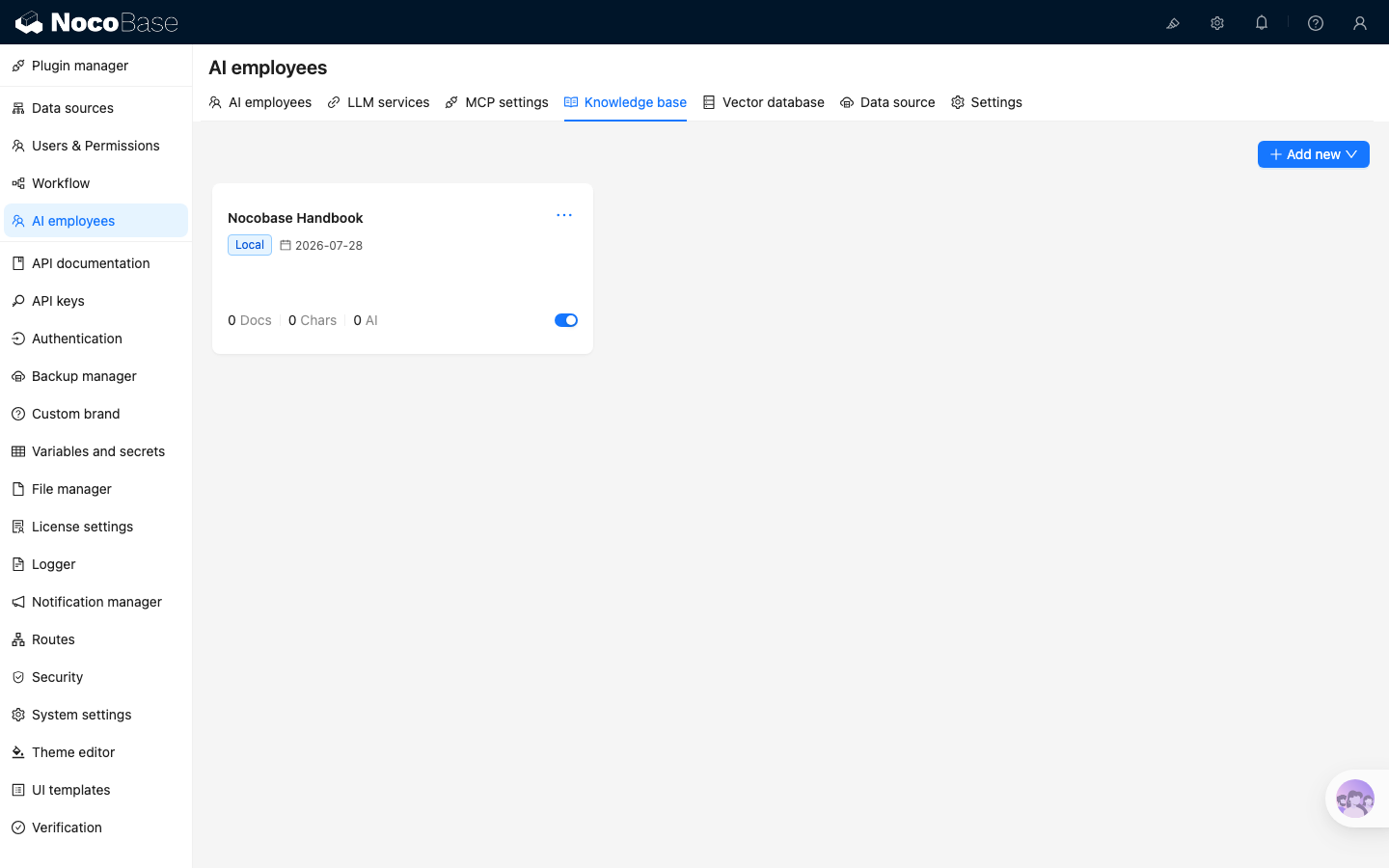
Open knowledge base management
Open the AI employees plugin configuration page and click the Knowledge base tab to view the knowledge base list. Each card shows the knowledge base name, document count, character count, number of AI employee references, and enabled status.
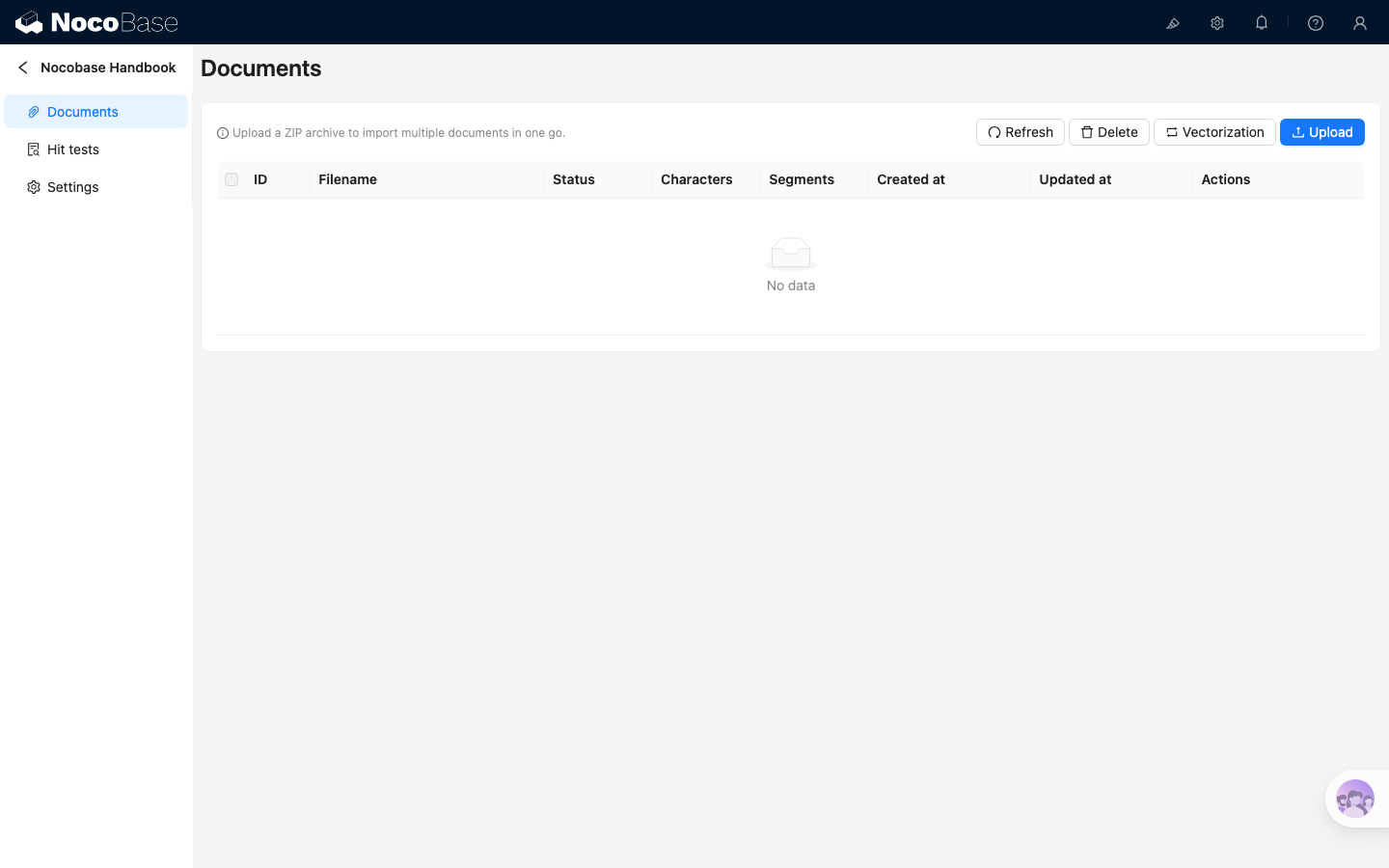
Click a knowledge base card to open its detail page:
- Documents is used to upload documents, run vectorization, and open segment management
- Hit tests is used to test which segments can be matched by a query
- Settings is used to adjust basic information, vector configuration, and default segmentation parameters
Create a knowledge base
Click Add new in the upper-right corner to create a knowledge base. The menu shows three types: Local, Readonly, and External.
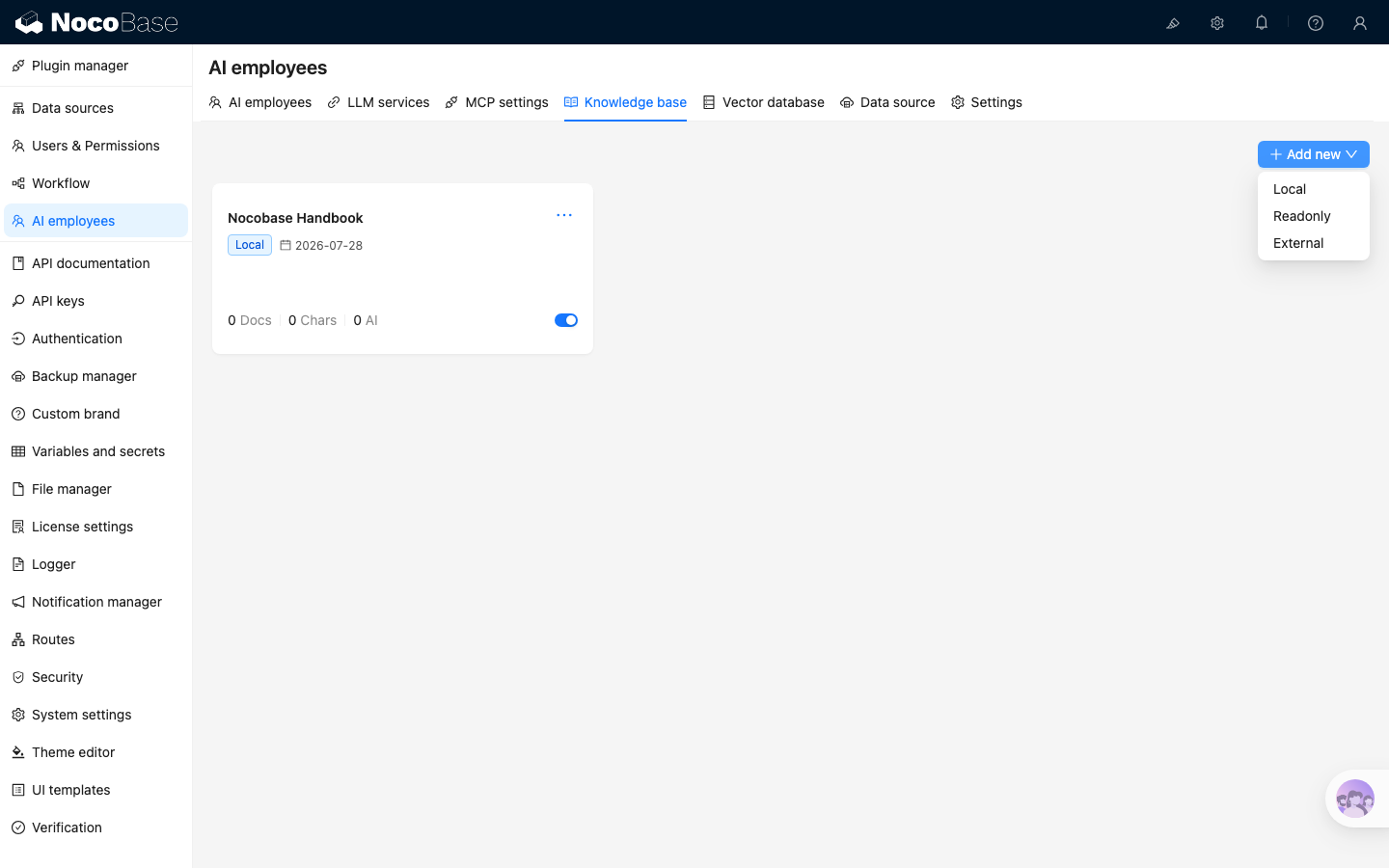
The three knowledge base types have different capability boundaries:
Local knowledge bases are recommended by default. Only consider Readonly or External when documents and vector data are already maintained outside NocoBase and NocoBase only needs to read retrieval results.
A Local knowledge base usually needs the following information:
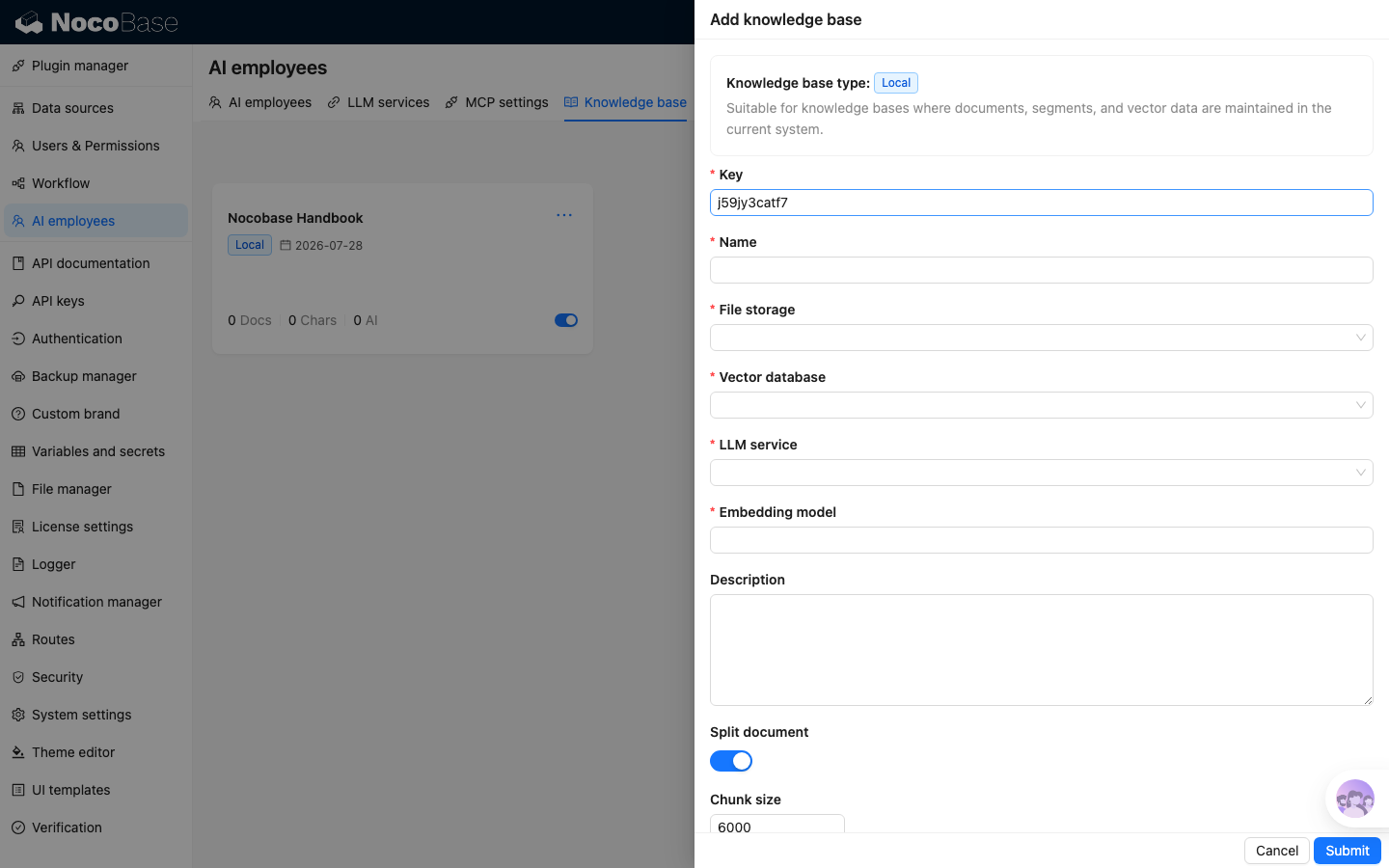
- Key: unique identifier of the knowledge base. It cannot be changed after creation
- Name: knowledge base name
- File storage: where original documents and segment files are stored
- Vector database: select a configured vector database. See Vector database
- LLM service: select a configured LLM service that supports embedding models. See LLM service management
- Embedding model: select or enter the embedding model used to generate and retrieve vectors; available models update when the LLM service changes
- Description: knowledge base description
- Split document, Chunk size, and Chunk overlap: default segmentation parameters used after document upload
- Enabled: whether the knowledge base is enabled
A Readonly knowledge base does not require File storage or default segmentation parameters, but it still requires Vector database, LLM service, and Embedding model.
Before creating a Local knowledge base, prepare file storage, a vector database, and an LLM service that supports embedding models. File storage holds original documents and segment files; see File storage. Configure the vector database as described in Vector database, and configure the LLM service as described in LLM service management.
Next steps
At this point, the knowledge base is ready to be connected to RAG. You can enable knowledge base retrieval in AI employee settings. See RAG retrieval for details.