Auth: LDAP
Auth: LDAPProfessional Edition+Introduction
The Auth: LDAP plugin follows the LDAP (Lightweight Directory Access Protocol) protocol standard, enabling users to sign in to NocoBase using their LDAP server credentials.
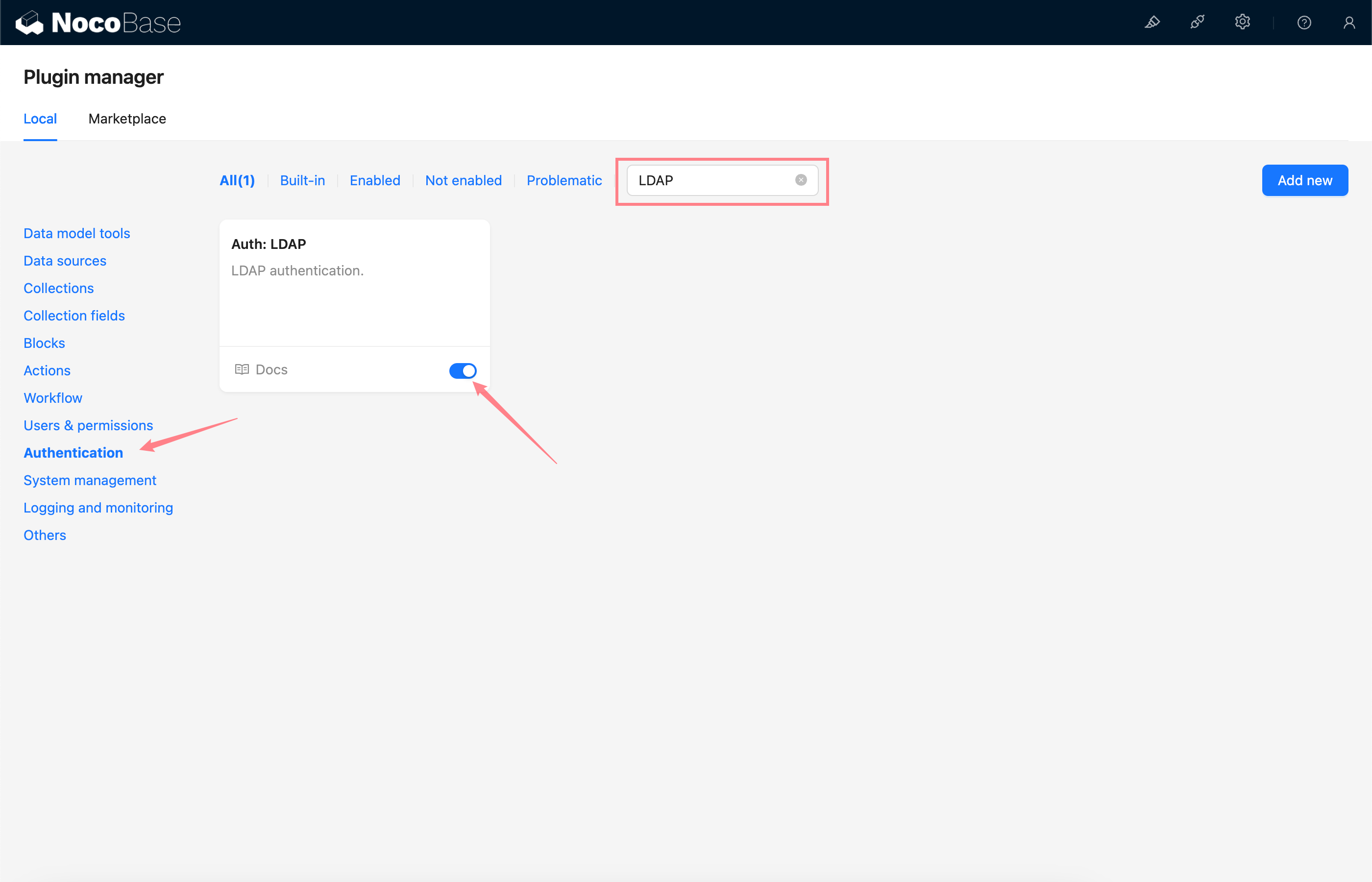
Activate plugin
Add LDAP Authentication
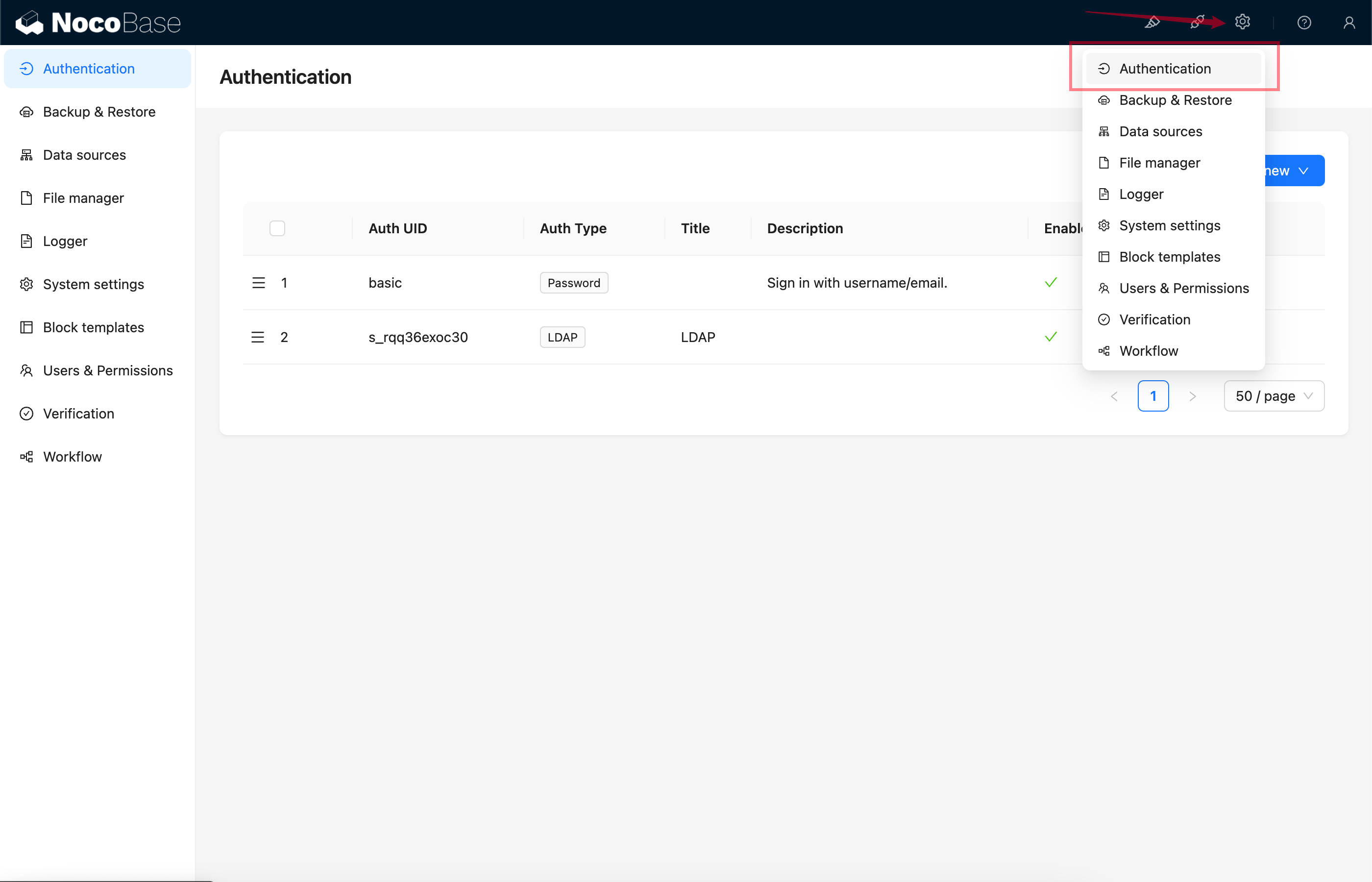
Go to the authentication plugin settings page.
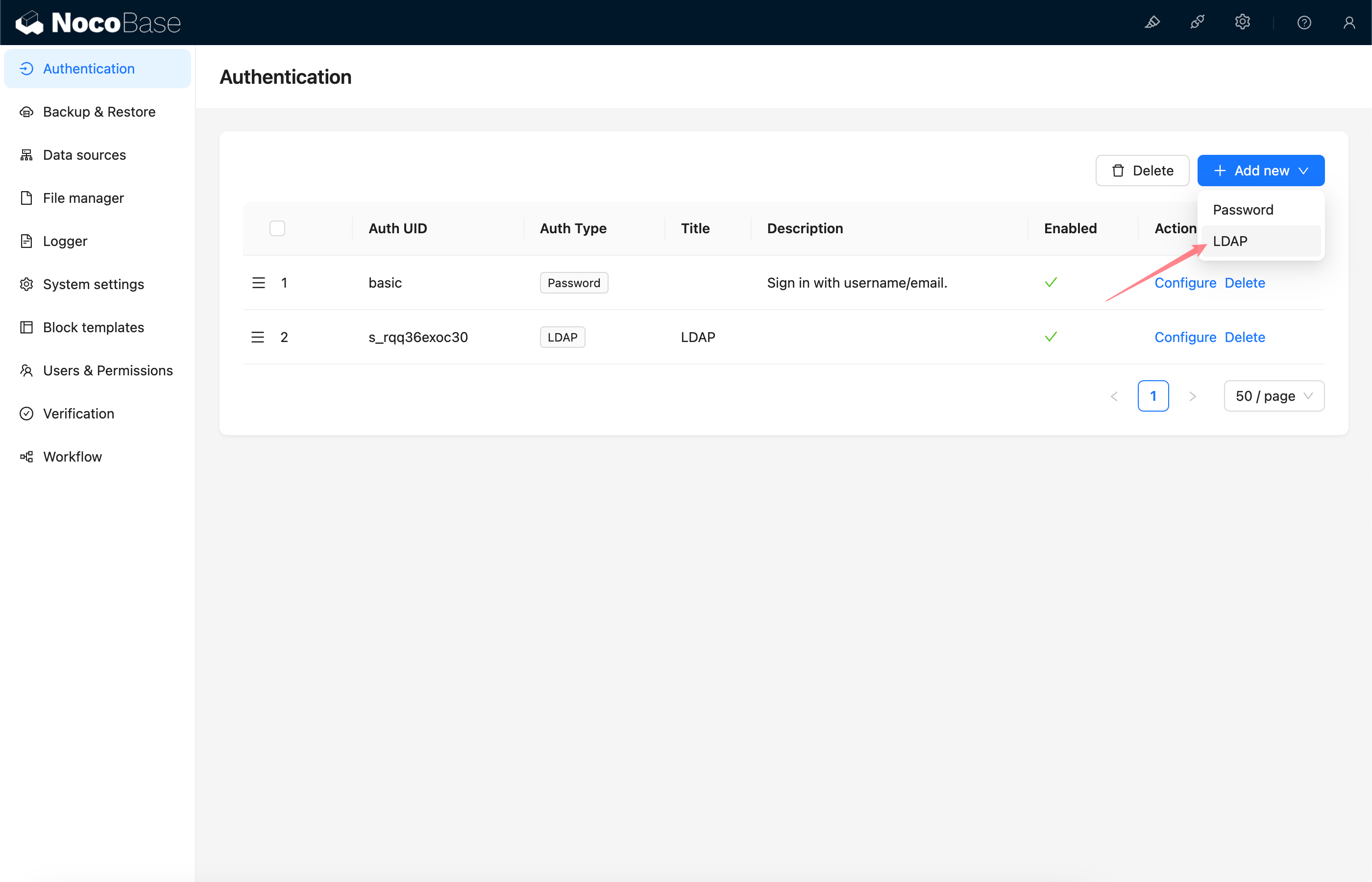
Add - LDAP
Configuration
Basic Configuration
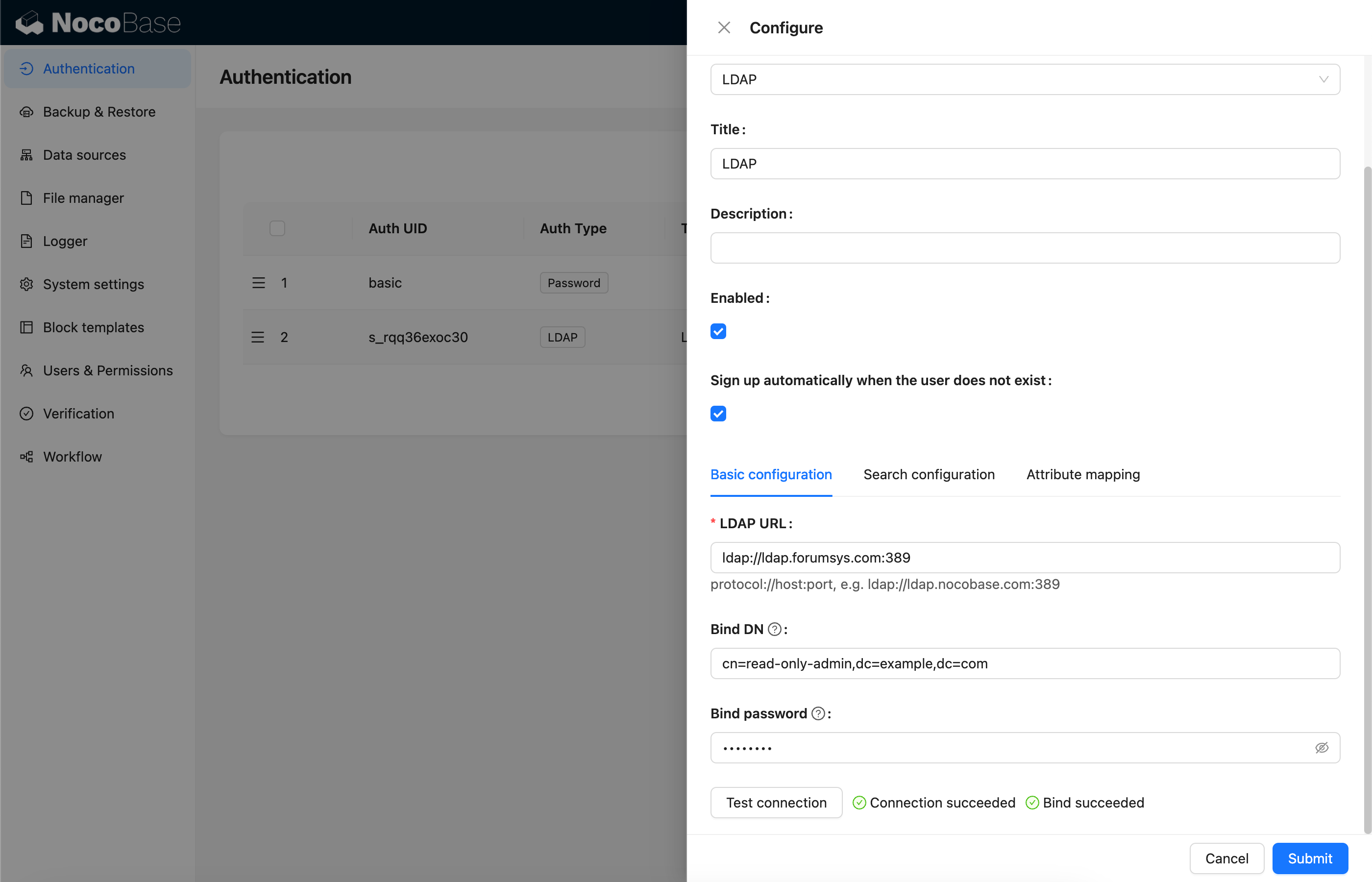
- Sign up automatically when the user does not exist - Whether to automatically create a new user when no matching existing user is found.
- LDAP URL - LDAP server URL
- Bind DN - DN used to test server connection and search for users
- Bind password - Password of Bind DN
- Test connection - Click the button to test the server connection and validate the Bind DN.
Search Configuration
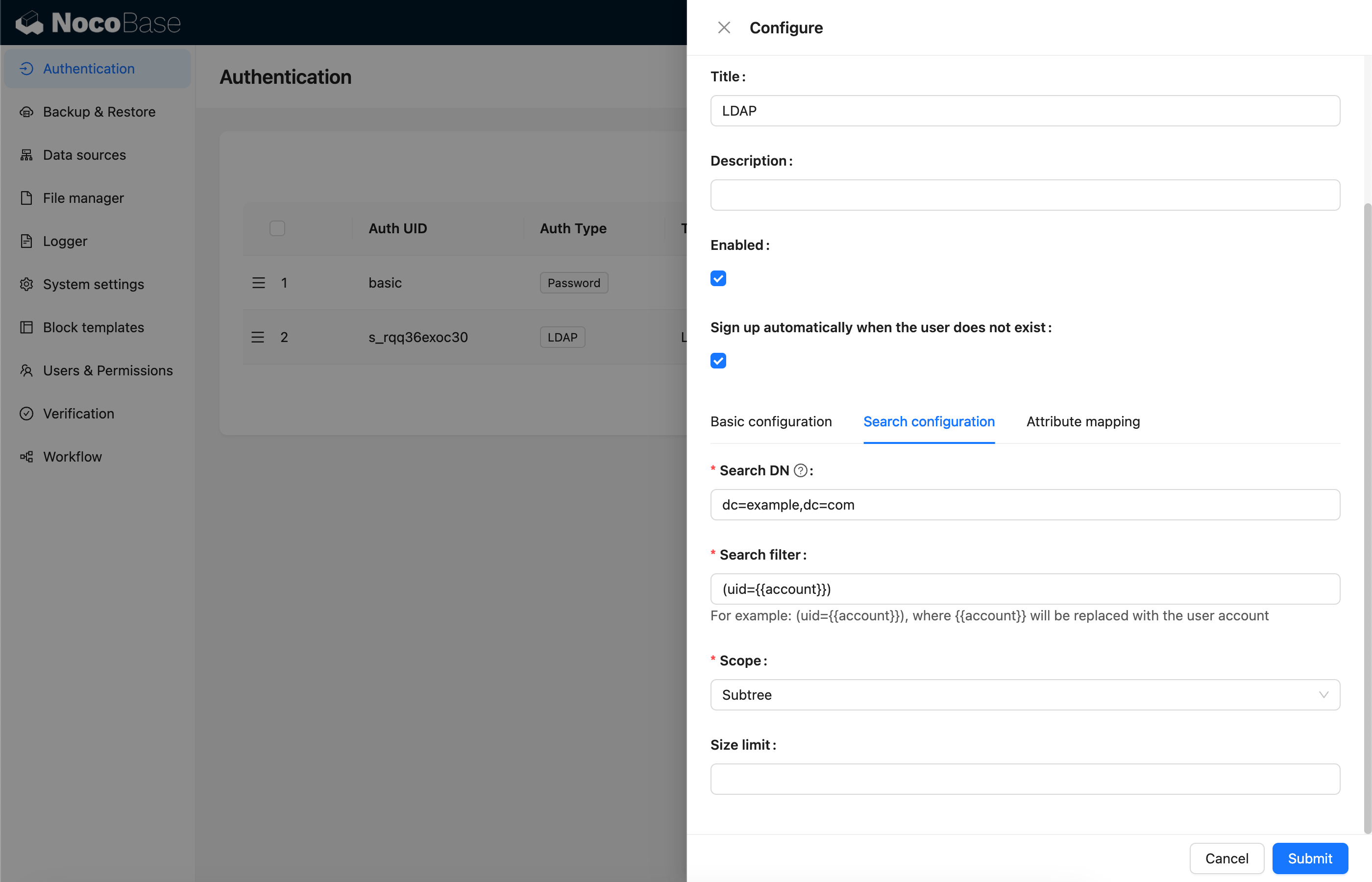
- Search DN - DN used to search for users
- Search filter - Filtering condition for searching users, using
{{account}}to represent the user account used for login - Scope -
Base,One level,Subtree, defaultSubtree - Size limit - Search page size
Attribute Mapping
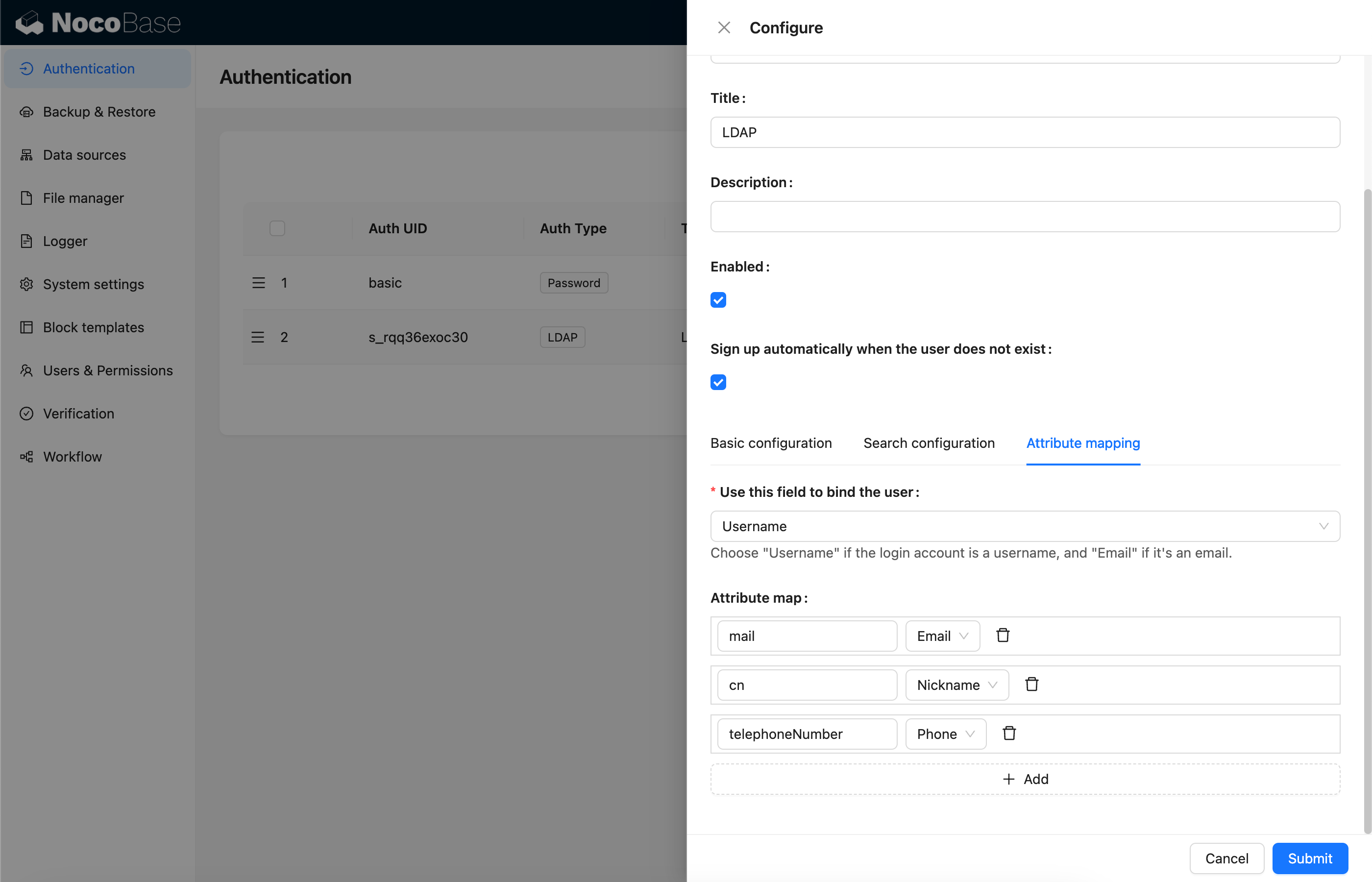
- Use this field to bind the user - Field used to bind to existing users. Select 'username' if the login account is a username, or 'email' if it's an email address. The default is username.
- Attribute map - Mapping of user attributes to fields in the NocoBase user table.
Sign In
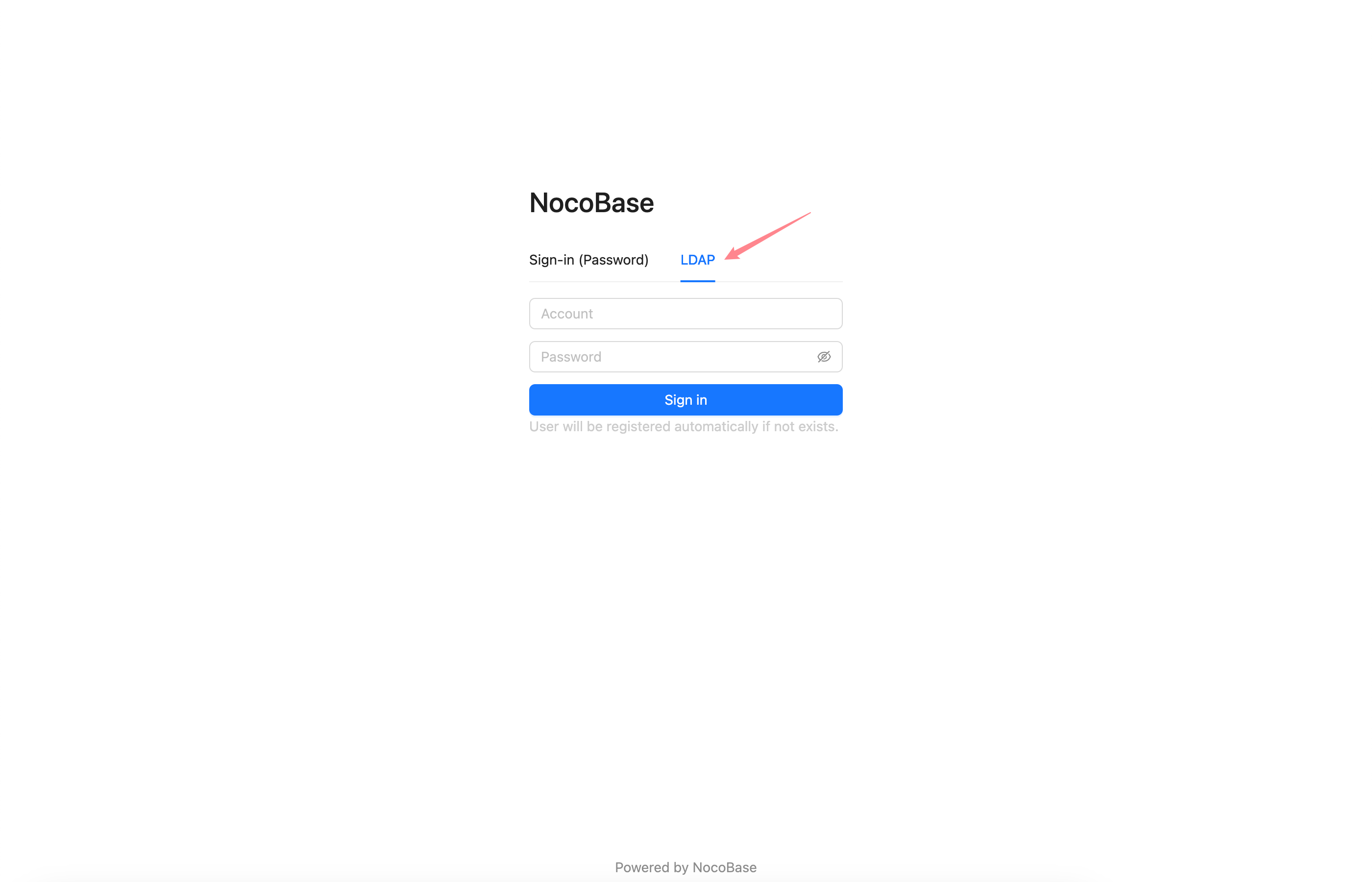
Visit the sign in page and enter LDAP username and password in the sign in form.