

Password Authentication
AuthenticationCommunity Edition+Configuration Interface
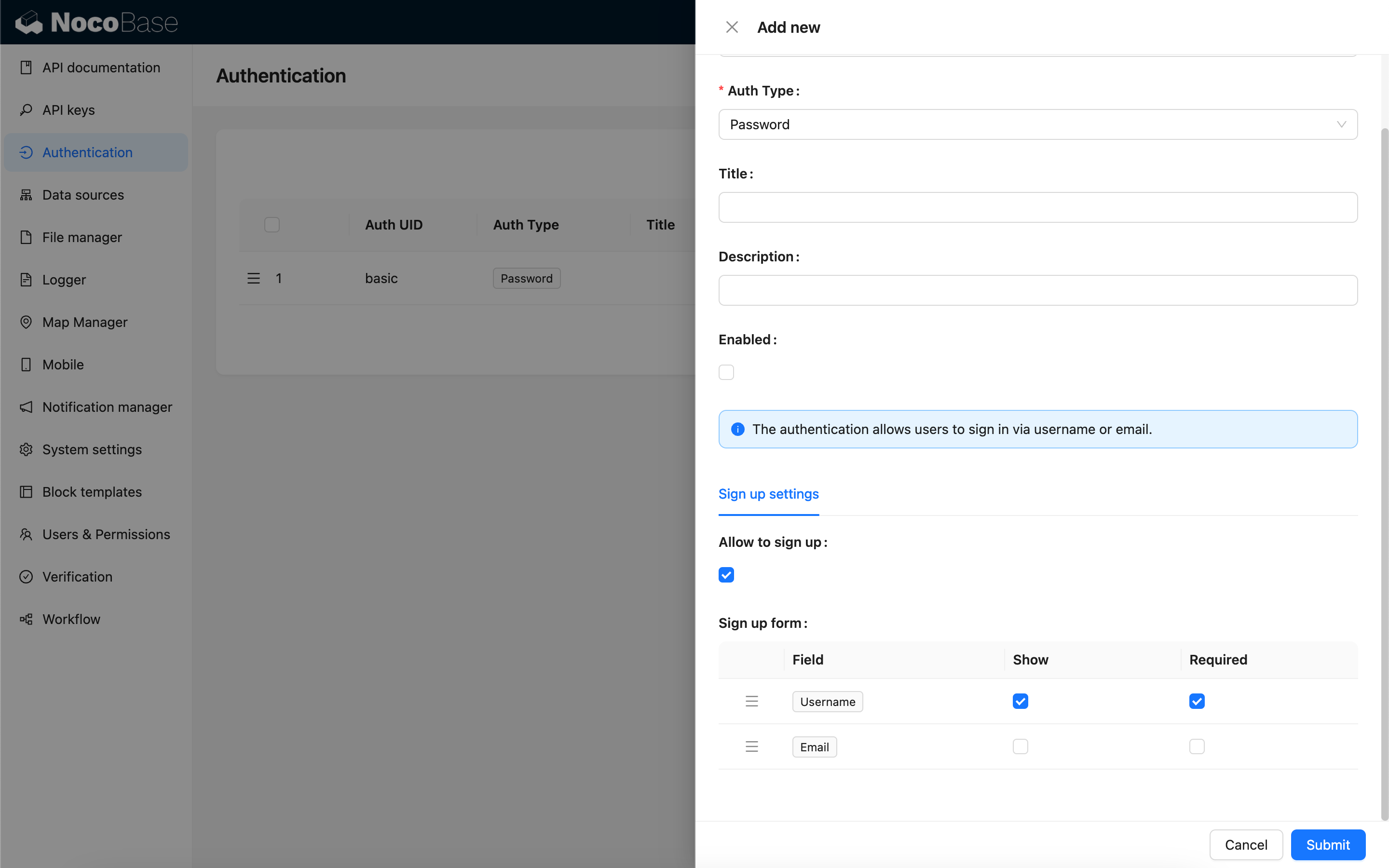
Allow Sign Up
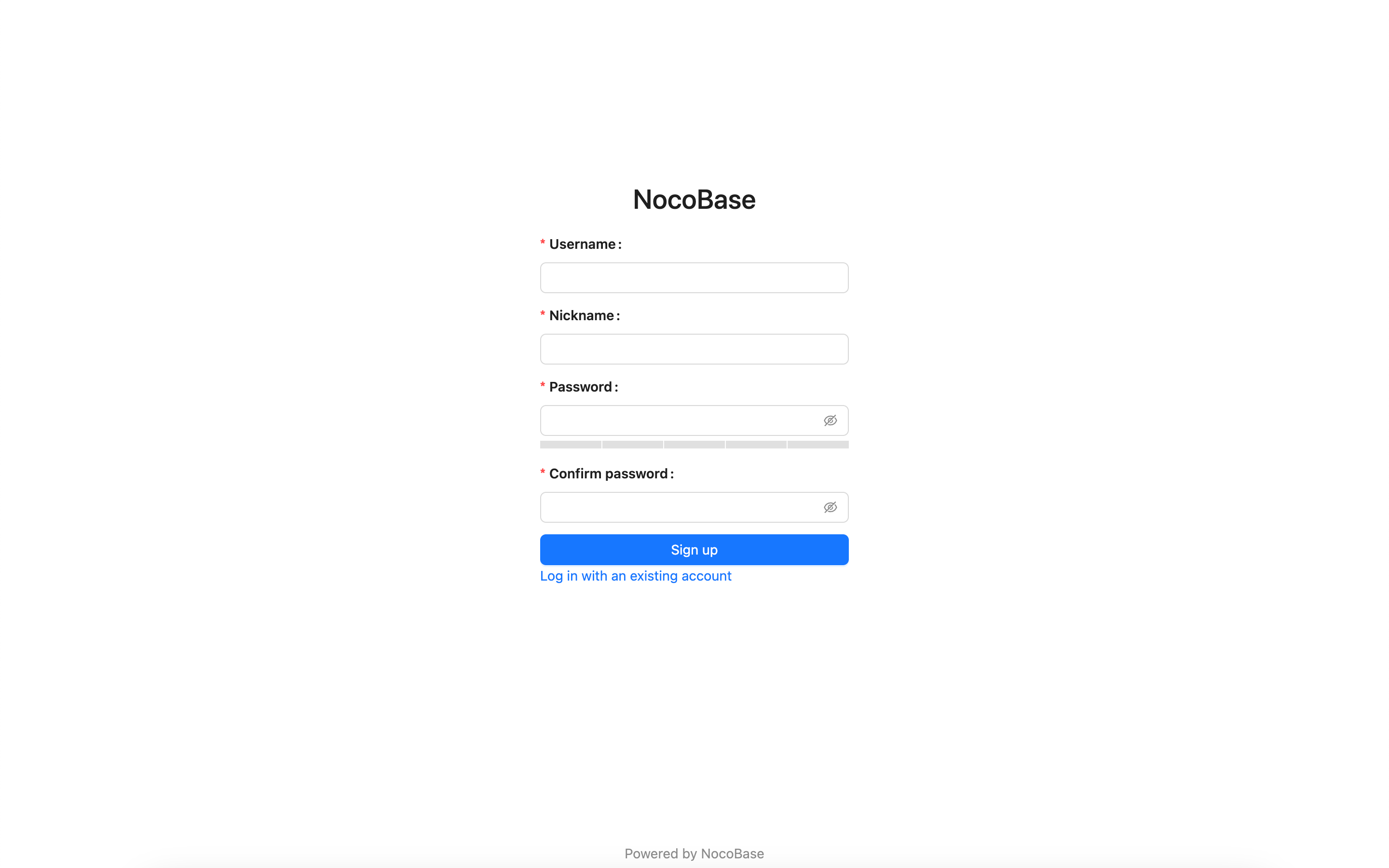
When sign up is allowed, the login page will display the link to create an account, and you can go to the sign up page.
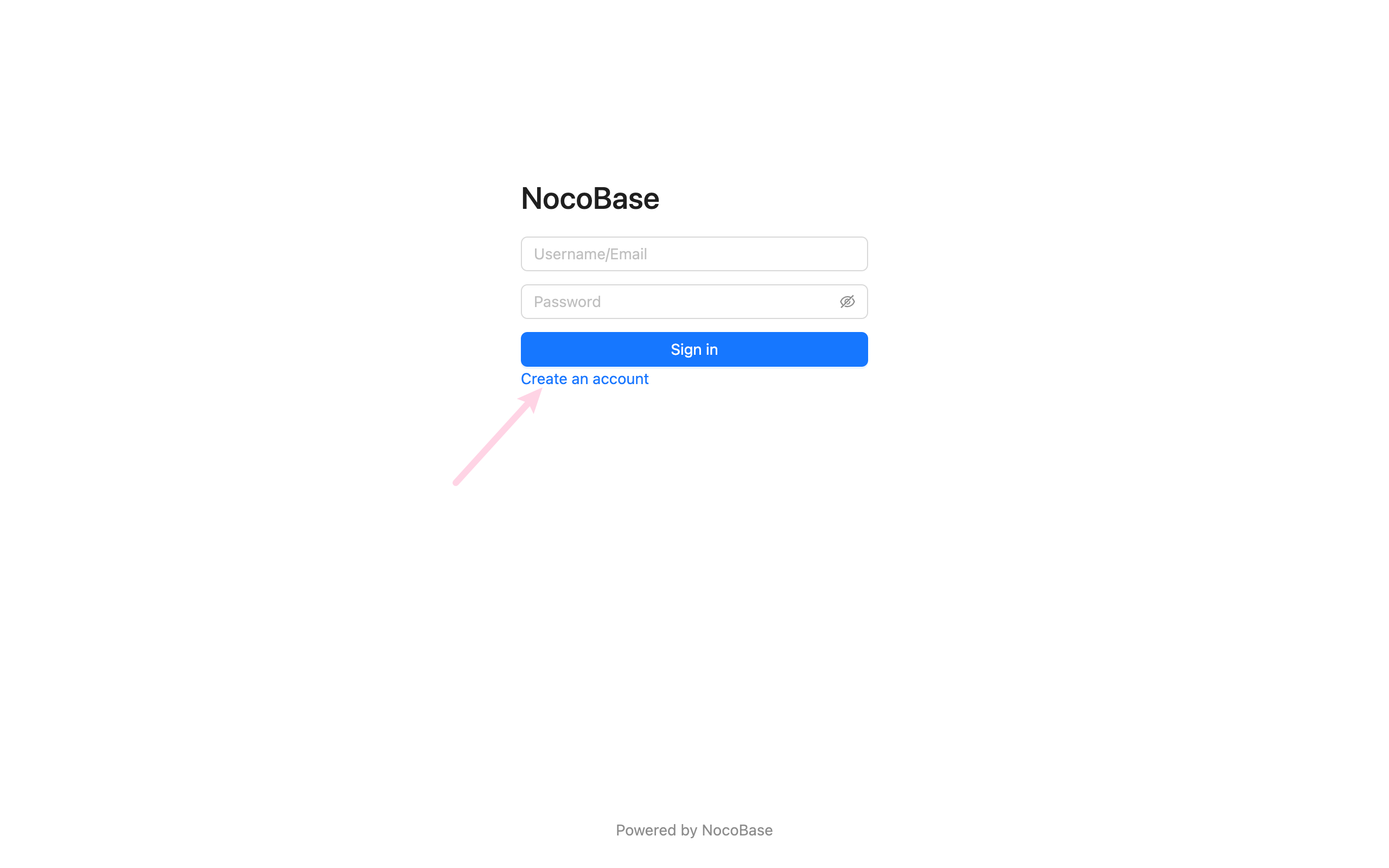
Sign up page
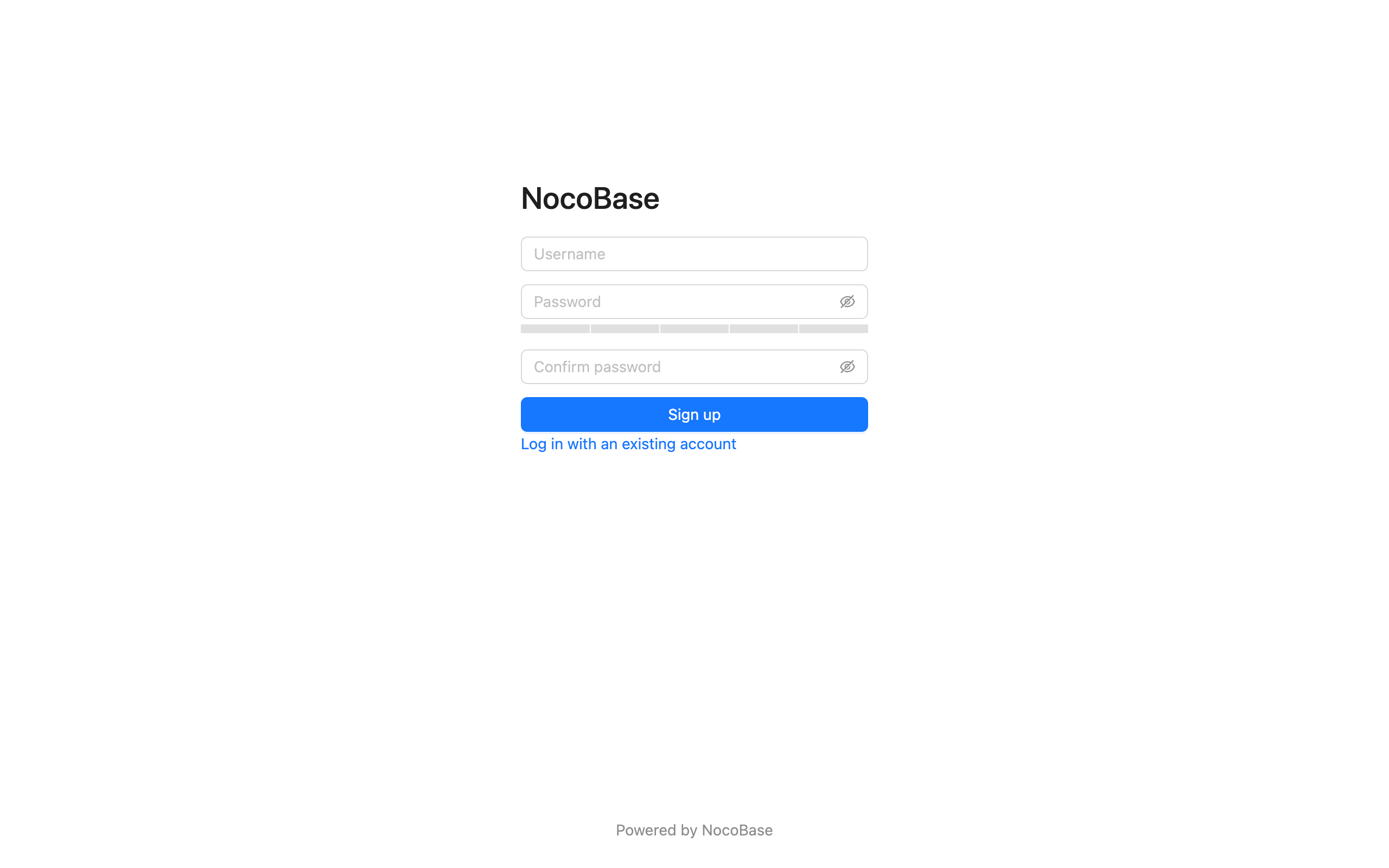
When sign up is not allowed, the login page will not display the link to create an account.
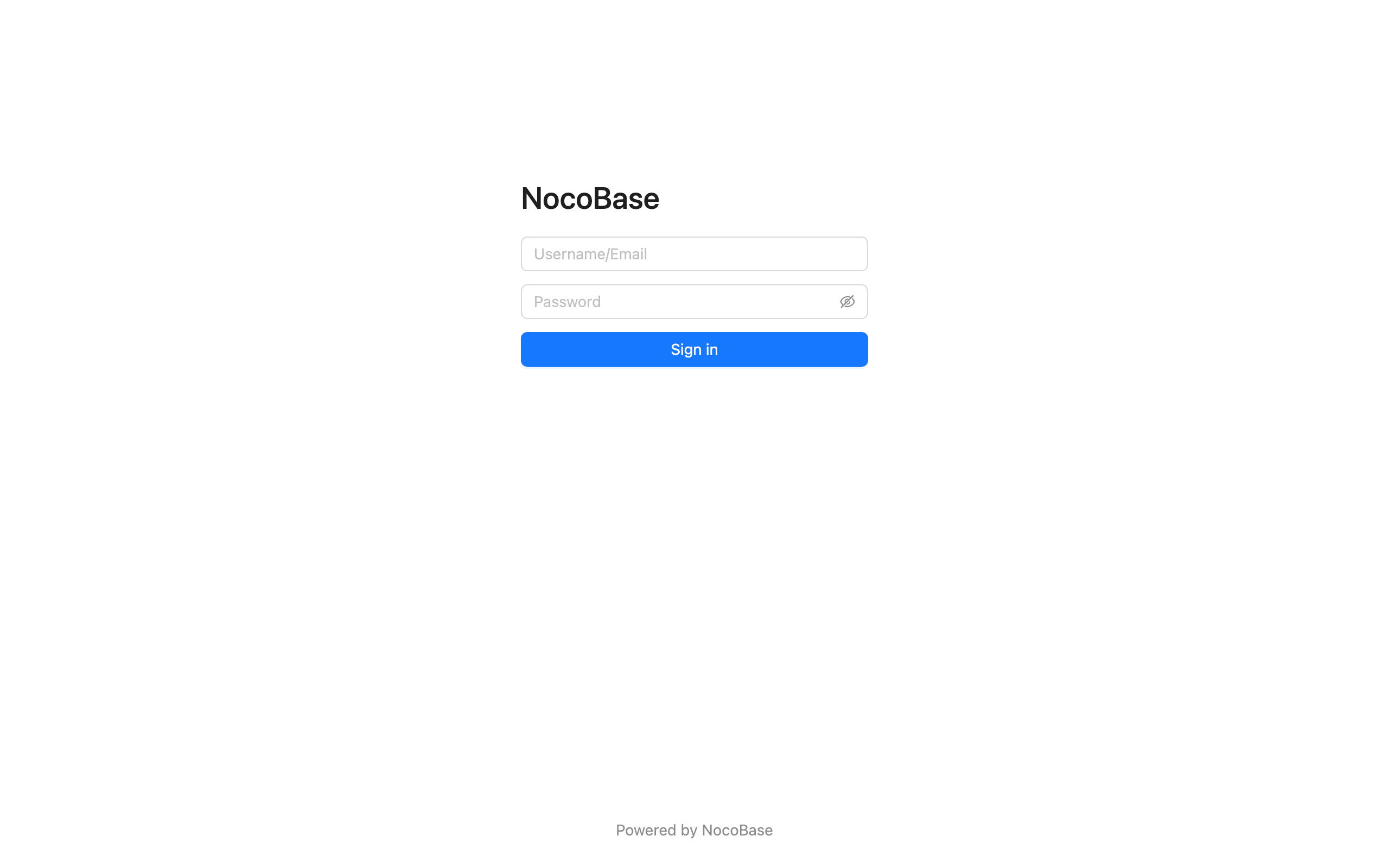
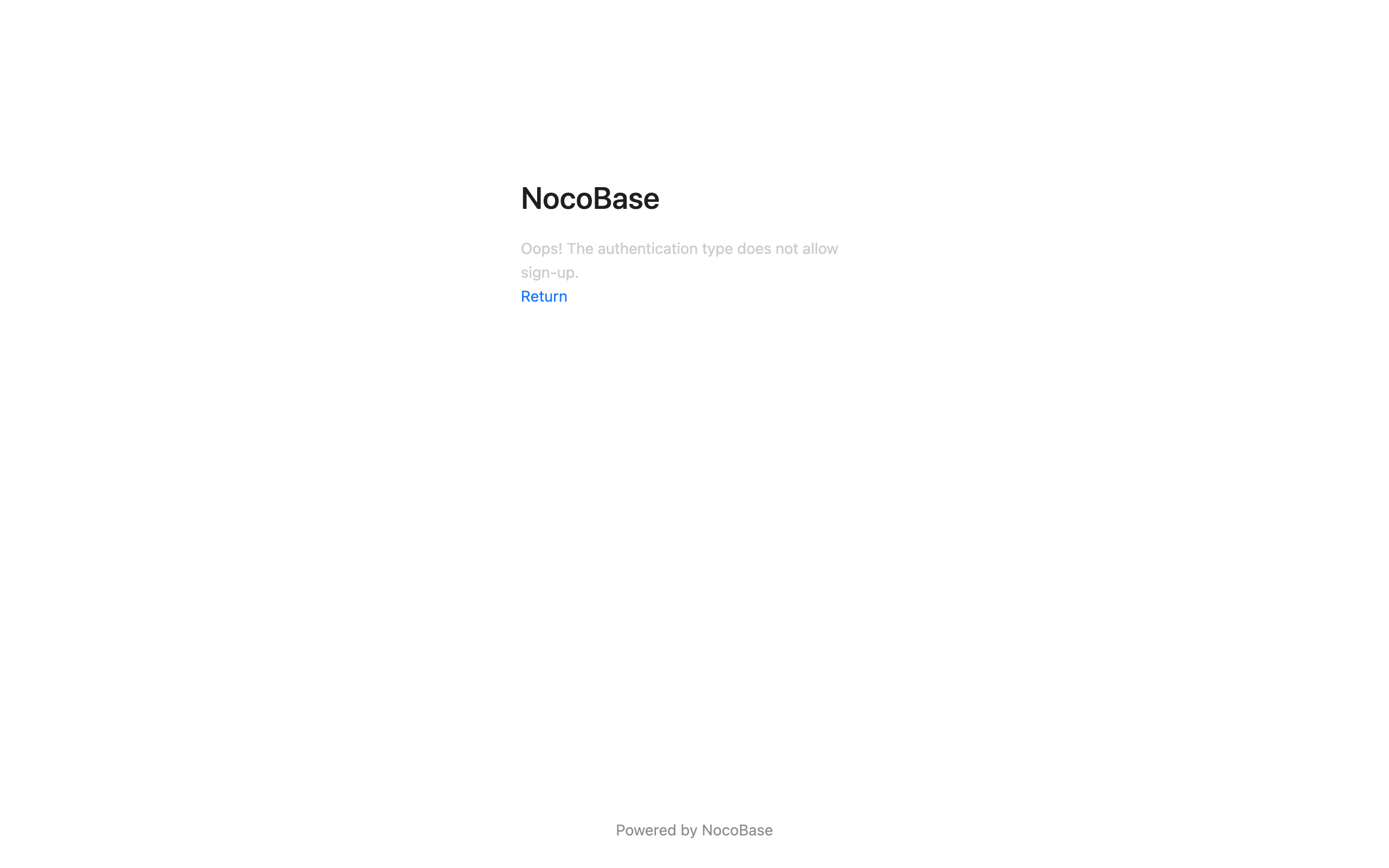
When sign up is not allowed, the sign up page cannot be accessed.
Sign Up Form Settingsv1.4.0-beta.7+
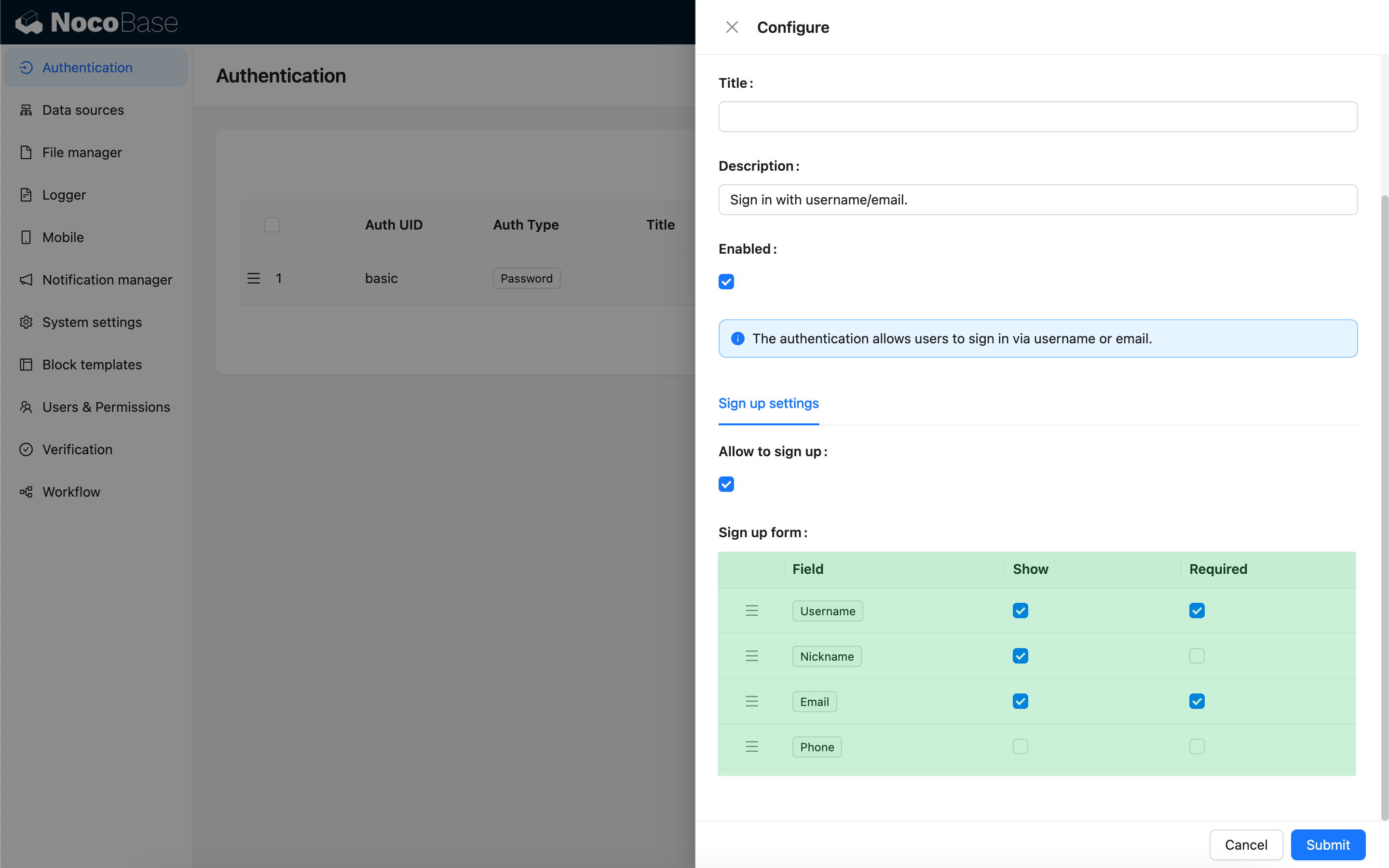
You can set which fields in the user collection need to be displayed in the sign up form and whether they are required or not. At least one of username or email fields needs to be set to display and required.
Sign up page
Forgot Passwordv1.8.0+
The forgot password feature allows users to reset their password via email verification if they forget it.
Administrator Configuration
-
Enable Forgot Password Feature
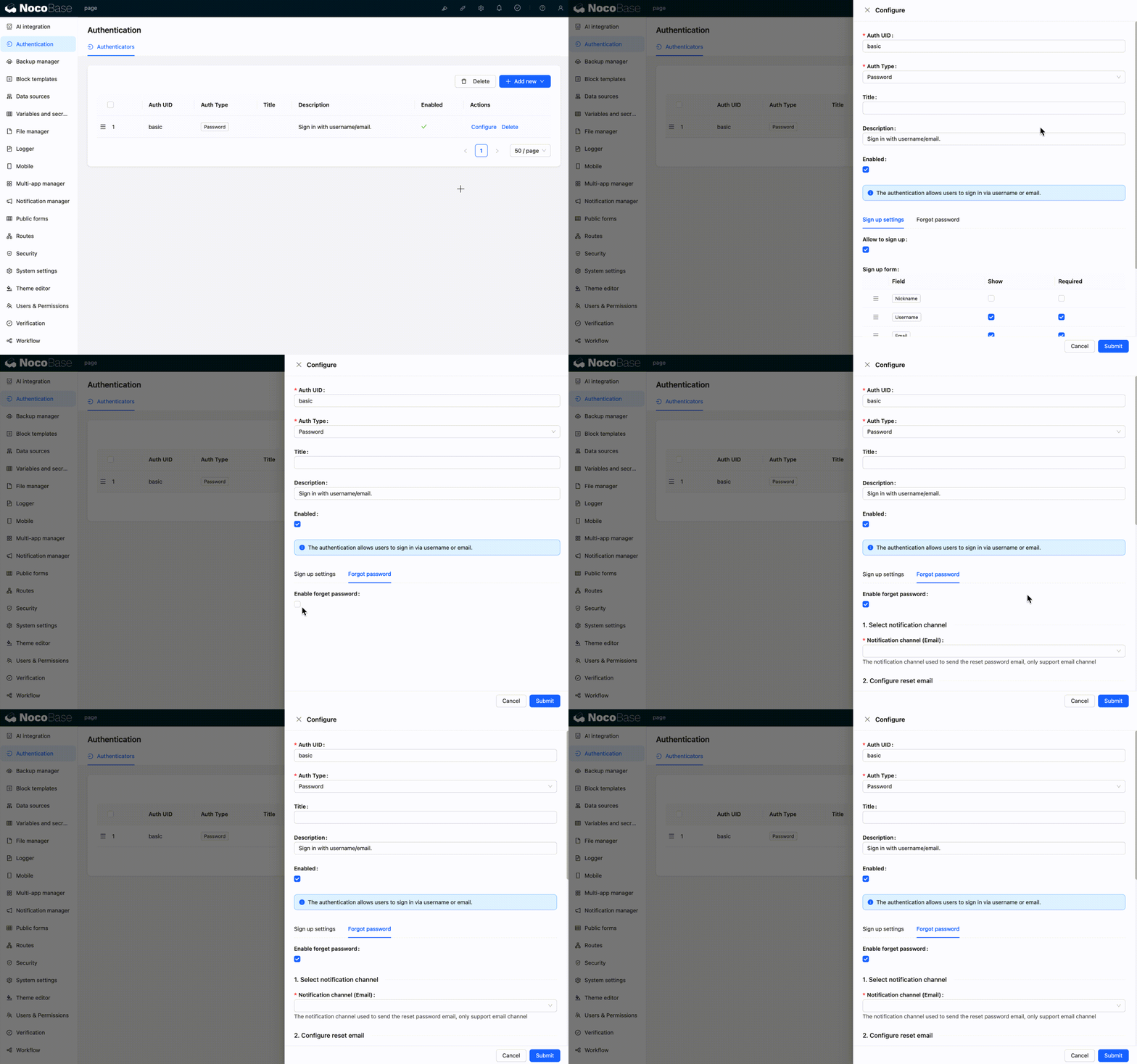
In "Settings" > "Authentication" > "Forgot Password" tab, check the "Enable Forgot Password Feature" checkbox.
-
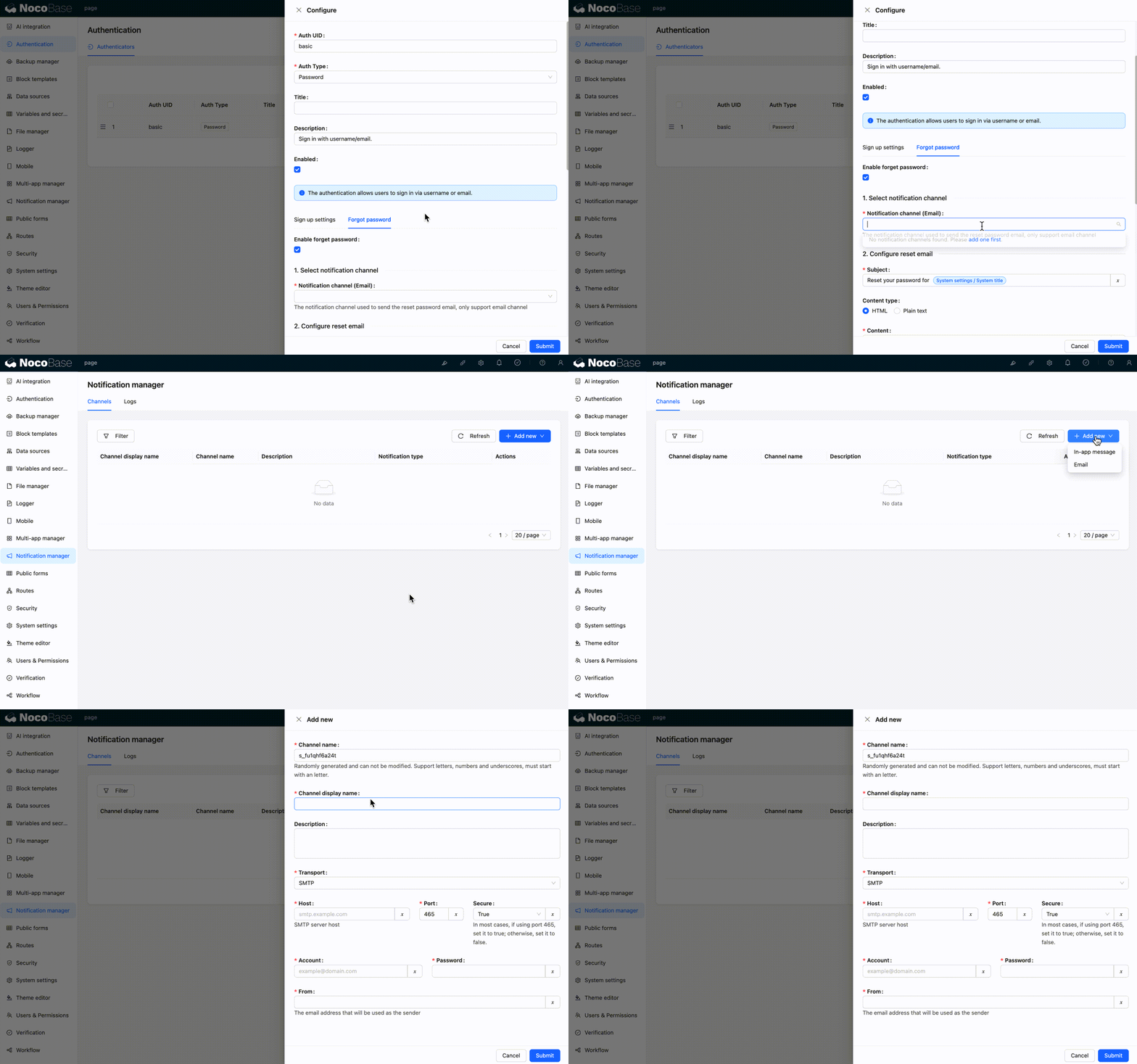
Configure Notification Channel
Select an email notification channel (currently only email is supported). If no notification channel is available, you need to add one first.
-
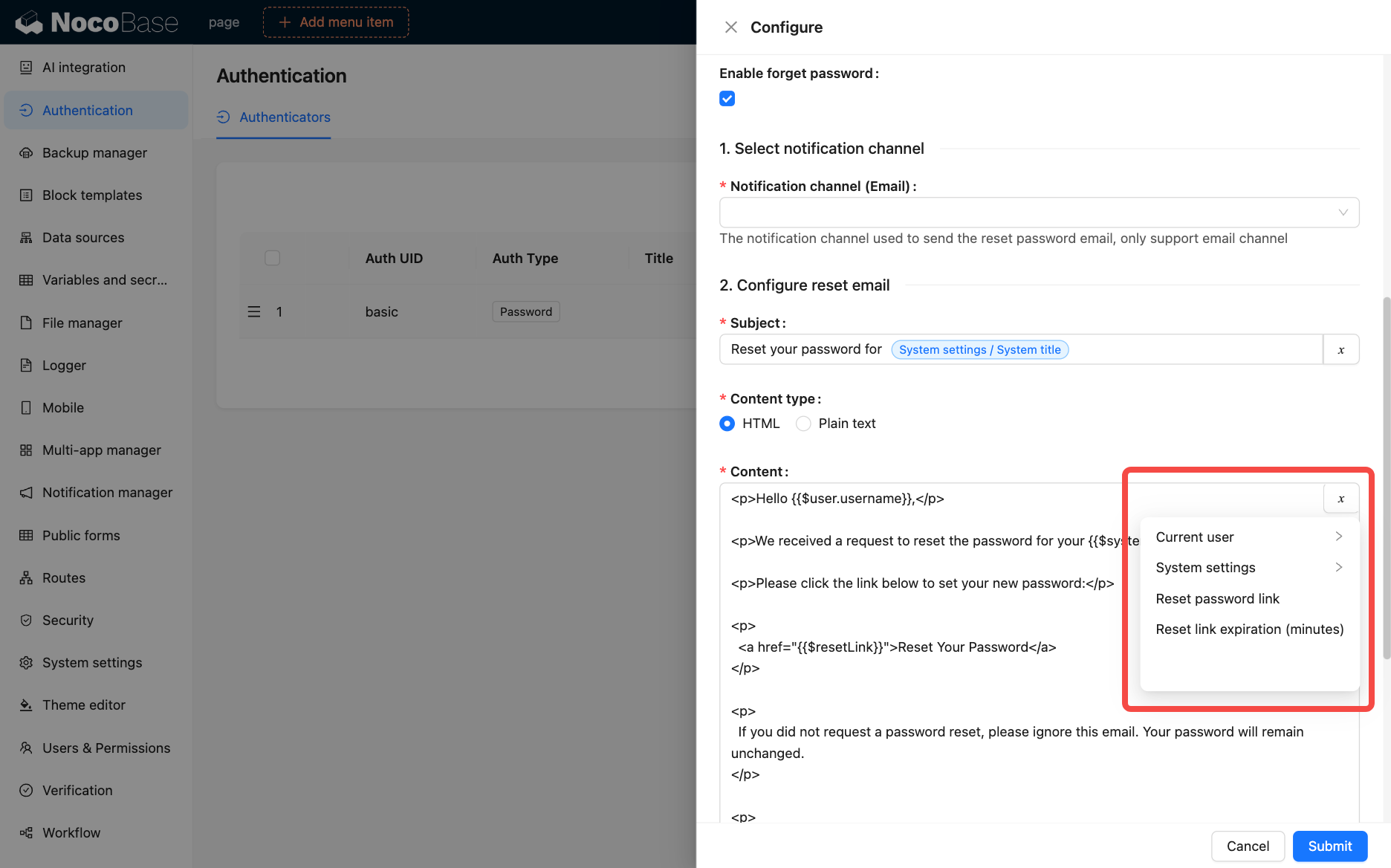
Configure Password Reset Email
Customize the email subject and content, supporting HTML or plain text format. You can use the following variables:
- Current user
- System settings
- Reset password link
- Reset link expiration (minutes)
-
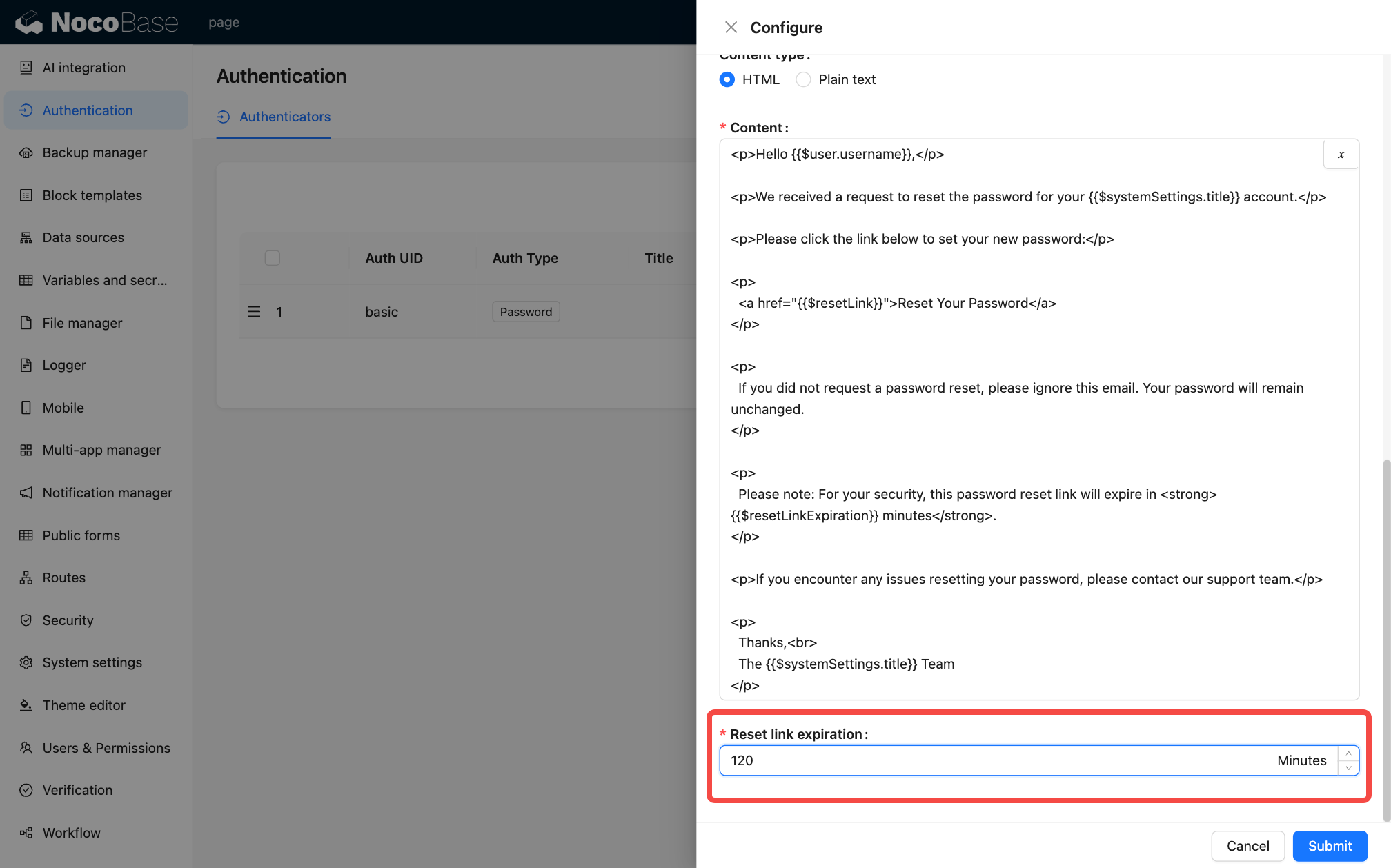
Set Reset Link Expiration
Set the validity period (in minutes) for the reset link, default is 120 minutes.
User Workflow
-
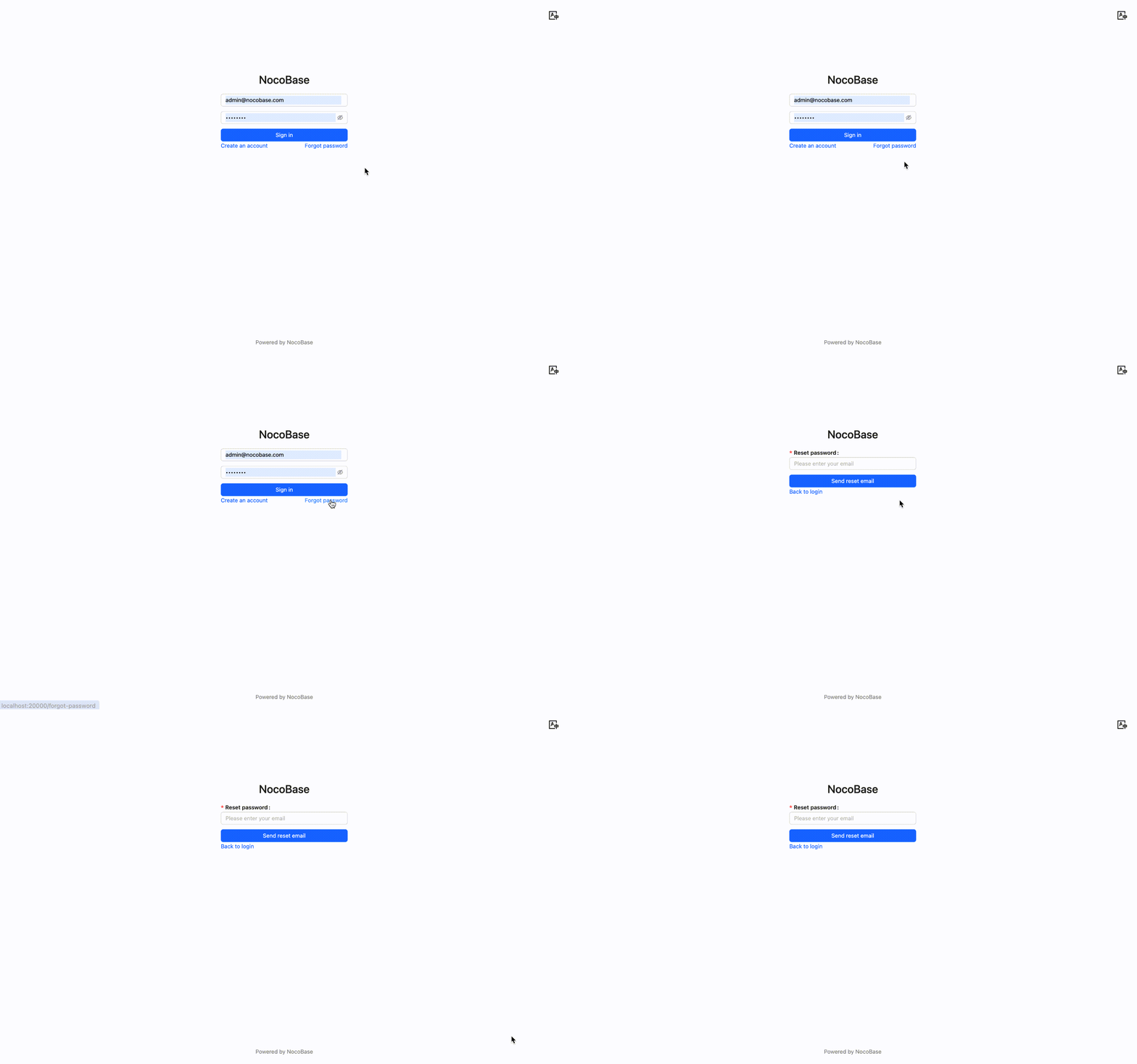
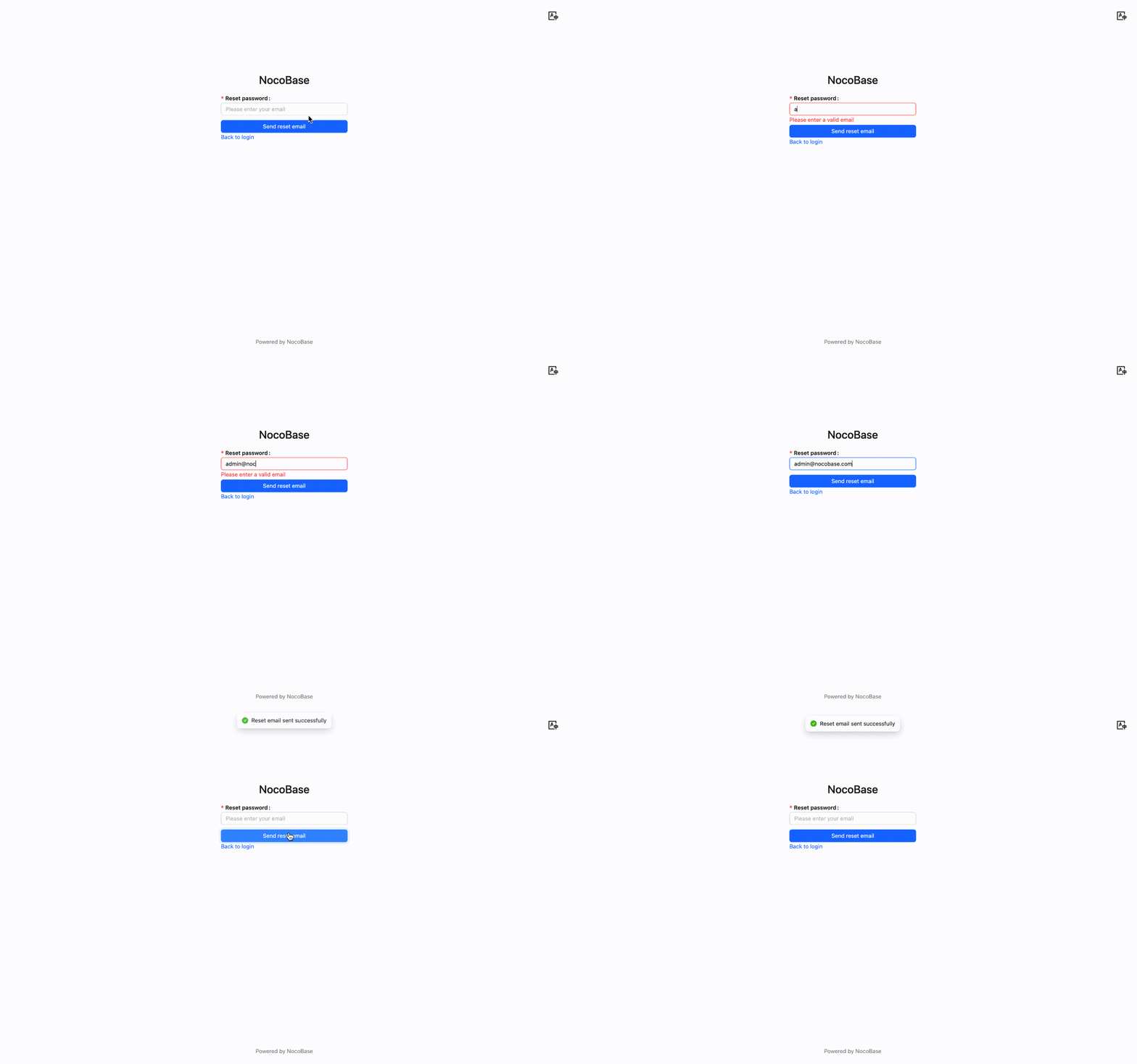
Initiate Password Reset Request
Click the "Forgot Password" link on the login page (requires the administrator to enable the forgot password feature first) to go to the forgot password page.
-
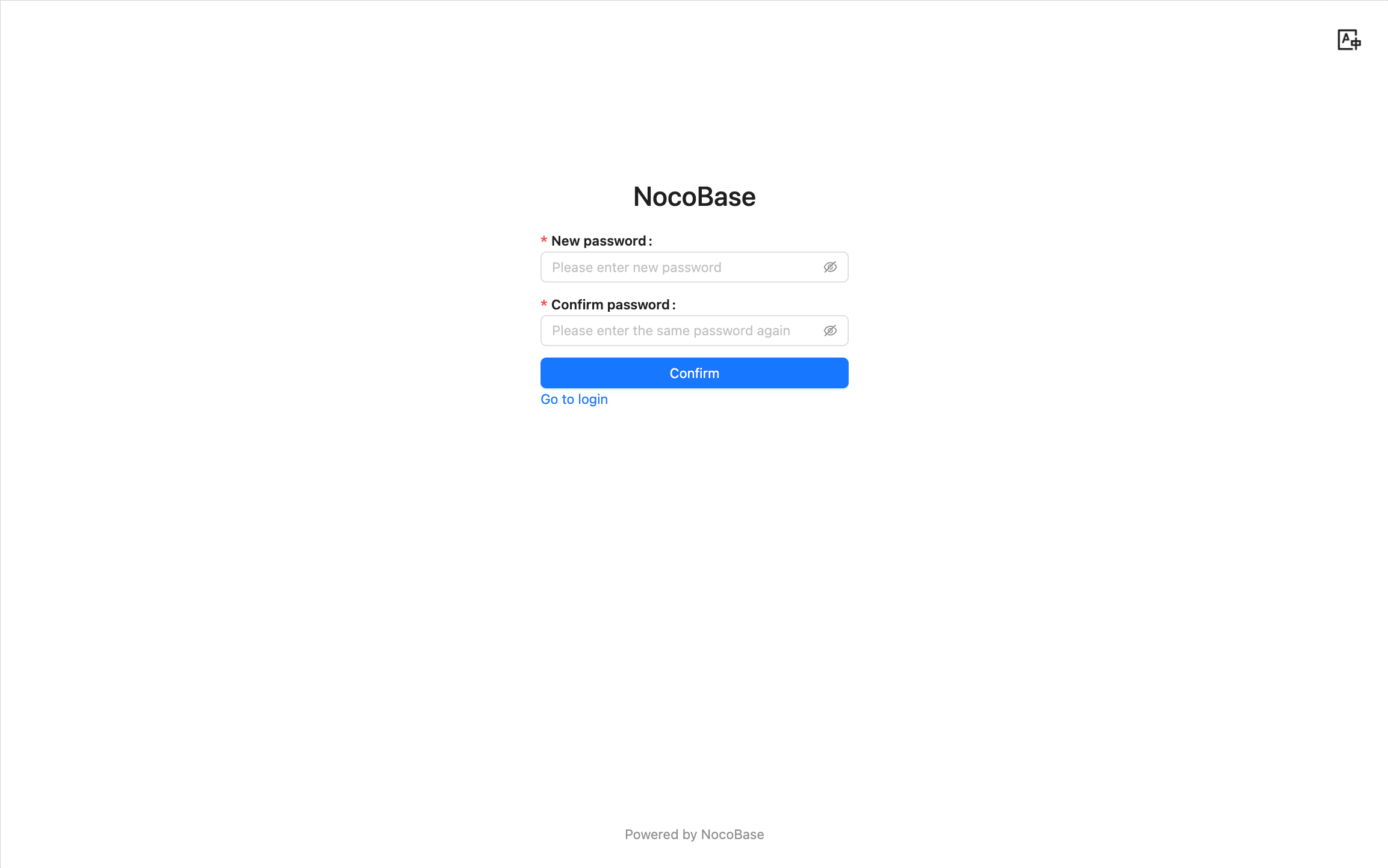
Reset Password
The user will receive an email containing a reset link. Click the link to open a page where you can set a new password.
Notes
- The reset link has a time limit, by default it is valid for 120 minutes after generation (configurable by the administrator).
- The link can only be used once and becomes invalid immediately after use.
- If the user does not receive the reset email, please check if the email address is correct or check the spam folder.
- The administrator should ensure that the mail server configuration is correct to guarantee that the reset email can be sent successfully.