Google Workspace
Set Google as IdP
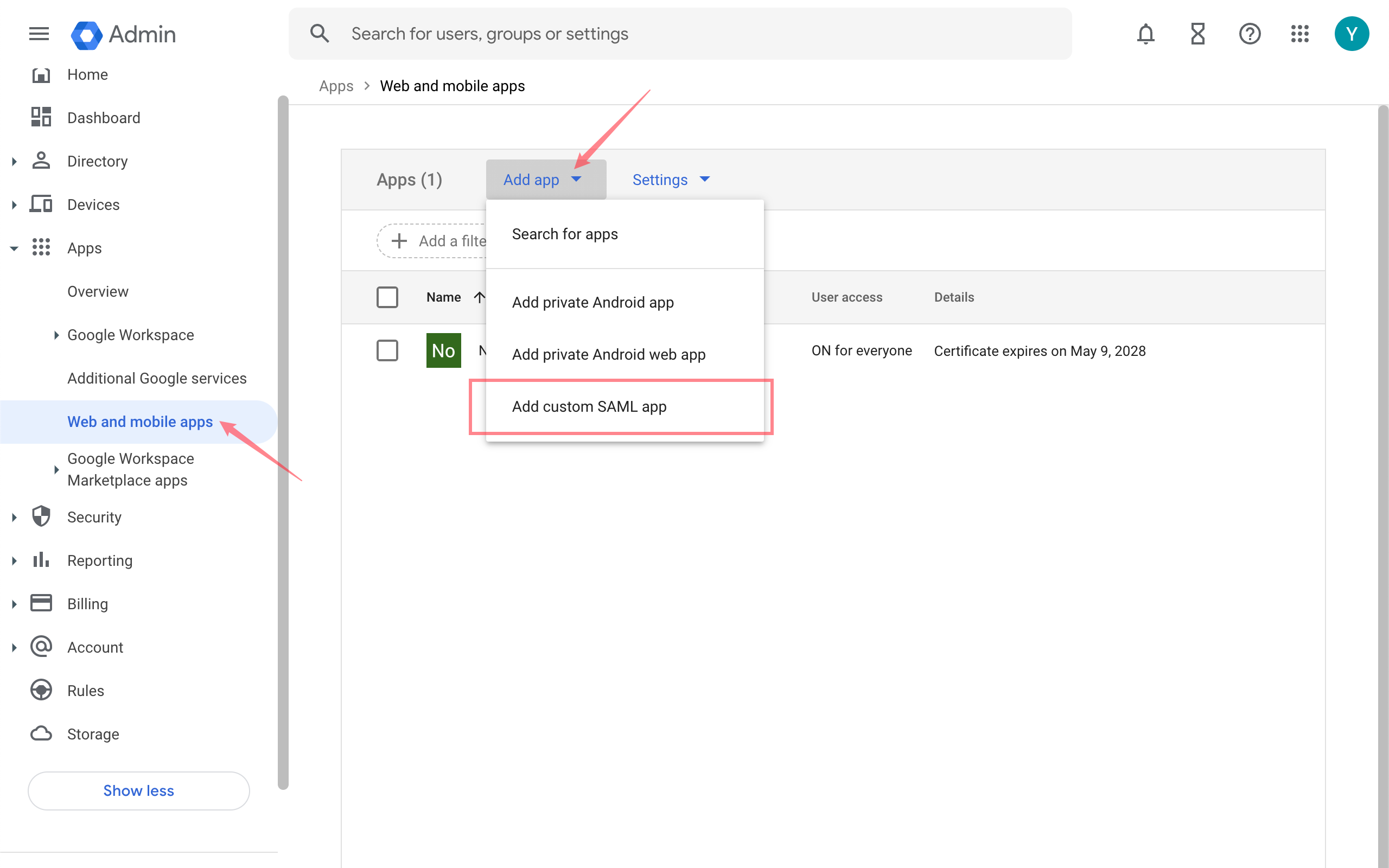
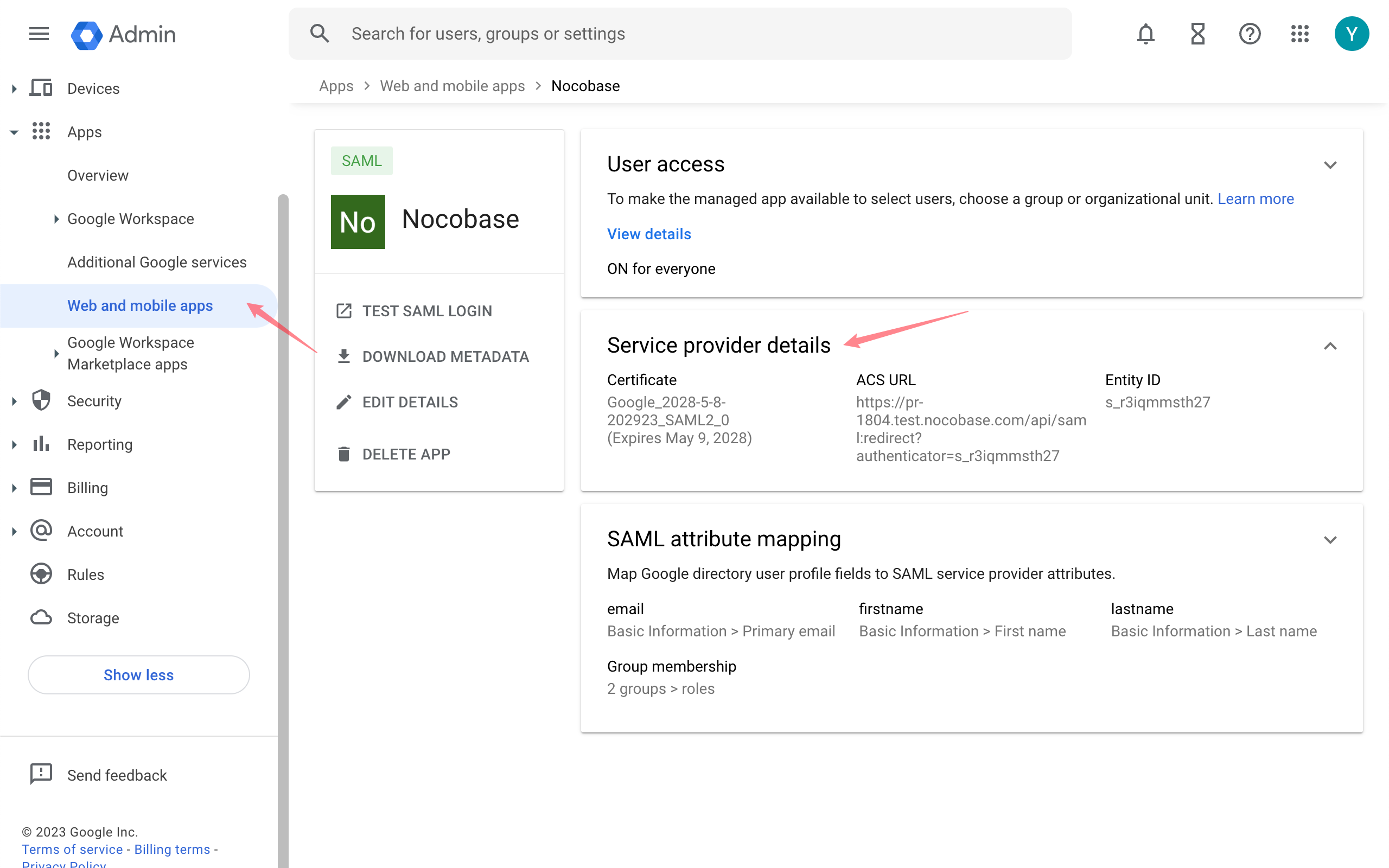
Google Admin Console - Apps - Web and mobile apps
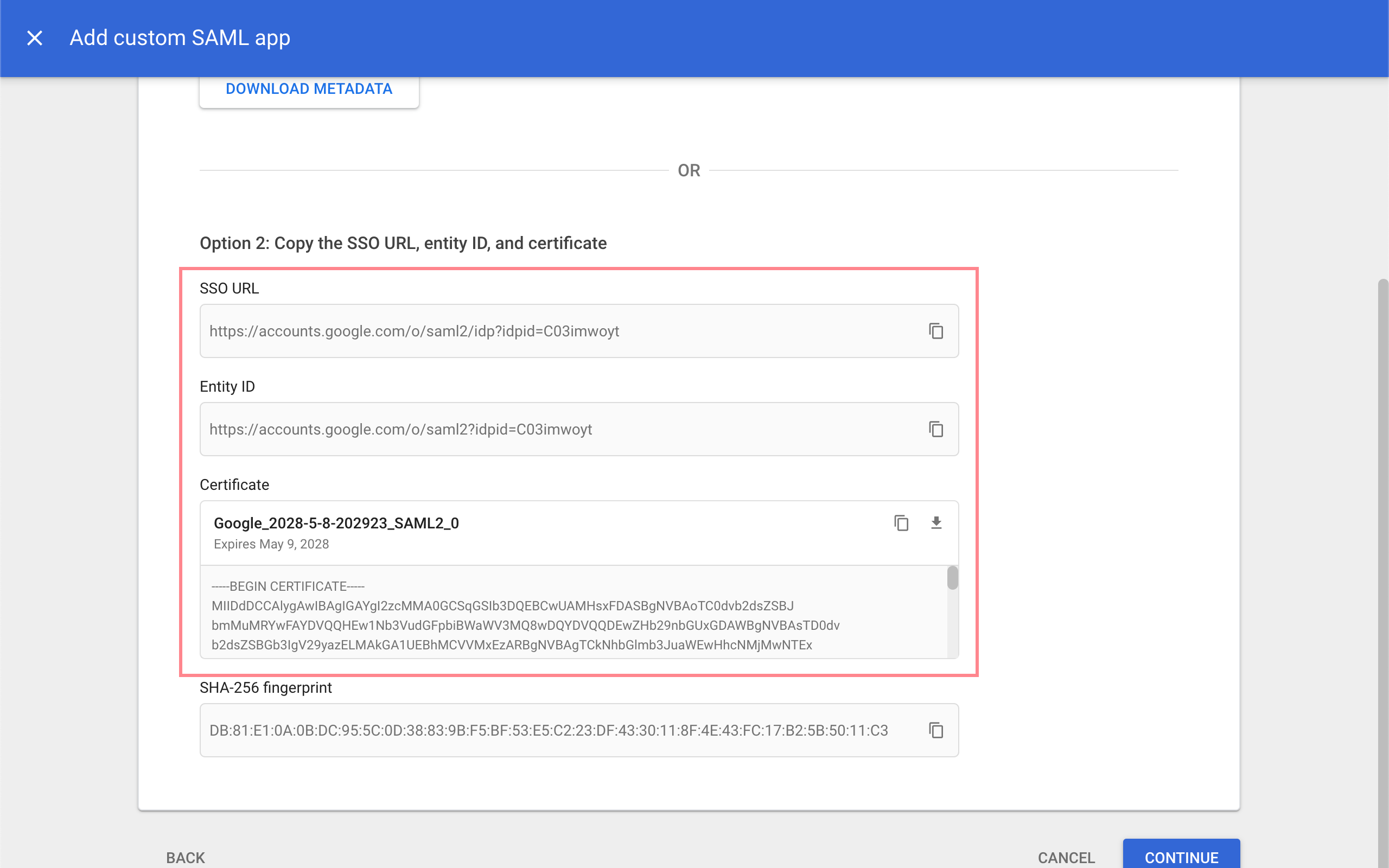
After setting up the app, copy the SSO URL, Entity ID, and Certificate.
Add a new Authenticator on NocoBase
Plugin Settings - User Authentication - Add - SAML
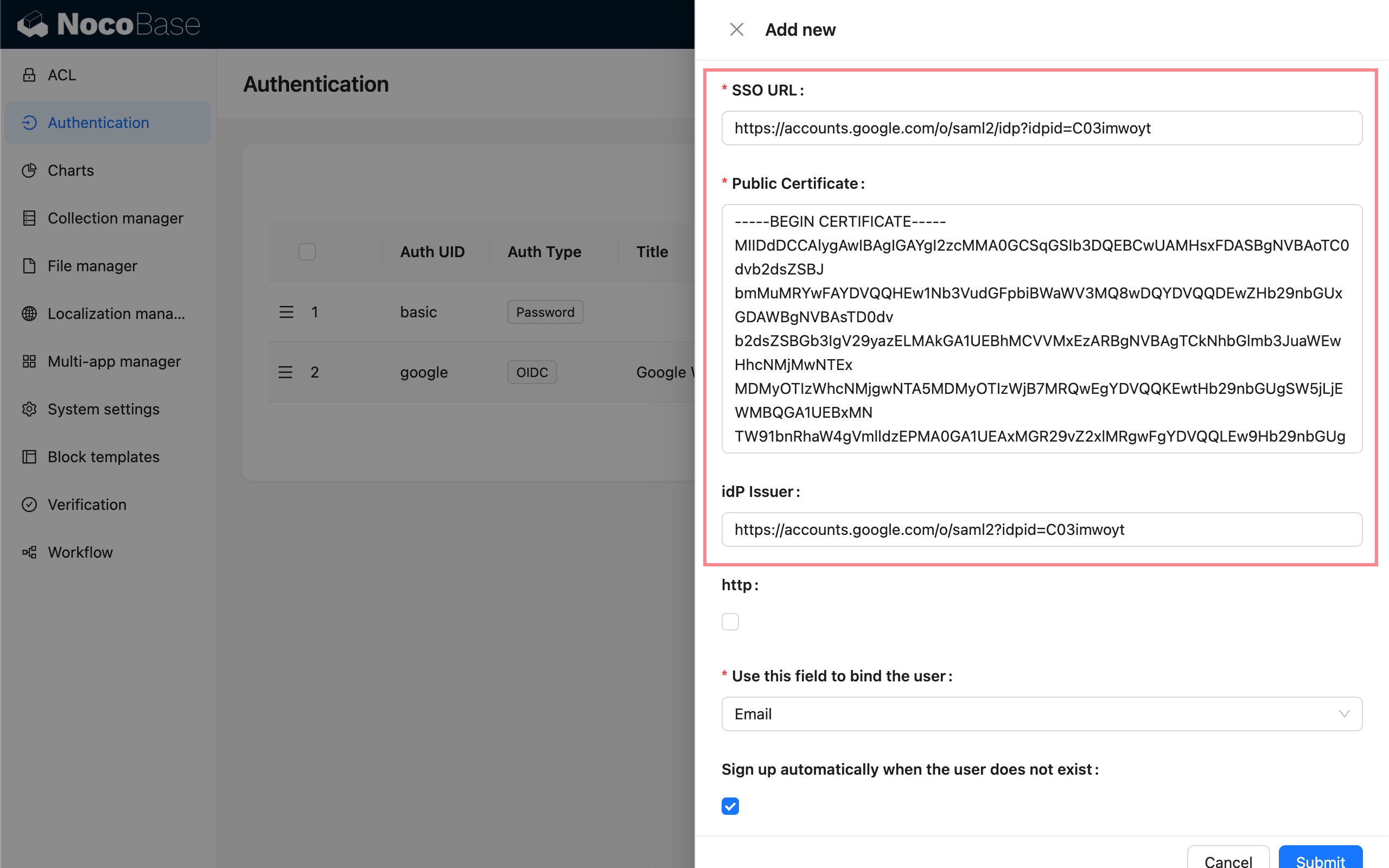
Enter the copied information respectively:
- SSO URL: SSO URL
- Public Certificate: Certificate
- idP Issuer: Entity ID
- http: Check if you are testing locally with http
Then copy the SP Issuer/EntityID and ACS URL from Usage.
Fill in SP Information on Google
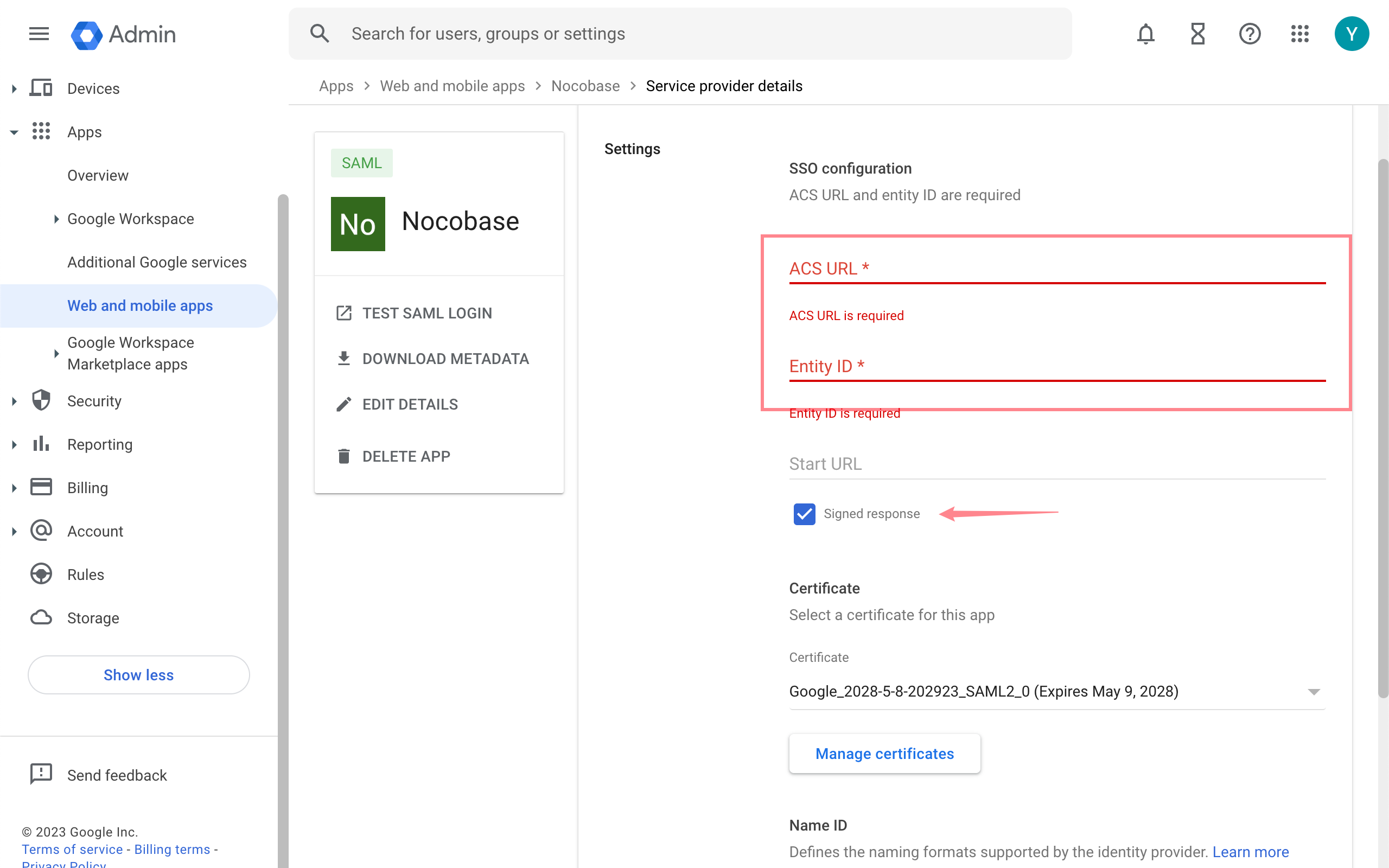
Go back to the Google Console, on the Service Provider Details page, enter the ACS URL and Entity ID copied earlier, and check Signed Response.
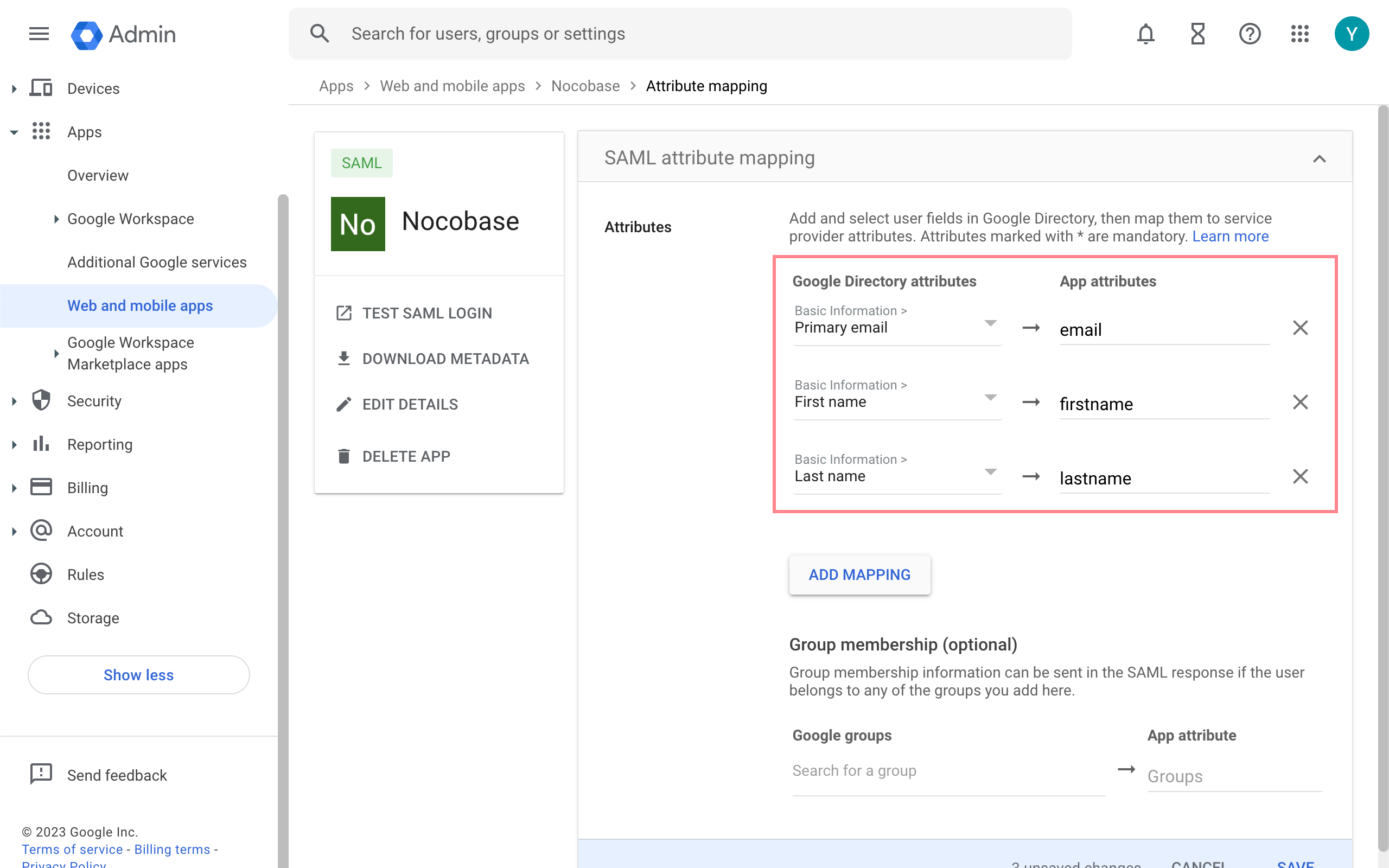
Under Attribute Mapping, add mappings for the corresponding attributes.