Authentication: DingTalk
DingTalkProfessional Edition+Introduction
The Authentication: DingTalk plugin allows users to log in to NocoBase using their DingTalk accounts.
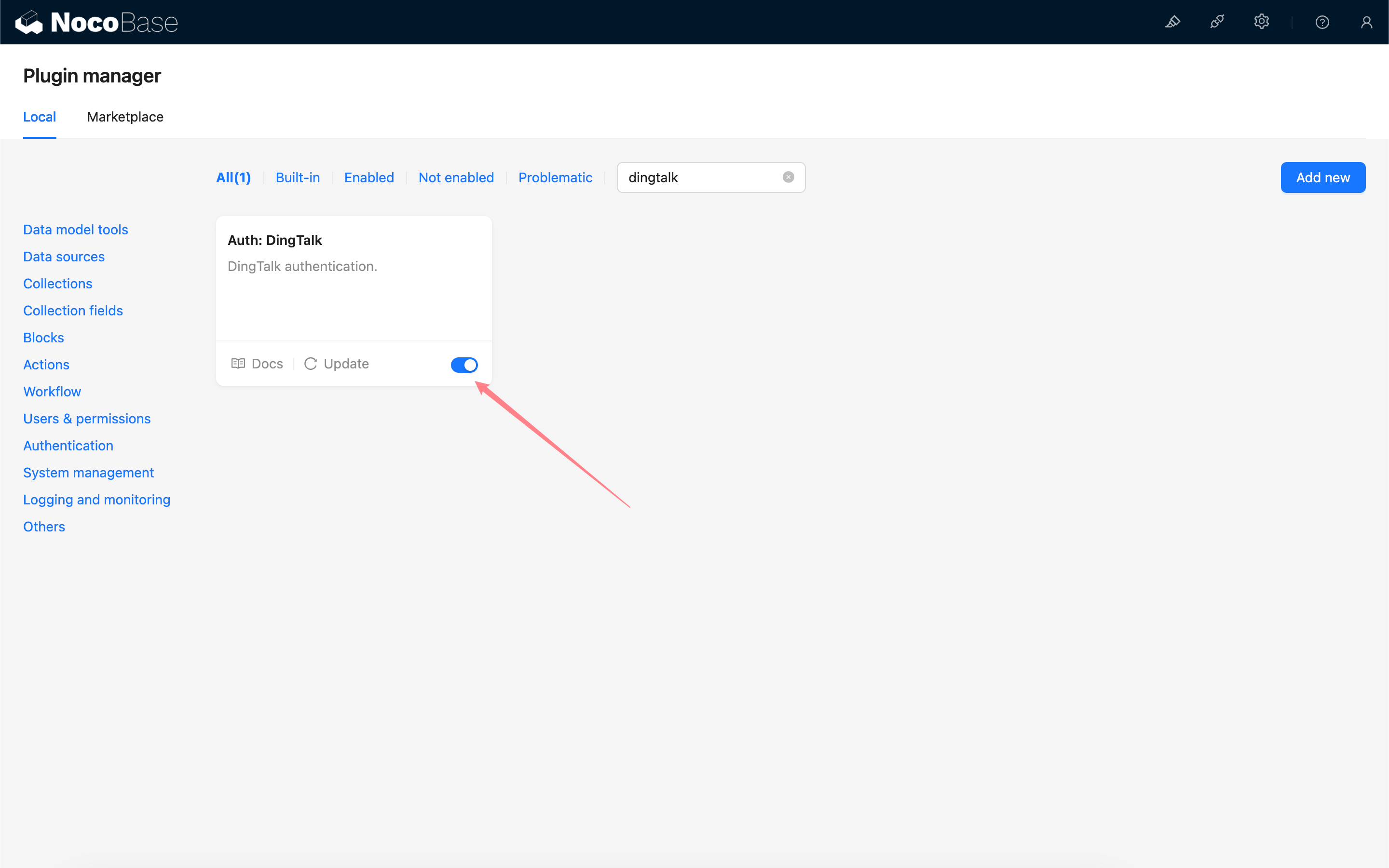
Enable Plugin
Apply for API Permissions in DingTalk Developer Console
Refer to DingTalk Open Platform - Implement Login to Third-Party Websites to create an application.
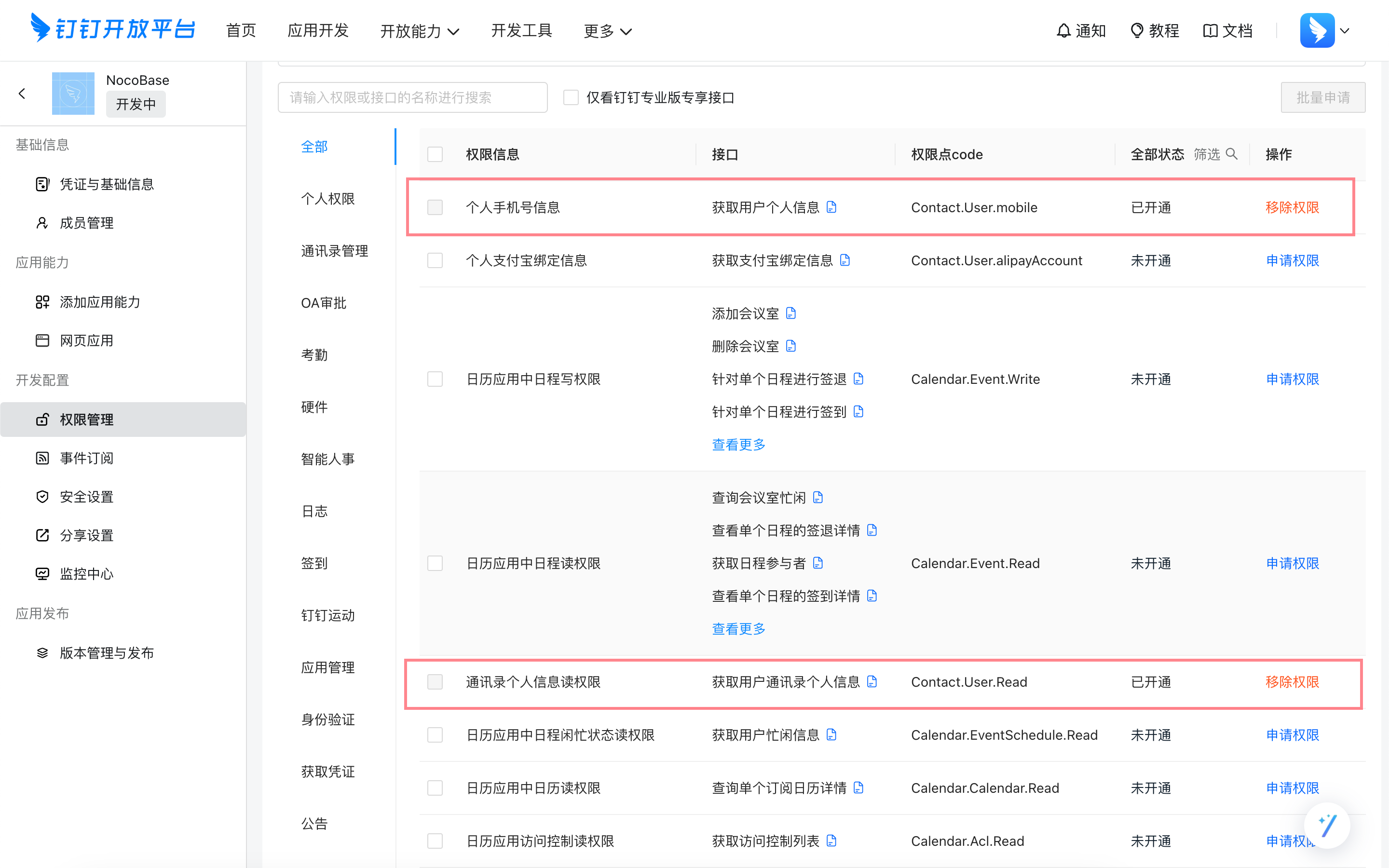
Go to the application management console and enable "Personal Phone Number Information" and "Address Book Personal Information Read Permission".
Get Credentials from DingTalk Developer Console
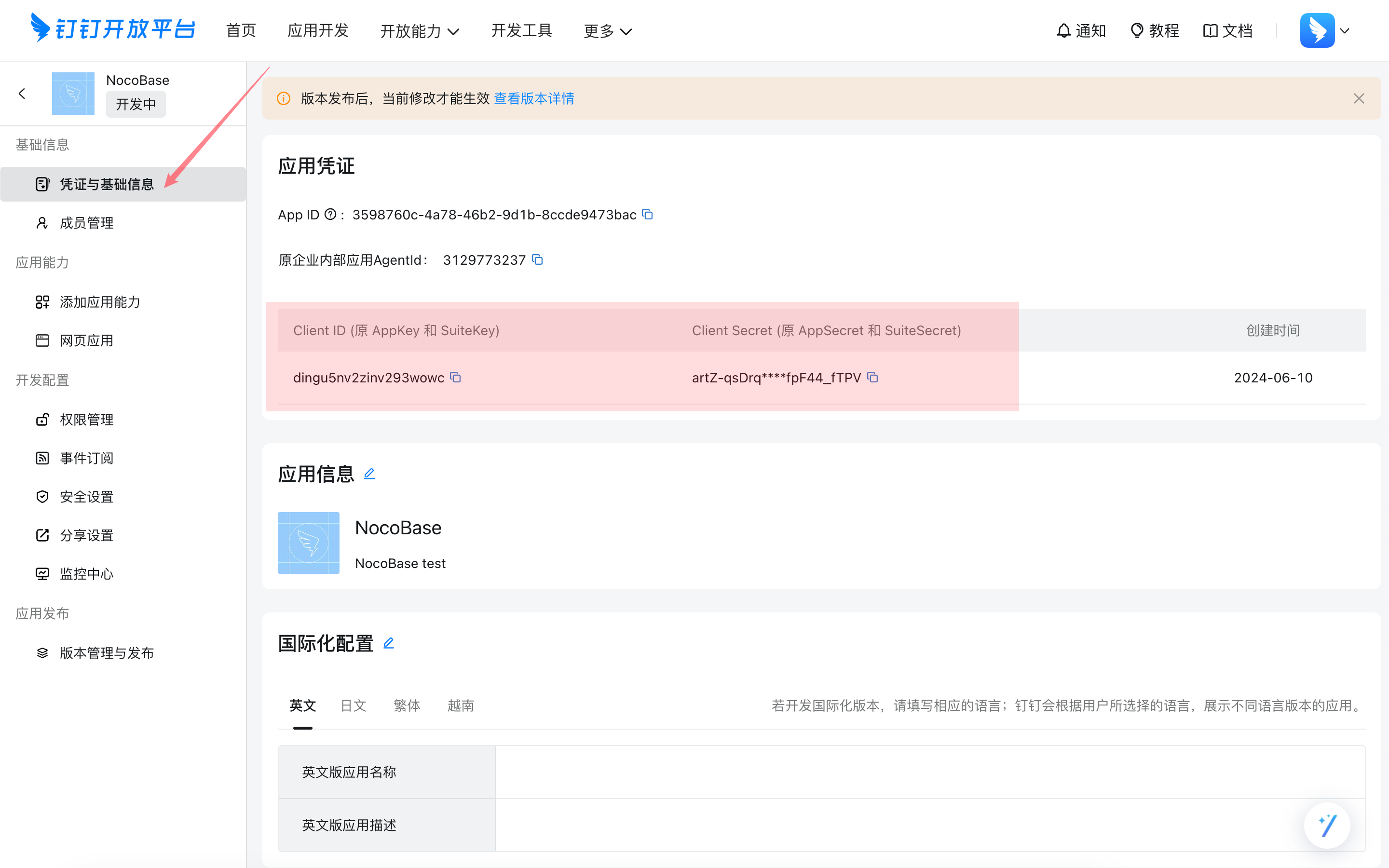
Copy the Client ID and Client Secret.
Add DingTalk Authentication in NocoBase
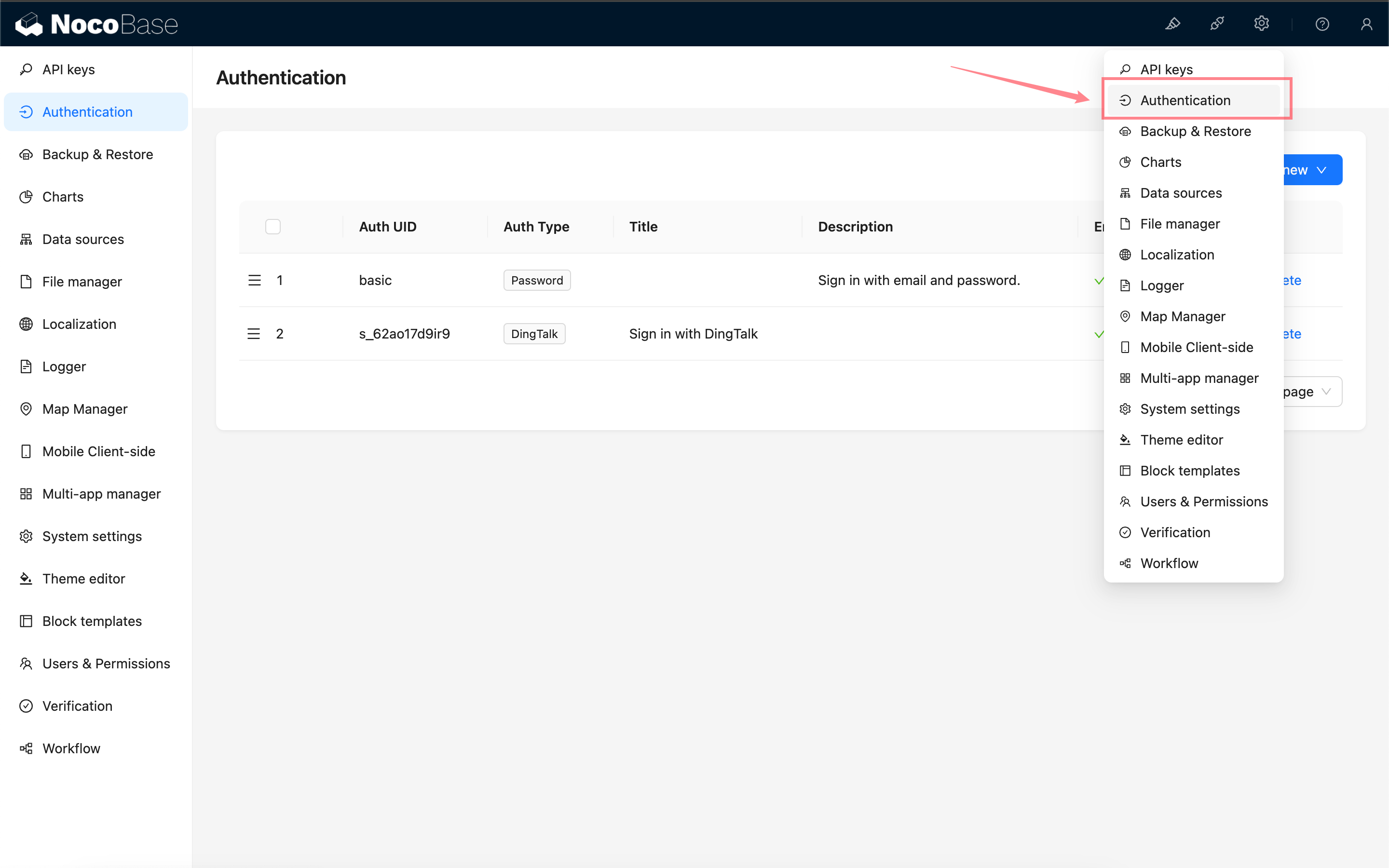
Go to the user authentication plugin management page.
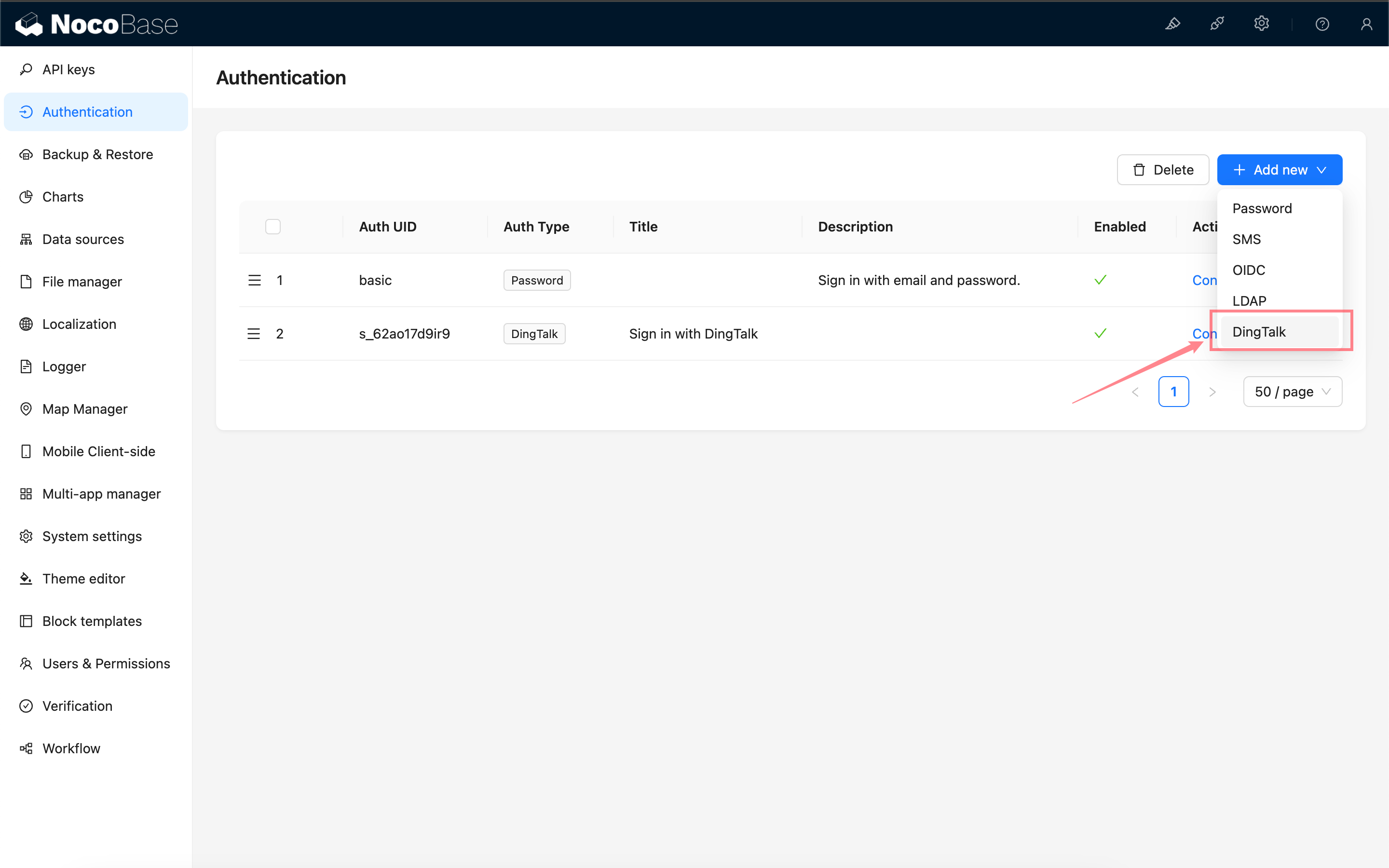
Add - DingTalk
Configuration
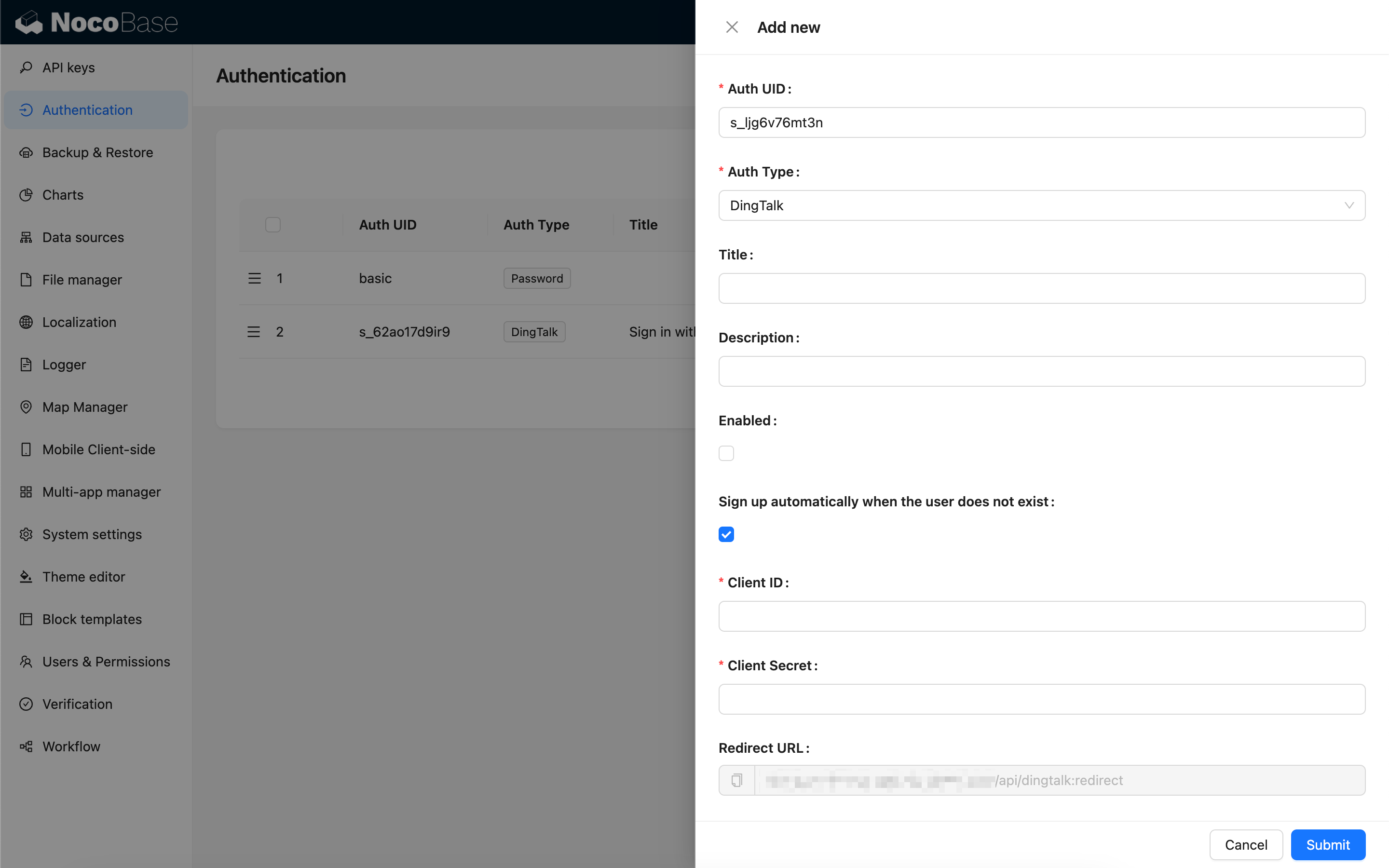
- Sign up automatically when the user does not exist - Whether to automatically create a new user when no existing user is matched by phone number.
- Client ID and Client Secret - Fill in the information copied in the previous step.
- Redirect URL - Callback URL, copy it and proceed to the next step.
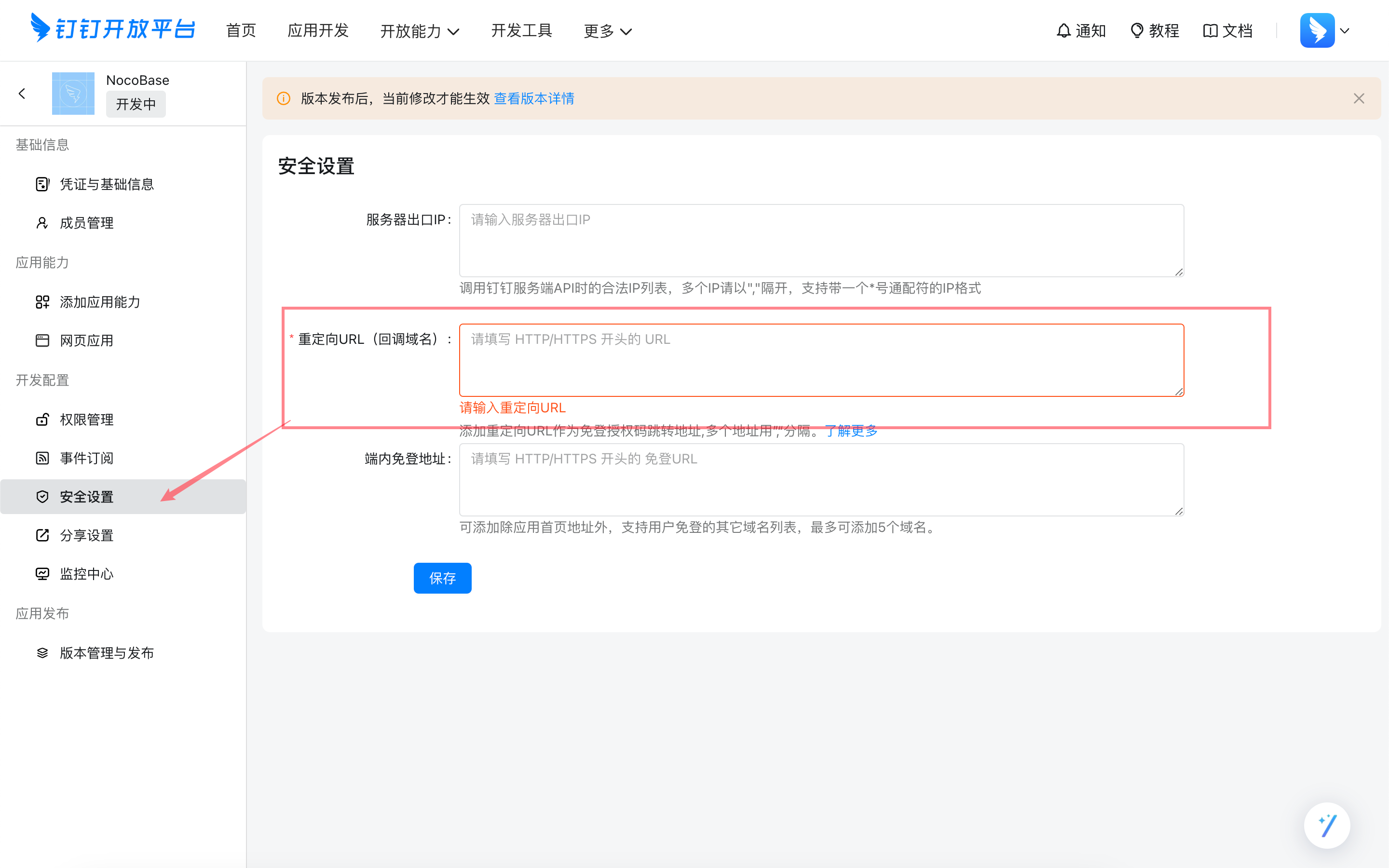
Configure Callback URL in DingTalk Developer Console
Paste the copied callback URL into the DingTalk Developer Console.
Login
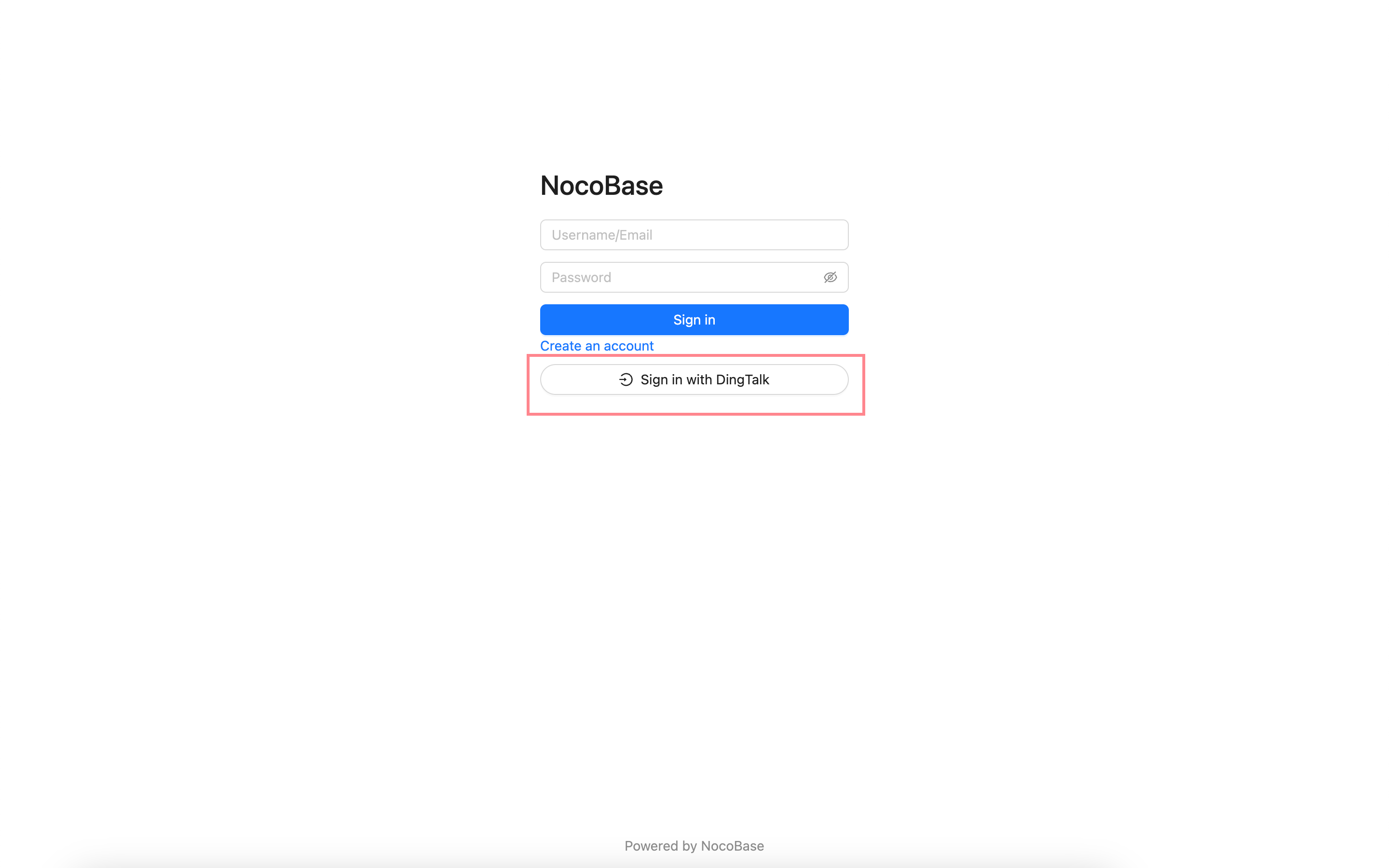
Visit the login page and click the button below the login form to initiate third-party login.