

Microsoft Entra ID
https://learn.microsoft.com/en-us/entra/identity-platform/quickstart-register-app
https://learn.microsoft.com/en-us/entra/identity-platform/v2-protocols-oidc
Adding an Authenticator in NocoBase
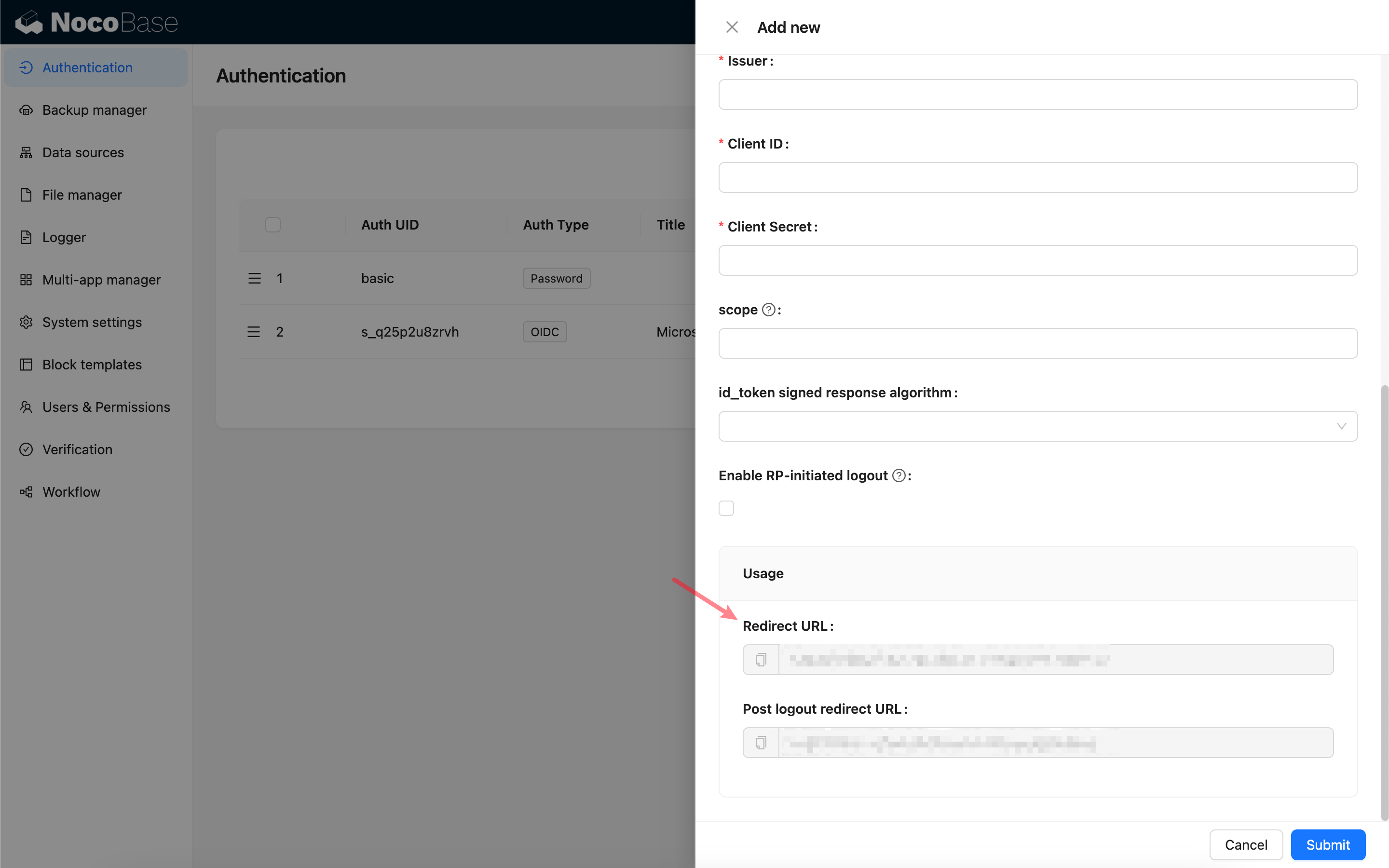
First, add a new authenticator in NocoBase: Plugin Settings - User Authentication - Add - OIDC.
Copy the callback URL.
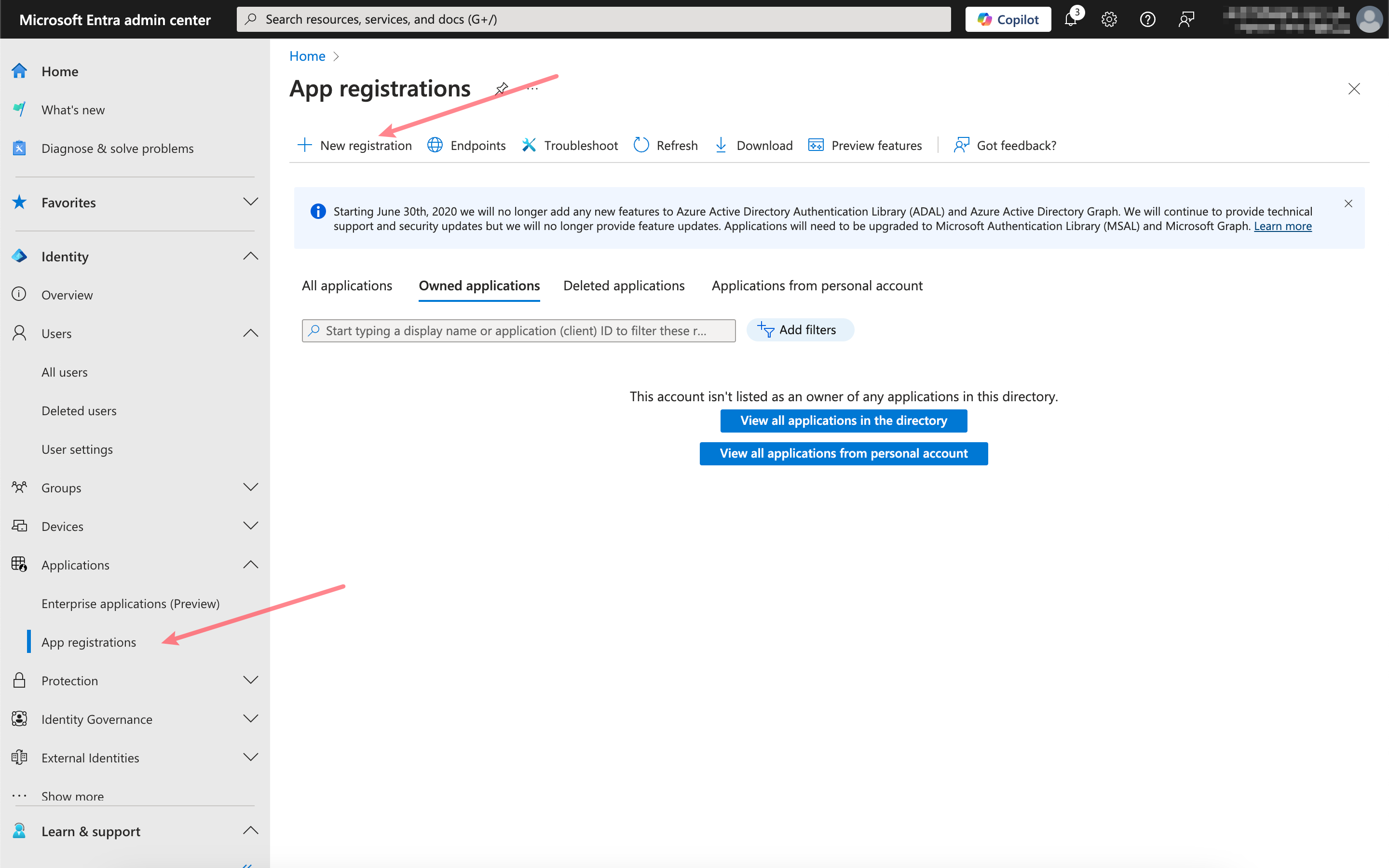
Register the application
Open the Microsoft Entra admin center and register a new application.
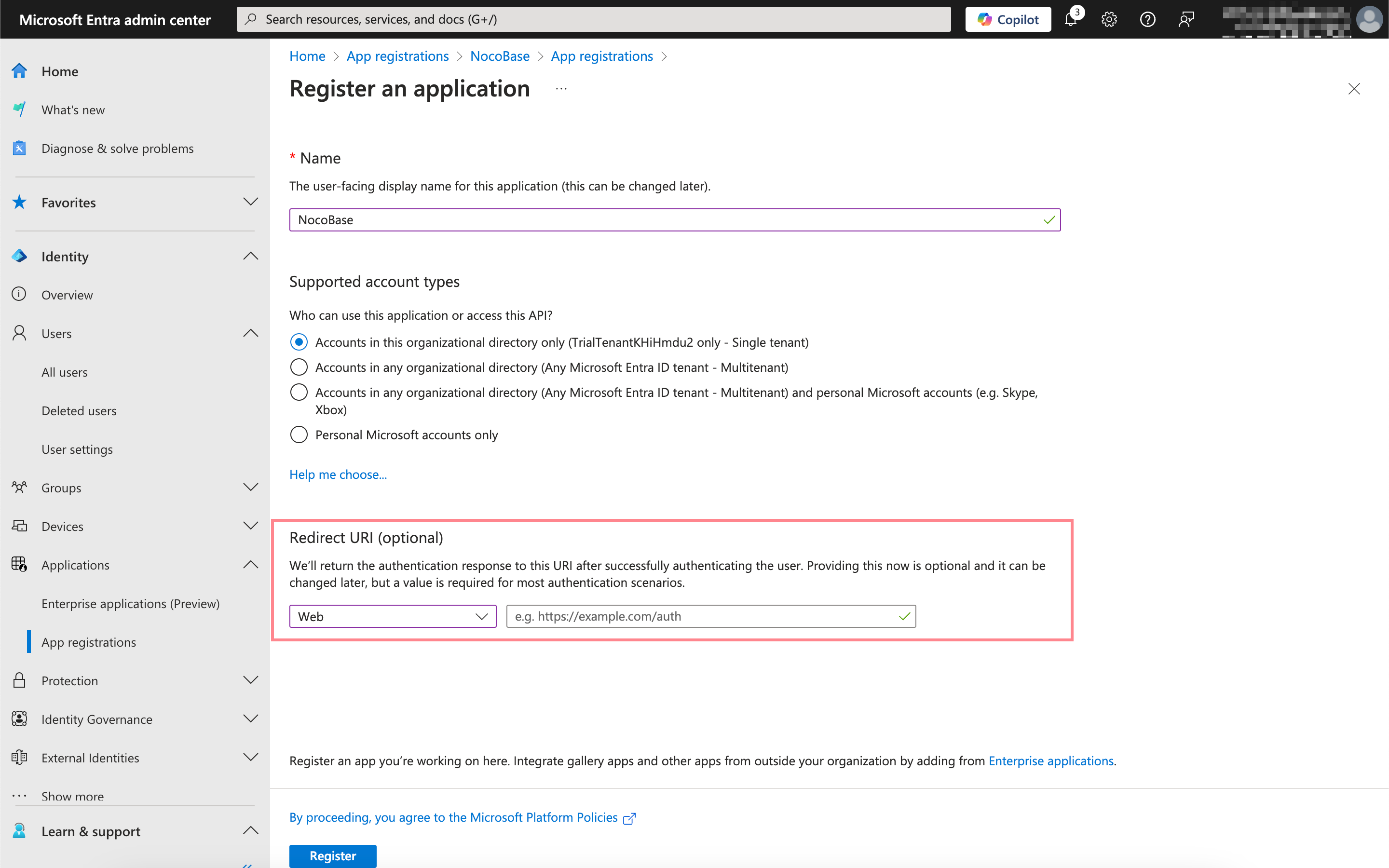
Paste the callback URL you just copied here.
Obtain and fill in the appropriate information
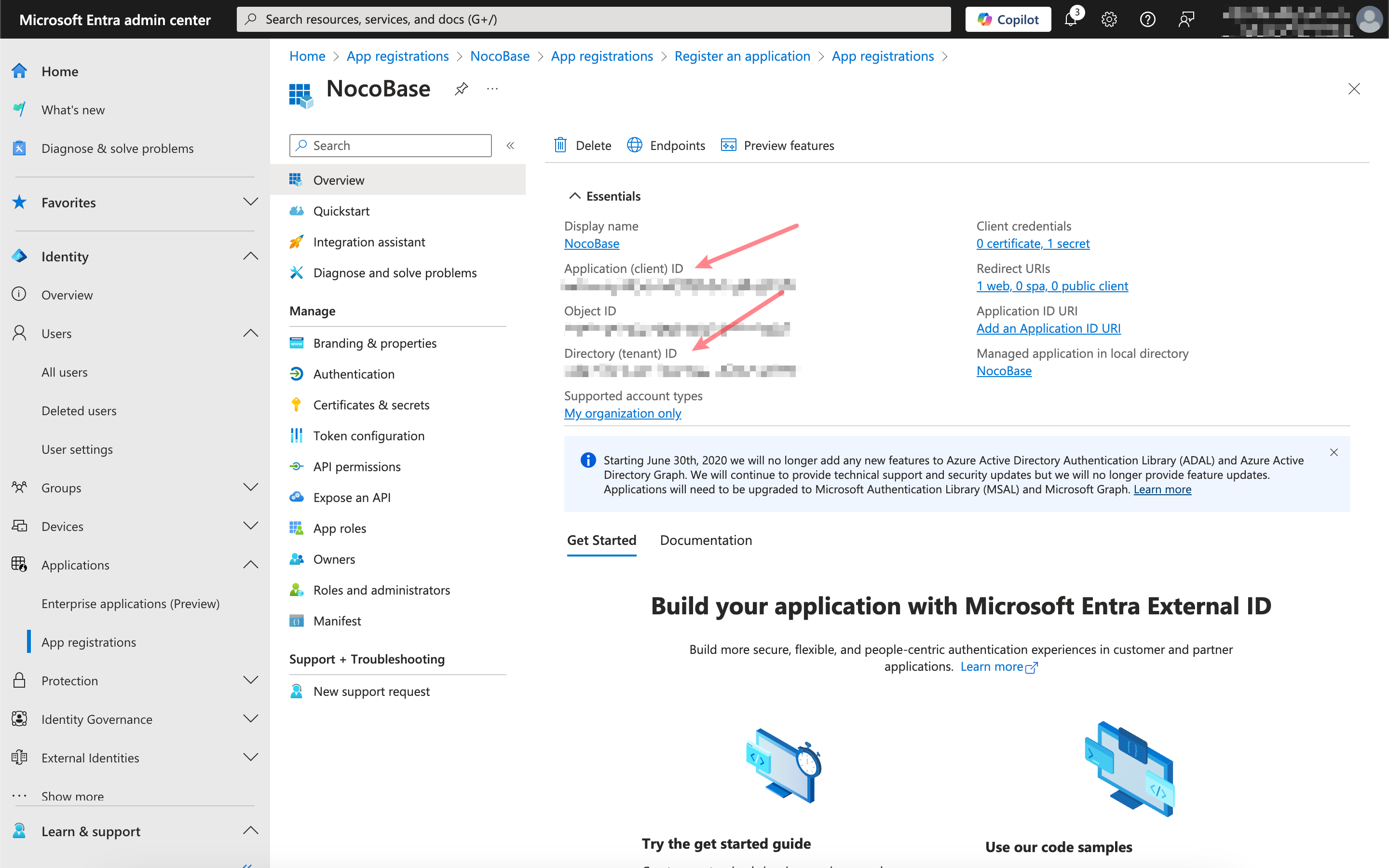
Click into the application you just registered and copy the Application (client) ID and Directory (tenant) ID from the overview page.
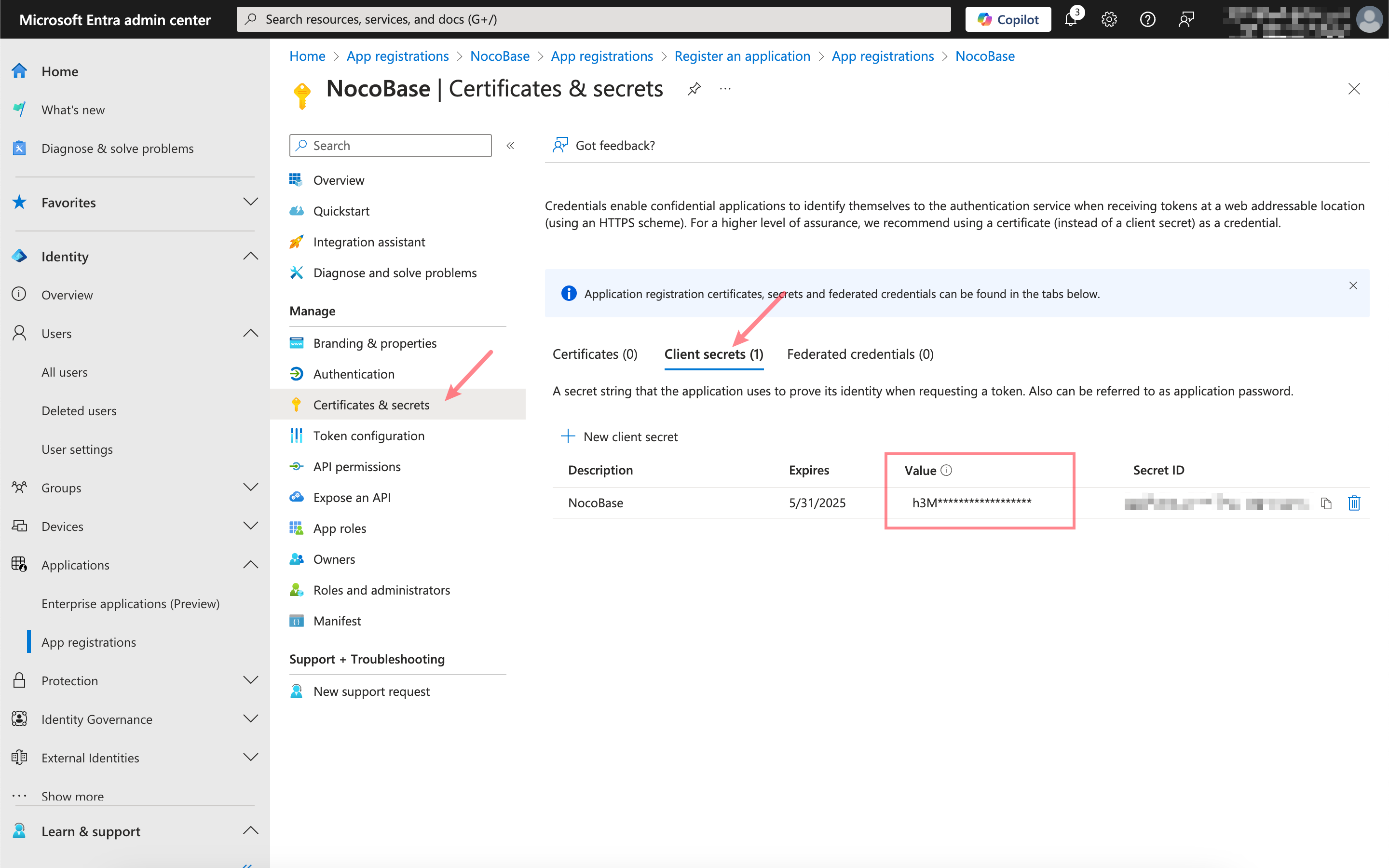
Click Certificates & secrets, create a new client secret, and copy the Value.
The mapping between the Microsoft Entra information and the NocoBase authenticator configuration is as follows: