

Plugin Development Overview
NocoBase adopts a microkernel architecture — the core is only responsible for plugin lifecycle scheduling, dependency management, and basic capability encapsulation. All business functions are provided as plugins. Understanding the plugin's organizational structure, lifecycle, and management approach is the first step in getting started with NocoBase custom development.
Core Concepts
- Plug and Play: You can install, enable, or disable plugins as needed, flexibly combining business functions without modifying code.
- Full-stack Integration: Plugins typically include both server-side and client-side implementations, with data logic and UI interactions managed together.
Basic Plugin Structure
Each plugin is an independent npm package, typically containing the following directory structure:
Directory Conventions and Loading Order
NocoBase scans the following directories to load plugins when starting:
packages/plugins: Local plugin development directory, supporting real-time compilation and debugging.storage/plugins: Stores compiled plugins, such as commercial or third-party plugins.
Plugin Lifecycle and States
A plugin typically goes through the following stages:
- Create: Create a plugin template via CLI.
- Pull: Download the plugin package locally, but it has not yet been written to the database.
- Enable: On first enablement, it executes "register + initialize"; subsequent enablements only load the logic.
- Disable: Stop the plugin from running.
- Remove: Completely remove the plugin from NocoBase.
Tip
pullonly downloads the plugin package; the actual installation process is triggered by the firstenable.- If a plugin is only
pulled but not enabled, it will not be loaded.
CLI Command Examples
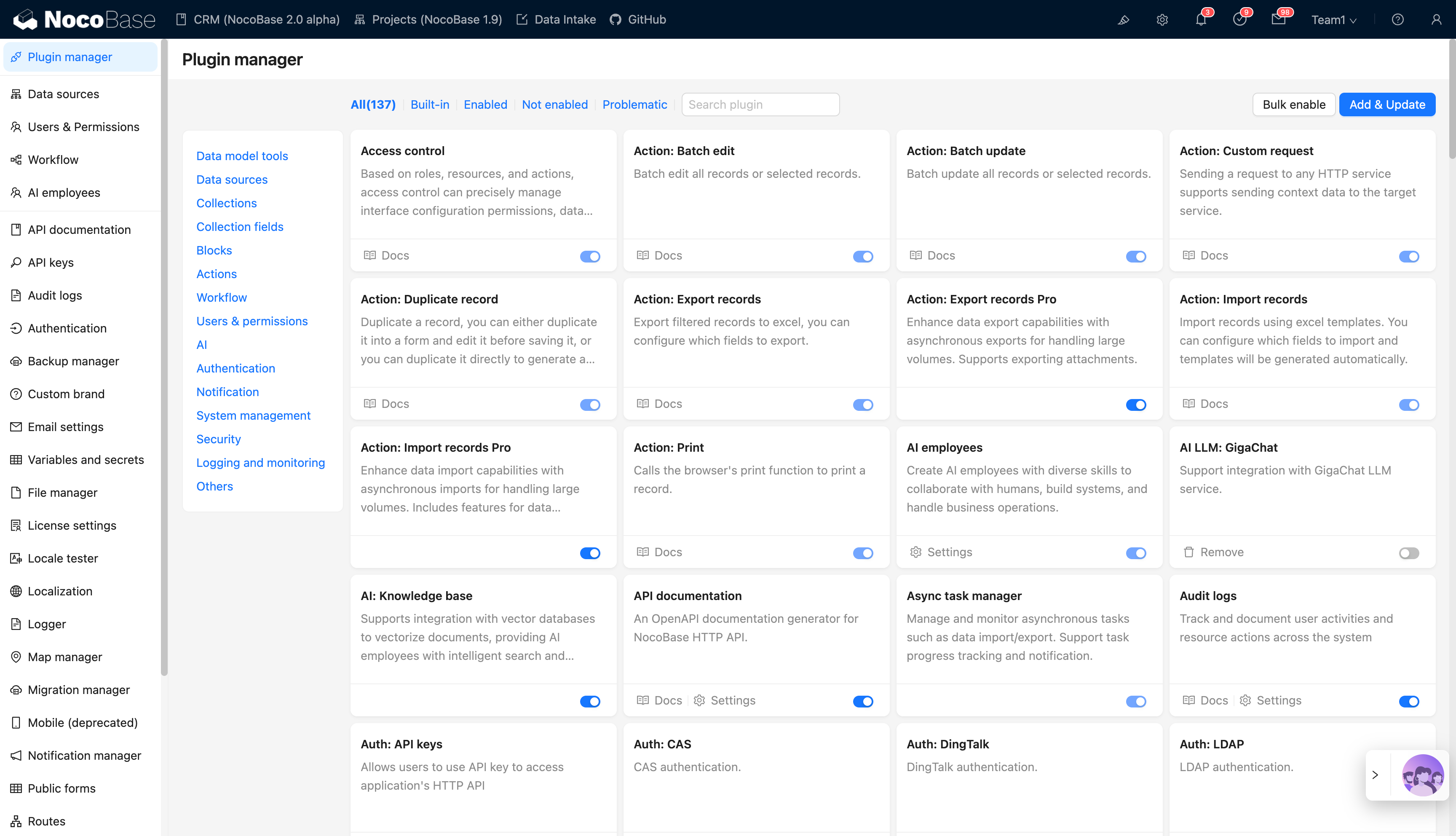
Plugin Management Interface
Access the "Plugin Manager" in the browser to view and manage plugins intuitively:
Default URL: http://localhost:13000/admin/settings/plugin-manager
Related Links
- Write Your First Plugin — Create a block plugin from scratch to quickly get started with the development workflow
- Project Structure — Understand NocoBase project directory conventions and plugin loading order
- Server-side Development Overview — Overall introduction and core concepts of server-side plugins
- Client-side Development Overview — Overall introduction and core concepts of client-side plugins
- Build and Package — Plugin build and packaging workflow
- Dependency Management — Plugin dependency declarations and management