

Collections
In NocoBase plugin development, Collection (data table) is one of the core concepts. You can add or modify data table structures in plugins by defining or extending Collections. Unlike data tables created through the "Data Source Management" interface, Collections defined in code are usually system-level metadata tables and won't appear in the data source management list.
Defining Data Tables
Following the conventional directory structure, Collection files should be placed in the ./src/server/collections directory. Use defineCollection() to create new tables and extendCollection() to extend existing tables.
In the example above:
name: Table name (a table with the same name will be automatically generated in the database).title: Display name of the table in the interface.fields: Field collection, each field containstype,name, and other attributes.
When you need to add fields or modify configurations for other plugins' Collections, you can use extendCollection():
After activating the plugin, the system will automatically add the isPublished field to the existing articles table.
The conventional directory will complete loading before all plugins' load() methods execute, thus avoiding dependency issues caused by some data tables not being loaded.
Field Type Quick Reference
In defineCollection's fields, type determines the column type of the field in the database. Below are all built-in field types:
Text
Number
Boolean
DateTime
date is the most commonly used date type. If you need to differentiate timezone handling, there are also datetimeTz (with timezone) and datetimeNoTz (without timezone) available.
Structured Data
ID Generation
Special Types
Relation Types
Relation fields do not create database columns; instead, they establish inter-table relationships at the ORM layer:
Usage example for relation fields:
Common Parameters
All column fields support the following parameters:
Synchronizing Database Structure
When a plugin is first activated, the system will automatically synchronize Collection configurations with the database structure. If the plugin is already installed and running, after adding or modifying Collections, you need to manually execute the upgrade command:
If you need to migrate existing data during plugin upgrades -- such as renaming fields, splitting tables, backfilling default values, etc. -- you should handle it through Migration scripts rather than manually modifying the database.
Making a Collection Appear in the UI Data Table List
Collections defined via defineCollection are internal server-side tables and by default will not appear in the "Data Source Management" list, nor in the data table selection list when "Adding a Block."
Recommended approach: Add the corresponding data table in the NocoBase "Data Source Management" interface. After configuring the fields and interface types, the table will automatically appear in the block's data table selection list.
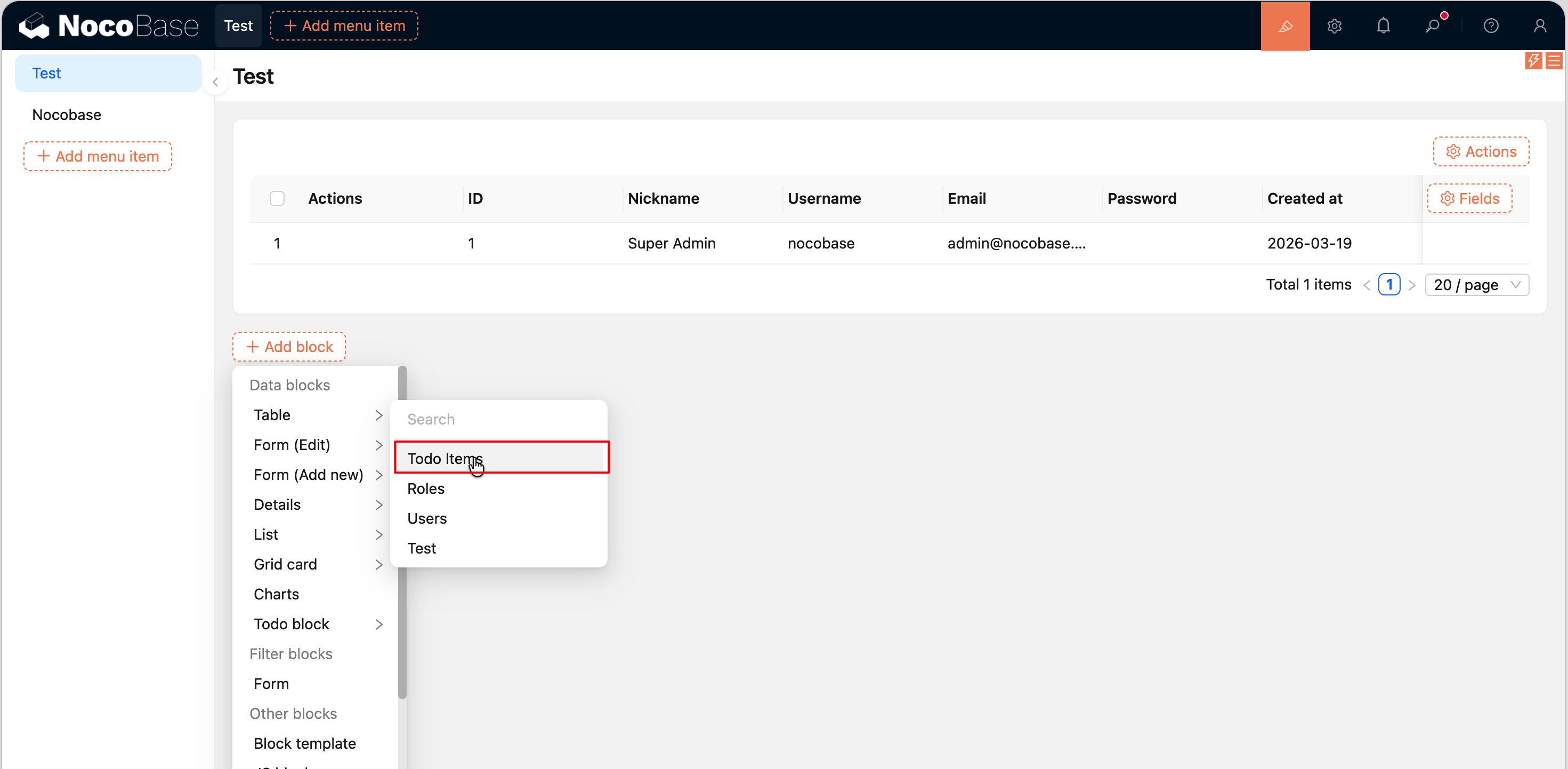
If you really need to register in plugin code (e.g. for demo scenarios in example plugins), you can manually register via addCollection in the client-side plugin. Note that you must register through the eventBus pattern, not directly in load() -- ensureLoaded() will clear and re-set all collections after load(). For a complete example, see Building a Fullstack Data Management Plugin.
Auto-generating Resources
After defining a Collection, NocoBase will automatically generate corresponding REST API resources with out-of-the-box CRUD endpoints (list, get, create, update, destroy) without additional code. If the built-in CRUD operations are not sufficient -- for example, you need a "batch import" or "aggregation statistics" endpoint -- you can register custom actions via resourceManager. See ResourceManager for details.
Related Links
- Database -- CRUD, Repository, transactions, and database events
- DataSourceManager -- Managing multiple data sources and their collections
- Migration -- Data migration scripts for plugin upgrades
- Plugin -- Plugin class lifecycle, member methods, and the
appobject - ResourceManager -- Custom REST API and action handlers
- Building a Fullstack Data Management Plugin -- Complete example with defineCollection + addCollection
- Project Directory Structure --
src/server/collectionsdirectory conventions