

Удалить документ
ИИ: база знанийProfessional Edition+Introduction
In NocoBase, the Delete document node deletes a specified document from an AI knowledge base. In this example, it listens for deletion events in Answers and deletes the corresponding document from the target knowledge base by the same Key used by Create document, so removed data is no longer retrieved.
The Delete document node is asynchronous. It depends on the Key written when the document was created, so it must use the same target knowledge base and the same Key rule as the Create and Update document nodes.
Workflow structure
The example workflow listens for deletion events in Answers and deletes the document with the same Key from the target knowledge base.
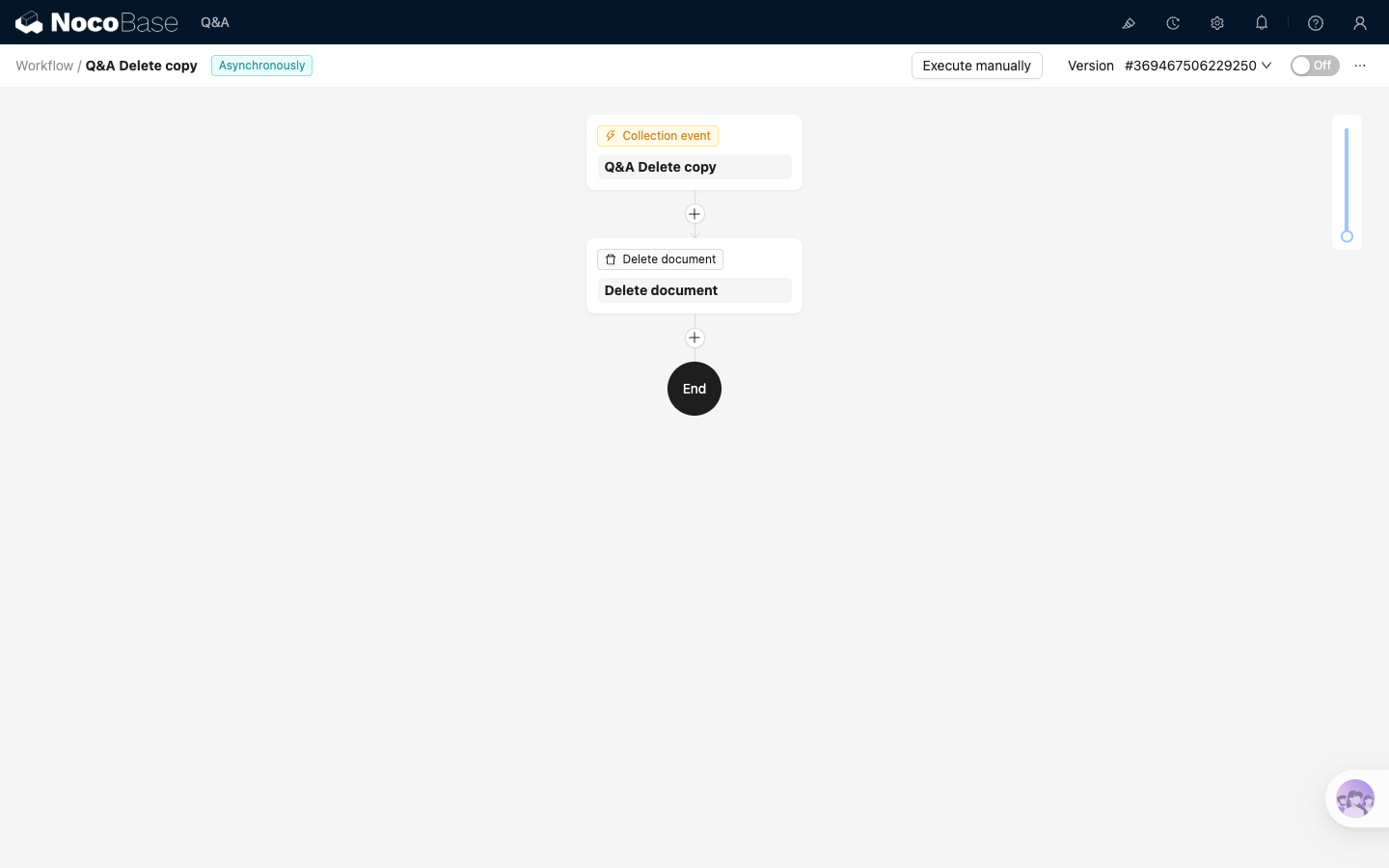
Where:
Collection eventlistens for collection deletionDelete documentdeletes the document from the target knowledge base
Before you start
The example uses the target knowledge base and Key rule from Create document. Before configuring the workflow, confirm that:
- The Create document workflow is enabled and the target knowledge base contains documents with the same
Key - The delete workflow can read this
Keyfrom trigger data. The example uses theAnswersrecord ID - If you need to review the full synchronization chain, see the workflow responsibilities in Overview
Configure the trigger
Select Collection event as the trigger. In the trigger configuration:
- Set
Collectionto the collection to listen to, such asMain / Answers - Set
Trigger ontoAfter record deleted
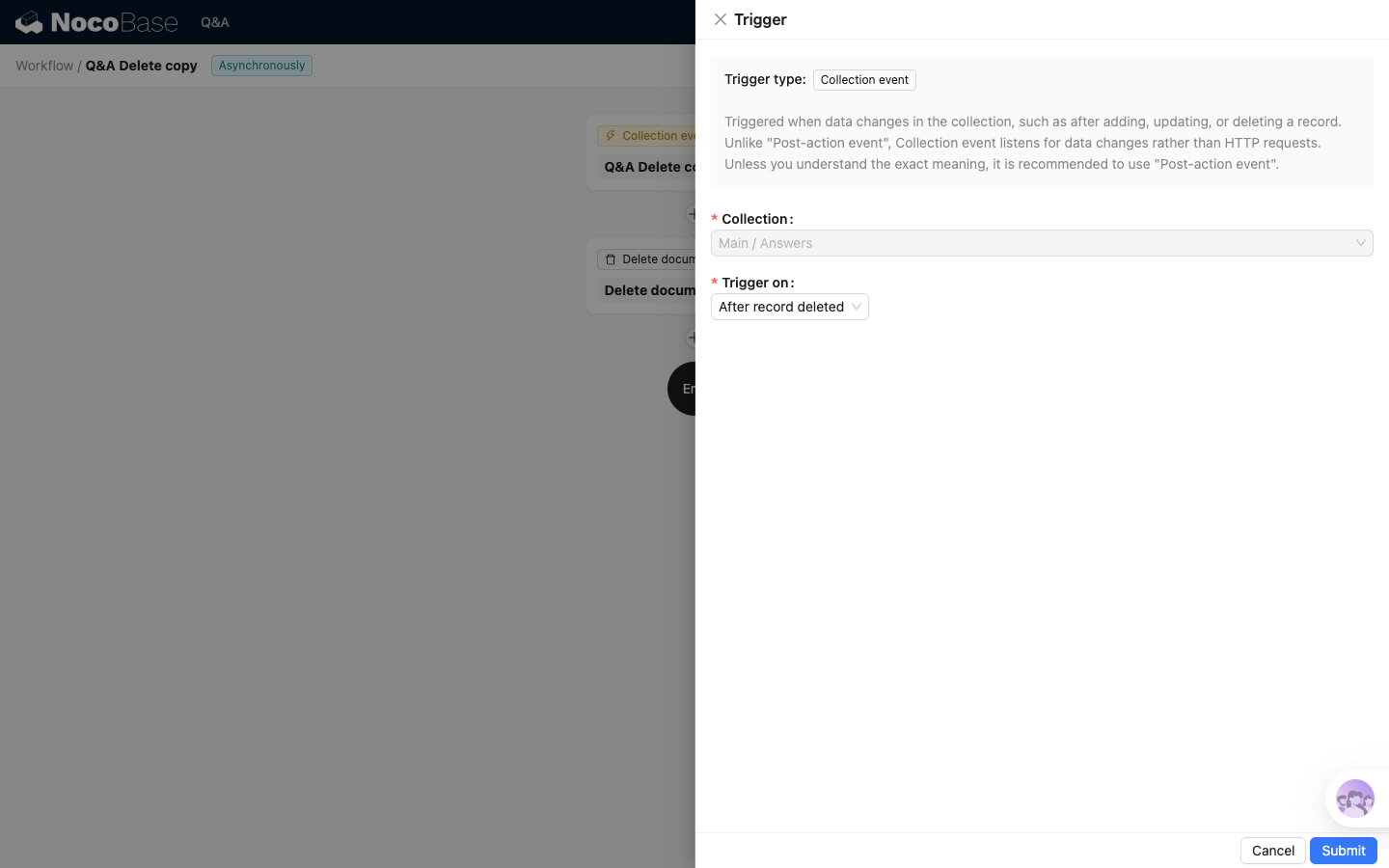
Deleting a document only needs the document Key, so relation fields usually do not need to be preloaded.
Configure the Delete document node
Add a Delete document node after the trigger.
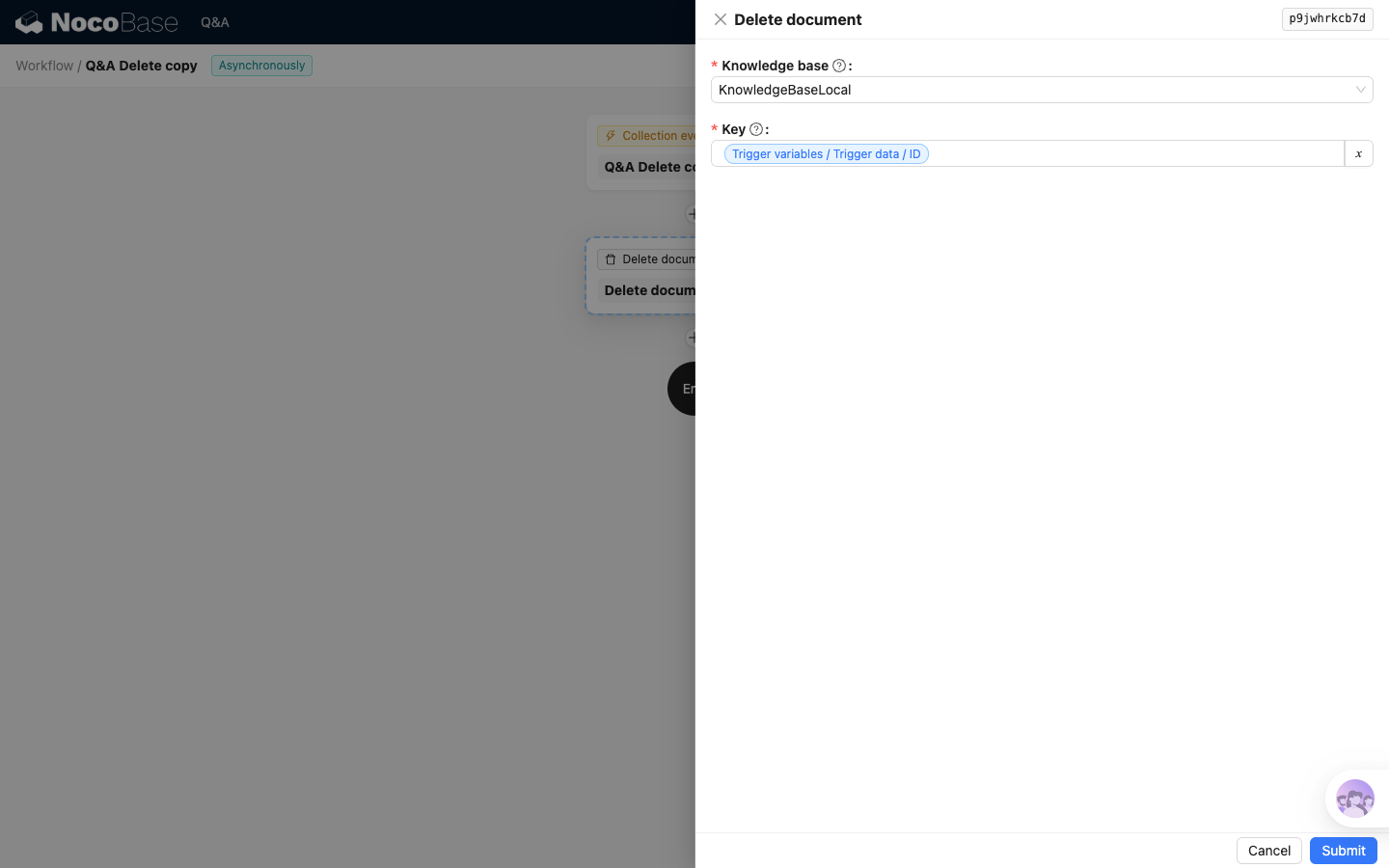
Key settings:
The Delete document node only needs to locate the document to delete. It does not need body content, title, or related questions.
The delete node does not look up documents by title or body content. It only locates documents by Knowledge base and Key. The Create, Update, and Delete workflows must use the same Key.
Next step
After configuring the Delete document node, return to the "Verify the synchronization chain" section in Overview to verify add, update, and delete in order.