
Client services share operations, coordinate state changes, or manage application-level resources across components and pages. They can encapsulate business operations or provide general capabilities such as caching and notifications. A ServiceProvider registers them in the application container.
The product catalog example extracts renaming into a service: the editor calls it, the list reloads after a change notification, and two counters subscribe to the same state. It uses default template 1.0.0-beta.85 and its shadcn components. Get the source and run it.
When a client service helps
Use ordinary functions for isolated calculations or formatting, and component state or custom Hooks for form drafts and loading states. React Context can share context within a component tree. Consider a client service when several pages reuse operations, coordinate changes, or share a resource with its own lifecycle.
Client services do not replace server business rules. Permissions, data scopes, transactions and final validation still belong on the server. For basic API calls, see Data requests and state management.
Implement and register a service
Encapsulate operations and change notifications
In client/services/products.ts, receive the API Client through the constructor. rename() accepts a product ID, name and request options, then increments the counter and notifies subscribers after the API succeeds:
import type { ApiClient } from '@nocobase/app-client';

export interface Product {
  id: string;
  name: string;
  sku: string;
}
export type DemoMode = 'normal' | 'slow' | 'fail';
export interface RenameOptions {
  signal?: AbortSignal;
  mode?: DemoMode;
}

export class ProductsService {
  private revision = 0;
  private disposed = false;
  private readonly listeners = new Set<() => void>();
  constructor(private readonly api: ApiClient) {}
  getSnapshot = (): number => this.revision;
  subscribe = (listener: () => void): (() => void) => {
    if (this.disposed) throw new Error('ProductsService has been disposed.');
    this.listeners.add(listener);
    return () => {
      this.listeners.delete(listener);
    };
  };
  async rename(
    id: string,
    name: string,
    options: RenameOptions = {},
  ): Promise<Product> {
    if (this.disposed) throw new Error('ProductsService has been disposed.');
    const response = await this.api.request<{ data: Product }>({
      method: 'PATCH',
      path: `clientServiceProducts/${encodeURIComponent(id)}`,
      json: { name },
      signal: options.signal,
      // This header controls this example's HTTP response, not a framework feature.
      headers: { 'x-demo-mode': options.mode ?? 'normal' },
    });
    if (!this.disposed) {
      this.revision += 1;
      for (const listener of this.listeners) listener();
    }
    return response.data;
  }
  dispose(): void {
    this.disposed = true;
    this.listeners.clear();
  }
}
getSnapshot() returns the counter, subscribe() returns an unsubscribe function, and dispose() clears listeners and stops future notifications. These are application-defined methods, not methods inherited from a NocoBase service base class.
revision counts successful modification responses received by this service. It is neither a product record version nor a list cache. A failed or aborted request rejects to the caller without incrementing it. Subscription callbacks should perform lightweight invalidation and handle failures in their asynchronous refreshes.
Request paths are relative to the application's API base URL; omit the deployment path and /api prefix. The x-demo-mode header controls this example's slow and failed responses, not an API Client feature. The example includes the corresponding server endpoint; adding a client service does not create one.
View the service · View the demo API
Define a shared Token
Define and export the service identity in client/services/tokens.ts:
import { createServiceToken } from '@nocobase/service-provider';
import type { ProductsService } from './products.js';
export const productsServiceToken =
  createServiceToken<ProductsService>('app.products');
Registration and consumers must import the same Token. Calling createServiceToken('app.products') again creates a different identity, even with the same name.
Register a ServiceProvider and inject dependencies
In client/providers/products.ts, register a factory that resolves the application's existing API Client:
import { apiClientToken, type ClientApplication } from '@nocobase/app-client';
import { ServiceProvider } from '@nocobase/service-provider';
import { ProductsService } from '../services/products.js';
import { productsServiceToken } from '../services/tokens.js';
export class ProductsServiceProvider extends ServiceProvider<ClientApplication> {
  readonly name = 'app.products';
  override register(): void {
    this.app.container.singleton(
      productsServiceToken,
      (services) => new ProductsService(services.resolve(apiClientToken)),
    );
  }
  override async shutdown(): Promise<void> {
    this.app.container.resolveIfCreated(productsServiceToken)?.dispose();
  }
}
singleton() creates the instance on first resolution and returns that instance for subsequent resolutions in the same container. Registration declares dependencies without starting requests or accessing page DOM. Shutdown cleanup is explained under Unsubscribe and release resources.
Append the Provider to the existing array in client/service-provider.ts:
import { ProductsServiceProvider } from './providers/products.js';

const serviceProviders: readonly ClientServiceProviderConstructor[] = [
  DefaultClientServiceProvider,
  ProductsServiceProvider,
];

export default serviceProviders;
This is a partial edit: retain the existing type imports, DefaultClientServiceProvider, and other Providers. The default Provider also supplies Toast and document-title behavior. The template's client/runtime.ts already loads this aggregation entry. The services/ and providers/ directories organize source files; they do not register them automatically.
View the Provider · View the registration entry
Call the service from a page
Submit changes and handle failure
Call useService(productsServiceToken) at the top level of a component or custom Hook, then call service methods in the submit handler. Do not call Hooks inside event callbacks or create a new service on each render.
The editor owns its draft, pending state and feedback. This excerpt shows its state and submission logic. product is the selected record; mode comes from Response mode. Mount and unmount handling follows in the next section:
// Inside ProductEditor. Imports, validation and form markup are in the full source.
const products = useService(productsServiceToken);
const [name, setName] = useState(product.name);
const [pending, setPending] = useState(false);
const [feedback, setFeedback] = useState('');
const activeRef = useRef<AbortController | null>(null);
const mountedRef = useRef(false);

async function submit(event: FormEvent) {
  event.preventDefault();
  // Name validation is omitted here.
  if (activeRef.current) return;
  setFeedback('');
  setPending(true);
  const controller = new AbortController();
  activeRef.current = controller;
  try {
    const saved = await products.rename(product.id, name.trim(), {
      signal: controller.signal,
      mode,
    });
    if (mountedRef.current) {
      setName(saved.name);
      setFeedback('saved');
    }
  } catch {
    if (mountedRef.current)
      setFeedback(controller.signal.aborted ? 'cancelled' : 'failed');
  } finally {
    activeRef.current = null;
    if (mountedRef.current) setPending(false);
  }
}
The complete form validates the name, disables inputs and saving while pending, and uses activeRef to prevent duplicate submissions. Failure leaves name intact, and the page translates its feedback key. A business application should also distinguish field validation, permission failures and other API errors.
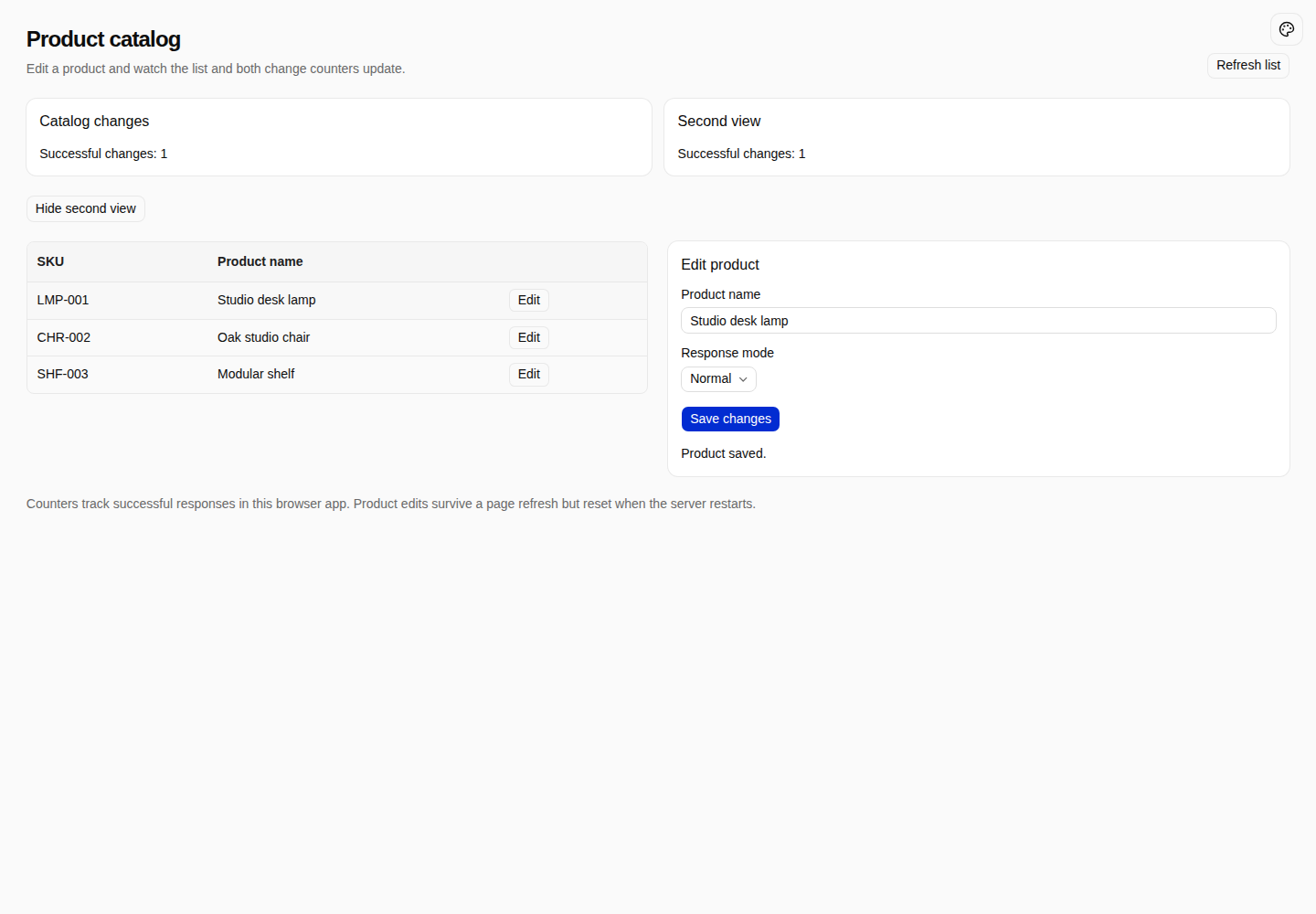
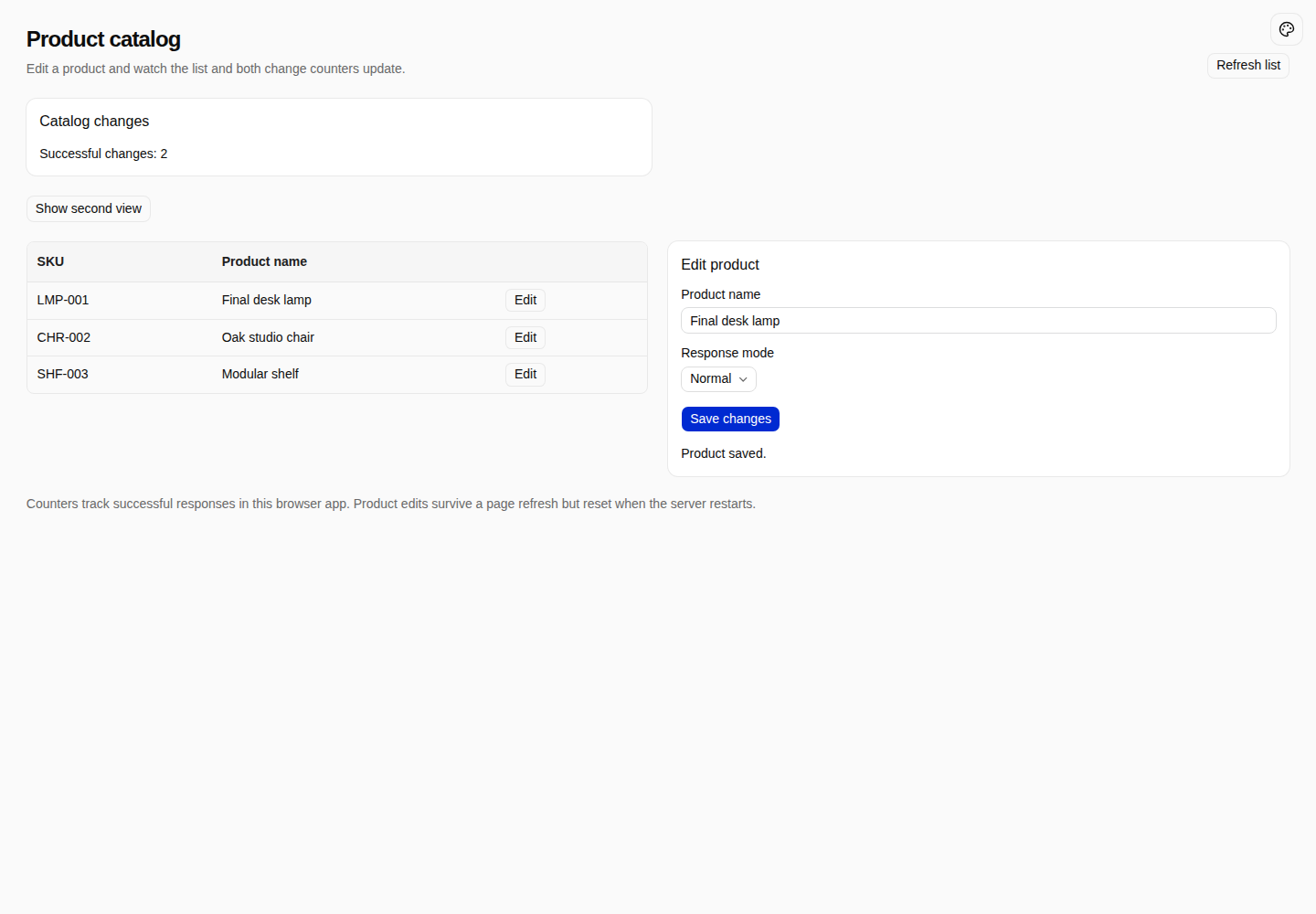
Open /service-products, click Edit on a product row, change its name and click Save changes. The list shows the new name and both Successful changes counters increase.
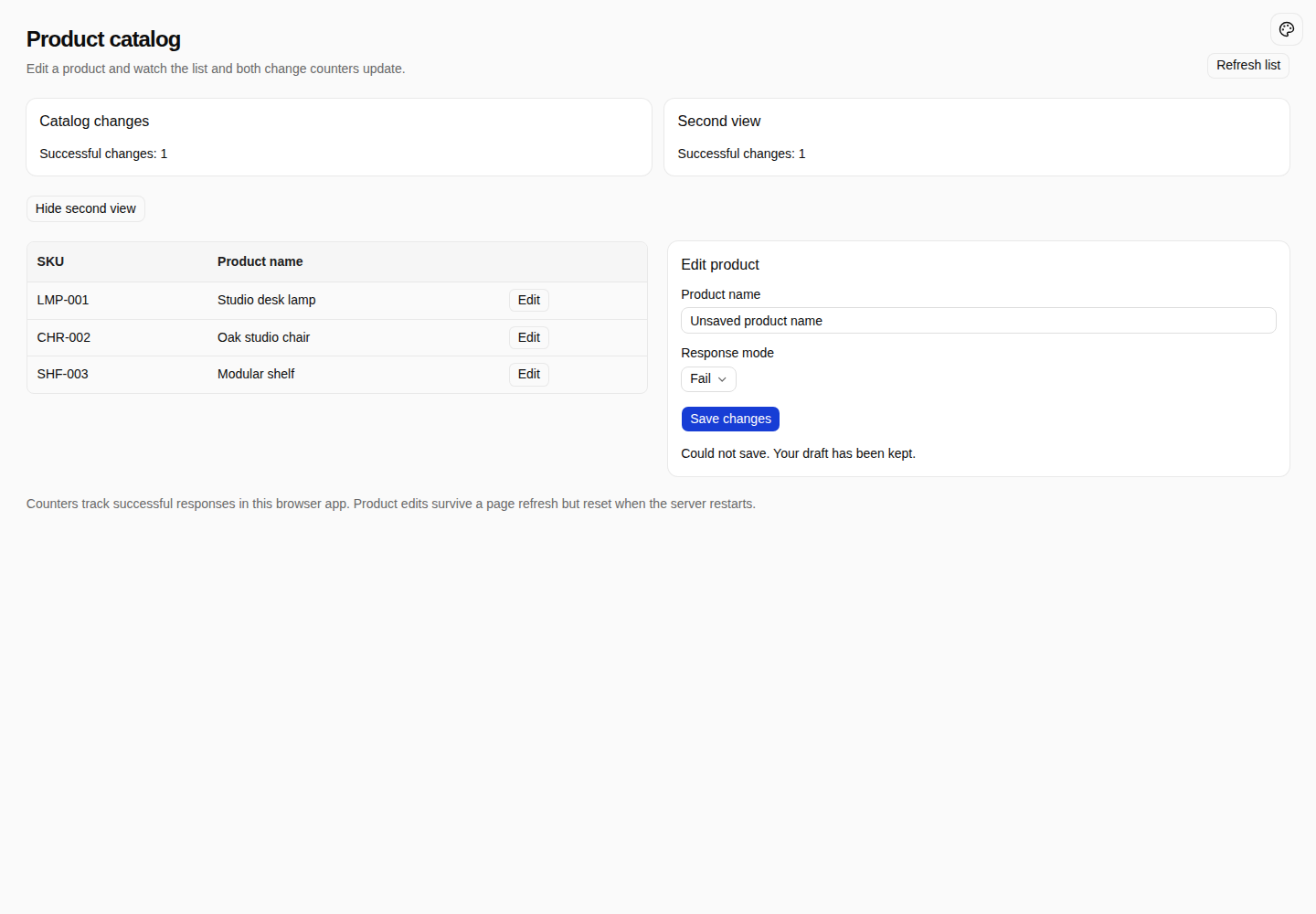
Set Response mode to Fail and save again. The error message appears, the draft remains, and neither the list nor the counters change.
Cancel page-owned requests
The page owns requests it starts. Pass an AbortSignal through the service to the API Client, cancel on unmount, and avoid updating an unmounted component:
// Inside ProductEditor, using the refs declared above.
useEffect(() => {
  mountedRef.current = true;
  return () => {
    mountedRef.current = false;
    activeRef.current?.abort();
  };
}, []);

// The cancel button in the form:
<Button
  variant="outline"
  type="button"
  onClick={() => activeRef.current?.abort()}
>
  {t('serviceProducts.cancel')}
</Button>
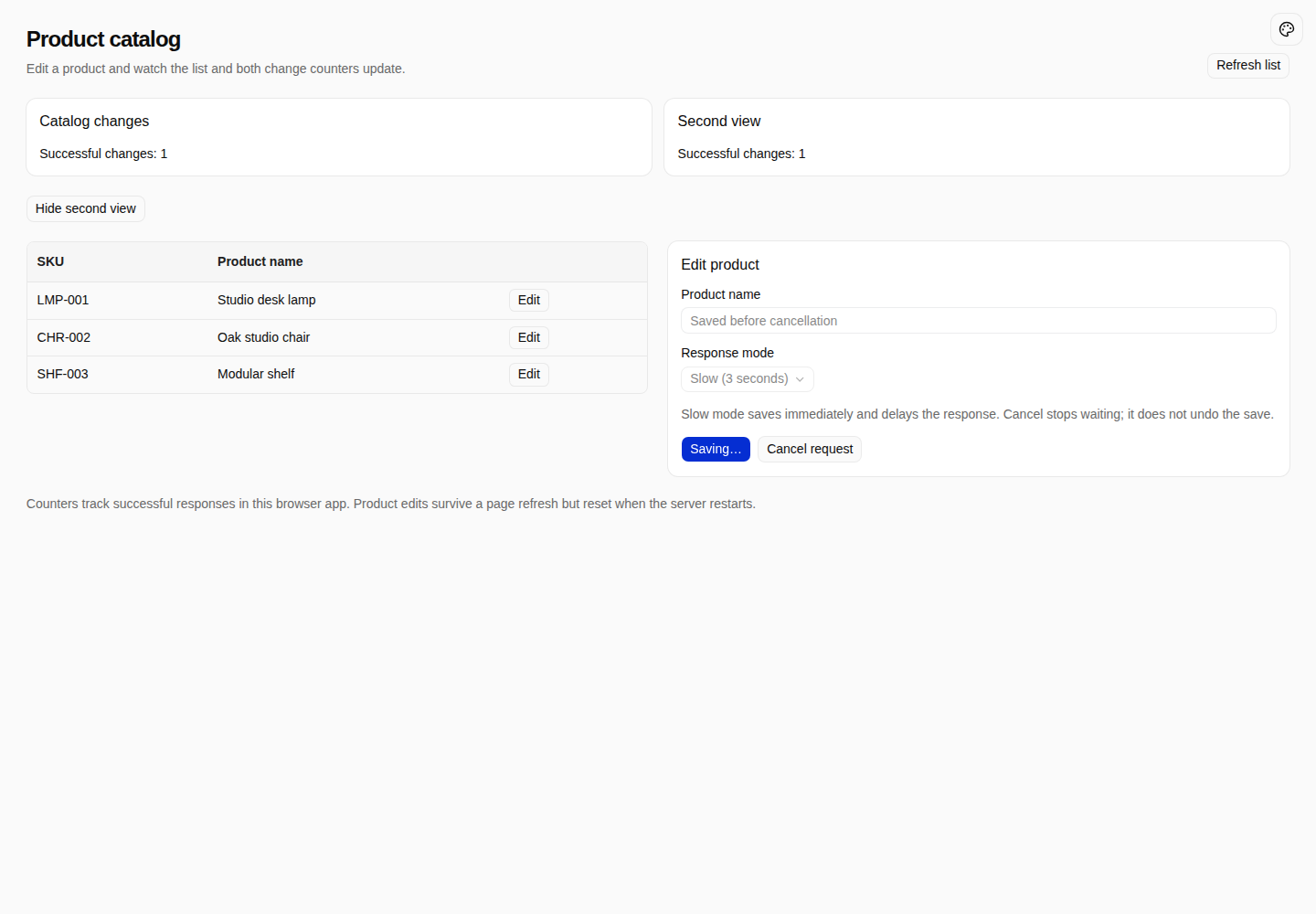
Select Slow (3 seconds) and save. Inputs become disabled, and Saving… and Cancel request appear. Cancelling stops the client from waiting without increasing its counter.
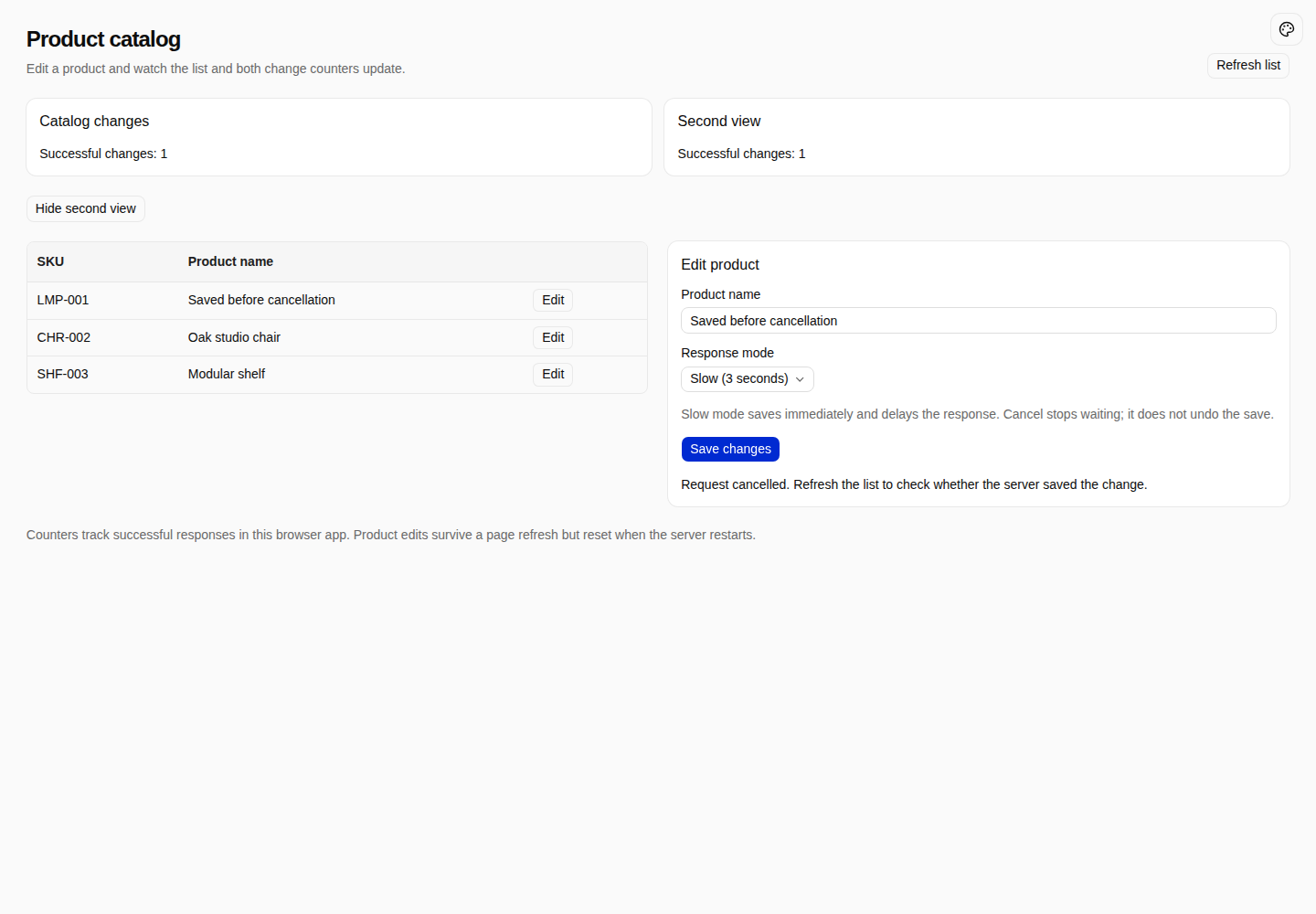
Cancellation does not guarantee that the server undoes a mutation. This example deliberately updates the in-memory record before delaying the response. After cancelling, click Refresh list: the server's saved name still appears. Undoing a business change requires a separate server operation.
View cancellation and unmount cleanup
Update multiple views when a service changes
Subscribe with useSyncExternalStore
useService() resolves an instance without observing its fields. Connect subscriptions and snapshots with useSyncExternalStore to rerender components when service state changes:
import { useService } from '@nocobase/app-client';
import { useSyncExternalStore } from 'react';
import { productsServiceToken } from '../services/tokens.js';
export function useProductRevision(): number {
  const products = useService(productsServiceToken);
  return useSyncExternalStore(products.subscribe, products.getSnapshot);
}
Both ChangeCounter components use this Hook. Component imports are omitted here; the complete implementation is linked below:
function ChangeCounter({ title }: { title: string }) {
  const { t } = useTranslation();
  const count = useProductRevision();
  return (
    <Card>
      <CardHeader><CardTitle>{title}</CardTitle></CardHeader>
      <CardContent>
        <p role="status">{t('serviceProducts.count', { count })}</p>
      </CardContent>
    </Card>
  );
}
Saving notifies both subscribers, React reads the snapshot again, and both counters update as shown in the saved state. React calls the cleanup function returned by subscribe() when a component unmounts.
A snapshot must remain stable while state is unchanged. This example returns a number. For object snapshots, reuse unchanged values instead of allocating on every read. The example renders in the browser; server rendering also needs an appropriate getServerSnapshot. See React useSyncExternalStore.
View the subscription Hook · View the counters
Subscribe to notifications and reload a list
A list can subscribe directly to a reload action without storing the entire list in the service. The example reuses the template's useListData, which handles initial loading, cancellation and stale responses:
import { useService } from '@nocobase/app-client';
import { useEffect } from 'react';
import { useListData } from './use-list-data.js';
import { productsServiceToken } from '../services/tokens.js';
import type { Product } from '../services/products.js';
export function useProducts() {
  const products = useService(productsServiceToken);
  const request = useListData<{ data: Product[] }>('clientServiceProducts');
  const { reload } = request;
  useEffect(() => products.subscribe(reload), [products, reload]);
  return {
    rows: request.data?.data ?? [],
    loading: request.loading,
    failed: Boolean(request.error),
    reload,
  };
}
Mounting reads the list without depending on past notifications; unmounting removes the subscription. A save uses this one refresh path, so the submit handler does not also call reload(). The result is shown in the saved state.
These notifications cover successful changes made through this service only. Changes from other users or browsers need manual refreshing or realtime integration.
View list subscriptions · View the template list Hook
Manage service lifecycle
Understand the singleton scope
A container singleton belongs to the current browser application instance. Components resolving the same Token share one service. A page reload, another tab, or another application container has its own instance.
Reloading the example resets both counters while retaining product names from server memory. Restarting the server restores the initial products. Client service lifetime and server data retention are separate concerns.
Open a second tab: its counter starts at zero, and successful changes in another tab do not automatically refresh its list. Refresh list reads the products again.
React Providers supply component-tree context through client/react-providers.ts; ServiceProviders register container services through client/service-provider.ts. Calling a service requires no additional React Provider. If you later add identity-dependent caching, clear cached data and in-flight requests when identity changes.
Unsubscribe and release resources
Pages clean up their subscriptions and requests on unmount. Services release resources they own. On shutdown, the example Provider calls:
this.app.container.resolveIfCreated(productsServiceToken)?.dispose();resolveIfCreated() returns only an already-created instance, avoiding construction of an unused service during shutdown. Here, dispose() clears listeners and prevents pending requests from publishing later notifications. It does not close the application's shared API Client.
Click Hide second view to unmount the second counter, then save a product. The first counter still updates. Clicking Show second view mounts a new component that immediately reads the current snapshot without waiting for another save.
If a service creates connections, timers or background requests, it must close or cancel them too. See Service container and ServiceProvider and service lifecycle for container contracts and lifecycle ordering.
View disposal · View singleton, unsubscription and shutdown tests
Example source and setup
The complete example and README require Node.js 24 or newer and pnpm 11. Dependency versions are locked in pnpm-lock.yaml. Run in a separate directory:
git clone https://github.com/nocobase/docs-examples-v3.git
cd docs-examples-v3
git checkout 36708ad5b081835c6ab206cdc5ec1a40618971f3
cd apps/client-business-services
pnpm install --frozen-lockfile
pnpm nocobase config init --dialect sqlite --json
pnpm nocobase config check --json
pnpm dev
Append service-products to the application URL printed at startup. For a base URL ending in /main/, open /main/service-products. The demo page needs no login. SQLite starts this standalone example's template capabilities; client services do not depend on a particular database. Existing applications should retain their own configuration.
The example uses the real API Client and HTTP endpoints, but stores products only in server memory. Its public demo API can rename three fixed products; it accesses no real business data and demonstrates neither identity permissions nor database persistence. Business applications should use their existing server authentication, authorization and data-access mechanisms.
From the example App root, run the service, page and API tests:
pnpm exec vitest run tests/client/products-service.test.ts tests/client/service-products.test.tsx tests/server/demo-products.test.tsSee the example README for test details and browser automation commands.