
The Customer Directory example follows data through search, pagination, details, and editing: query conditions belong in the URL, records come from the server, and unsaved fields stay in the form. It uses a real database, application permissions, and mutation receipts; demonstration controls introduce slow requests, rejected writes, and lost responses. Source and setup are at the end.
This article uses default template 1.0.0-beta.85. useApiClient and useSubmission are exports of @nocobase/app-client. useListData, useListLocation, and useTableUrlState are source files generated in the application's client/hooks/ directory, which you can adapt. The interface follows shadcn conventions and uses the template's DataTable, route dialogs, and drawers. See UI components and interactions for component integration.
Use the application's API Client
Get the client and call business endpoints
Call useApiClient() inside a component or hook, and pass the client into ordinary functions. It already uses the application's API address and session configuration, so pages do not need separate clients or deployment prefixes.
This is the minimal customer detail request. The example detail page uses useListData, introduced below, to manage its lifecycle.
import { useApiClient } from '@nocobase/app-client';
import type { Customer } from './api.js';

const api = useApiClient(); // Inside a component or hook
const response = await api.request<{ data: Customer }>({
  path: `customerRecord/${encodeURIComponent(id)}`,
  signal,
});
const customer = response.data;
path is relative to the application's API root; omit /api and /main. request<T>() returns the entire response body. Here, data is a field defined by the business endpoint. The generic describes the expected type; it does not validate the response at runtime. id comes from the route parameters and signal from the current request's AbortController.
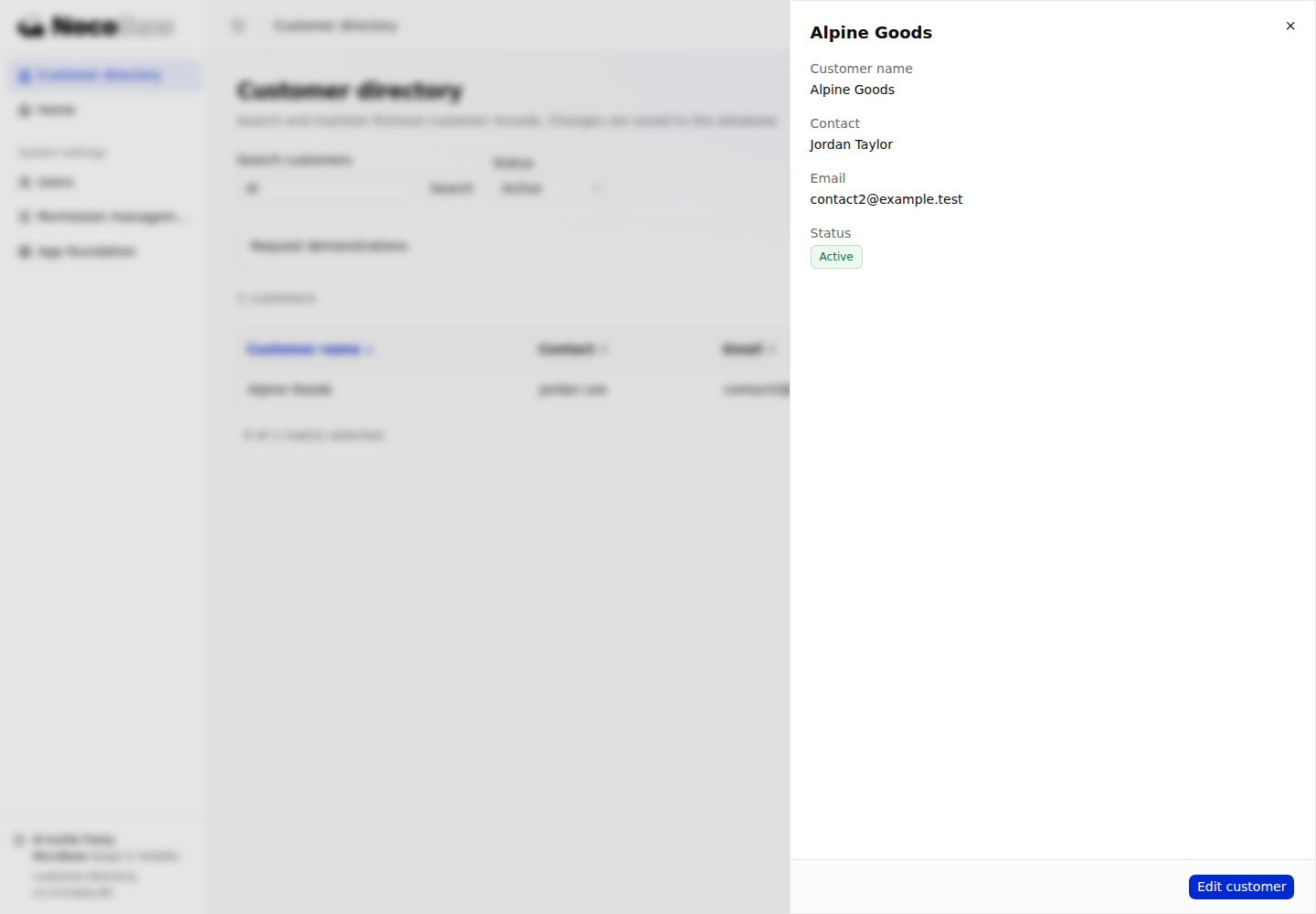
In Customer directory, click Alpine Goods. The drawer reads the stored record through GET customerRecord/:id. The example implements this endpoint on the server; calling it from the client does not generate it.
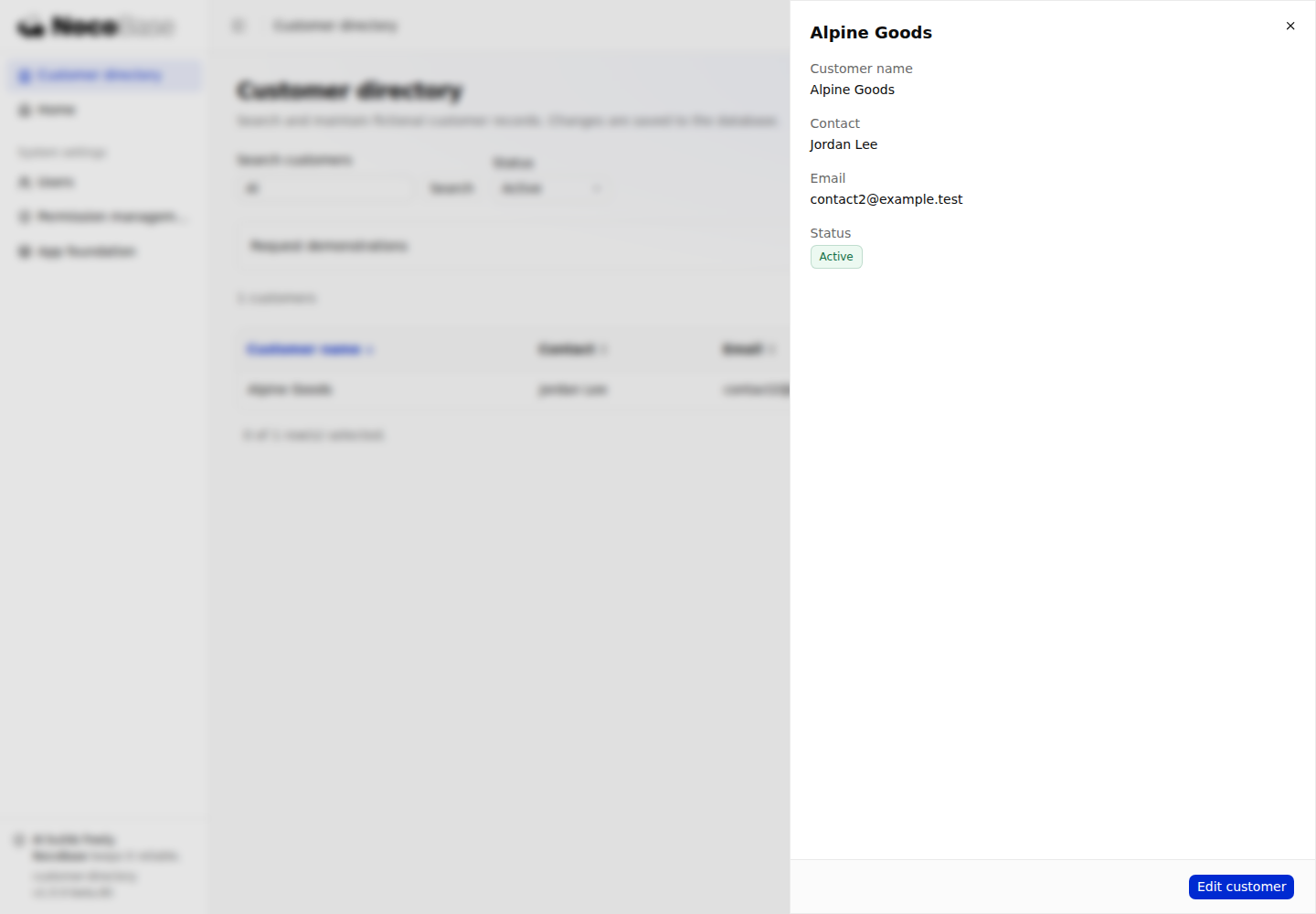
Source: detail page, business endpoints. For general request options, see API Client.
Call Repository data endpoints
After the server registers Repository data endpoints, use api.repository<Customer>('customers') to call their protocol. The example's update operation is in client/pages/customers/api.ts:
const result = await api.repository<Customer>('customers').updateOne({
  filter: { id },
  values,
  idempotencyKey: key,
  signal,
});
return result.record;
The Repository client returns a processed result with the record in result.record, rather than the response.data used by request(). values contains the fields to save; key and signal come from useSubmission, covered below. Standard write endpoints require an operation key and the submission receipt provider already registered by the template.
Click Edit customer in the detail drawer, change the contact, and save. The actual request is POST customers/updateOne. Creation and deletion use createOne and deleteOne, each with the key for that logical submission. Authentication, business permissions, allowed fields, and input validation remain server responsibilities.
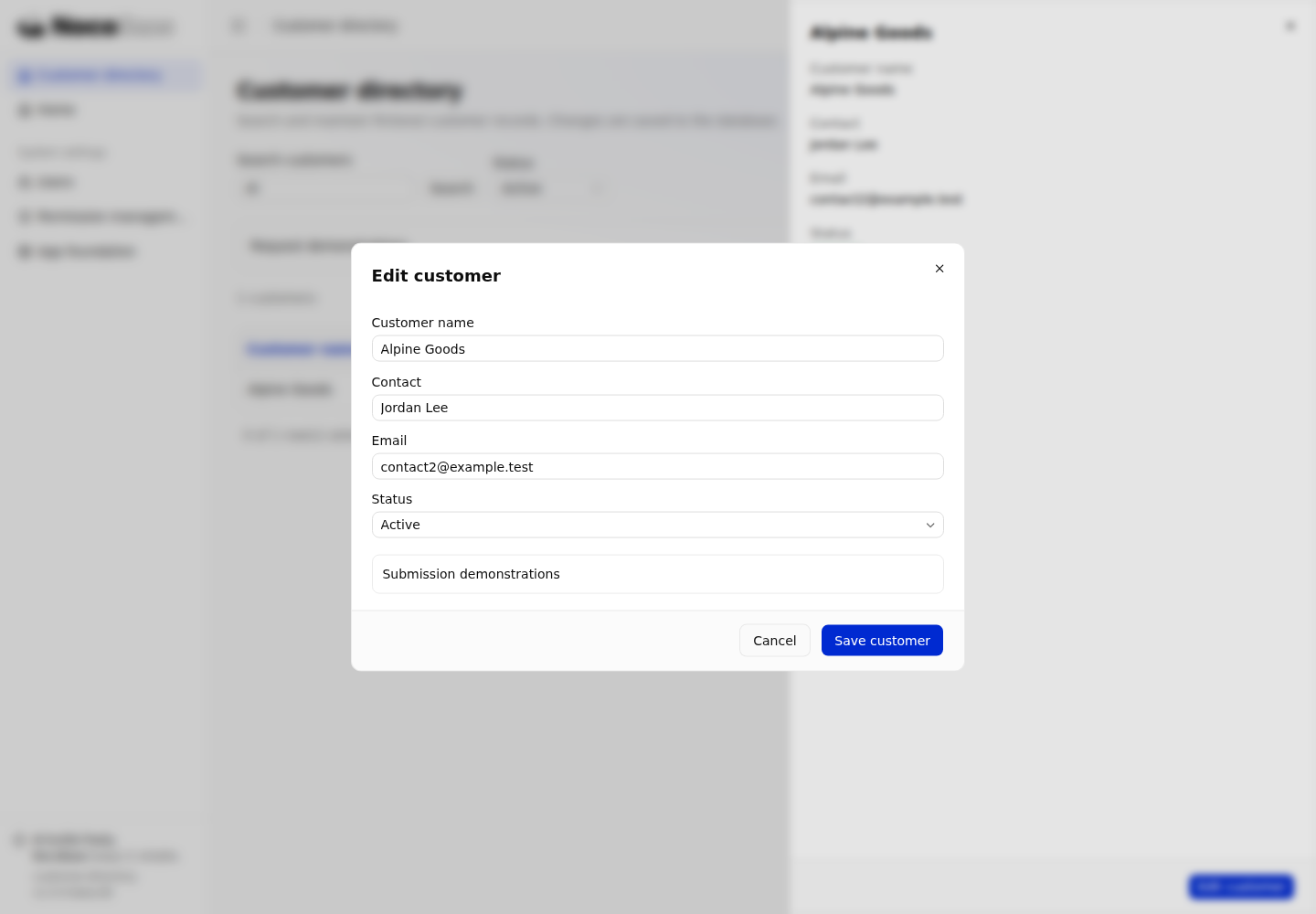
Source: request and write helpers. See Repository data endpoints for server registration.
Read lists and synchronize query conditions
Read and refresh with useListData
useListData accepts a request path and exposes its result, error, and refresh action. This is the core call in useCustomerList; query contains the current search, status, pagination, and sorting parameters:
import { useListData } from '#hooks/use-list-data';
import type { CustomerList } from './api.js';

const request = useListData<CustomerList>(`customerList?${query}`, { active });
// request.data: { data: Customer[], meta: { total: number } } | undefined
// request.loading / request.error / request.reload()
Opening the list reads GET customerList. Refresh reads the current query again. Records come from the database, and saved changes survive a page reload. reload() affects this hook instance only; it does not refresh other pages or provide a shared query cache.
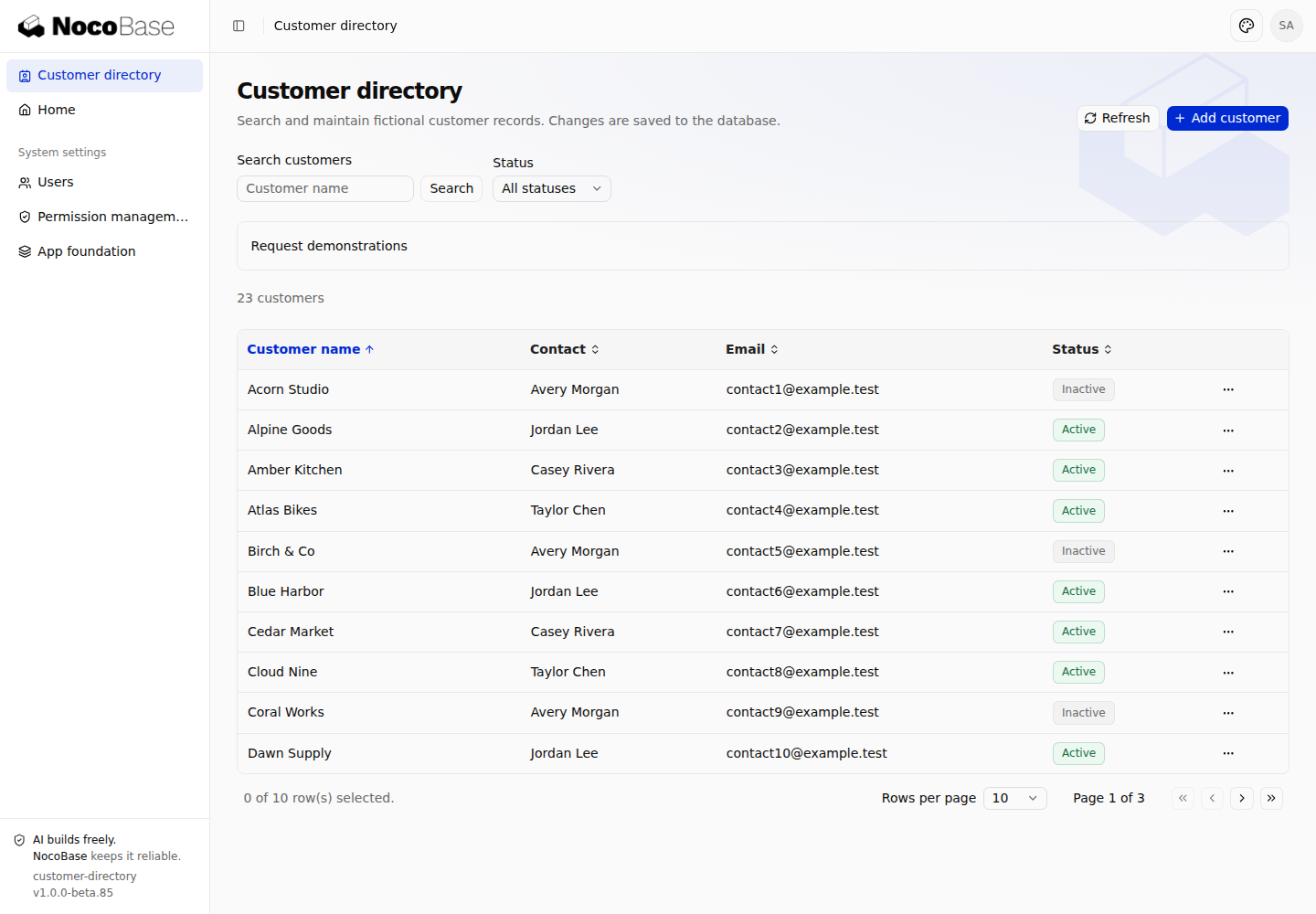
Source: list hook, useListData.
Put search, pagination, and sorting in the URL
useListLocation() supplies the list's own query parameters. readTableUrlState() parses the page, page size, and sorting; useTableUrlState() writes table interactions back to the URL. The example allows only the four sort fields supported by the server, with page sizes of 5, 10, or 20.
Search input stays local until the reader clicks Search or presses Enter. When search or status changes, copy the existing parameters and remove page to return to the first page while retaining sorting and page size:
setParams((old) => {
  const next = new URLSearchParams(old);
  if (value) next.set('q', value);
  else next.delete('q');
  next.delete('page');
  return next;
}, { replace: true });
Search for Al, select Active, then change the page size and sorting. An address such as this restores the query after a reload; append the path to your application's actual mount path.
/customers?q=Al&status=active&pageSize=5&sort=name&order=desc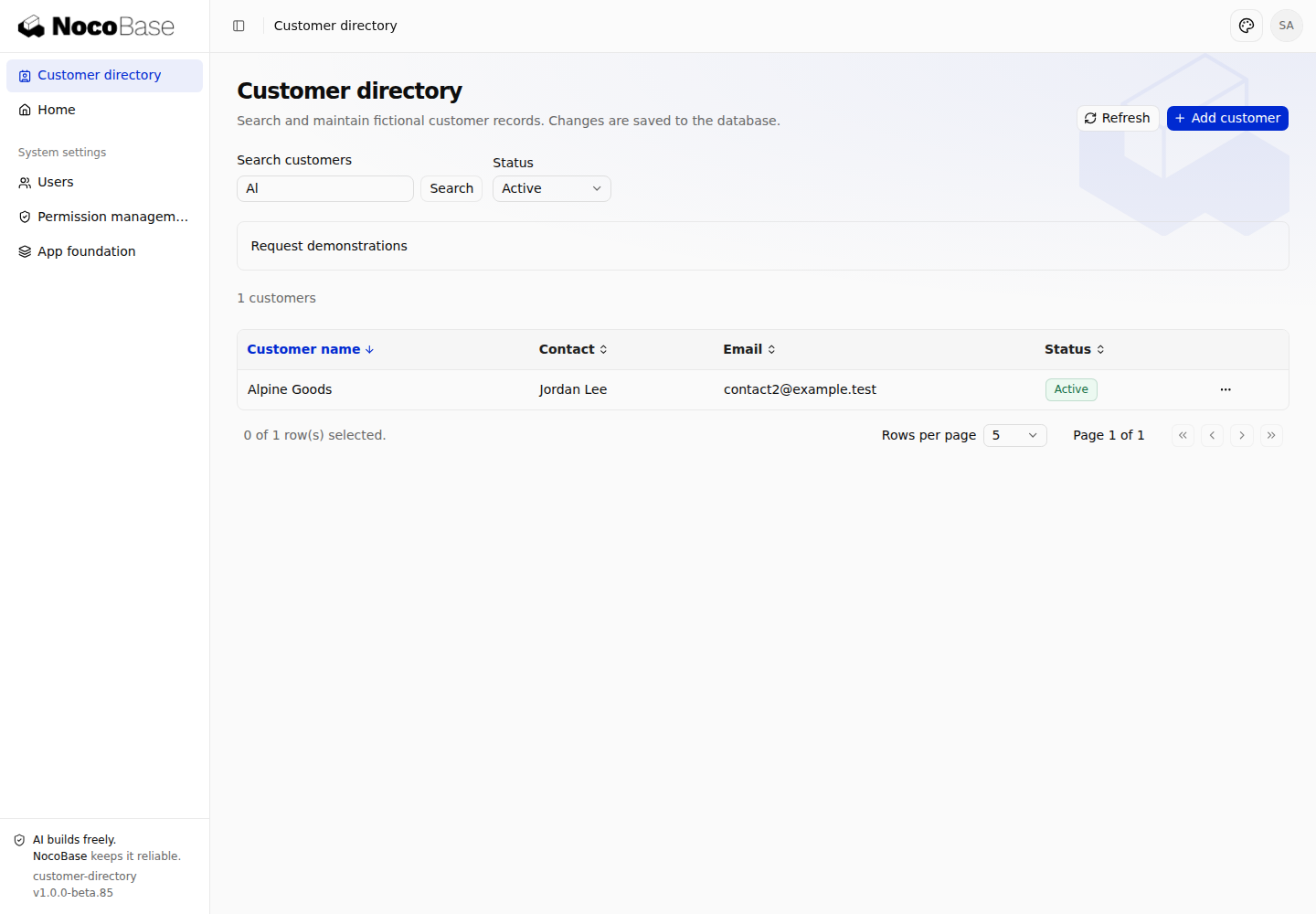
Source: URL and list parameters, table URL state.
Pause covered routes and restore the list on return
When a detail or edit child route covers the list, useListLocation() preserves the list's parameters and returns active: false. Pass this to useListData to pause background list requests until the child route closes. In this state, loading: true does not necessarily mean a request is running; refresh feedback must also check active.
The example uses relative links with the query string to enter a detail route and then its editor:
<RecordLink to={`${customer.id}${search}`}>{customer.name}</RecordLink>
// Inside the detail page
<Link to={`edit${search}`}>...</Link>
Open Alpine Goods from a filtered list, edit and save it, then close the detail drawer. Search, status, page size, and sorting should remain unchanged. See the drawer in Get the client and call business endpoints, and its editing layer in Call Repository data endpoints.
These hooks depend on the template's routing context. Pages outside that route tree need to derive parameters and activation from their own router. Source: list page and Outlet, useListLocation.
Handle request states and errors
Loading, empty results, and refreshing
The page maps request state to DataTable's listState, keeping “not loaded yet” distinct from an empty result:
| Condition | Example behavior |
|---|---|
| First read with no result | Show loading feedback |
| Successful read with no matching records | Show No results and an action to clear filters |
| Refreshing the same query with existing data | Keep the rows and indicate refreshing |
| Query conditions changed | By default, wait for the new query without showing the previous query's rows |
Expand Request demonstrations and select Slow response (1.6 seconds) to see loading. Once records appear, click Refresh to see existing rows retained during a refresh.
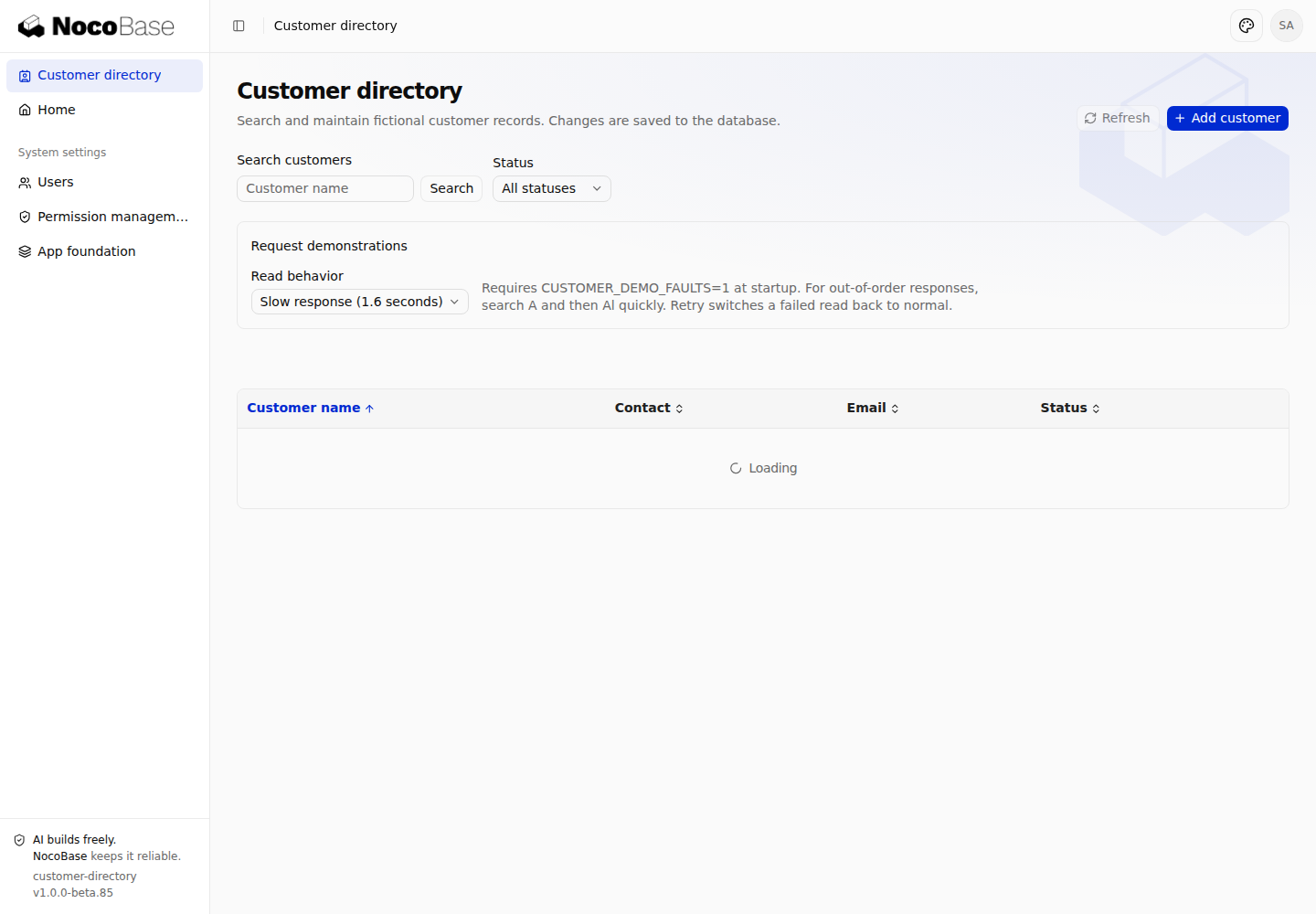
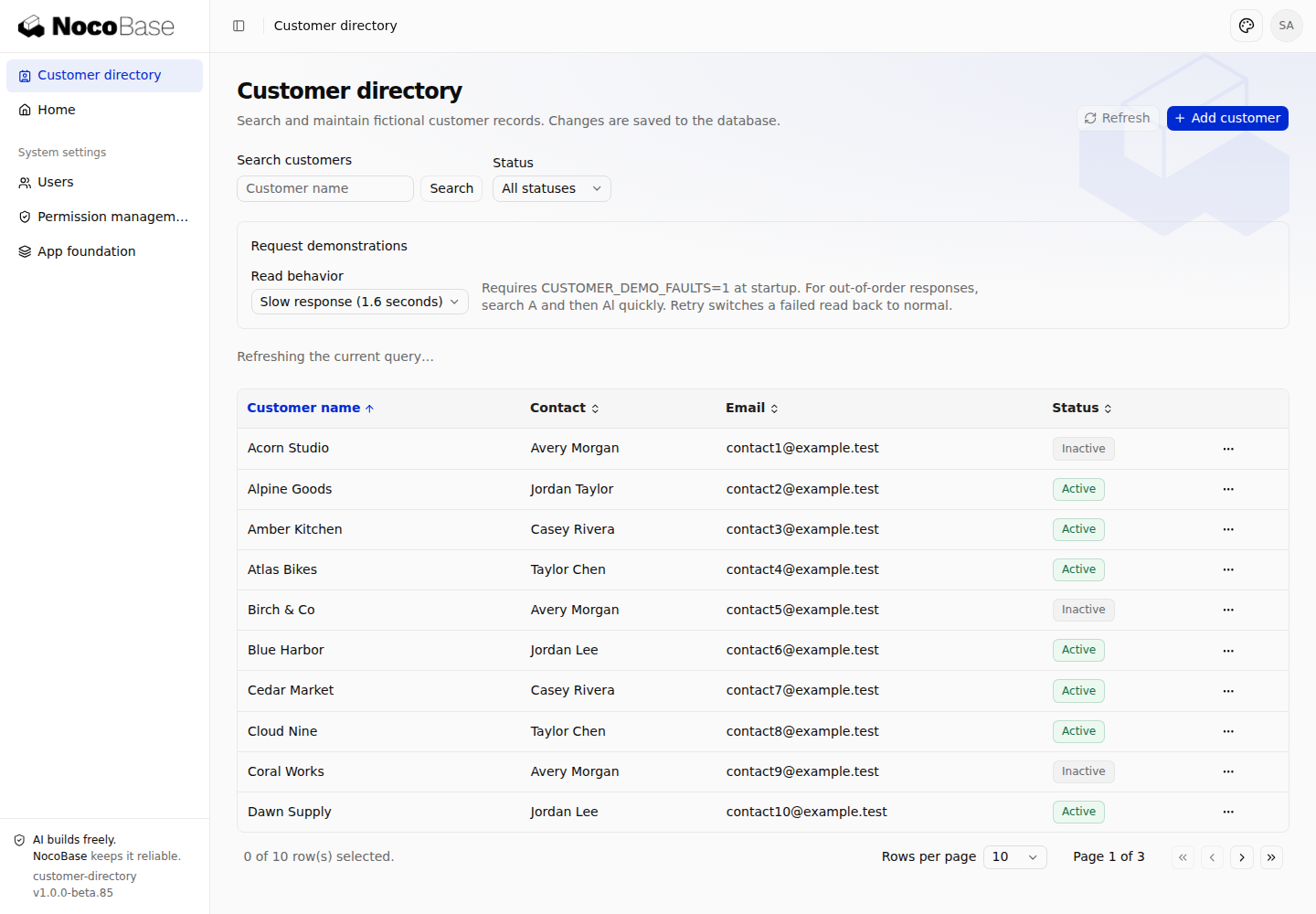
Search for NoSuchCustomer to get a successful response with zero matching records:
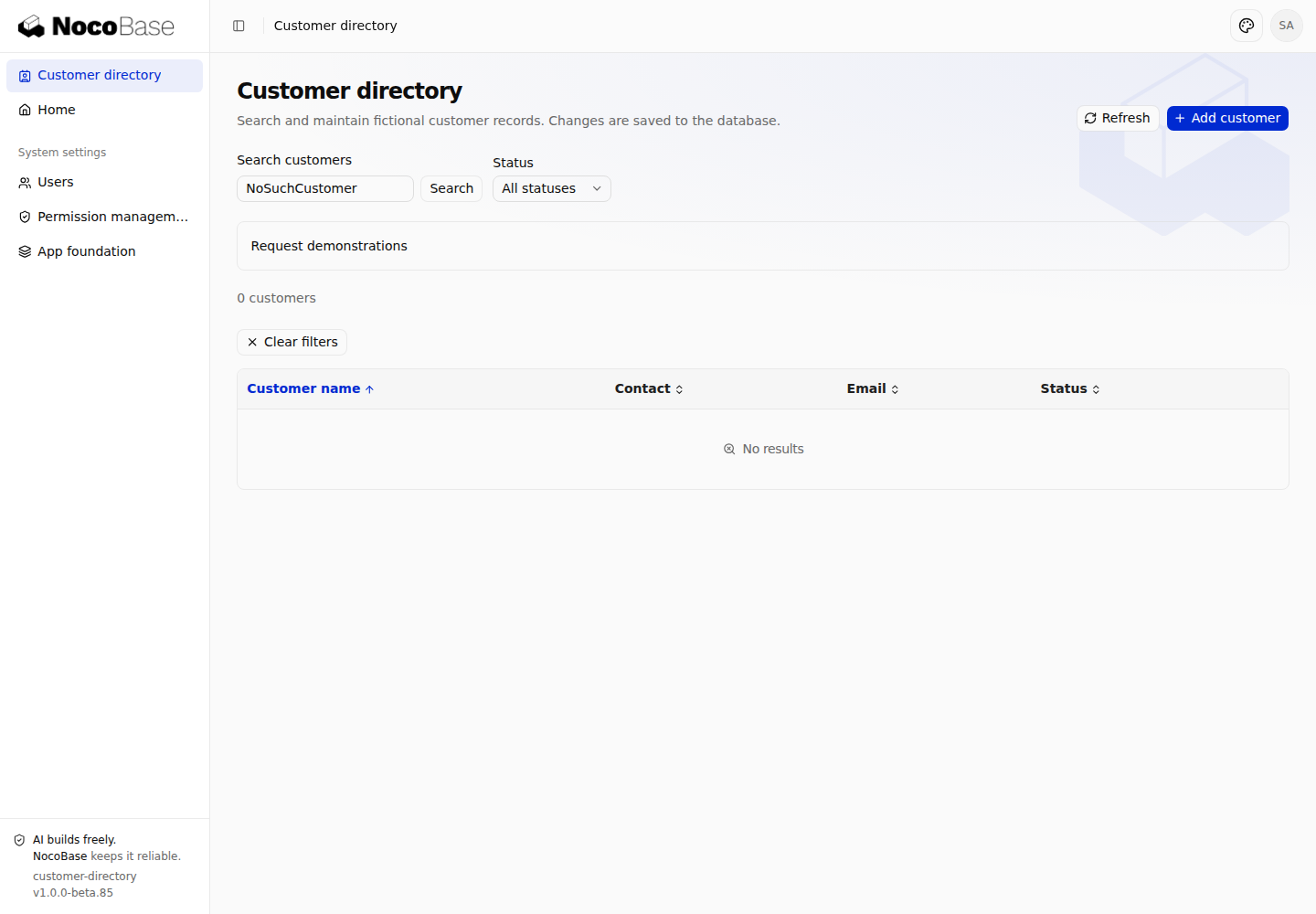
Source: list state mapping. Demonstration controls require CUSTOMER_DEMO_FAULTS=1 at startup, as described at the end.
Cancel old requests and ignore out-of-order results
useListData aborts an old read when the path changes or the component unmounts, and checks that its response still belongs to the current request generation. reload() invalidates the previous request synchronously before starting another read. Both cancellation and result ownership matter; accepting whichever response arrives last creates a race.
Select Out-of-order responses, search for A, then immediately search for Al. The example delays the first read by 1.8 seconds and the second by 0.15 seconds. The list must remain on the Al result. Its visible result matches Put search, pagination, and sorting in the URL. A screenshot cannot establish response order; the page test controls when both responses resolve and asserts that stale rows never appear.
Source: request lifecycle, race test. Aborting a browser request does not roll back a write the server has already performed.
Request failures, retries, and permission changes
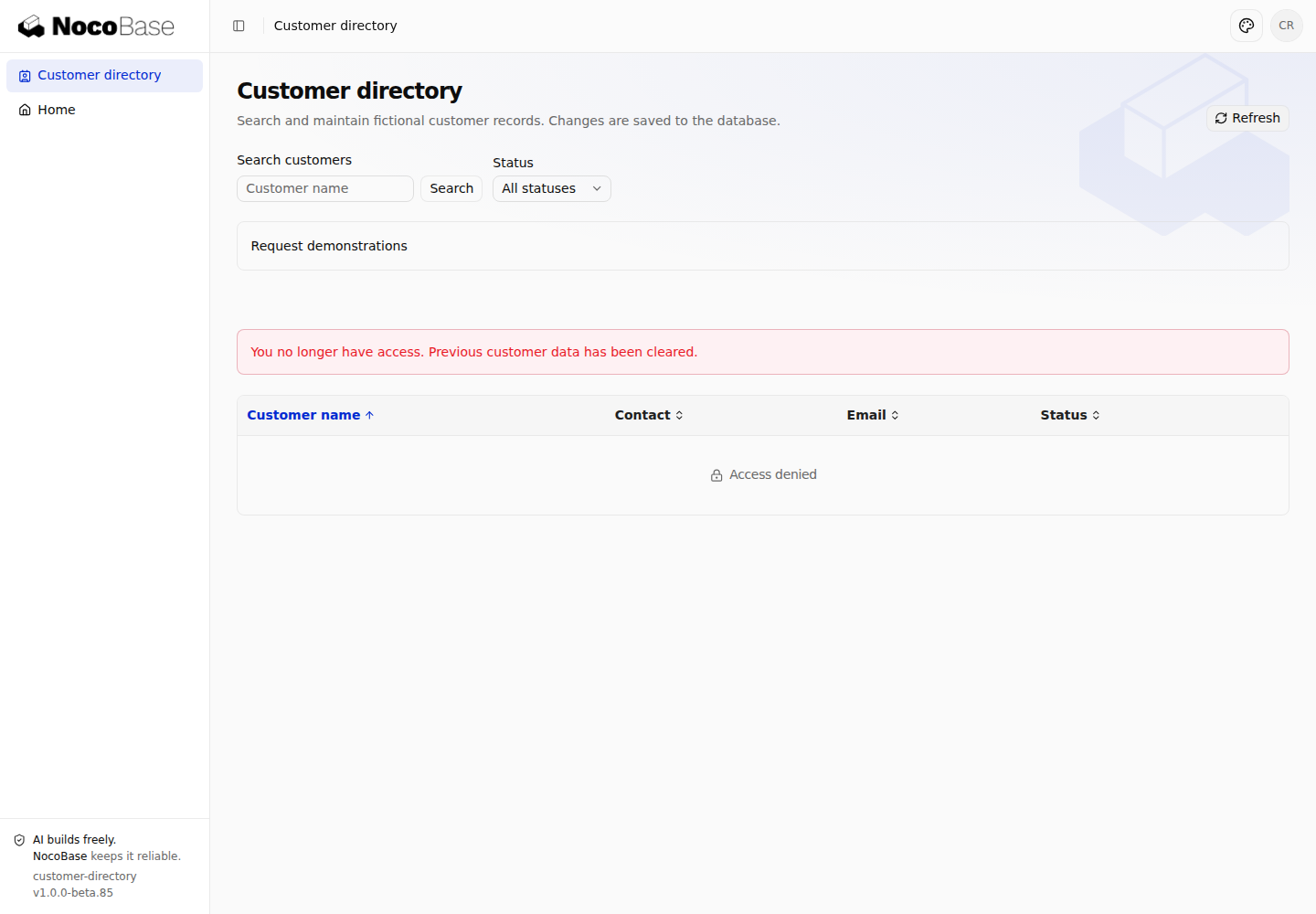
Select Read failure to make the server return a demonstration 503. Retry switches reads back to normal. For a failed refresh of the same query, the hook retains the existing result with an error. A 401, 403, or 404 clears the old result instead; the page explains an ended session, denied access, or unavailable record.
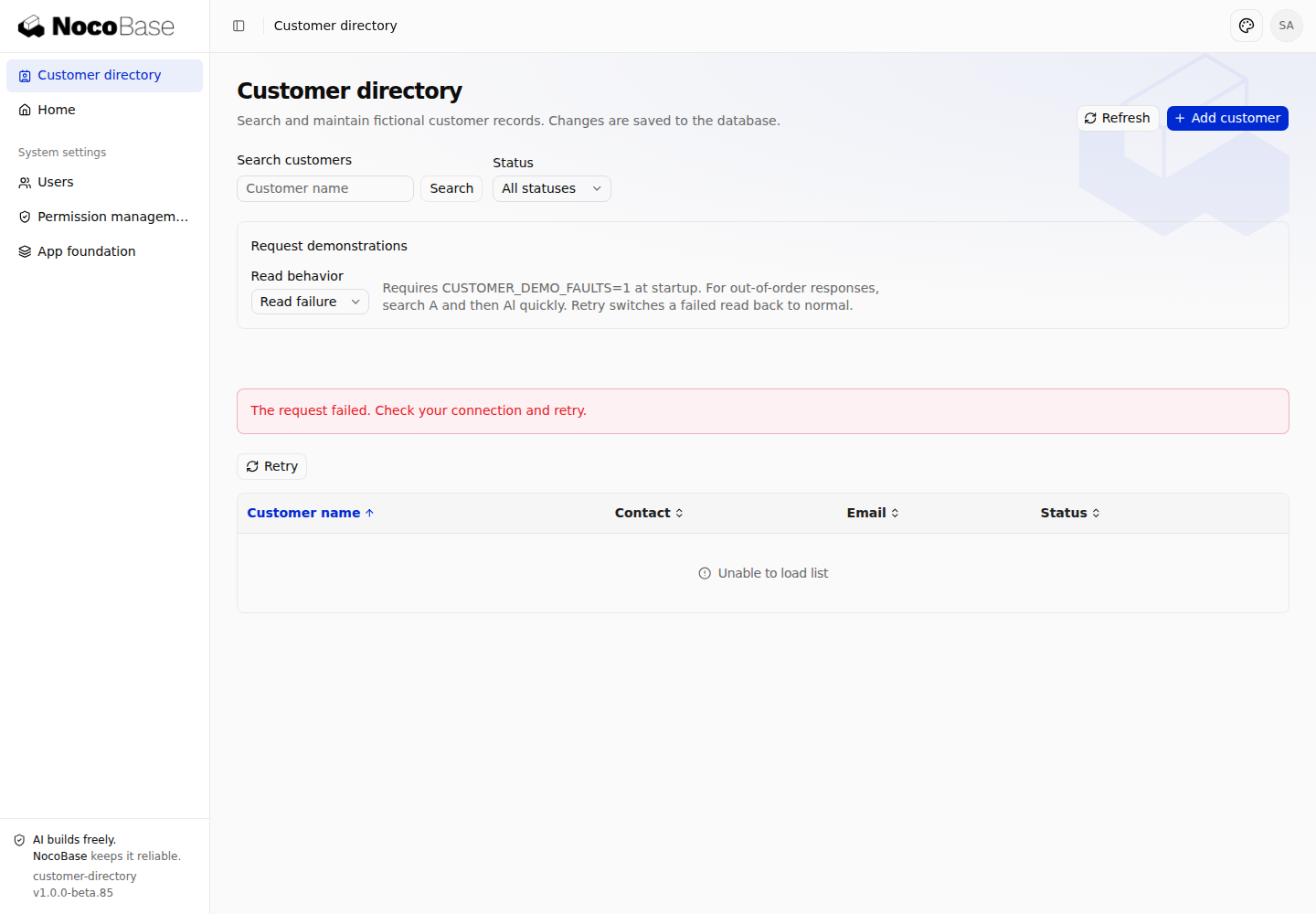
Map ApiClientError.status, reason, and domain to translated application messages, and handle network exceptions separately. Do not display the server's developer-oriented error.message directly. Record requestId when needed for troubleshooting.
The permission demonstration uses native Users and Permission management. Assign Customer viewer to an ordinary user and open the list as that user. As an administrator, keep page access but revoke the customer's view action; then click Refresh in the user's session. Old records should disappear and direct API reads should return 403. Editors use Customer editor. Neither role is assigned automatically to all users.
Source: error mapping, server authorization, permission browser test. Page access and data operations have separate grants; hiding a button does not secure an endpoint.
Submit changes and update pages
Manage submissions and duplicate attempts with useSubmission
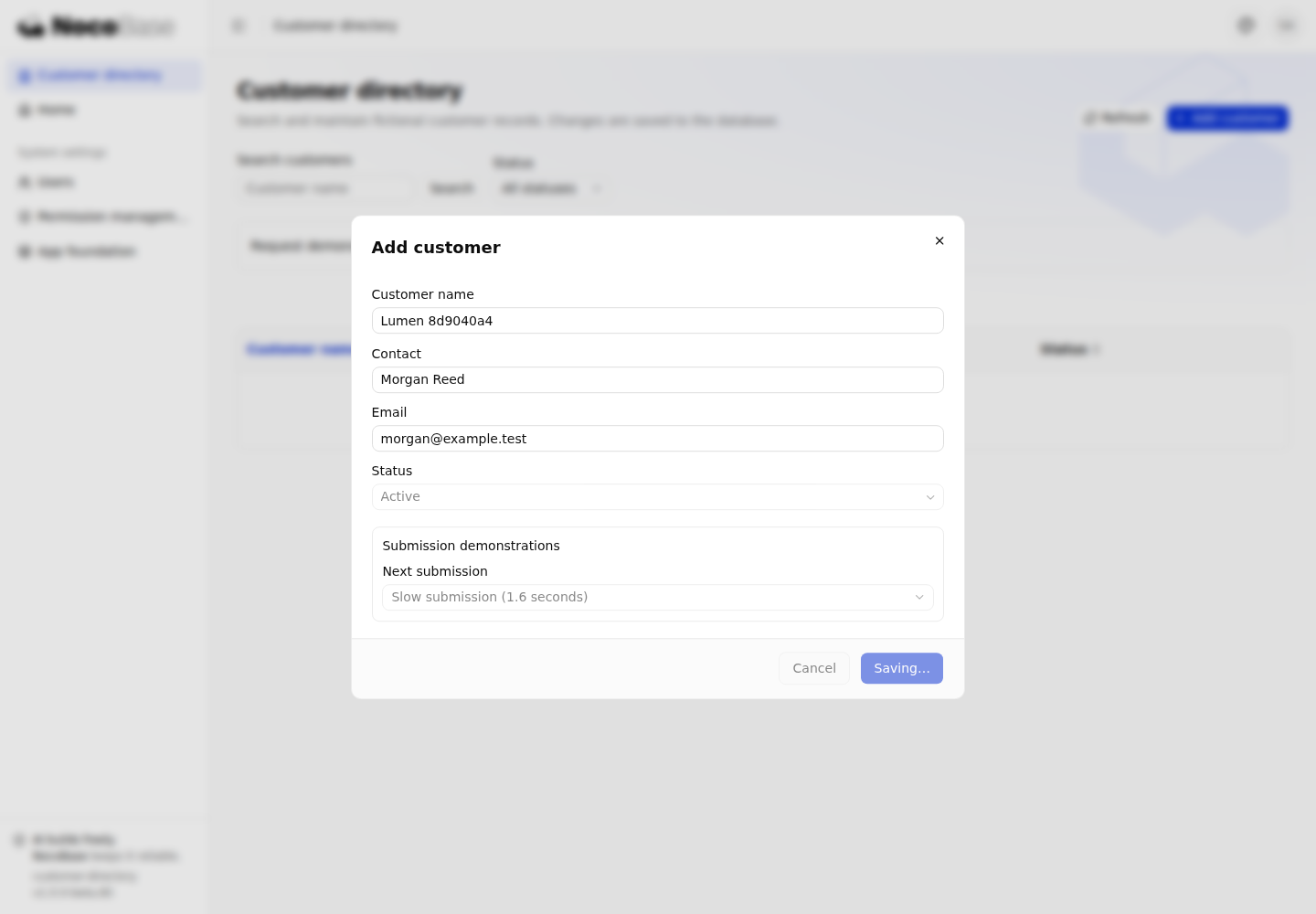
Use one useSubmission per form and route every submission entry through the same run(). The controller acquires a synchronous lock, snapshots the input, and creates an operation key. Repeated clicks or Enter presses cannot start parallel submissions. Use submitting for busy feedback and prevent edits to the fields being submitted.
This excerpt keeps the editor's submission core and omits the form, error rendering, and demonstration controls:
import { useSubmission } from '@nocobase/app-client';

const submission = useSubmission({
  scope: `${session?.user.id}:customers:${id ?? 'new'}`,
});
const saved = await submission.run(
  { id, ...values },
  async (key, signal, input) => {
    const { id: recordId, ...fields } = input;
    return saveCustomer(api, fields, recordId, key, signal);
  },
);
scope distinguishes identity, operation, and form instance when recovering unresolved submissions. Independent forms must not share it. This example opens only one corresponding route editor per browser tab. On the server, a standard Repository write and its receipt commit in the same transaction; retrying the same key and input can return the original result.
In a create or edit dialog, expand Submission demonstrations and select Slow submission (1.6 seconds). Trigger submission repeatedly while saving. The page should remain busy and the database should receive only one corresponding write.
Source: editor and submission controller, template submission provider. Custom business APIs with side effects must explicitly join the receipt transaction; adding a header alone does not provide the same guarantee.
Preserve failed drafts and retry unknown outcomes
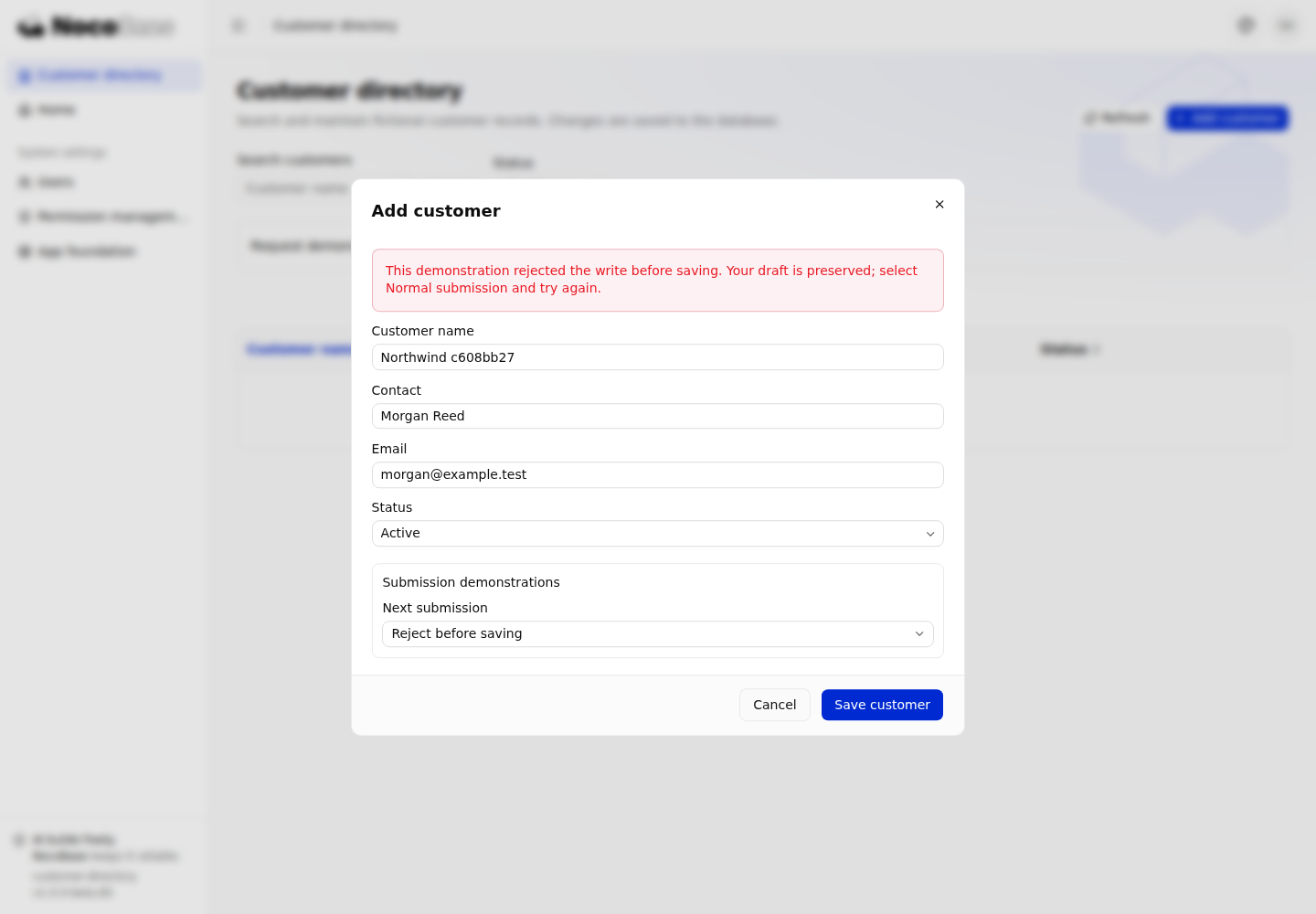
Fill in a new customer, choose Reject before saving, and save. The endpoint explicitly rejects the write before persistence. Fields keep their values; switch back to Normal submission to edit and submit again.
With Lose response after saving, the example commits the real write and receipt, then returns 503 to simulate a client receiving no reliable result. submitting ends, but pending remains true. Keep the original fields and click Retry original submission to recover the result with the original key and input. Do not create a new key and submit another creation.
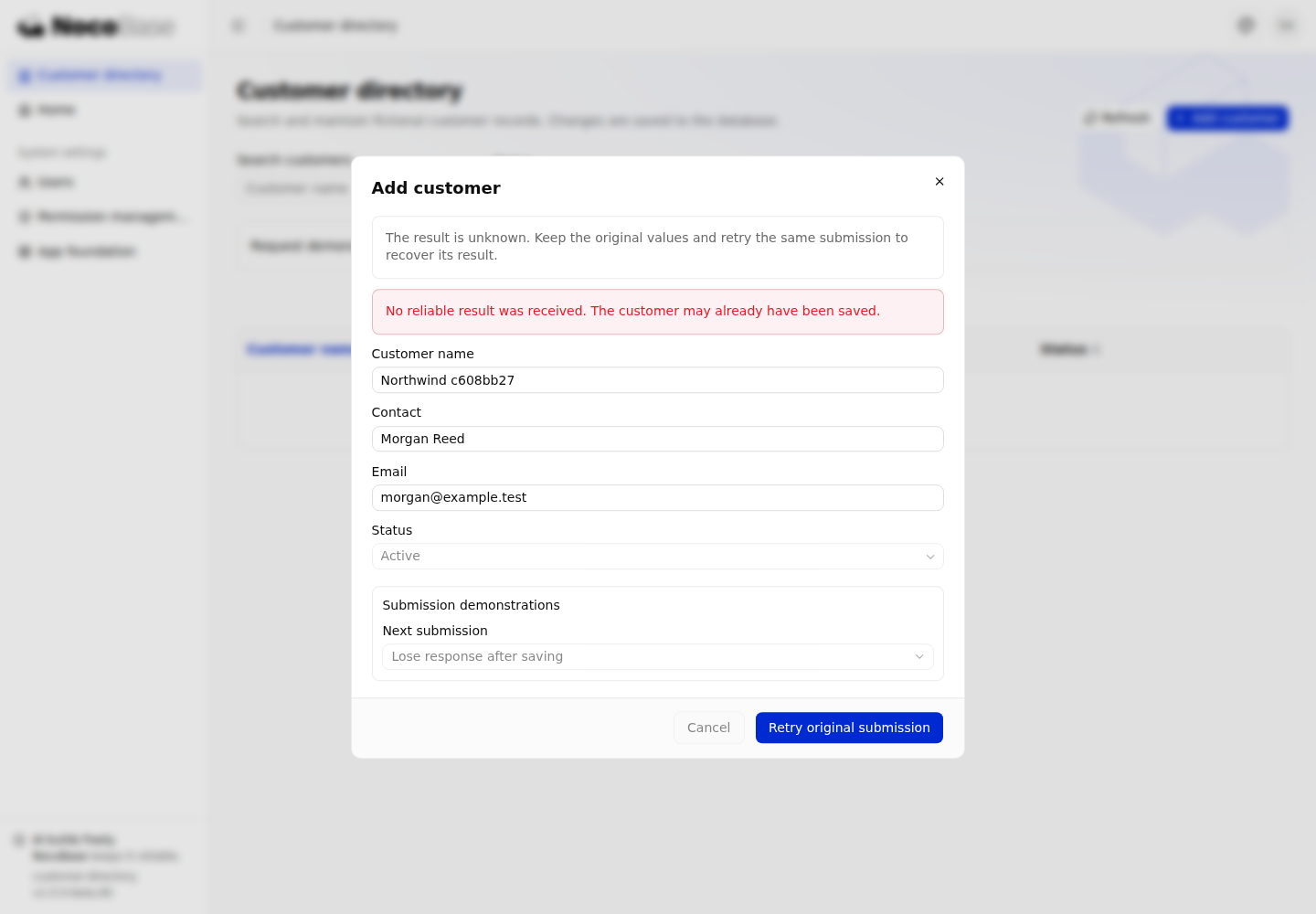
pending does not mean “a request is running.” Network failures, timeouts, and ambiguous server errors may leave an unresolved operation; a failed response alone does not prove that nothing was saved. After reloading the page, the controller can recover the key and input digest from the tab's session storage, but does not restore the form draft. The example requires the original values to be entered again and refuses to start a new operation with different input.
Source: form and recovery feedback, committed write with a lost response test. Unsaved-change confirmation follows UI components and interactions; closing a dialog is not a write rollback.
Update details and refresh the list after saving
Once the editor receives a successful save result, it calls the parent's refresh action through Outlet context and closes the editing layer. The detail page supplies an action that refreshes both itself and the background list:
<Outlet context={{
  reload: () => {
    request.reload(); // Current details
    parent.reload();  // Customer list
  },
}} />
Edit the contact from the detail drawer and save. The editor closes and the drawer reads the latest fields. Closing the drawer resumes the list with its preserved query. Creating, deleting, or changing a sort field can change positions and totals; rereading the query covers more than replacing one row.
Treat saving and refreshing separately. If the write succeeds but the subsequent read fails, offer read feedback and a refresh action without asking the reader to resubmit the write. Source: parent refresh action, save completion.
Correct pagination after deletion and retain query conditions
After deletion, refresh the current query and pass the total from that successful read to useTableUrlState. Correcting pagination with an old total during refresh can select the wrong page.
const table = useTableUrlState({
  ...tableOptions,
  active,
  revision: request.revision,
  rowCount: !request.loading && !request.error
    ? request.data?.meta.total
    : undefined,
});
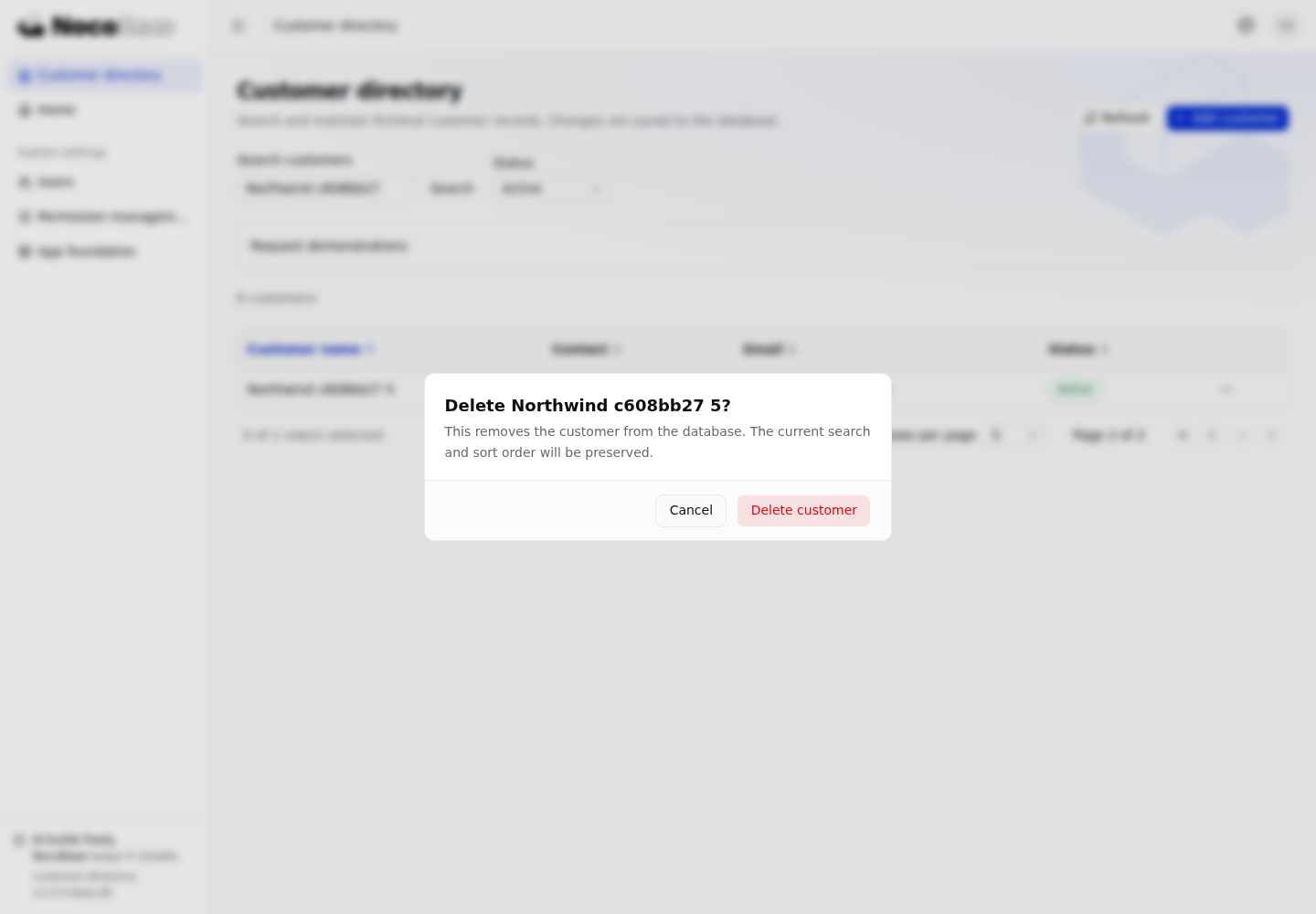
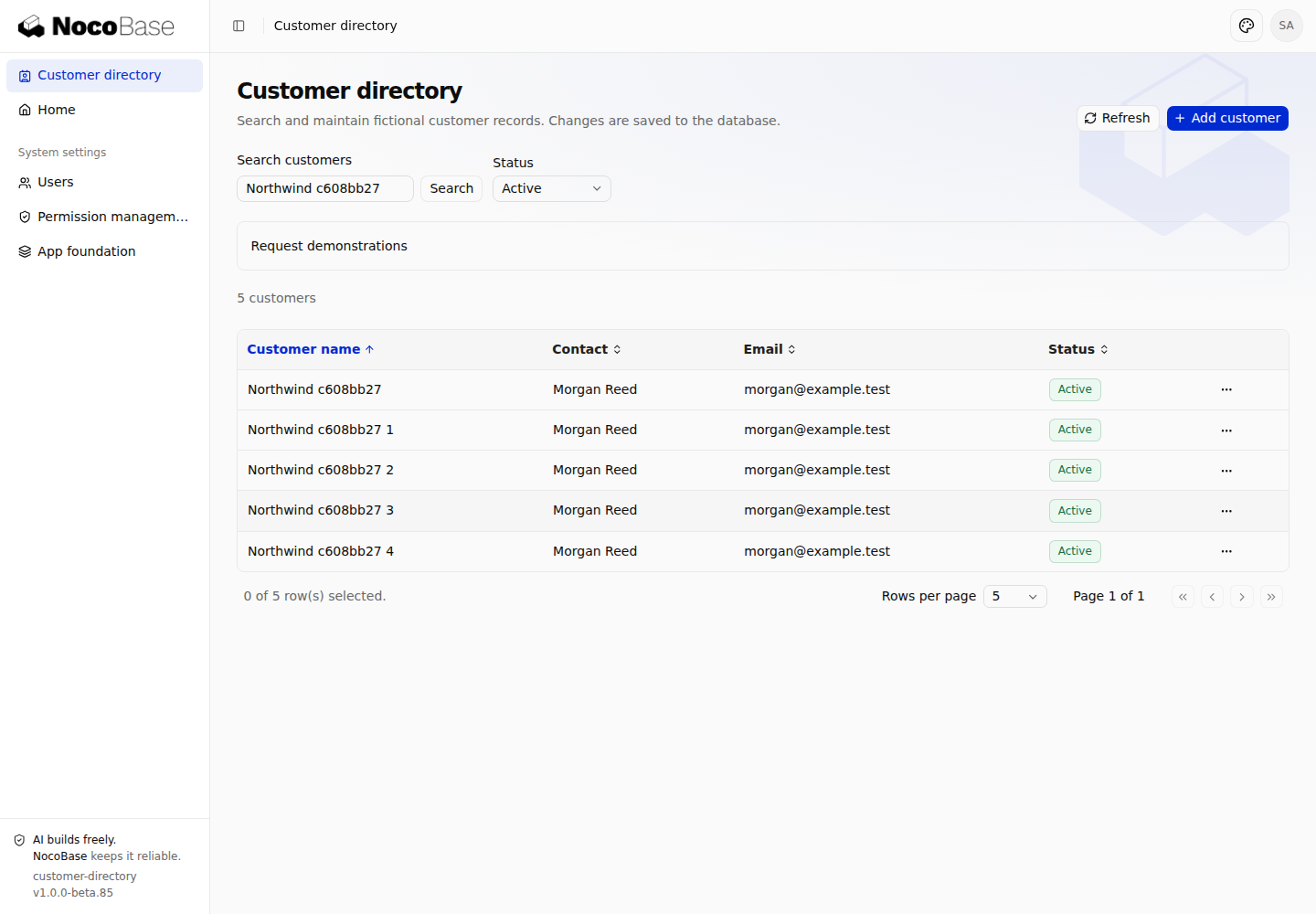
Create six customers with a shared name prefix, search for that prefix, use five rows per page, and delete the only record on page two. The list should return to page one while preserving search, status, and sorting. The automated test creates and cleans up its own six records.
Source: deletion, total and page correction.
Verify interactions and data results
Verify reads, submissions, and return flows
First search, paginate, open details, edit, save, and return. Then use the demonstration controls to check failure paths:
- Submit searches for
AandAlquickly; only theAlresult should remain. - Failed reads can retry. A normal refresh failure retains the current query's data; a 403 clears old records.
- Rejected writes preserve the draft. Retrying a lost response creates no second customer record.
- Returning after save preserves query conditions. Deleting the last row on the last page leaves a valid page.
- Viewers have no write controls and direct writes are denied. Revoking their view action makes reads return 403.
Screenshots let you compare visible states. Verify duplicate writes, permissions, and persistence through API responses and database results. The example's browser tests also exercise leaving a dirty editor and using a narrow viewport.
Run tests and build
From the example application directory, run:
pnpm exec vitest run tests/client/customers.test.tsx tests/client/list-recovery.test.tsx tests/client/table-url-state.test.tsx tests/server/customers.test.ts tests/server/authorization-assignment-safety.test.ts tests/database/customers.test.ts
pnpm typecheck
pnpm build
Page tests keep application hooks real and substitute only the network boundary. Server tests use an isolated database to exercise actual routes, authorization, writes, and receipts; migration tests verify creation and rollback. Browser tests connect to a running example. Set APP_URL, E2E_USERNAME, and E2E_PASSWORD as described in the README, then run:
pnpm exec playwright test tests/playwright/customers.test.tsExample source and setup
Complete example application
The Customer Directory source includes list, detail, and edit routes, real APIs, database migrations, sample data, and tests. Its README maps each documented usage to an entry point, implementation file, and expected result.
The example maintains only name, contact, email, and status. Delays, explicit rejection, and lost responses are controlled demonstration conditions; reads, writes, permission decisions, and mutation receipts use the actual application mechanisms.
Requirements and startup
Use Node.js 24 or later. The application's packageManager specifies pnpm 11.7.0, and its lockfile fixes dependency versions. These commands use SQLite for a quick start; that is an example choice, not a prerequisite for API Client or the hooks.
git clone https://github.com/nocobase/docs-examples-v3.git
cd docs-examples-v3
git checkout 0db1a6aade41a18757f5a709aacd2df695fcf7f8
cd apps/customer-directory
pnpm install --frozen-lockfile
pnpm nocobase config init --dialect sqlite
pnpm nocobase config check
APP_SAMPLE_DATA=true CUSTOMER_DEMO_FAULTS=1 pnpm dev
Initial configuration creates config.yml. Sign in using its users.initialAdmin configuration. Open the application address printed at startup, append /customers to its mount path, or select Customer directory in the menu. APP_SAMPLE_DATA=true installs fictional English customer records. Writes persist; starting the application again does not reset them. Assign Customer viewer or Customer editor to ordinary users through Users.
For LAN access, configure APP_SERVER_HOST and APP_PUBLIC_ORIGIN as described in the README. Disabling the fault switch removes the extra demonstration behavior; normal reads and writes remain available.