

Main database
Introduction
The database configured when deploying NocoBase stores NocoBase system tables and can also store application business tables.
KingbaseES supports only PostgreSQL compatibility mode. OceanBase supports only MySQL compatibility mode.
Plugin installation
Access the main data source
- Open the Data sources menu.
- Select Main in the data-source list and click Configure to manage the main database.
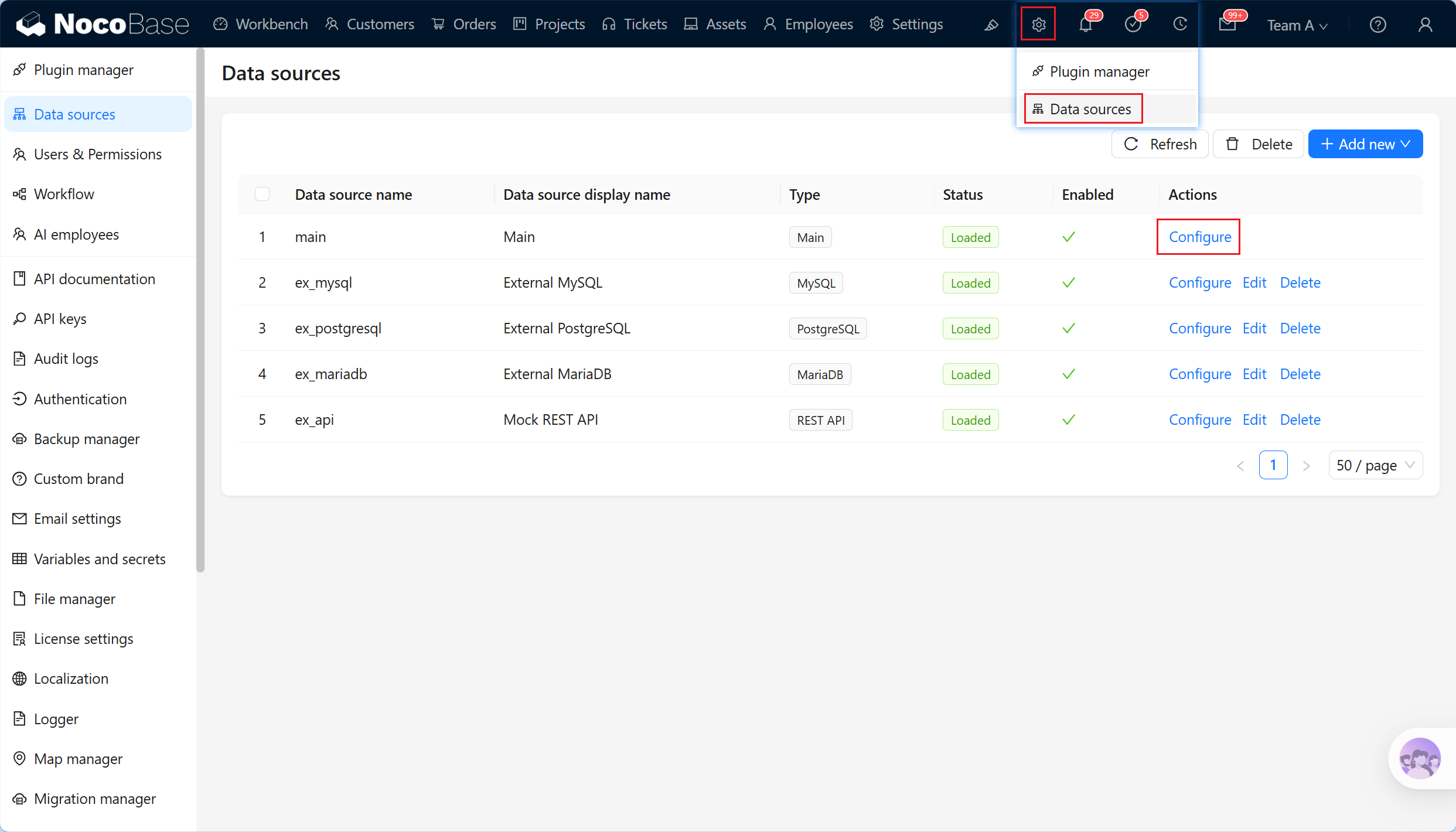
Main data-source management
The main database manages collections and fields. You can:
- Filter: search collections managed by the NocoBase main database.
- Create collection: add a business collection.
- Edit: change business collection metadata.
- Delete: delete a business collection.
- Sync from database: synchronize the structure of an existing database table.
- Configure fields: create, change, and delete collection fields.
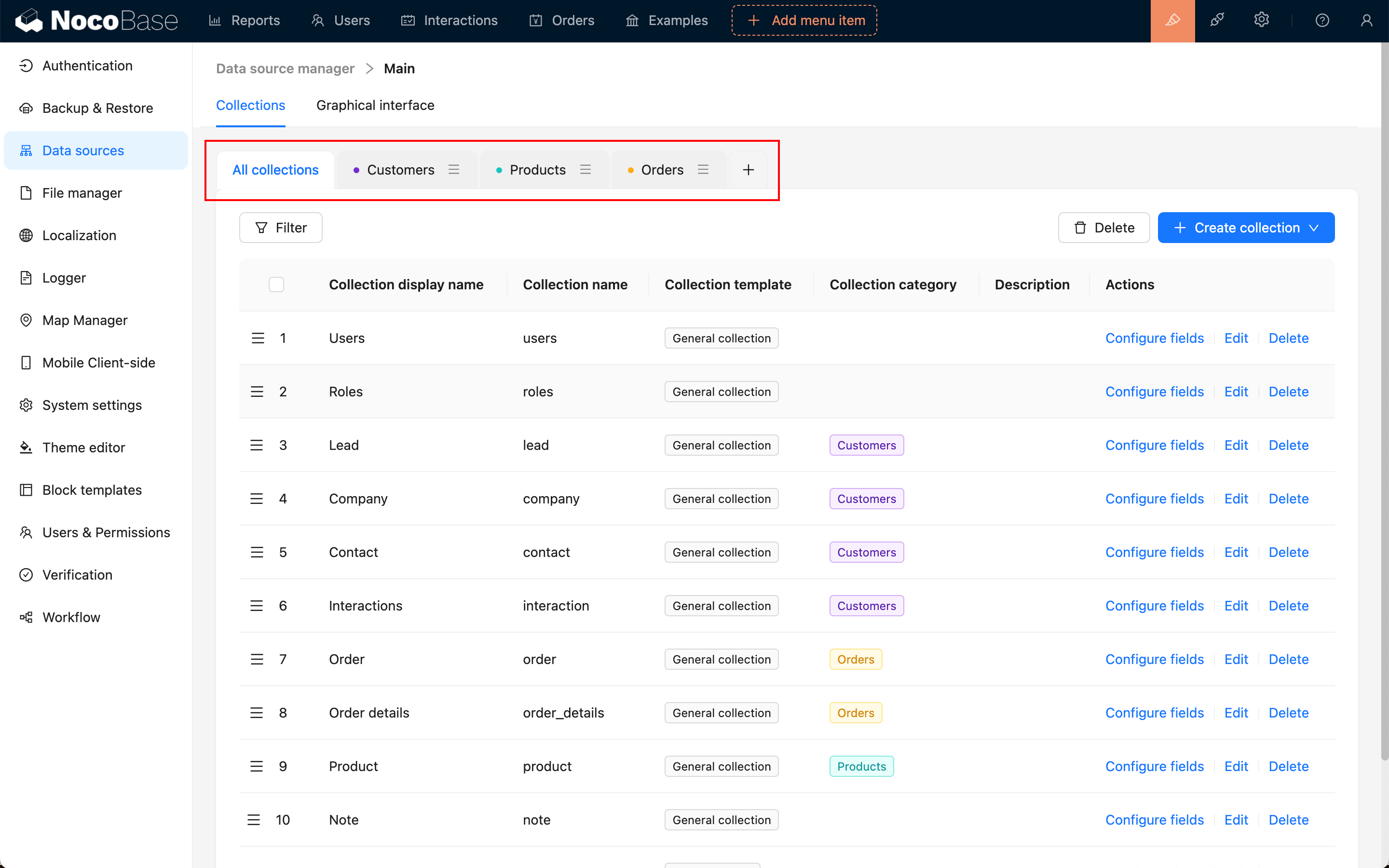
- +: create, edit, and delete collection categories from the collection tabs.
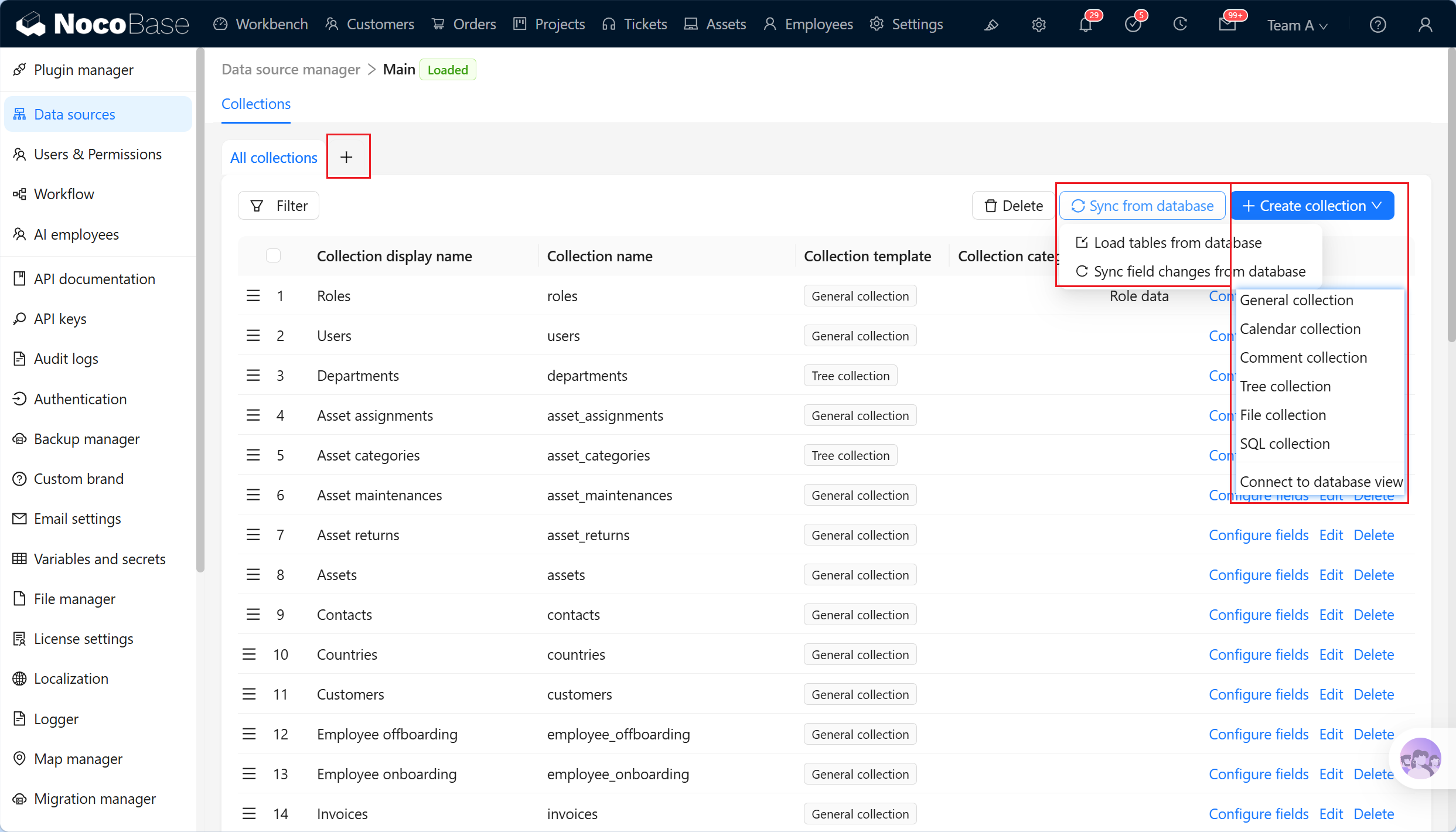
Synchronize existing tables from the database
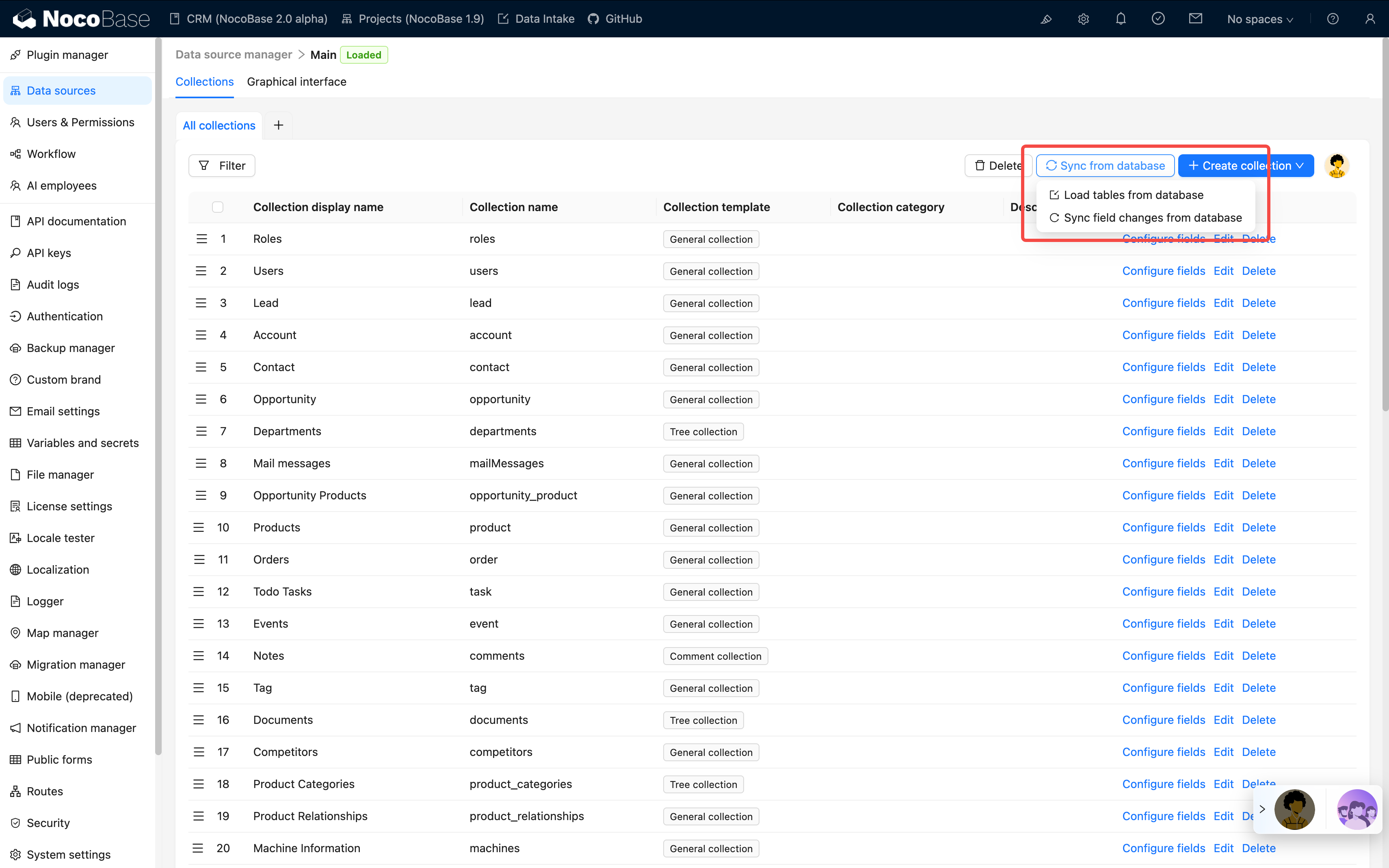
Synchronizing existing database tables lets you manage them in NocoBase without recreating them.
- Protect existing investment: use existing business tables directly.
- Flexible integration: bring in tables created by SQL scripts or database-management tools.
- Gradual migration: migrate an existing system to NocoBase step by step rather than refactoring everything at once.
With Load from database, you can:
- Browse all tables in the database.
- Select the tables to synchronize.
- Identify table structures and field types automatically.
- Import them into NocoBase for management.
Supported collection types
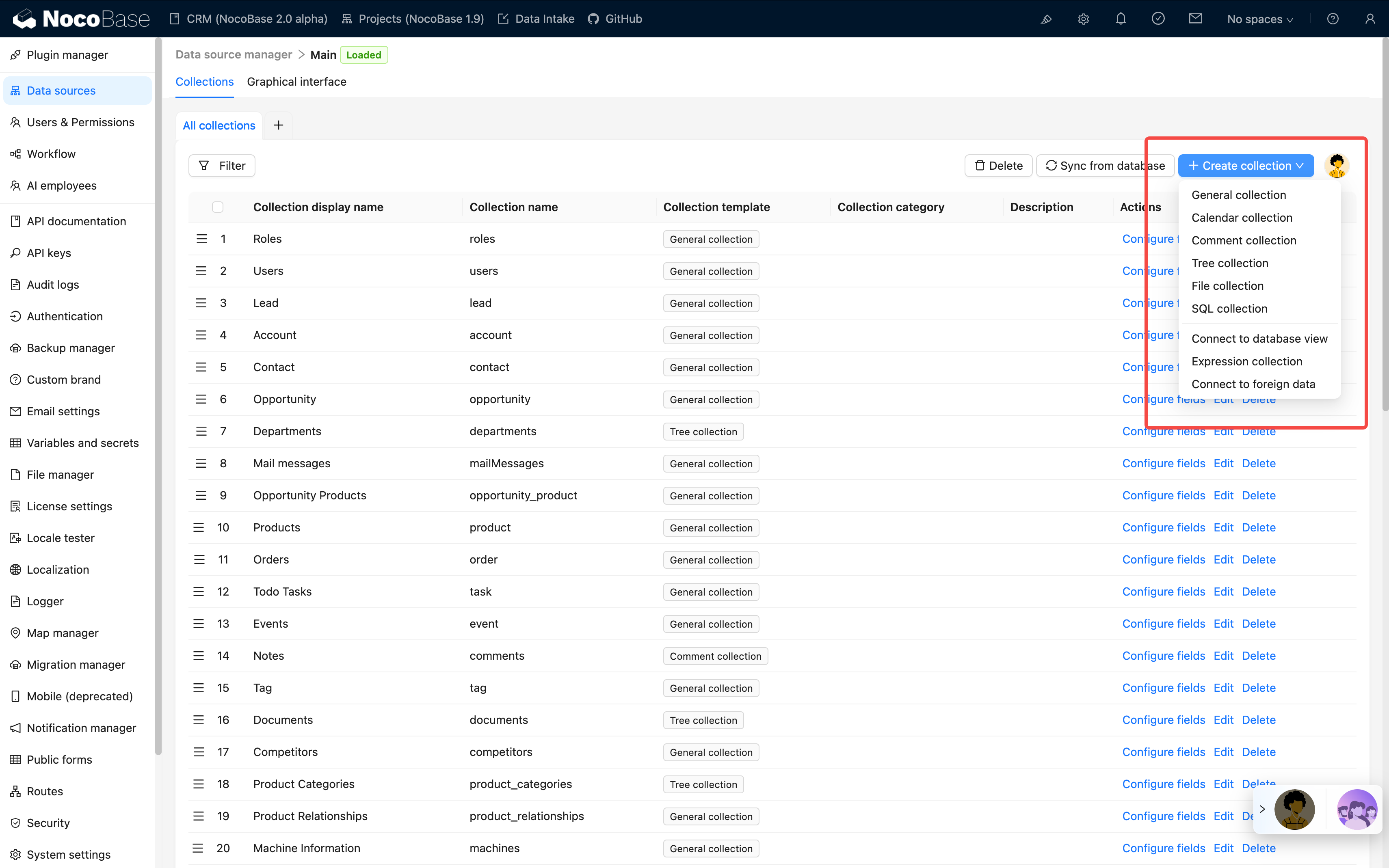
NocoBase supports creating and managing these collection types:
- General collection: includes commonly used system fields.
- Inheritance collection: derives child collections from a parent collection. Child collections inherit the parent structure and can define their own fields.
- Tree collection: a hierarchical collection that currently supports the adjacency-list design.
- Calendar collection: stores calendar-related event records.
- File collection: manages file storage.
- SQL collection: presents an SQL query result in a structured form; it is not a real database table.
- Database view collection: connects an existing database view.
Collection categories
Rich field types
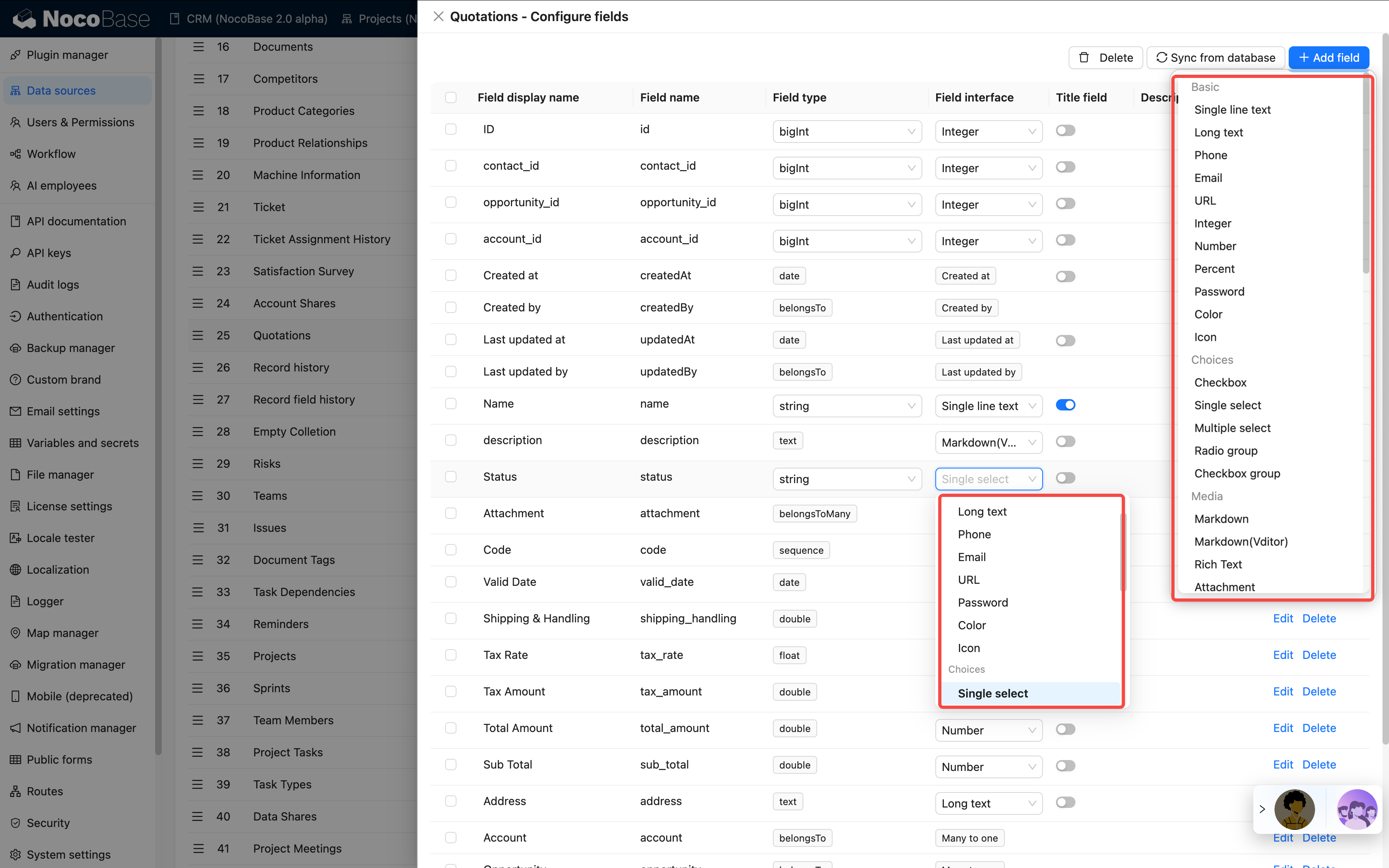
Flexible field type conversion
NocoBase supports flexible Field interface conversion when the underlying database type is compatible.
For example, a database string field can be presented as:
- Basic types: Single line text, Multiline text, Phone, Email, URL, Password, Color, or Icon.
- Choice types: Select or Radio group.
- Media types: Markdown, Markdown (Vditor), Rich text, or Attachment URL.
- Date and time types: Date time with timezone or Date time without timezone.
- Advanced types: Sequence, Collection selector, or Encryption.
This conversion does not change the underlying database storage type. It lets you adjust presentation and interaction as business requirements change while preserving existing data.
Field-level synchronization
NocoBase can synchronize fields individually as well as synchronize an entire collection.
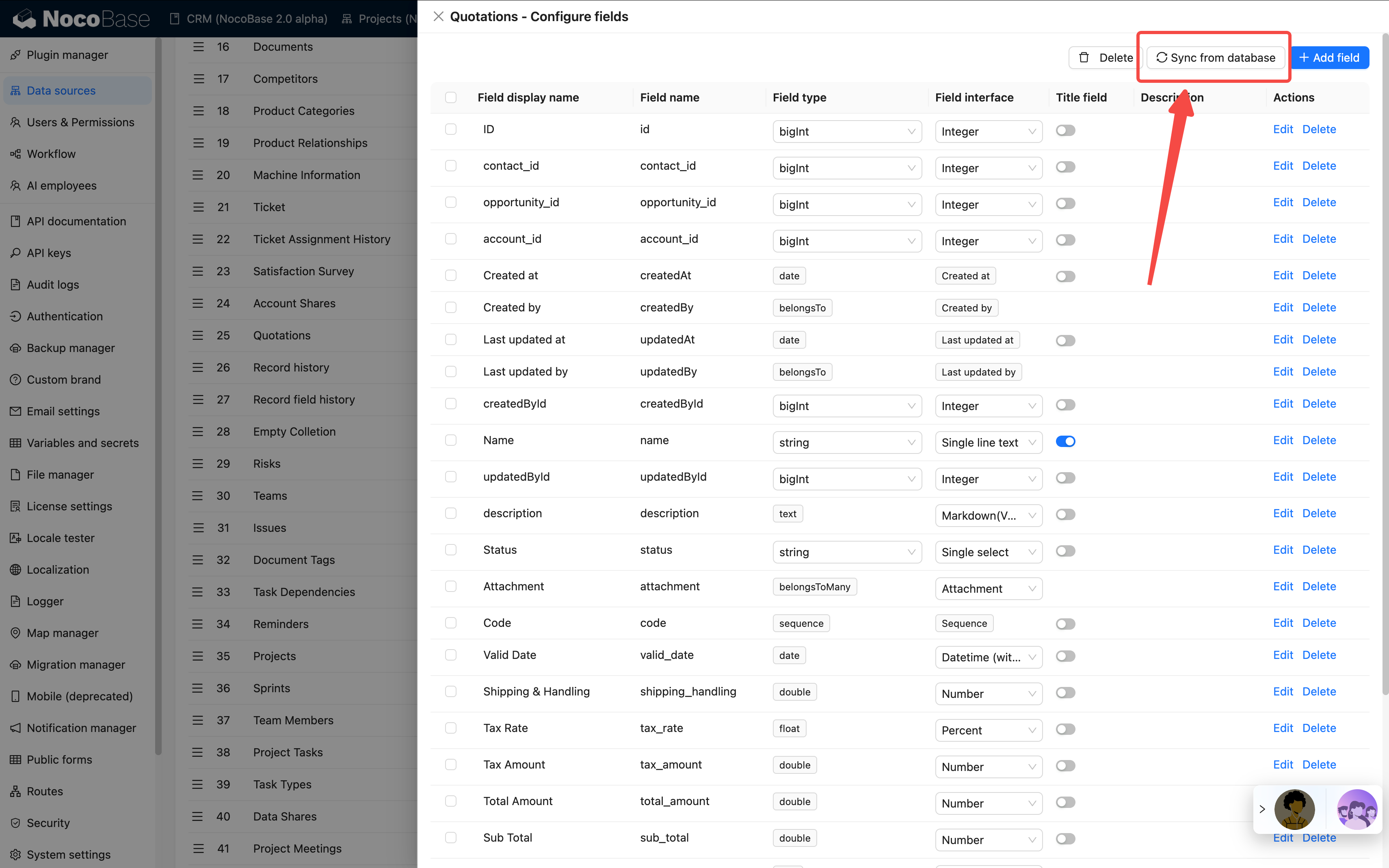
Field synchronization behavior
- Synchronize newly added fields after the database schema changes.
- Select only the fields you need rather than synchronizing every field.
- Identify database field types and map them to NocoBase Field types automatically.
- Preserve existing data during synchronization.
Use cases
- Database schema evolution: synchronize fields added for new business requirements.
- Team collaboration: synchronize fields added by another team member or DBA.
- Hybrid management: combine fields managed in NocoBase with fields managed by traditional database tools.
See Collection fields for details.