Router - Định tuyến
Trong NocoBase, Plugin đăng ký trang thông qua route. Hai cách phổ biến:
this.router.add() — Đăng ký route trang thông thườngthis.pluginSettingsManager.addMenuItem() + addPageTabItem() — Đăng ký trang cài đặt plugin
Việc đăng ký route thường được thực hiện trong phương thức load() của Plugin, xem chi tiết tại Plugin.
Lưu ý
Plugin của NocoBase v2, route sau khi đăng ký sẽ tự động thêm tiền tố /v, khi truy cập cần kèm theo tiền tố này.
Route mặc định
NocoBase đã đăng ký các route mặc định sau:
Route trang
Đăng ký route trang thông qua this.router.add(). Component trang được khuyến nghị dùng componentLoader để tải theo nhu cầu, như vậy code trang sẽ chỉ được tải khi thực sự truy cập.
Lưu ý
Tệp trang phải dùng export default để export component.
// pages/HelloPage.tsx
export default function HelloPage() {
  return <h1>Hello, NocoBase!</h1>;
}
Đăng ký trong load() của Plugin:
import { Plugin } from '@nocobase/client-v2';

class MyPlugin extends Plugin {
  async load() {
    this.router.add('hello', {
      path: '/hello',
      // Tải theo nhu cầu, chỉ tải module này khi truy cập /v/hello
      componentLoader: () => import('./pages/HelloPage'),
    });
  }
}
Tham số đầu tiên của router.add() là tên route, hỗ trợ dùng dấu chấm . để biểu diễn quan hệ cha-con. Ví dụ root.home biểu thị route con của root.
Trong component, có thể điều hướng đến route này thông qua ctx.router.navigate('/hello').
import { useFlowContext } from '@nocobase/flow-engine';
import { Button } from 'antd';

export default function SomeComponent() {
  const ctx = useFlowContext();
  return (
    <Button onClick={() => ctx.router.navigate('/hello')}>
      Go to Hello Page
    </Button>
  );
}
Chi tiết có thể tham khảo phần route trong Phát triển Component.
Route lồng nhau
Lồng nhau thông qua đặt tên có dấu chấm, route cha dùng <Outlet /> để render nội dung route con:
import { Outlet } from 'react-router-dom';

class MyPlugin extends Plugin {
  async load() {
    // Route cha, dùng element để viết bố cục trực tiếp
    this.router.add('root', {
      element: (
        <div>
          <nav>Thanh điều hướng</nav>
          <Outlet />
        </div>
      ),
    });

    // Route con, dùng componentLoader để tải theo nhu cầu
    this.router.add('root.home', {
      path: '/', // -> /v/
      componentLoader: () => import('./pages/HomePage'),
    });

    this.router.add('root.about', {
      path: '/about', // -> /v/about
      componentLoader: () => import('./pages/AboutPage'),
    });
  }
}
Tham số động
Đường dẫn route hỗ trợ tham số động:
this.router.add('root.user', {
  path: '/user/:id', // -> /v/user/:id
  componentLoader: () => import('./pages/UserPage'),
});
Trong component, có thể lấy tham số động thông qua ctx.route.params:
import { useFlowContext } from '@nocobase/flow-engine';

export default function UserPage() {
  const ctx = useFlowContext();
  const { id } = ctx.route.params; // Lấy tham số động id
  return <h1>User ID: {id}</h1>;
}
Chi tiết có thể tham khảo phần route trong Phát triển Component.
componentLoader vs element
componentLoader (khuyến nghị): Tải theo nhu cầu, phù hợp cho component trang, tệp trang cần export defaultelement: Truyền JSX trực tiếp, phù hợp cho component bố cục hoặc trang inline rất nhẹ
Nếu trang có phụ thuộc nặng, khuyến nghị ưu tiên dùng componentLoader.
Trang cài đặt plugin
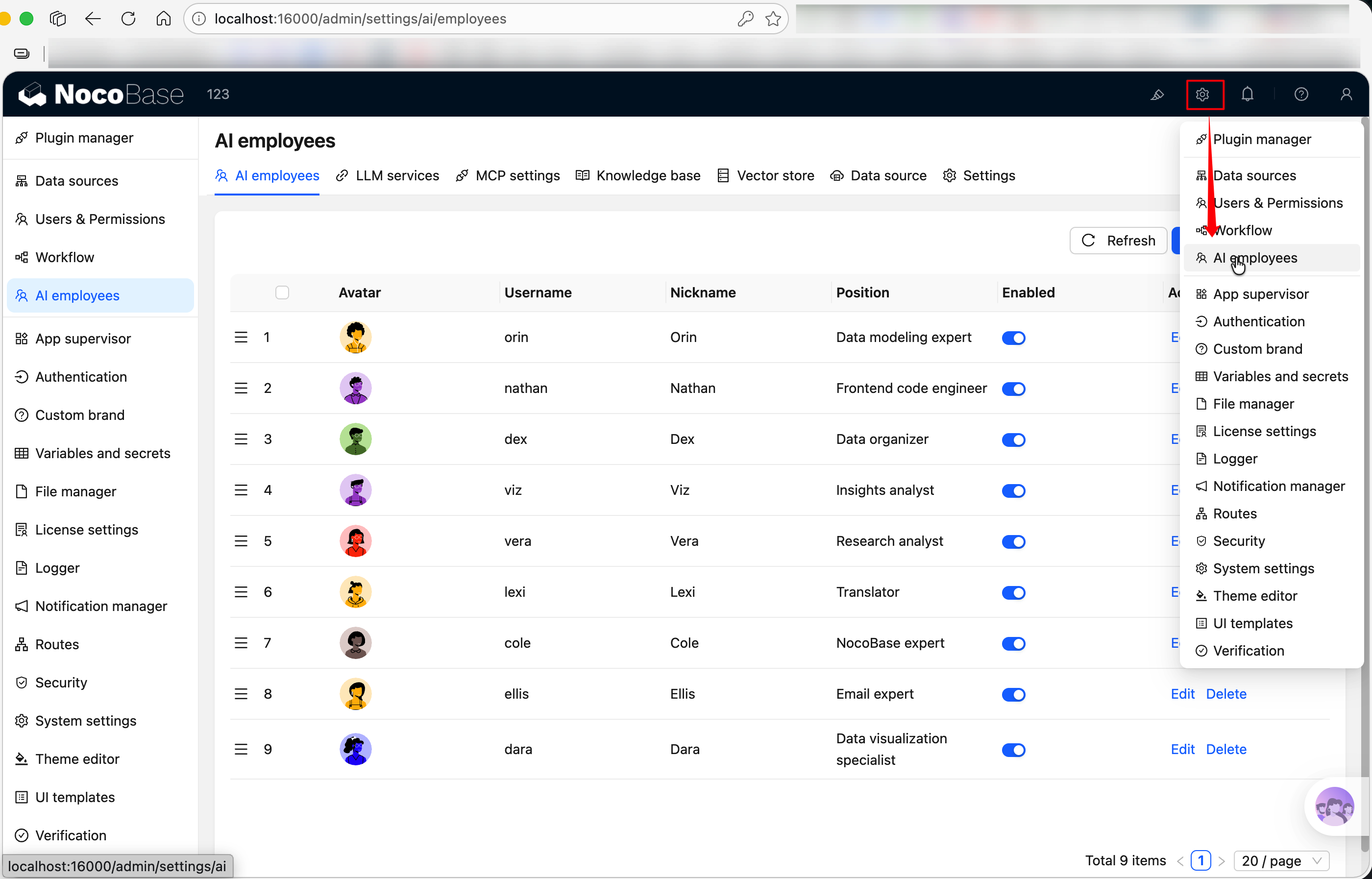
Đăng ký trang cài đặt plugin thông qua this.pluginSettingsManager. Đăng ký chia làm hai bước — trước tiên dùng addMenuItem() để đăng ký mục menu, sau đó dùng addPageTabItem() để đăng ký trang thực tế. Trang cài đặt sẽ xuất hiện trong menu "Cấu hình plugin" của NocoBase.
import { Plugin, Application } from '@nocobase/client-v2';

export class HelloPlugin extends Plugin<any, Application> {
  async load() {
    // Đăng ký mục menu
    this.pluginSettingsManager.addMenuItem({
      key: 'hello',
      title: this.t('Cài đặt Hello'),
      icon: 'ApiOutlined', // Tên biểu tượng Ant Design, tham khảo https://5x.ant.design/components/icon
    });

    // Đăng ký trang (key là 'index' sẽ map đến đường dẫn gốc của menu)
    this.pluginSettingsManager.addPageTabItem({
      menuKey: 'hello',
      key: 'index',
      title: this.t('Cài đặt Hello'),
      componentLoader: () => import('./settings/HelloSettingPage'),
    });
  }
}
Sau khi đăng ký, đường dẫn truy cập là /v/admin/settings/hello. Khi dưới menu chỉ có một trang, thanh tab phía trên sẽ tự động ẩn.
Trang cài đặt nhiều Tab
Nếu trang cài đặt cần nhiều trang con, đăng ký nhiều addPageTabItem cho cùng một menuKey — phía trên sẽ tự động xuất hiện thanh tab:
import { Plugin, Application } from '@nocobase/client-v2';

class HelloPlugin extends Plugin<any, Application> {
  async load() {
    // Đăng ký mục menu
    this.pluginSettingsManager.addMenuItem({
      key: 'hello',
      title: this.t('HelloWorld'),
      icon: 'ApiOutlined',
    });

    // Tab 1: Cài đặt cơ bản (key là 'index', map đến /v/admin/settings/hello)
    this.pluginSettingsManager.addPageTabItem({
      menuKey: 'hello',
      key: 'index',
      title: this.t('Cài đặt cơ bản'),
      componentLoader: () => import('./settings/GeneralPage'),
    });

    // Tab 2: Cài đặt nâng cao (map đến /v/admin/settings/hello/advanced)
    this.pluginSettingsManager.addPageTabItem({
      menuKey: 'hello',
      key: 'advanced',
      title: this.t('Cài đặt nâng cao'),
      componentLoader: () => import('./settings/AdvancedPage'),
    });
  }
}
Tham số addPageTabItem
Liên kết liên quan

