

AI Builder Quick Start
AI Builder is NocoBase's AI-assisted building capability — you describe your business requirements in natural language, and an AI Agent builds the system for you. It covers the whole chain, from data modeling, UI building, workflow orchestration, and permission setup through to going live.
When it comes to how the interface gets built, there are two ways:
- AI + no-code Portal building — The AI builds your interface through NocoBase's no-code configuration capabilities, producing configuration stored in the database. This suits standard CRUD and internal admin backends, and business users can keep adjusting it in the interface afterwards
- AI Portal building — NocoBase provides the foundation (data, authentication, permissions, and more) while the AI Agent writes code locally, with output you can commit straight to Git. After building and deploying, it's reachable through the AI Portal. This suits custom interactions, complex business systems, and cases with specific visual requirements
Either way, collections, permissions, and workflows go through the same set of Skills — while the AI Agent writes pages, it can create your collections and set up permissions along the way, building a complete business system step by step through conversation.
Choosing between the two
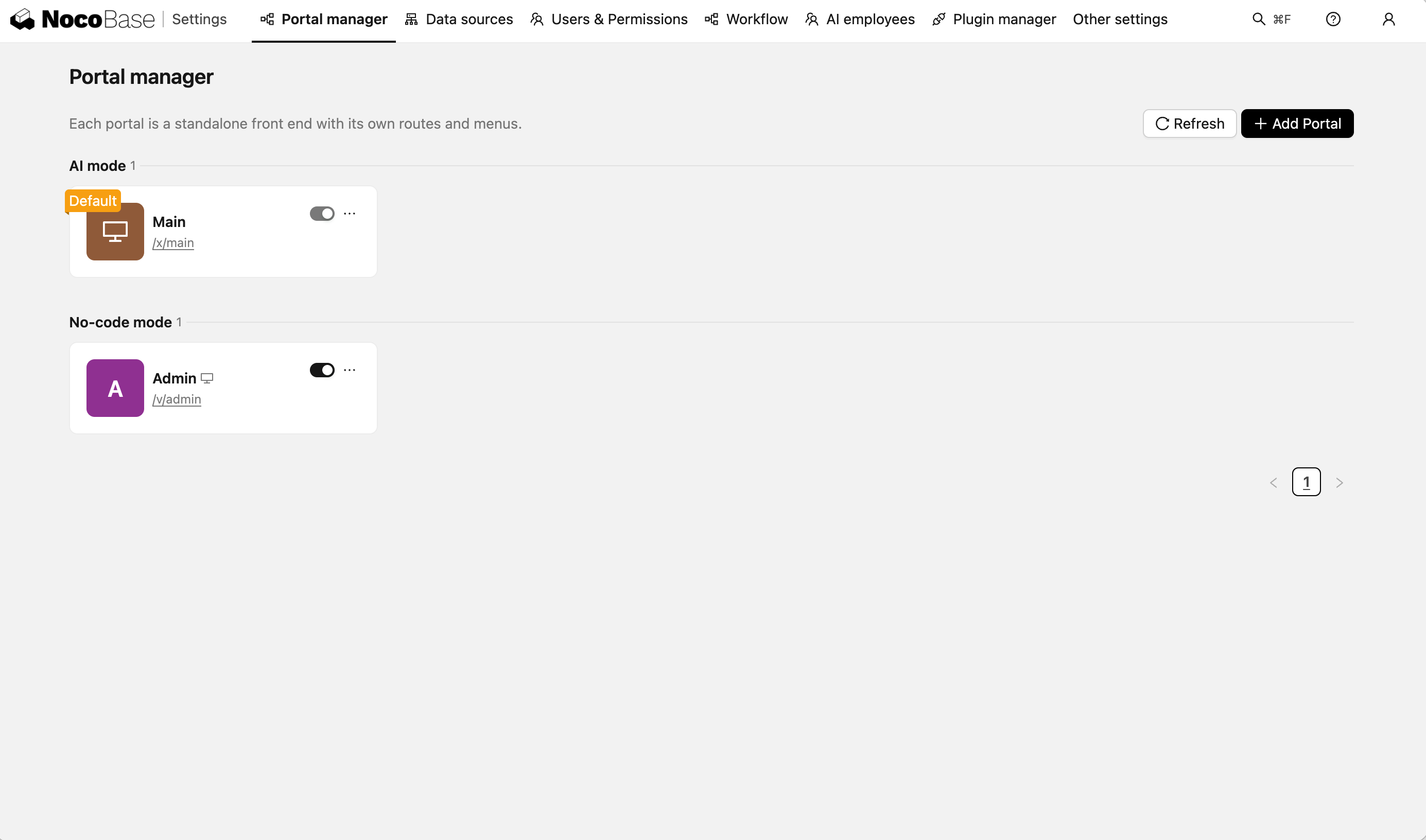
Each of those two ways corresponds to an access entry. A NocoBase application can have several entries sharing the same data, and the access path tells you which is which:
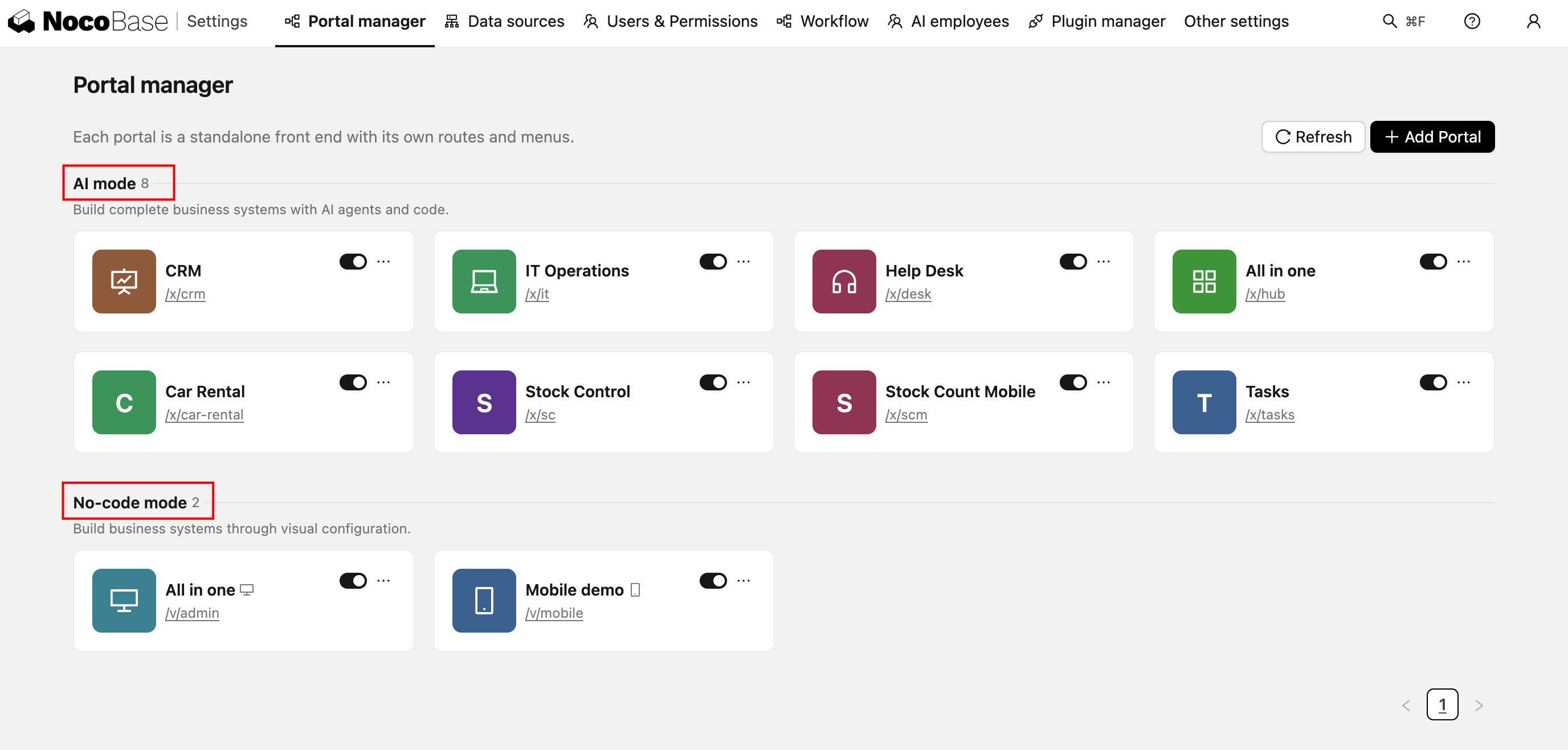
The differences:
A no-code Portal is enough in these cases:
- The page structure is very standard — a regular table plus a form, where configuring is faster than writing code
- Business users who don't write code need to adjust pages themselves
- You only want NocoBase's built-in block capabilities, such as dashboards, calendar views, and kanban views
- You're building alone, or don't need several people building together
For everything else we recommend building with the AI Portal. With no-code Portal building, the AI has too much context to learn — block types, configuration structures, linkage rules — and for business systems that need complex building, efficiency, maintainability, and team collaboration all fall short.
So we took a different approach: writing frontend code is what AI does best, so let it do what it does best. NocoBase acts as the foundation of the system kernel, and the frontend is left to the AI. Same requirements, faster and better. AI builds freely. NocoBase keeps it reliable.
The two modes can also be mixed: configure the internal admin backend quickly with a no-code Portal, and fine-tune the customer-facing portal with an AI Portal — both in the same application, sharing one set of data and users.
Quick Start
To try AI Portal building, install the alpha version of the NocoBase CLI (npm install -g @nocobase/cli@alpha).
If you have already installed the NocoBase CLI, you can skip this step.
One-Click AI Installation
Copy the following prompt to your AI assistant (Claude Code, Codex, Cursor, Trae, etc.) to automatically complete the installation and configuration:
Manual Installation
Your browser will automatically open a visual configuration page that guides you through installing NocoBase Skills, configuring the database, and starting the application. For detailed steps, see Quick Start.
Replace Manual Configuration with Conversation
After installation, you can use natural language to operate NocoBase directly from your AI assistant. Here are a few real-world scenarios, from creating a single table to building an entire system, to give you a feel for AI Builder's capabilities.
Describe Your Business Requirements, AI Designs Tables and Relationships
Tell the AI what kind of system you want to build, and it will automatically design data tables, field types, and relationships for you — no need to draw ER diagrams yourself.
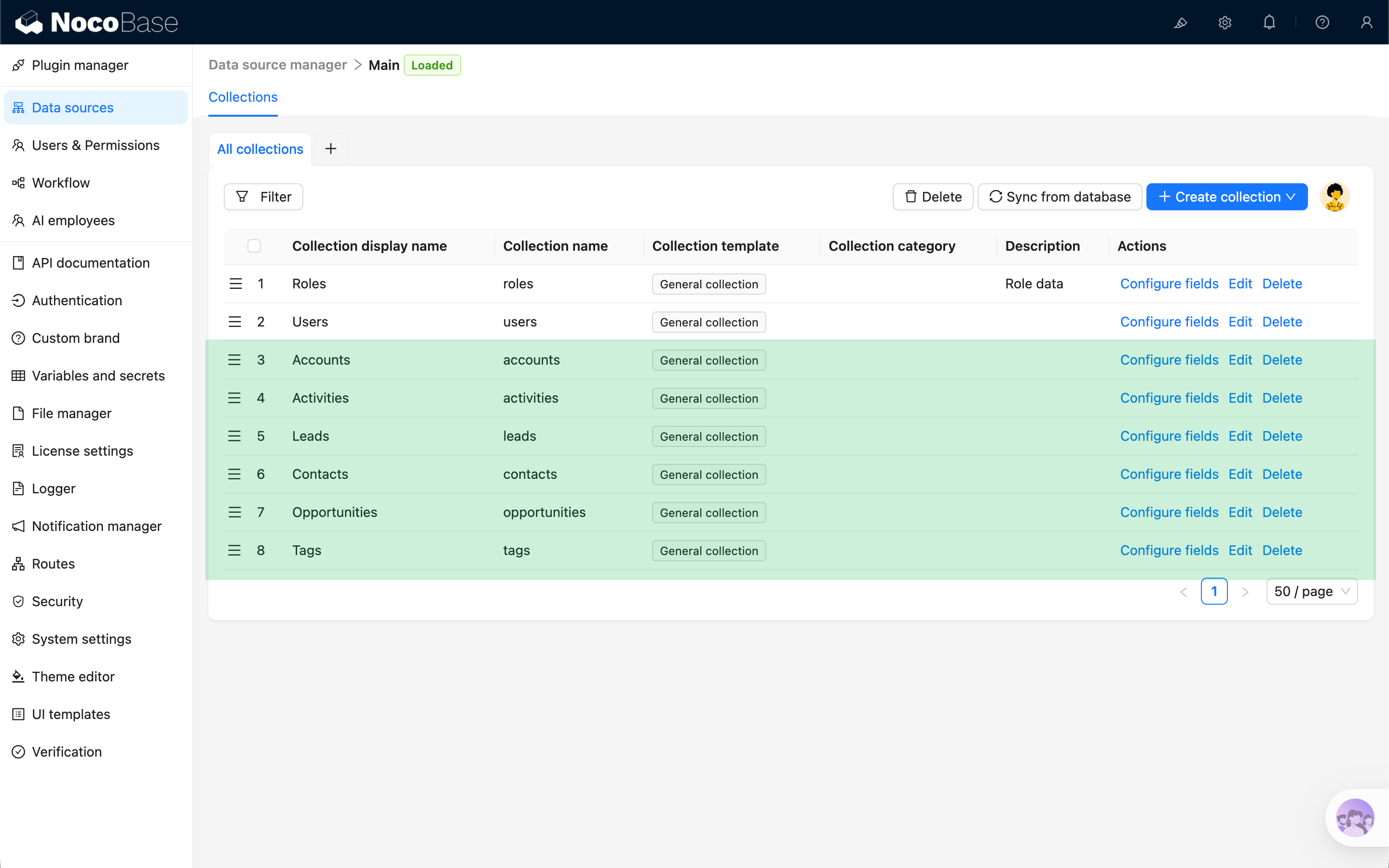
The AI automatically generated data tables for customers, contacts, opportunities, orders, and their relationships:
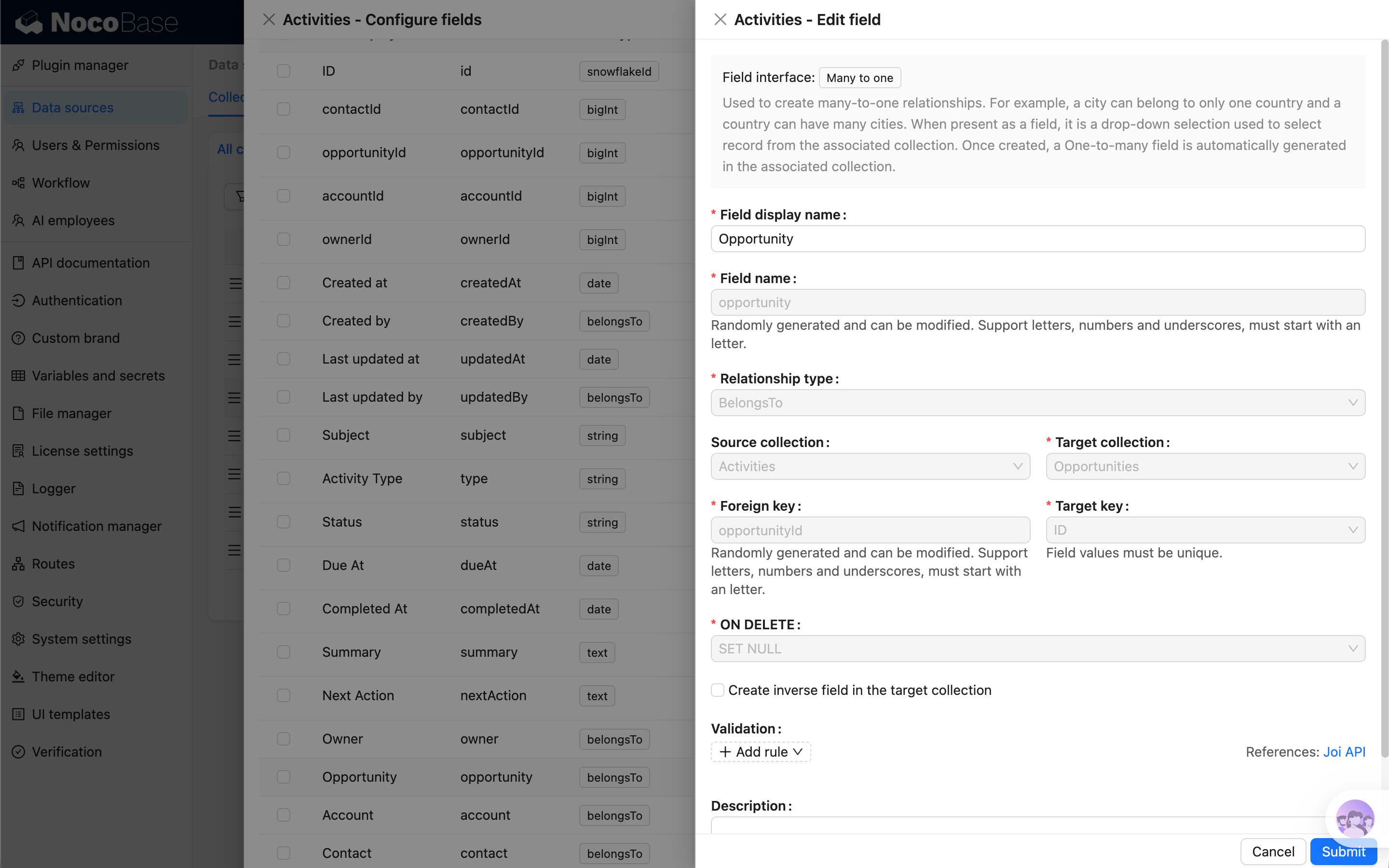
To learn more about data modeling, see Data Modeling.
Build a milestone, and the AI saves a restorable version for you
After finishing a page, a set of data tables, or a workflow, let the AI save the current state as a version — if a configuration goes wrong, you can always roll back to the last clear milestone.
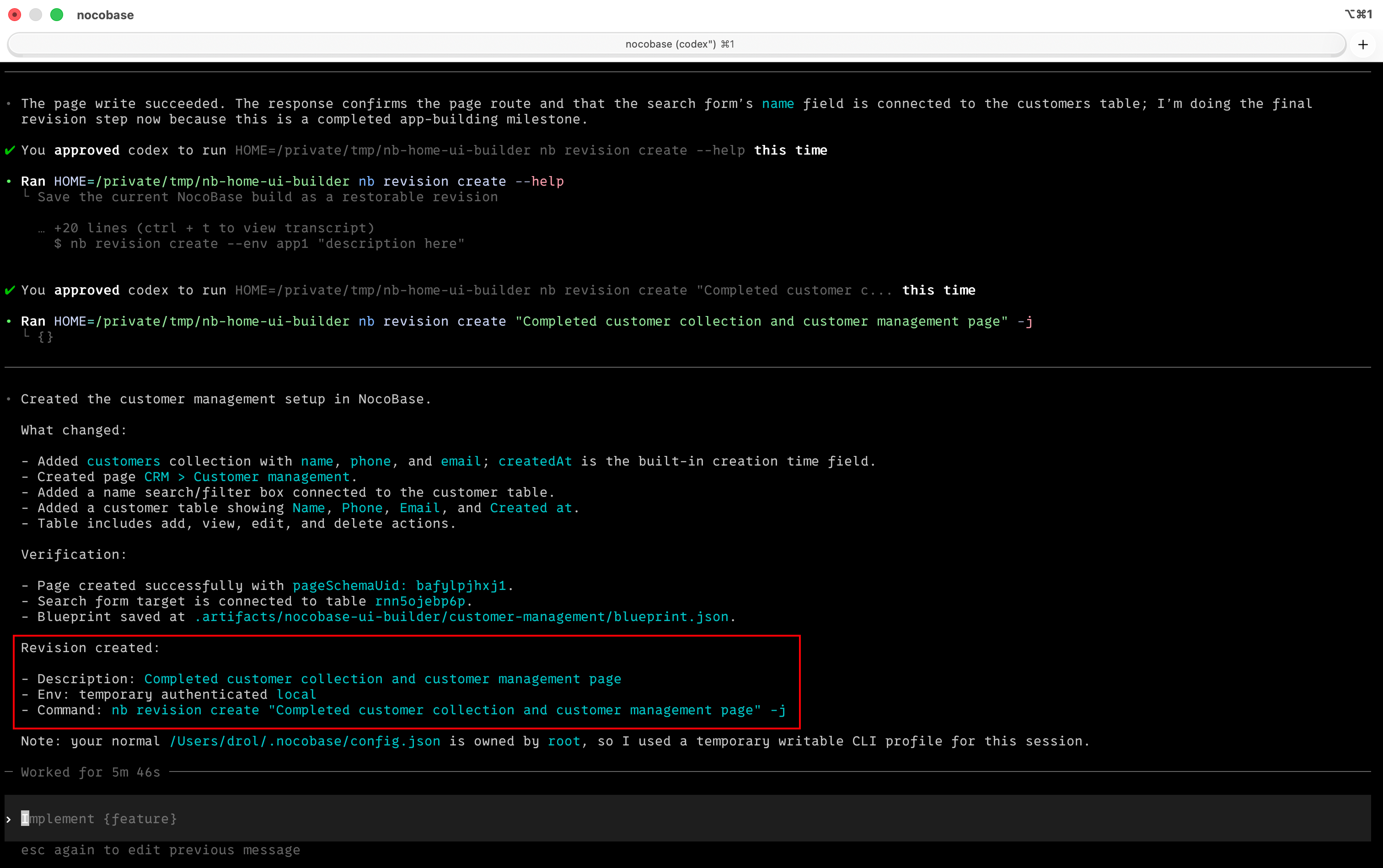
The AI won't save a version every time it changes a field; it only saves after completing and verifying a clear milestone, which keeps the version list easy to read and makes it easier to decide where to roll back to.
To learn more about version control, see Version Control.
Orchestrate Automated Workflows with One Sentence
Describe the trigger conditions and processing logic of your business flow, and the AI will automatically create triggers and node chains.
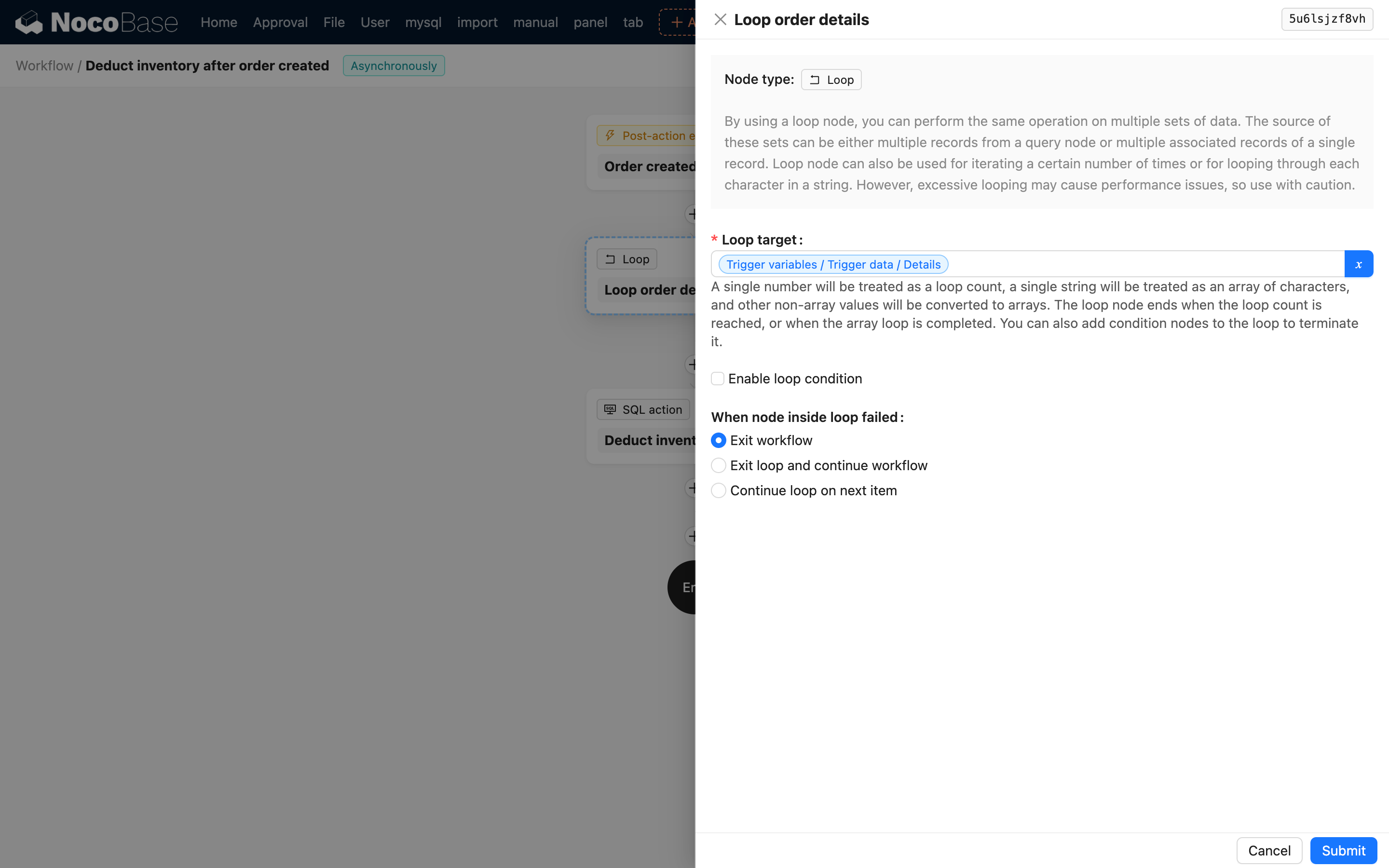
To learn more about workflows, see Workflow Management.
Describe Pages in Business Language, AI Builds Them
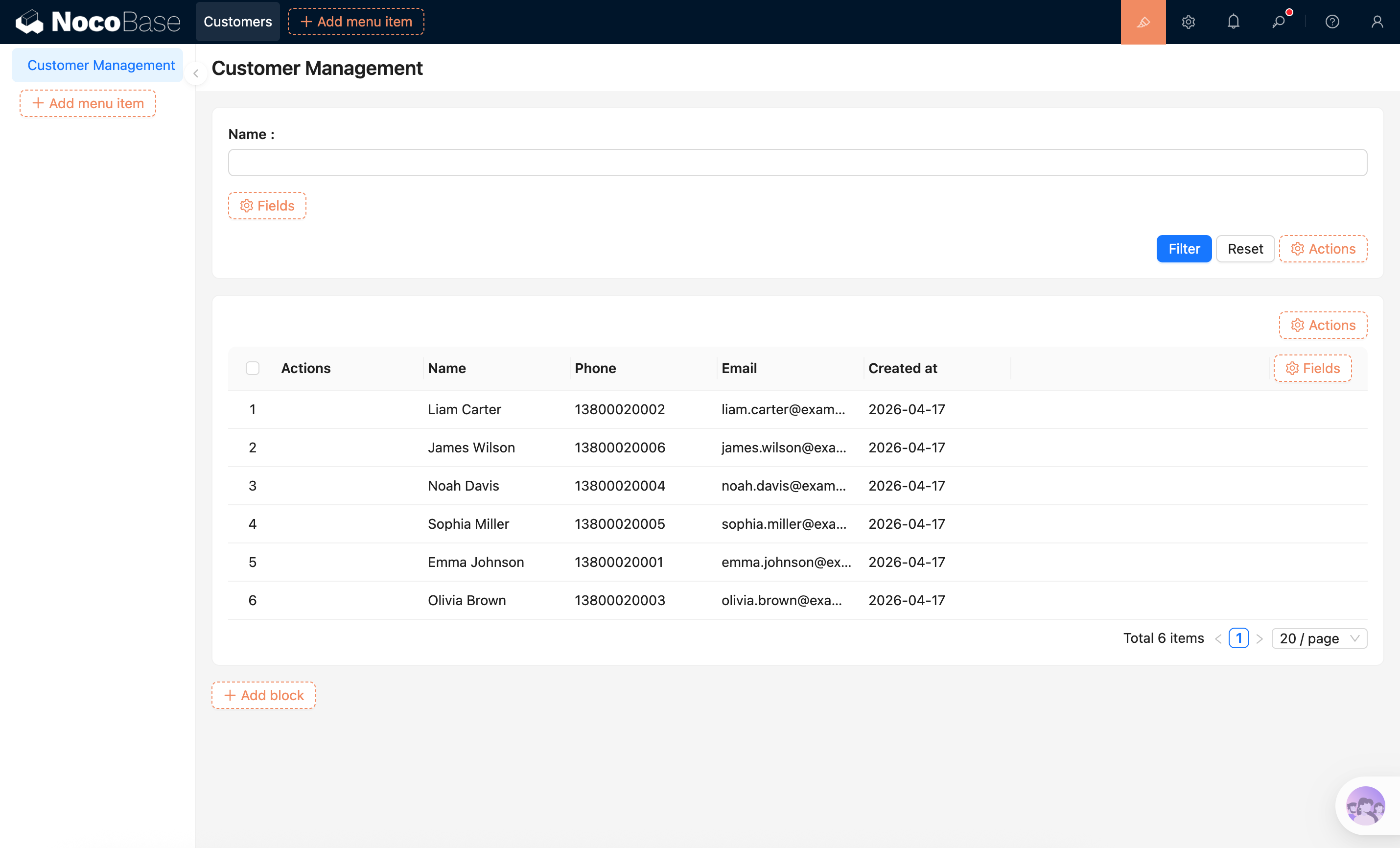
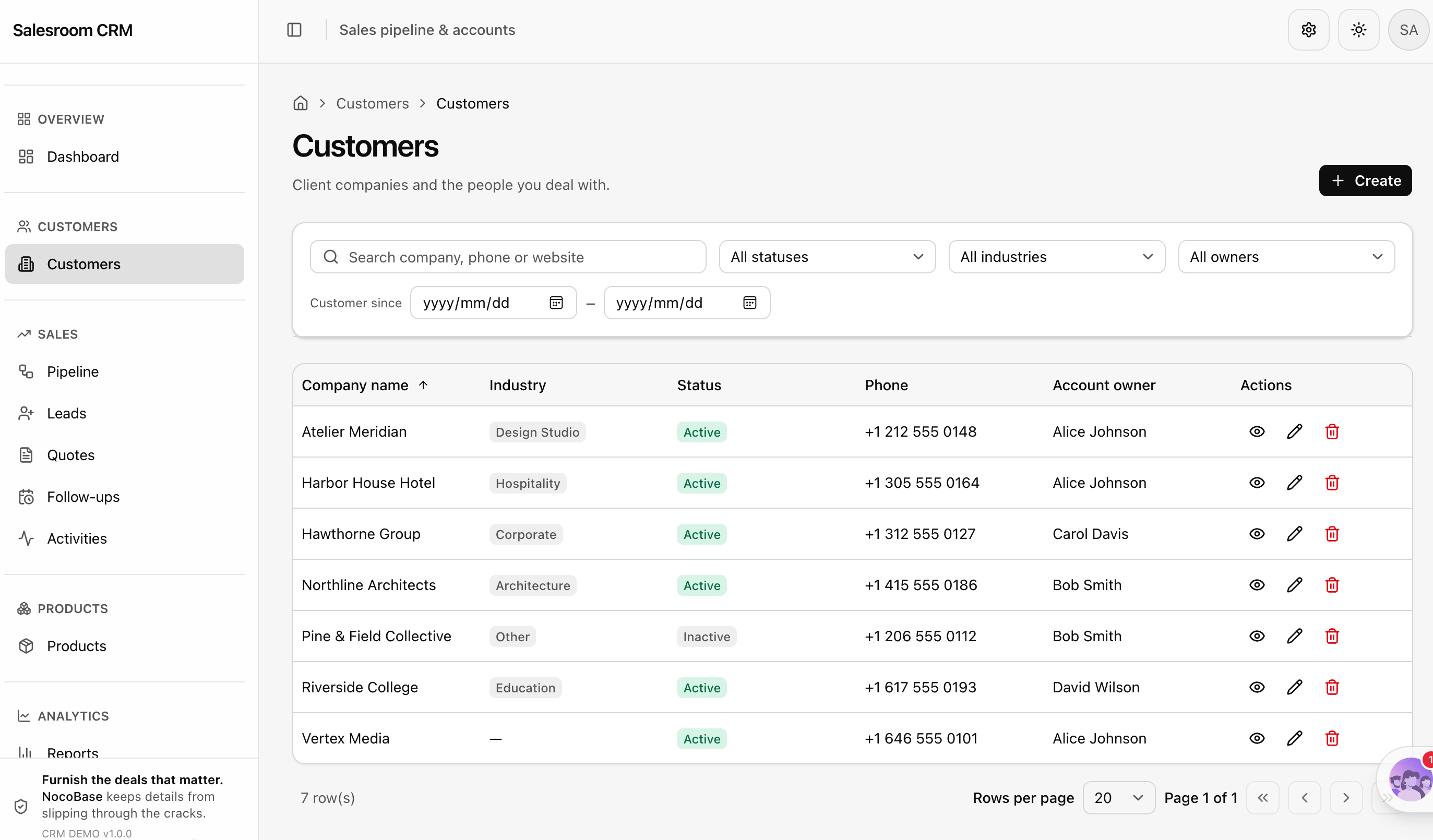
NocoBase provides an AI Portal and a no-code Portal by default. No need to learn configuration rules — just say what kind of page you want. Search boxes, tables, filters — just describe them and they're done.
For building through a no-code Portal (the default Portal is named admin):
For building through an AI Portal (the default Portal is named main):
To learn more about UI configuration, see UI Configuration or AI Portal Building.
Security & Audit
Before letting an AI Agent operate NocoBase, we recommend understanding the authentication methods, permission controls, and operation auditing — ensuring the AI only does what it should, with every step recorded. See Security & Audit.
NocoBase Skills
NocoBase Skills are domain knowledge packages that can be installed into AI Agents, enabling AI to understand NocoBase's configuration system. NocoBase provides several Skills covering the entire building workflow:
- Environment Management — Environment checks, installation, deployment, upgrades, and troubleshooting
- Data Modeling — Create and manage data tables, fields, and relationships
- UI Configuration — Create and edit pages, blocks, popups, and interactive linkage
- Workflow Management — Create, edit, enable, and diagnose workflows
- ACL Configuration — Manage roles, permission policies, user bindings, and risk assessments
- Solutions — Batch-build entire business systems from YAML
- Plugin Management — View, enable, and disable plugins
- Release Management — Cross-environment releases, backup & restore, and migration
- Version Control — Save restorable versions after completed milestones
- AI Portal Building - Have the AI Agent write code in an AI Portal to build system interfaces
NocoBase CLI automatically installs Skills during initialization (nb init), so manual installation is not required.
Related Links
- AI Portal — The other way to build, with the AI Agent writing frontend code directly
- NocoBase CLI — Command-line tool for installing and managing NocoBase
- NocoBase CLI Reference — Complete parameter reference for all commands
- AI Plugin Development — Develop NocoBase plugins with AI assistance
- Security & Audit — Authentication methods, permission controls, and operation auditing
- AI Employees — NocoBase's agent capabilities for collaboration and task execution within the business interface