

Building with an AI Agent
Before reading this page, make sure you have your first Portal running by following the AI Portal Quick Start.
Day-to-day AI Portal development is a conversation with an AI Agent — you describe the page you want, it writes the code, you check the result in the browser.
Work inside the Portal directory
Before you start, go into the Portal's source directory and open your AI Agent there. That way the Agent starts out in the right context, with access to AGENTS.md and the existing code.
First find out where the directory is:
The dev path in the output is where the Portal source lives. cd there, then open your AI Agent:
After that, just describe what you need:
Have the AI read before it writes
There's an AGENTS.md at the root of the template describing this project's conventions: prefer reusing what's already in src/extensions, customize UI components through composition rather than editing the base components, and don't bring in Ant Design. AI Agents that read this file follow these conventions automatically.
You can also add your own project's conventions to AGENTS.md — naming habits, business terminology, directories to leave alone. Once they're in there they apply to every conversation, so you don't have to repeat yourself.
src/extensions contains a few built-in extensions. Among them, nocobase-users-example is a complete CRUD page with list, create, edit, and detail views. Pointing the AI at it beats describing a new page from scratch:
Prompt examples
Scenario A: Create a new business page
Three things are enough — what's on the page, where the data comes from, and how it behaves:
Scenario B: Modify an existing page
For a change request, be specific about what changes. No need to describe the whole page again:
Scenario C: Wire up a new collection
Once a collection exists, have the AI generate the matching pages. It reads the field definitions and picks form controls and list columns accordingly:
If the collection doesn't exist yet, use Data Modeling to have the AI design the data structure first, then come back to the pages.
Scenario D: Reproduce a design
When you have a design file or an existing HTML prototype, hand it to the AI:
Scenario E: Add an authentication method
Once an authentication method is enabled on the server, the login page needs matching frontend support:
Collaboration tips
Iterate in small steps. Have the AI do one page or one change at a time, and check the result before moving on. If you describe five pages in one go, it's hard to tell which step went off the rails when something breaks.
Leave the dev server running. nb portal dev main hot-reloads, so you see the result right after each change the AI makes. That's the shortest feedback loop you can get.
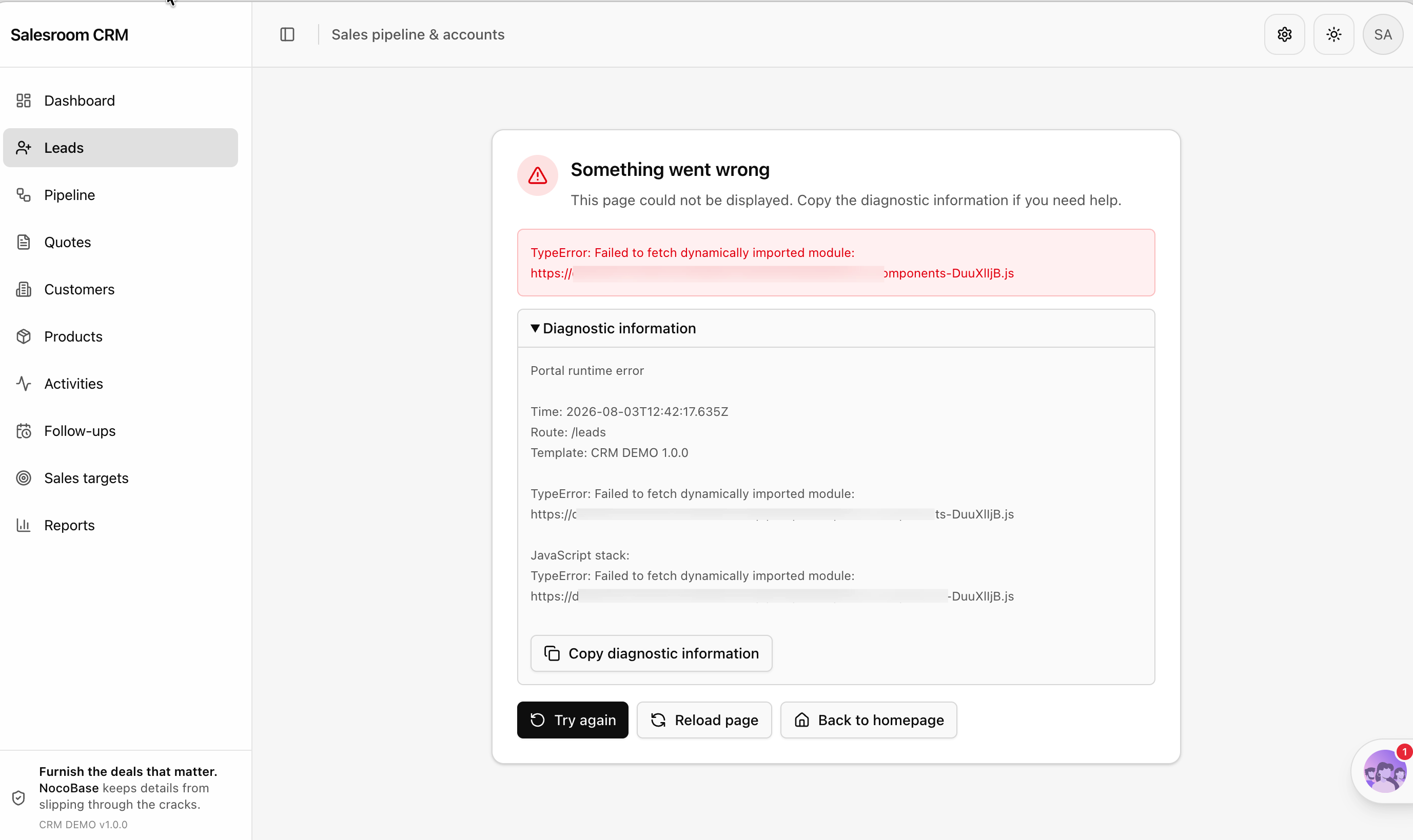
Give it the exact error. A blank page, a failed build, a 403 from an API — paste the full error message and a screenshot to the AI instead of making it guess. A few rounds usually sort it out. You don't need to work out which layer the problem is in first.
Common questions
How do I roll back when the AI gets it wrong?
If the Portal source is under Git, git checkout is all you need. With the default nocobase source storage, you can pull a fresh copy from source storage over the local one:
--force deletes the dev workspace and pulls again, so make sure there's nothing you want to keep before running it. To avoid that trade-off, move the source to Git early on — see Deployment and Source Management.
How do I troubleshoot a failed build?
Run a build locally first to see the full error:
TypeScript type errors and missing dependencies are the two most common causes. Paste the error to the AI and let it fix them.
Do my manual edits conflict with the AI's?
No. The Portal source is an ordinary frontend project — you can edit it yourself whenever you want, and let the AI pick up from there. As long as you're not both editing the same file at the same moment, there's no problem.
Related Links
- AI Portal Quick Start — Get your first AI-written frontend entry running
- Deployment and Source Management — Putting Portal source under Git, and the deployment flow
- Project Structure and Tech Stack — The template's directory conventions, so you can tell whether the AI got it right
- Standard Components and Extensions — The shadcn/ui component base and the extension mechanism
- Data Modeling — Have the AI design the collections before building pages
nb portal info— Check where a Portal's dev workspace isnb portal pull— Pull the source again from source storage