

API Reference
Server-side
The APIs available in the server-side package structure are shown in the following code:
PluginWorkflowServer
Workflow plugin class.
Usually, during the application's runtime, you can call app.pm.get<PluginWorkflowServer>(PluginWorkflowServer) anywhere you can get the application instance app to obtain the workflow plugin instance (referred to as plugin below).
registerTrigger()
Extends and registers a new trigger type.
Signature
registerTrigger(type: string, trigger: typeof Trigger | Trigger })
Parameters
Example
registerInstruction()
Extends and registers a new node type.
Signature
registerInstruction(type: string, instruction: typeof Instruction | Instruction })
Parameters
Example
trigger()
Triggers a specific workflow. Mainly used in custom triggers to trigger the corresponding workflow when a specific custom event is listened to.
Signature
trigger(workflow: Workflow, context: any)
Parameters
context is currently a required item. If not provided, the workflow will not be triggered.
Example
resume()
Resumes a waiting workflow with a specific node job.
- Only workflows in the waiting state (
EXECUTION_STATUS.STARTED) can be resumed. - Only node jobs in the pending state (
JOB_STATUS.PENDING) can be resumed.
Signature
resume(job: JobModel)
Parameters
The passed job object is generally an updated object, and its status is usually updated to a value other than JOB_STATUS.PENDING, otherwise it will continue to wait.
Example
See source code for details.
Trigger
The base class for triggers, used to extend custom trigger types.
on/off are used to register/unregister event listeners when a workflow is enabled/disabled. The passed parameter is the workflow instance corresponding to the trigger, which can be processed according to the configuration. Some trigger types that already have globally listened events may not need to implement these two methods. For example, in a scheduled trigger, you can register a timer in on and unregister it in off.
Instruction
The base class for instruction types, used to extend custom instruction types.
Related Types
For getScope, you can refer to the implementation of the loop node, which is used to provide local variable content for branches.
EXECUTION_STATUS
A constant table for workflow execution plan statuses, used to identify the current status of the corresponding execution plan.
Except for the first three, all others represent a failed state, but can be used to describe different reasons for failure.
JOB_STATUS
A constant table for workflow node job statuses, used to identify the current status of the corresponding node job. The status generated by the node also affects the status of the entire execution plan.
Client-side
The APIs available in the client-side package structure are shown in the following code:
PluginWorkflowClientV2
Workflow client plugin class. Usually obtained via this.app.pm.get('workflow').
registerTrigger()
Registers the configuration panel for a trigger type.
Signature
registerTrigger(type: string, trigger: typeof Trigger | Trigger): void
Parameters
registerInstruction()
Registers the configuration panel for a node type.
Signature
registerInstruction(type: string, instruction: typeof Instruction | Instruction): void
Parameters
registerInstructionGroup()
Registers a node type group. NocoBase provides 4 default node type groups:
'control': Control'collection': Collection operations'manual': Manual processing'extended': Other extensions
If you need to extend other groups, you can use this method to register them.
Signature
registerInstructionGroup(type: string, group: { label: string }): void
Parameters
Example
isWorkflowSync()
Determines whether a workflow is in synchronous mode.
Signature
isWorkflowSync(workflow: object): boolean
Trigger
The base class for triggers, used to extend custom trigger types.
Related Types
- If
useVariablesis not set, it means that this trigger type does not provide a value retrieval function, and the trigger's context data cannot be selected in the workflow nodes.
Instruction
The base class for instructions, used to extend custom node types.
Related Types
- If
useVariablesis not set, it means that this node type does not provide a value retrieval function, and the result data of this type of node cannot be selected in the workflow nodes. If the result value is singular (not selectable), you can return static content that expresses the corresponding information (see: calculation node source code). If it needs to be selectable (e.g., a property of an Object), you can customize the corresponding selection component output (see: query data node source code). ComponentLoaderis a custom rendering component for the node. When the default node rendering is not sufficient, it can be completely overridden for custom node view rendering. For example, to provide additional branch rendering for branch-type nodes (see: condition node source code).isAvailableis mainly used to determine whether a node can be used (added) in the current environment. The current environment includes the workflow plugin instance, the current workflow, upstream nodes, and the current branch index.
Variable Input Components
The workflow provides a set of variable input components for letting users select workflow variables in node/trigger configuration forms.
WorkflowVariableInput
Variable input that supports selecting a variable and continuing to type content. Suitable for single-line input scenarios that require a mix of variable references and free text.
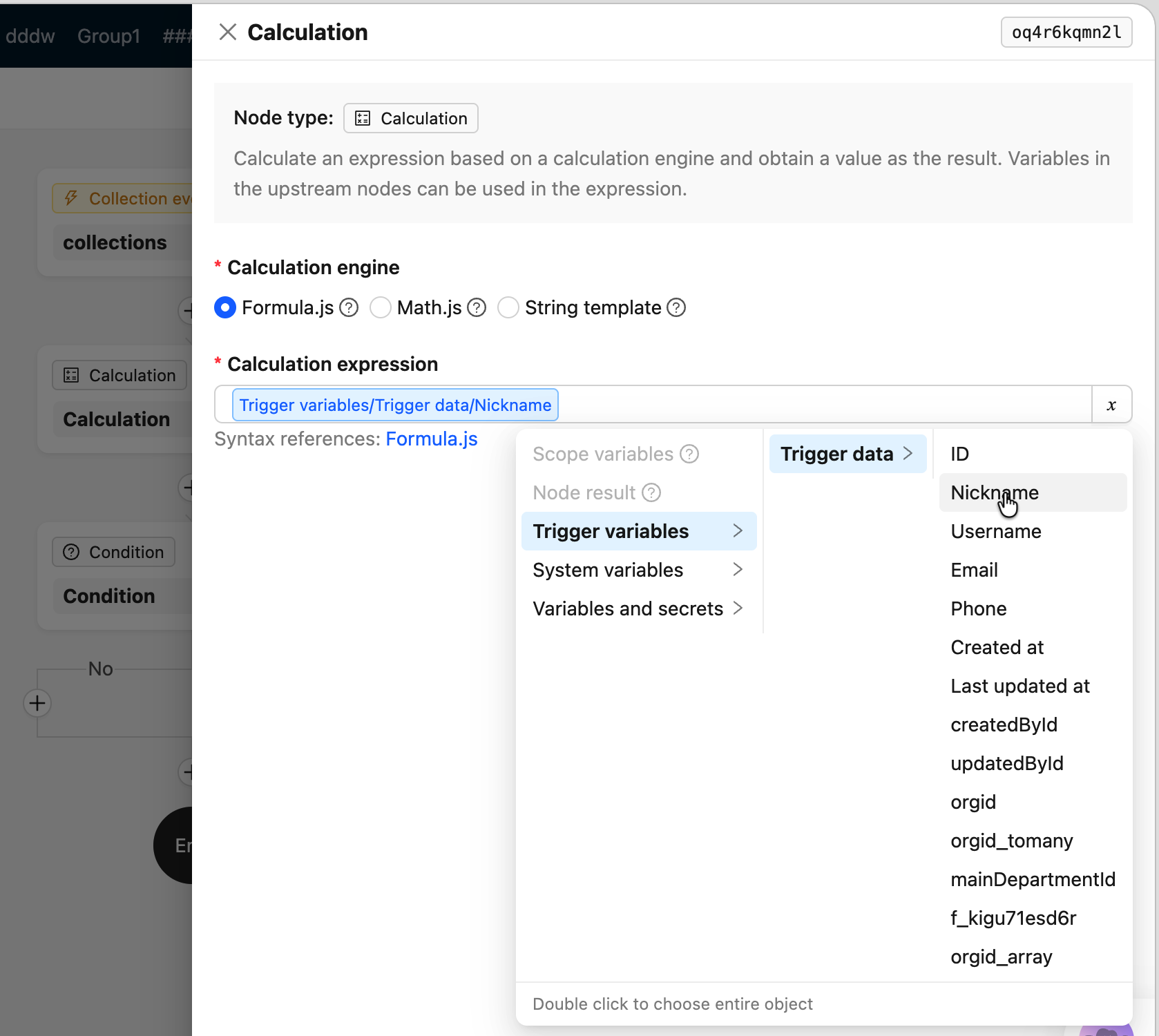
Props
WorkflowVariableTextArea
Multi-line text area that supports inserting variable references at any cursor position. Suitable for free text scenarios such as HTTP Body, template text, etc.
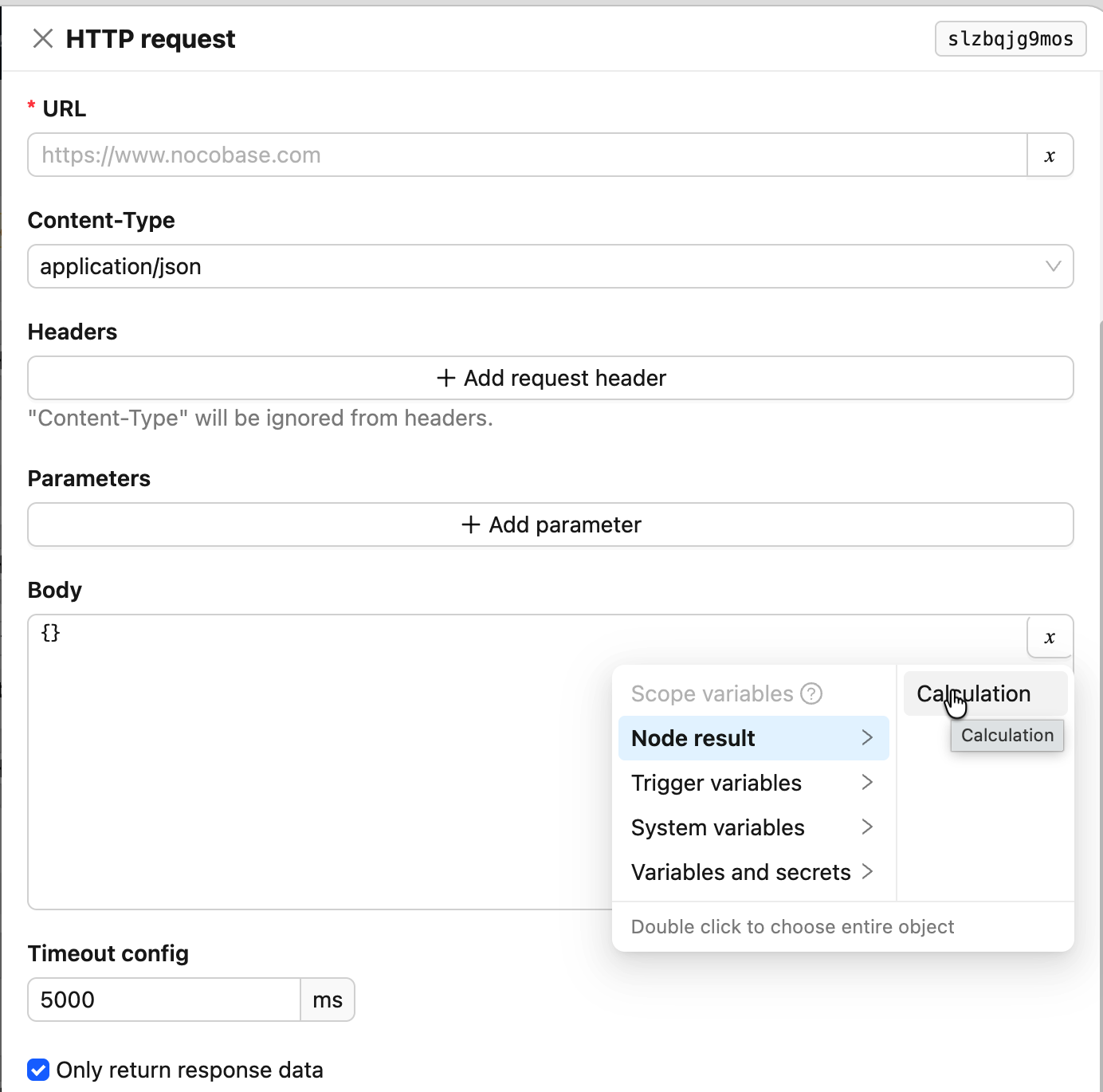
Props
Inherits other Props from antd TextArea (such as autoSize, placeholder, etc.).
WorkflowTypedVariableInput
Typed input that switches between "constant" and "variable reference" modes. In variable mode, you can only select a variable; you cannot continue typing after selection. In constant mode, five types are supported: string, number, boolean, date, and object.
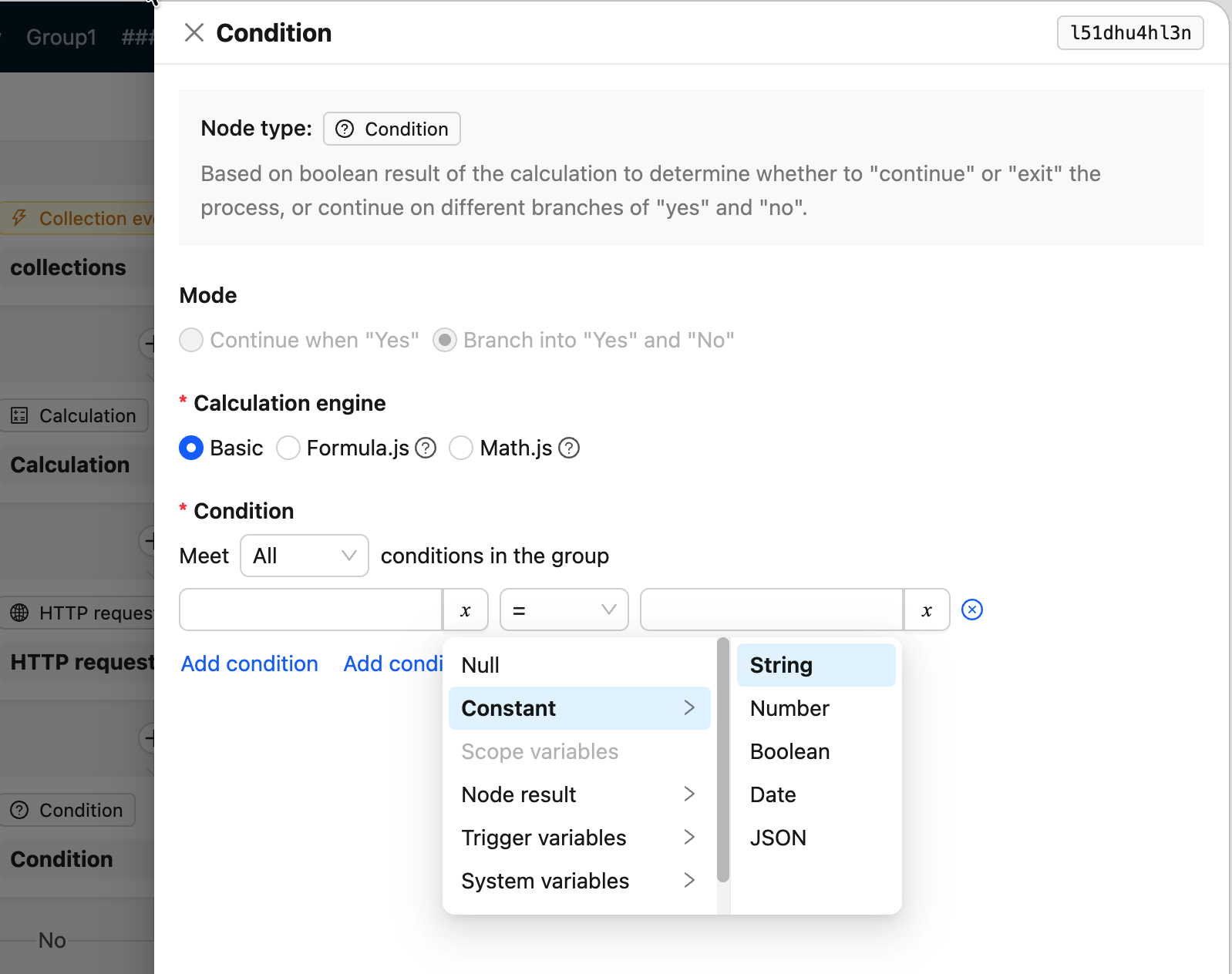
Props
Inherits other Props from TypedVariableInput (excluding internally used extraNodes, metaTree, namespaces).
WorkflowVariableWrapper
Generic wrapper for substituting different input components in different contexts. For example, when the same field requires different input methods in the trigger node configuration and the node configuration drawer, you can use this component to wrap a native input into a variable-mode-switchable input.
Props
Collection-related Components
The workflow also provides a set of collection-related helper components:
CollectionCascader— Data-source-aware collection selector (cascader)AppendsSelect— Association field preloading selector (tree select)FieldsSelect— Collection field multi-selectorSortFieldsInput— Sort field inputPaginationFields— Pagination parameter form items