

Create Record
Used to add a new record to a collection.
The field values for the new record can use variables from the workflow context. To assign values to association fields, you can directly reference the corresponding data variables in the context, which can be either an object or a foreign key value. If not using variables, you need to manually enter the foreign key values. For multiple foreign key values in a to-many relationship, they must be separated by commas.
Create Node
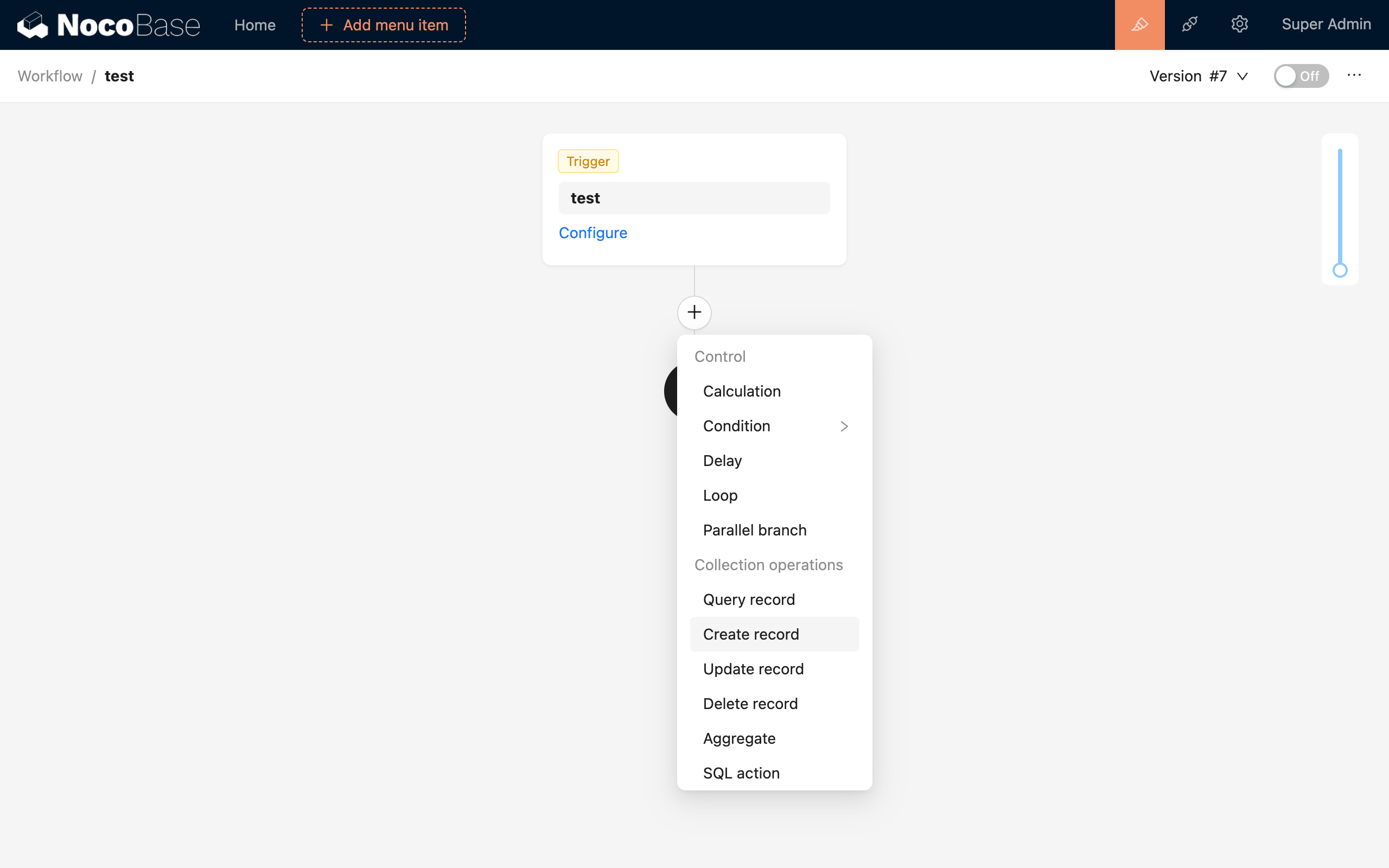
In the workflow configuration interface, click the plus ("+") button in the flow to add a "Create Record" node:
Node Configuration
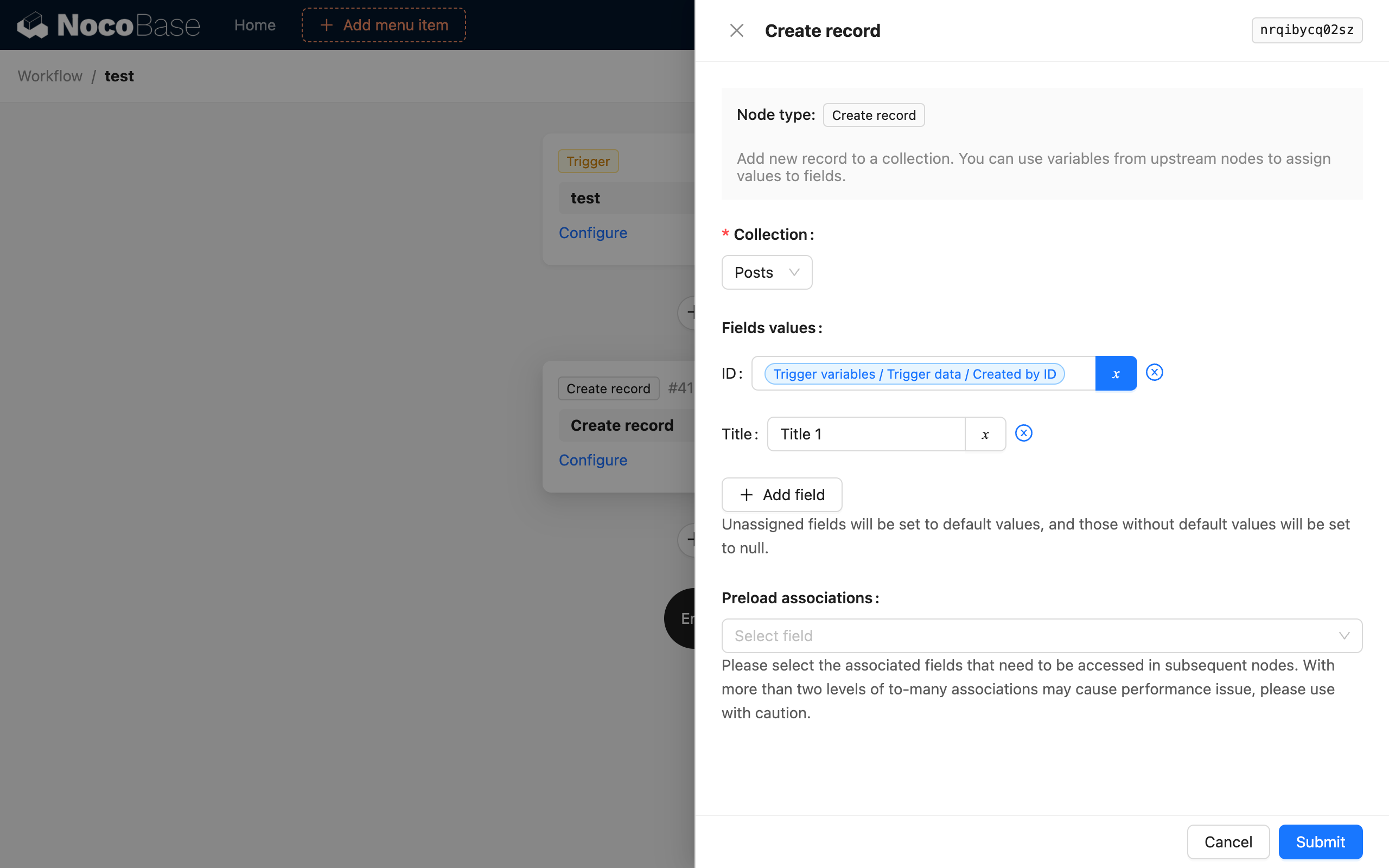
Collection
Select the collection to which you want to add a new record.
Field Values
Assign values to the fields of the collection. You can use variables from the workflow context or manually enter static values.
Data created by the "Create Record" node in a workflow does not automatically handle user data like "Created by" and "Last modified by". You need to configure the values for these fields yourself as needed.
Preload association data
If the fields of the new record include association fields and you want to use the corresponding association data in subsequent workflow steps, you can check the corresponding association fields in the preload configuration. This way, after the new record is created, the corresponding association data will be automatically loaded and stored together in the node's result data.
Example
For example, when a record in the "Posts" collection is created or updated, a "Post Versions" record needs to be automatically created to log a change history for the post. You can use the "Create Record" node to achieve this:
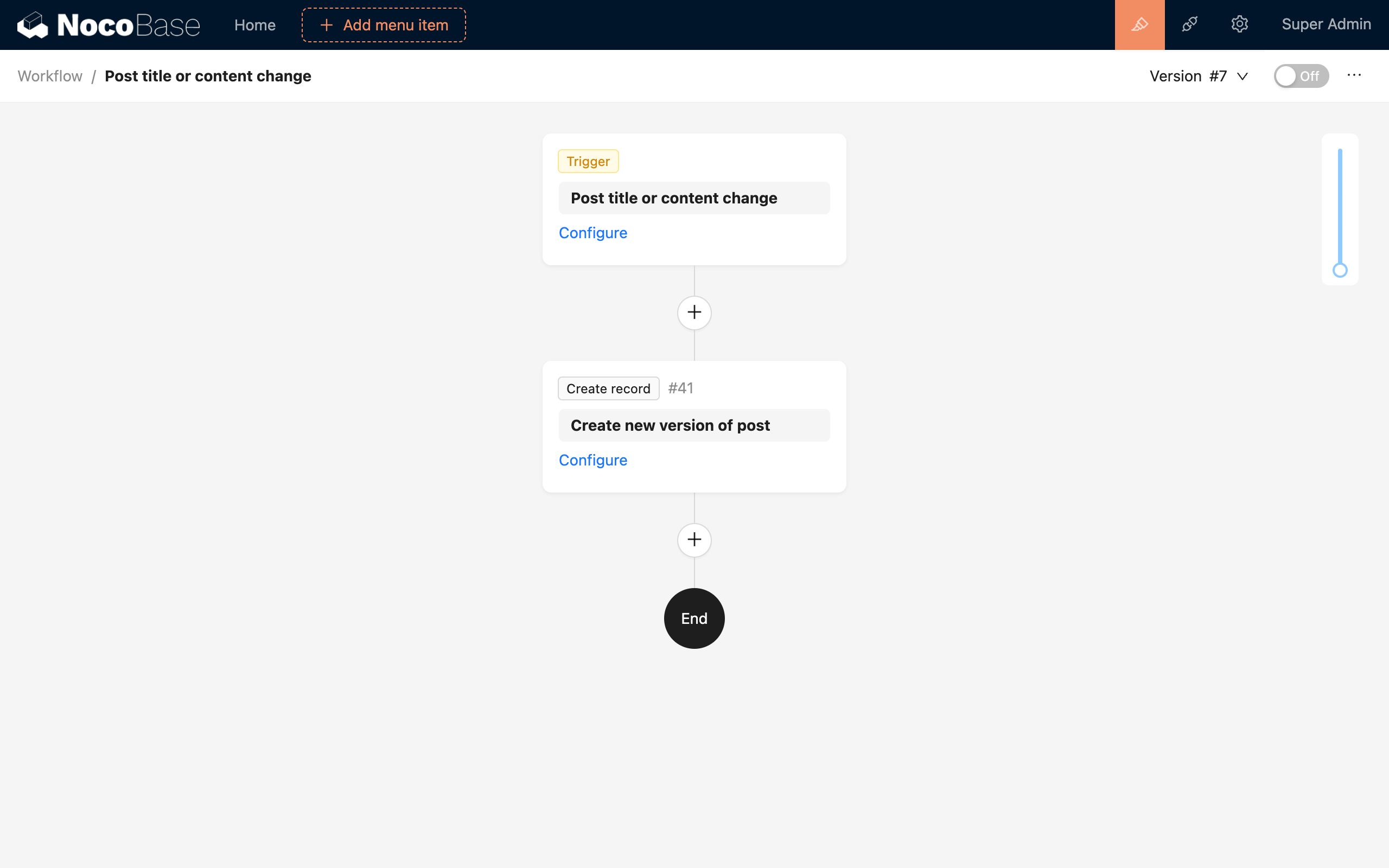
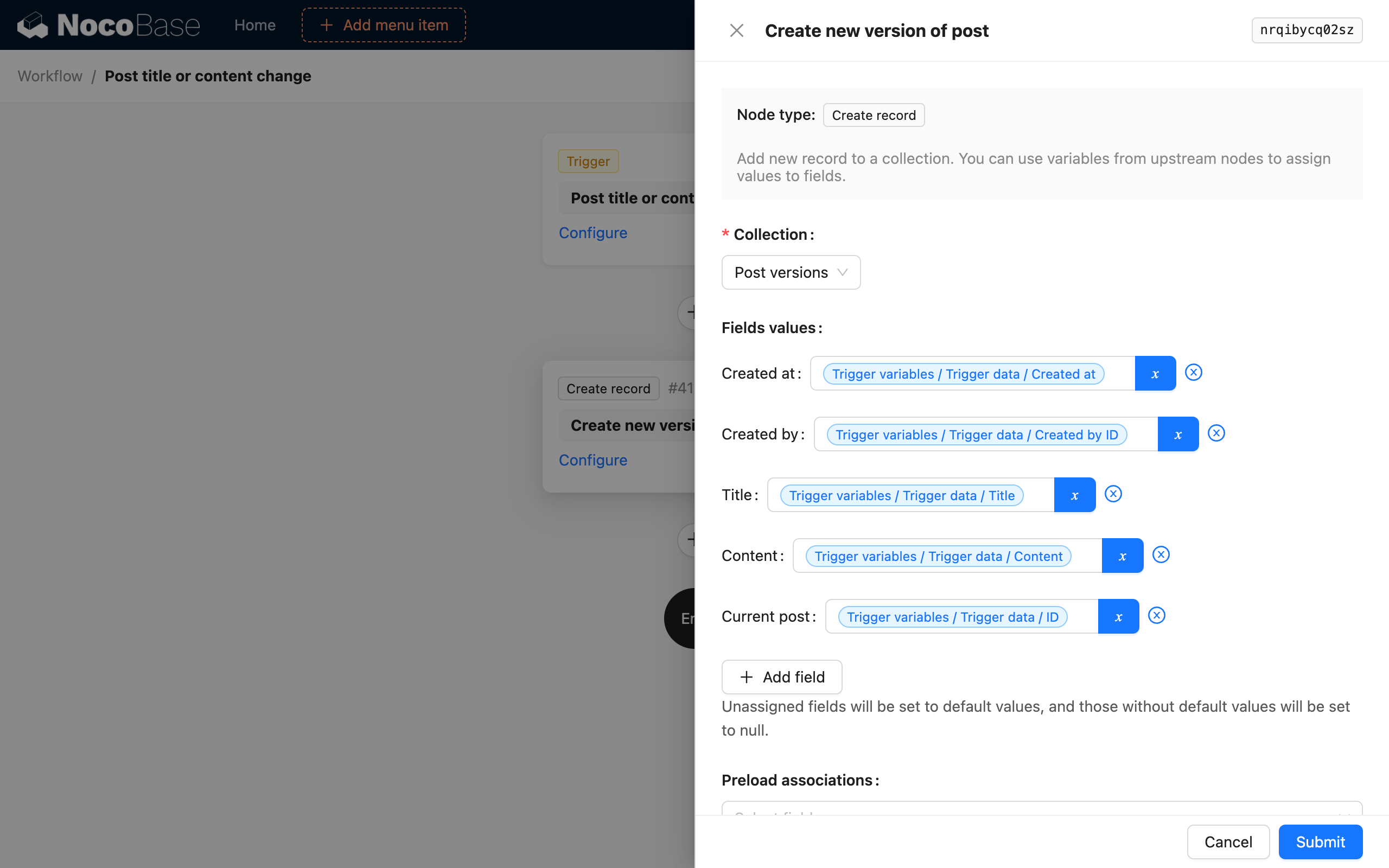
After enabling the workflow with this configuration, when a record in the "Posts" collection is changed, a "Post Versions" record will be automatically created to log the change history of the post.