

SQL Action
Workflow: SQL nodeCommunity Edition+Introduction
In some special scenarios, the simple collection action nodes mentioned above may not be able to handle complex operations. In such cases, you can use the SQL node directly to have the database execute complex SQL statements for data manipulation.
The difference between this and directly connecting to the database for SQL operations outside the application is that within a workflow, you can use variables from the process context as parameters in the SQL statement.
Installation
Built-in plugin, no installation required.
Create Node
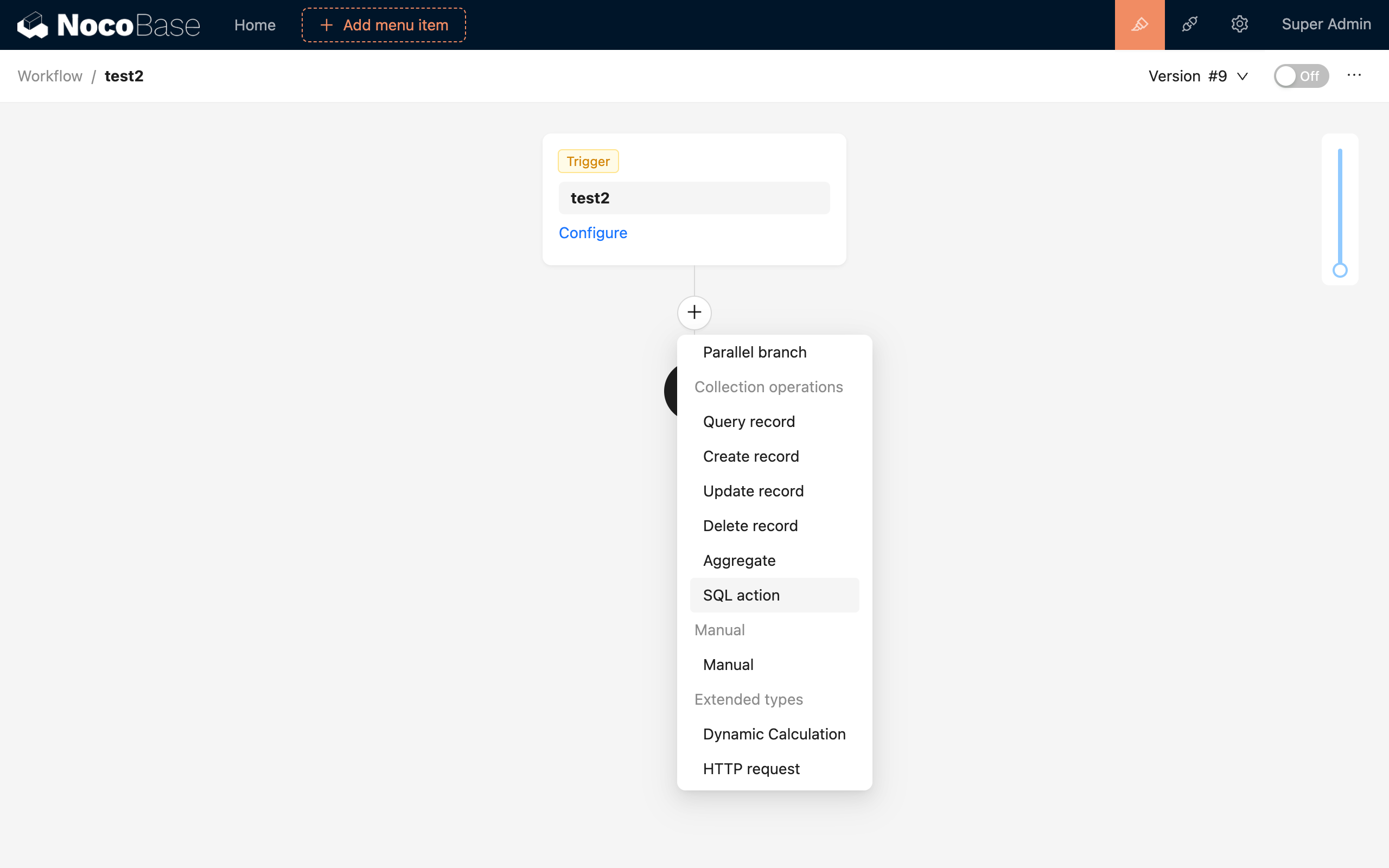
In the workflow configuration interface, click the plus ("+") button in the flow to add an "SQL Action" node:
Node Configuration
Data Source
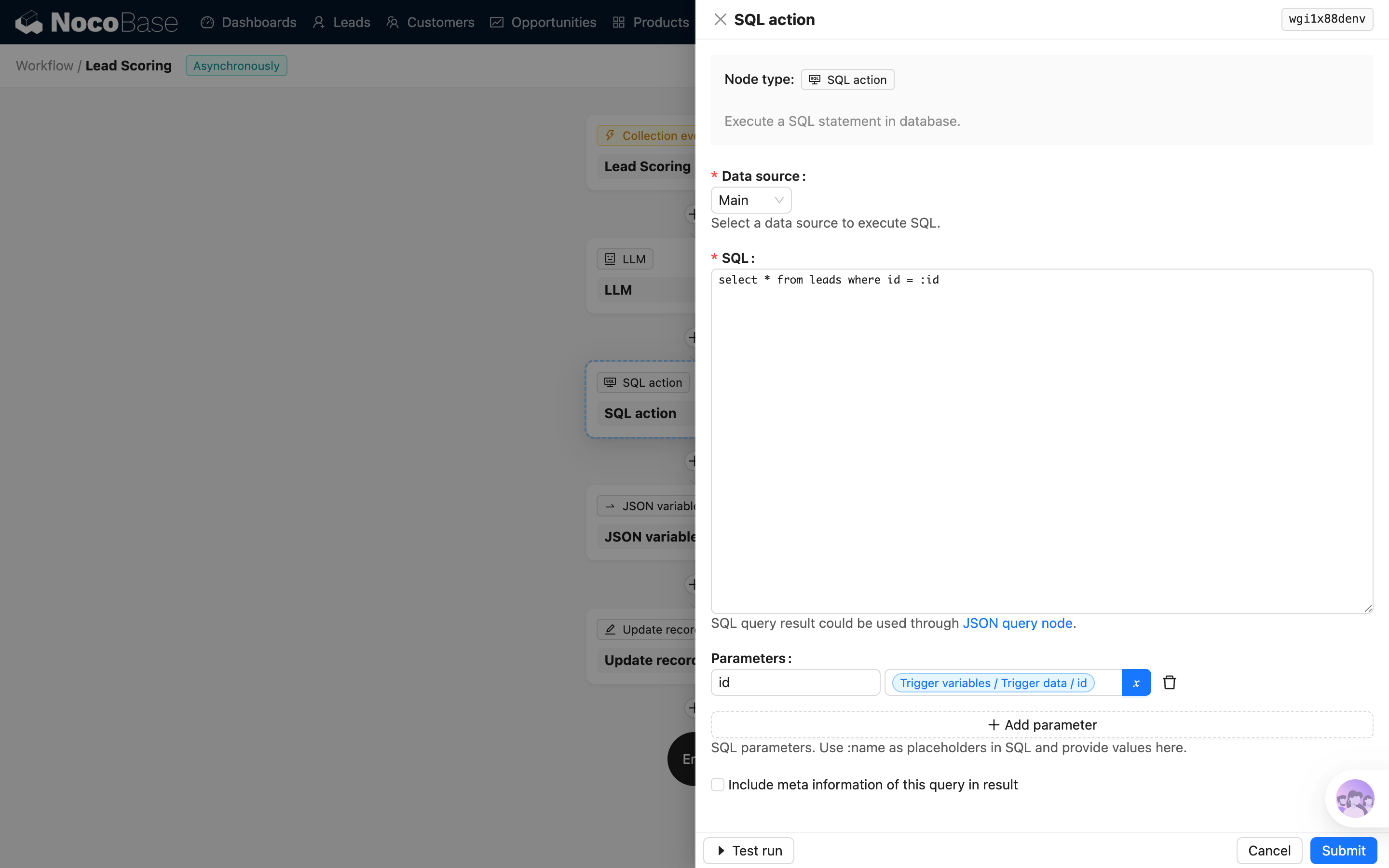
Select the data source to execute the SQL.
The data source must be a database type, such as the main data source, PostgreSQL, or other Sequelize-compatible data sources.
SQL Content
Edit the SQL statement. Currently, only one SQL statement is supported.
Since v2.0.30, for security reasons, direct variable text substitution in SQL statements is no longer supported. Parameterized queries must be used instead.
Variables from the process context can be used in SQL statements, but must be specified using the :variableName placeholder format, for example:
Parameter List
In the SQL statement above, :userId is a placeholder. The replacement of placeholders must be configured in the "Parameter List". The variable name uses the name from the placeholder, e.g. userId, and the value can be selected from the process context using the variable selector.
Node Execution Result
Since v1.3.15-beta, the result of a SQL node execution is an array of pure data. Before that, it was the native Sequelize return structure containing query metadata (see: sequelize.query()).
For example, the following query:
Result before v1.3.15-beta:
Result after v1.3.15-beta:
FAQ
How to use the result of a SQL node?
If a SELECT statement is used, the query result will be saved in the node in Sequelize's JSON format. It can be parsed and used with the JSON-query plugin.
Does the SQL action trigger collection events?
No. The SQL action sends the SQL statement directly to the database for processing. The related CREATE / UPDATE / DELETE operations occur in the database, while collection events occur at the Node.js application layer (handled by the ORM), so collection events will not be triggered.