

Send email
Workflow: mailer nodeCommunity Edition+Introduction
Used to send emails. Supports content in text and HTML formats.
Create node
In the workflow configuration interface, click the plus ("+") button in the flow to add a "Send email" node:
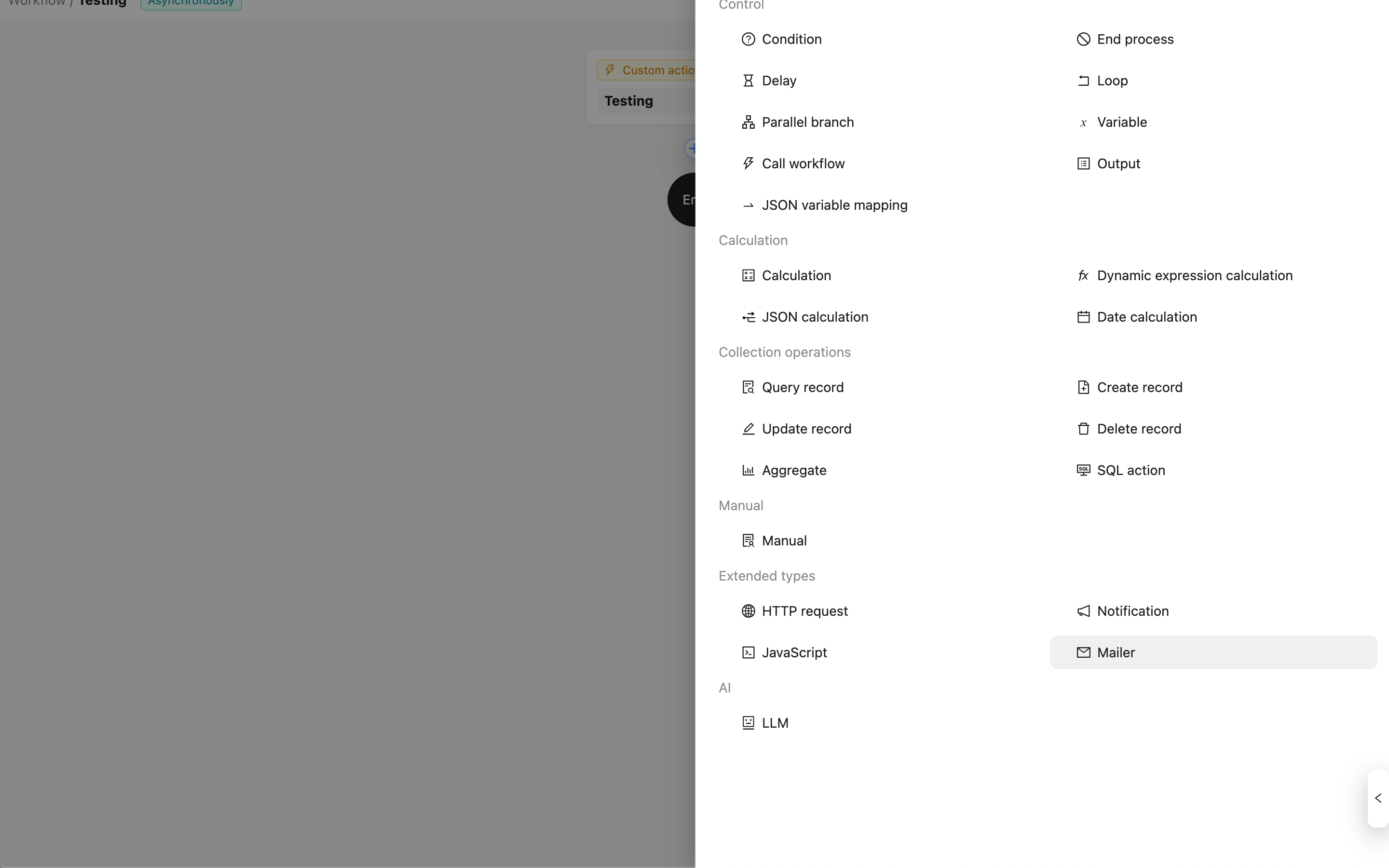
Node configuration
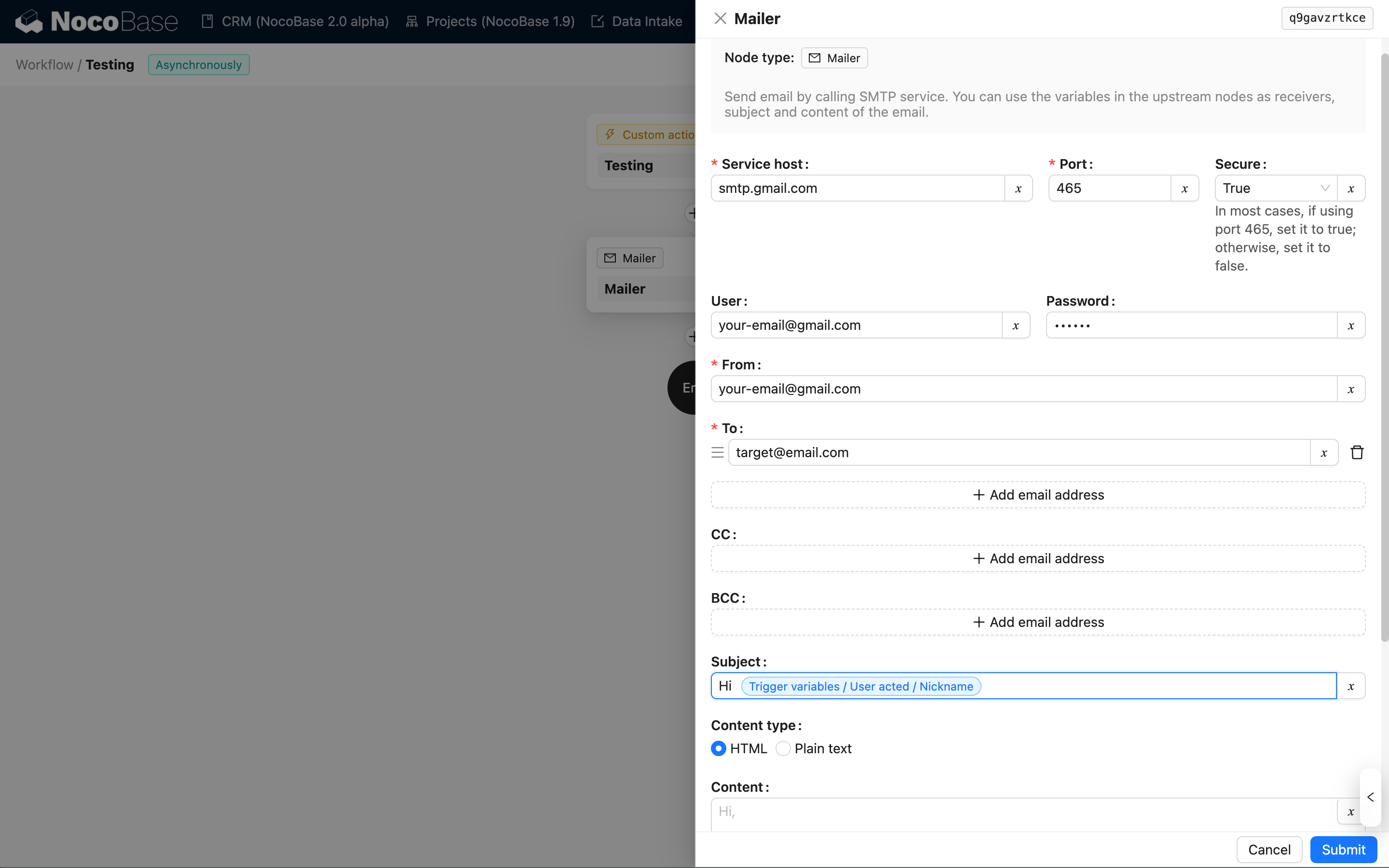
Each option can use variables from the workflow context. For sensitive information, global variables and secrets can also be used.
FAQ
Gmail sending frequency limit
When sending some emails, you may encounter the following error:
This is because Gmail rate-limits sending requests from domains that are not specified. When deploying the application, you need to configure the server's hostname to the domain you have configured in Gmail. For example, in a Docker deployment:
Reference: Google SMTP Relay - Intermittent problems