

Microsoft Entra ID
https://learn.microsoft.com/en-us/entra/identity-platform/quickstart-register-app
https://learn.microsoft.com/en-us/entra/identity-platform/v2-protocols-oidc
Thêm authenticator trên NocoBase
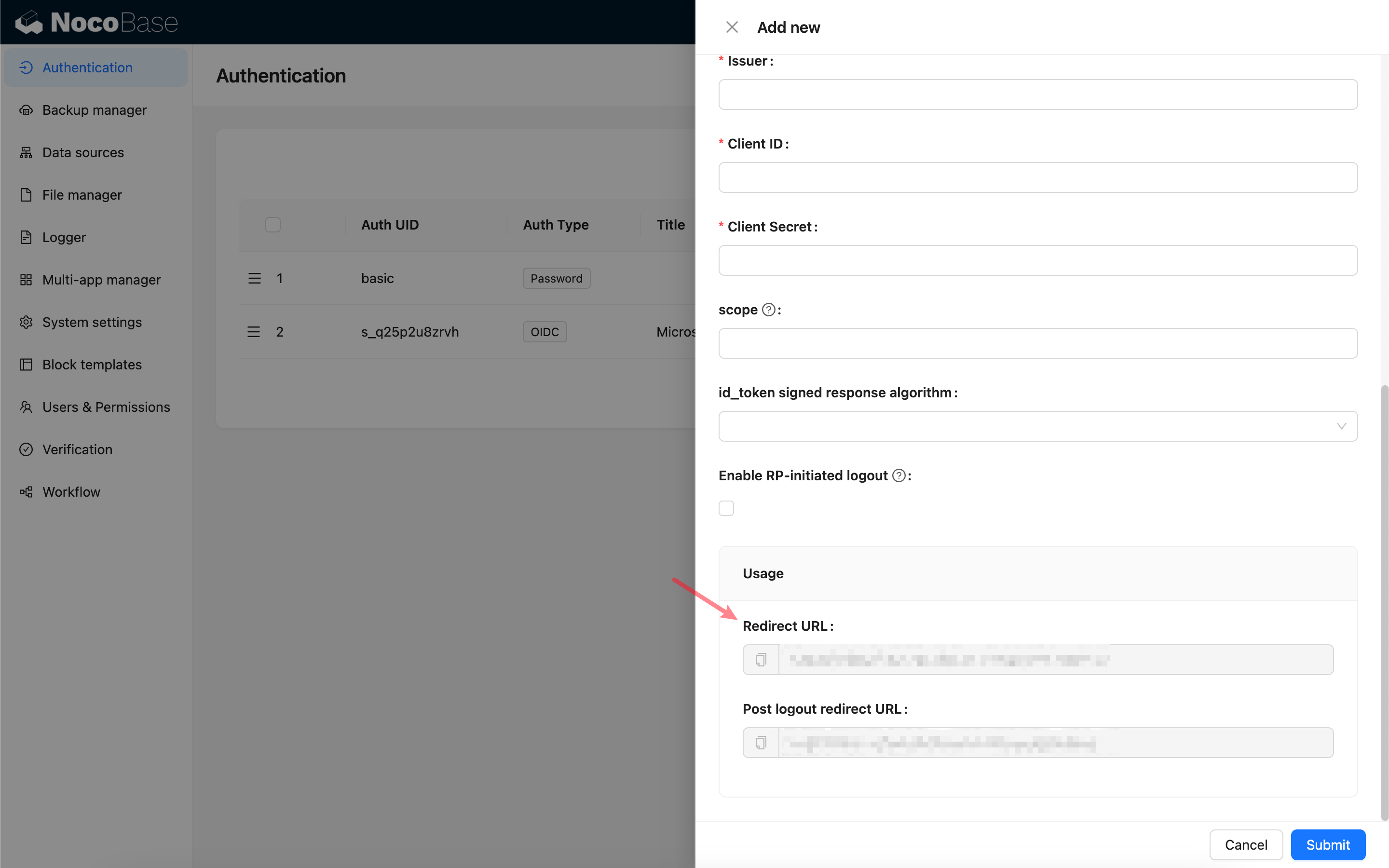
Trước tiên thêm một authenticator mới trên NocoBase: Cài đặt plugin - Xác thực người dùng - Thêm - OIDC.
Copy callback URL.
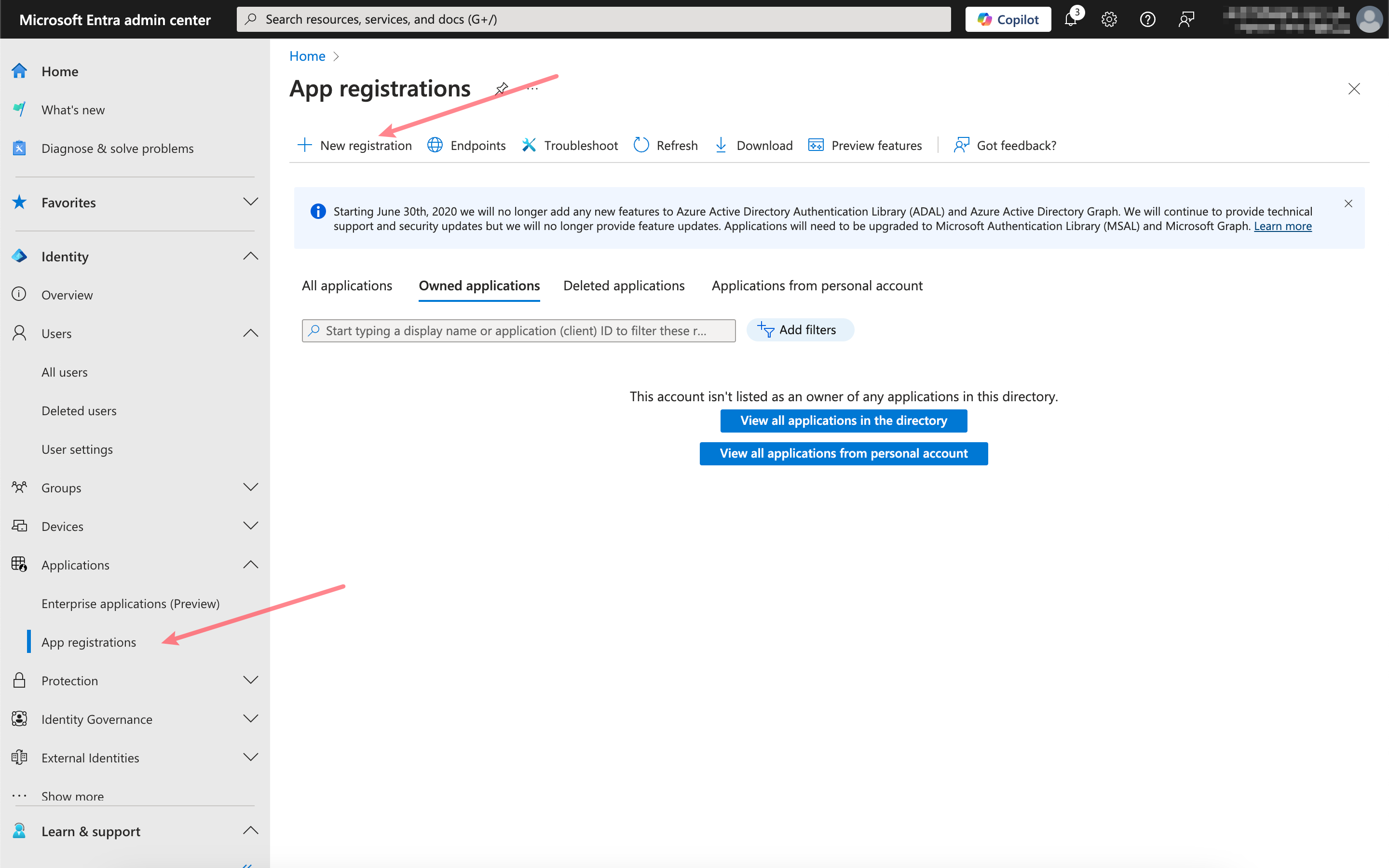
Đăng ký ứng dụng
Mở Microsoft Entra Admin Center, đăng ký một ứng dụng mới.
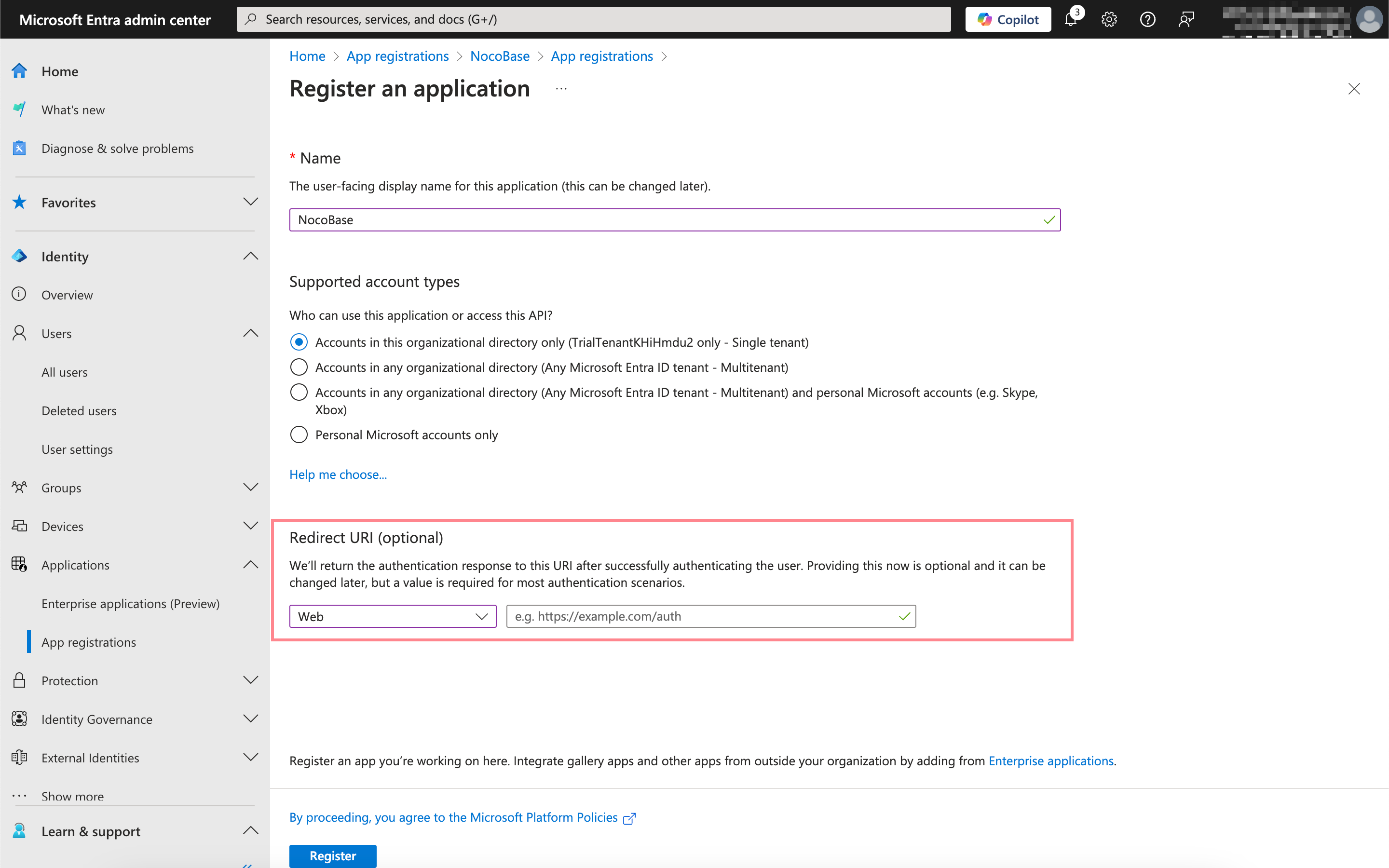
Điền callback URL vừa copy vào đây.
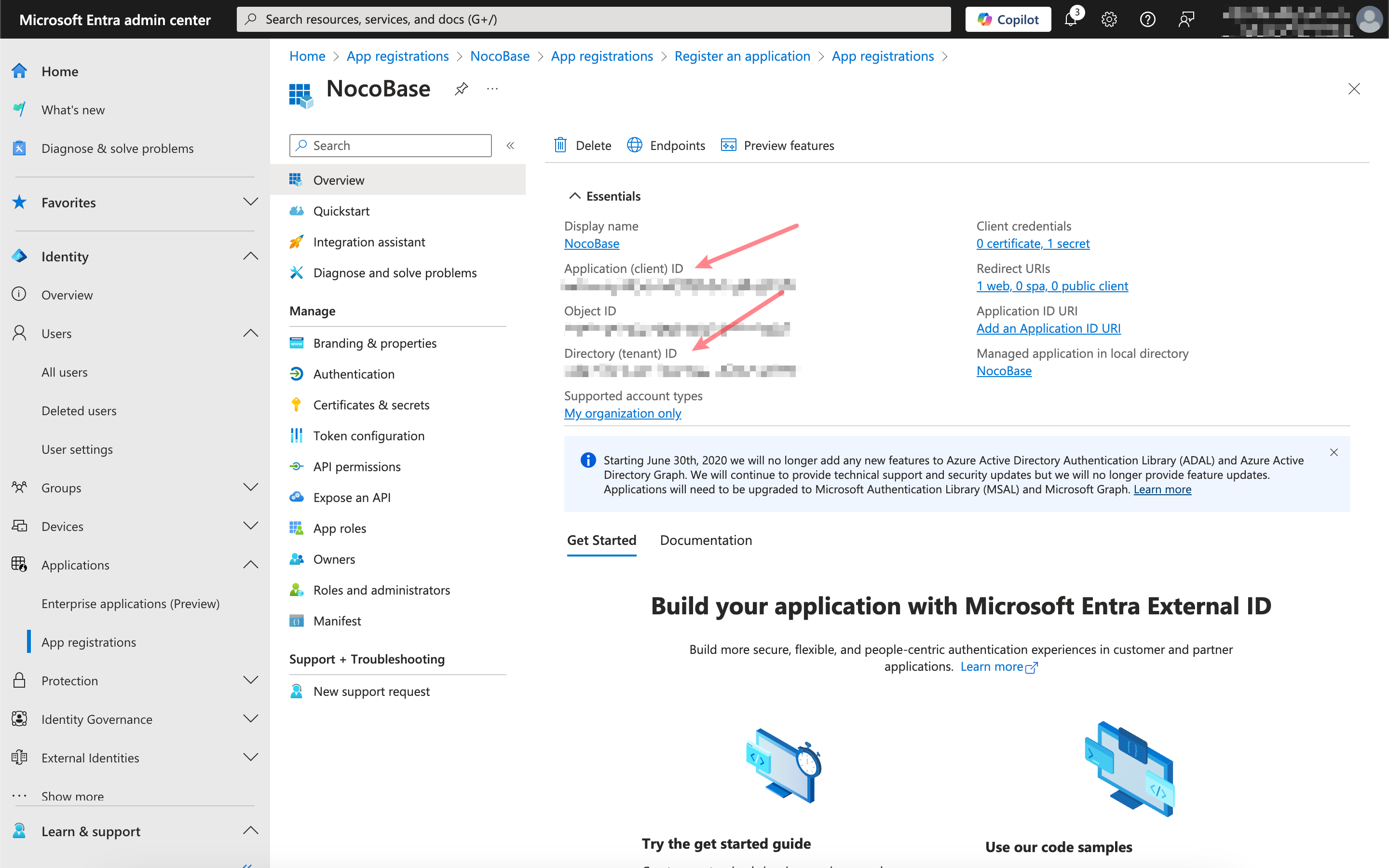
Lấy và điền thông tin tương ứng
Click vào ứng dụng vừa đăng ký, copy Application (client) ID và Directory (tenant) ID trên trang chính.
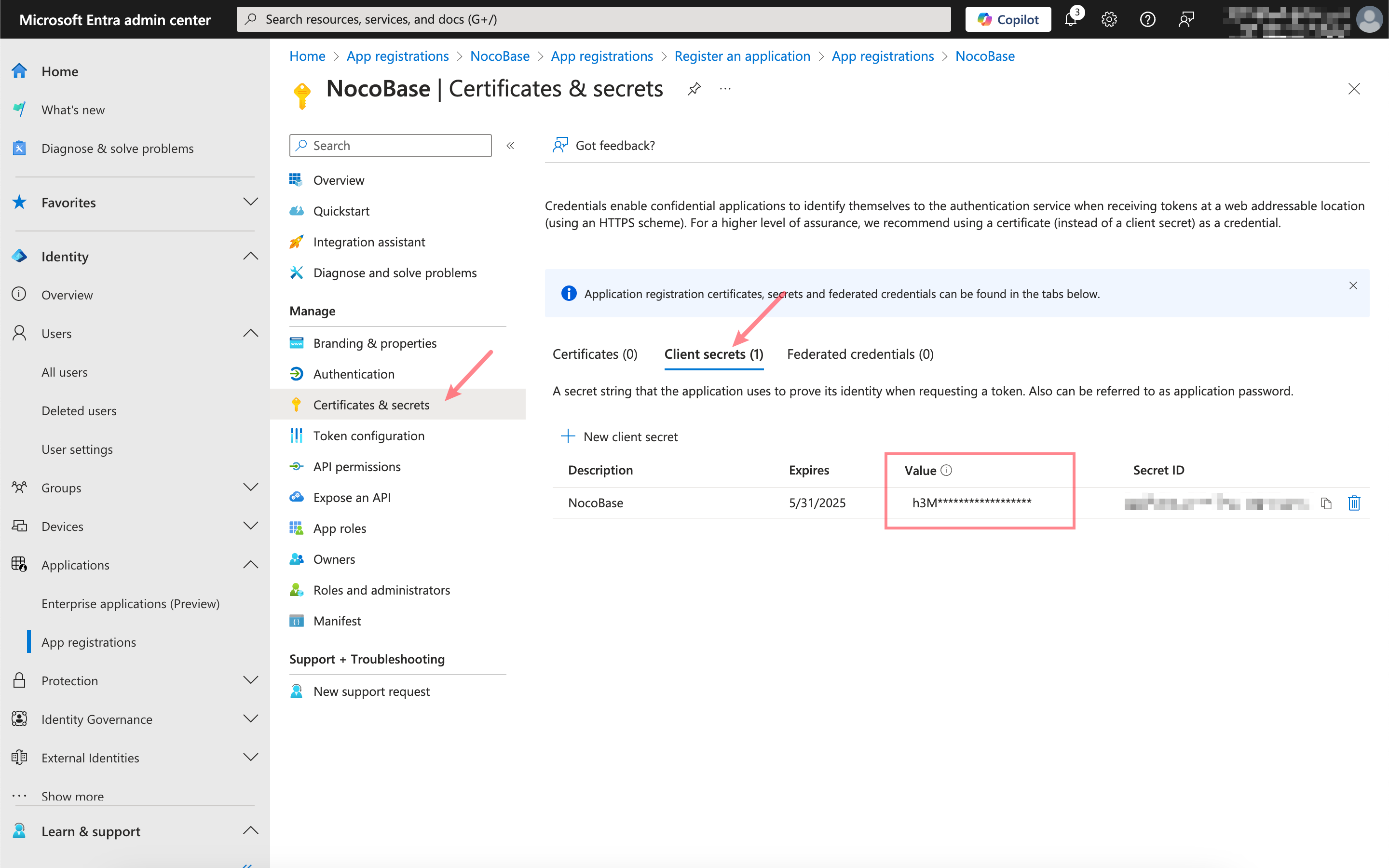
Click Certificates & secrets, tạo một Client secret mới và copy Value.
Mối quan hệ giữa các thông tin trên và cấu hình authenticator NocoBase như sau: