

logologo
Get Started
Tutorials
Guide
Development
Plugins
API
Home
English
简体中文
日本語
한국어
Español
Português
Deutsch
Français
Русский
Get Started
Tutorials
Guide
Development
Plugins
API
Home
logologo
Overview
Quick Start

Features

Configure LLM Service
Enable AI Employees
Collaborate with AI Employees
Add Context - Blocks
Web Search
Use Skills
Shortcut Tasks
Built-in AI Employees
New AI Employee
Permission Control
File Management

AI Knowledge Base

Overview
Vector Database
Vector Store
Knowledge Base
RAG

Workflow

LLM Nodes

Text Chat
Multimodal Chat
Structured Output

Application Practices

Viz: CRM Scenario Configuration
Prompt Engineering Guide
Previous PageWeb Search
Next PageShortcut Tasks

#Use Skills

Skills (Tools) define what an AI Employee can do.

#Skill Structure

The Skills page is split into three sections:

  1. General skills: shared by all AI Employees, read-only.
  2. Employee-specific skills: specific to the current employee, usually read-only.
  3. Custom skills: custom skills that can be added/removed and configured with default permissions.
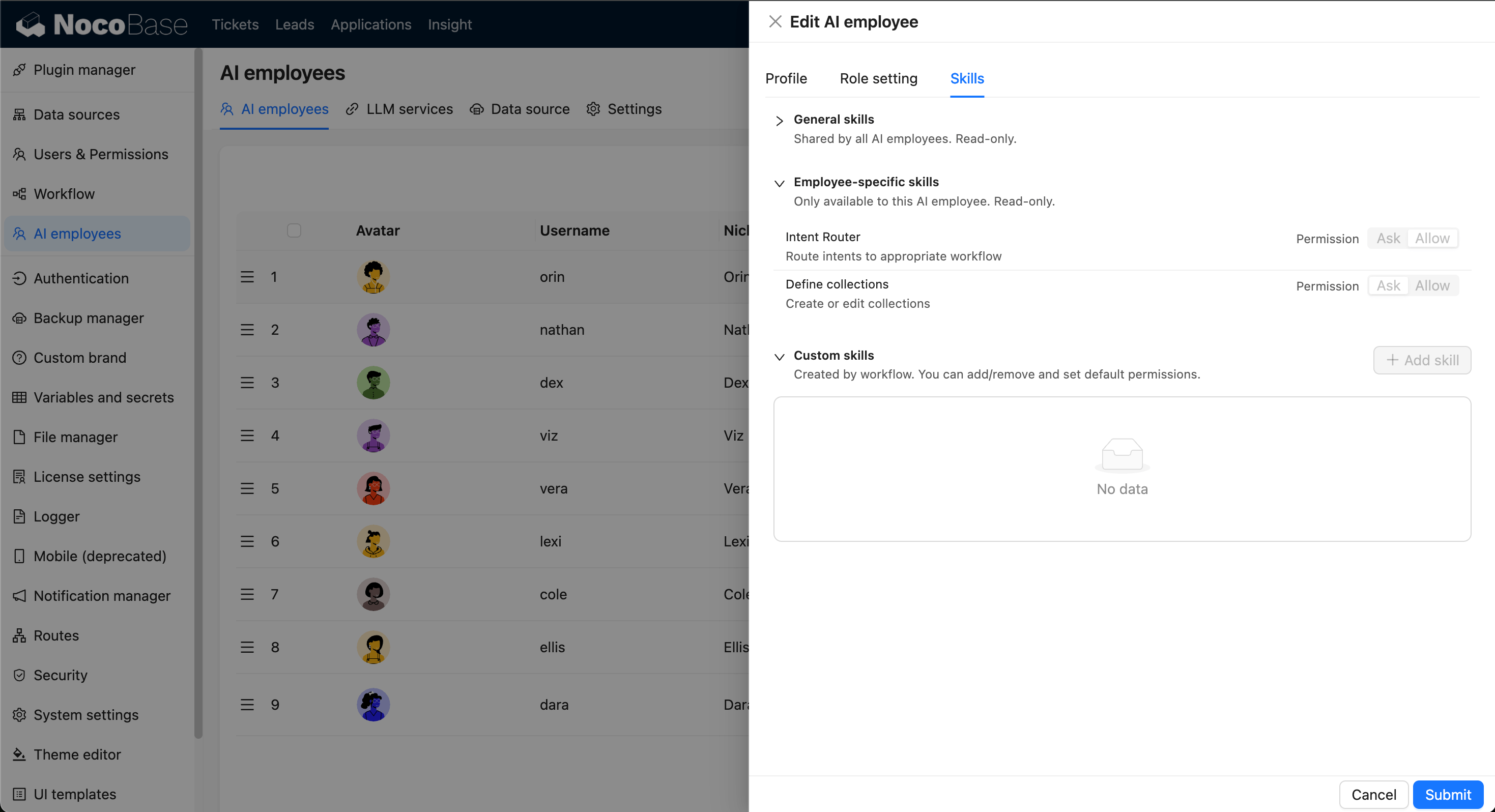
skills-three-sections-general-specific-custom.png

#Skill Permissions

Skill permissions are unified as:

  • Ask: ask for confirmation before calling.
  • Allow: allow direct calling.

Recommendation: use Ask by default for data-modifying skills.
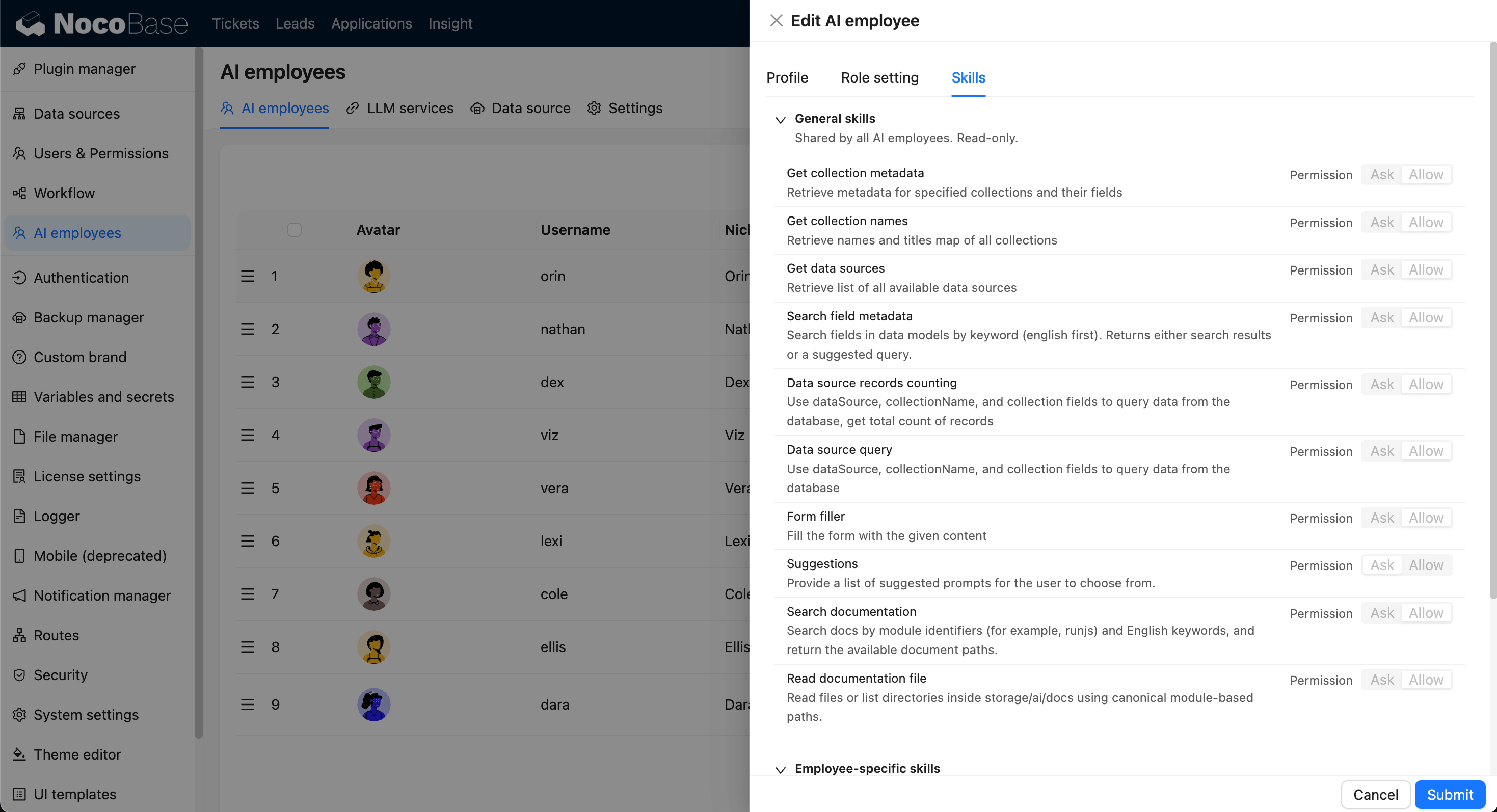
skills-permission-ask-allow-segmented.png

#Add and Maintain

Click Add skill in Custom skills to add skills and configure permissions based on business risk.