logologo
Get Started
Tutorials
Guide
Development
Plugins
API
Home
English
简体中文
日本語
한국어
Español
Português
Deutsch
Français
Русский
Get Started
Tutorials
Guide
Development
Plugins
API
Home
logologo
Overview
Quick Start

Features

Configure LLM Service
Enable AI Employees
Collaborate with AI Employees
Add Context - Blocks
Web Search
Use Skills
Shortcut Tasks
Built-in AI Employees
New AI Employee
Permission Control
File Management

AI Knowledge Base

Overview
Vector Database
Vector Store
Knowledge Base
RAG

Workflow

LLM Nodes

Text Chat
Multimodal Chat
Structured Output

Application Practices

Viz: CRM Scenario Configuration
Prompt Engineering Guide
Previous PageConfigure LLM Service
Next PageCollaborate with AI Employees

#Enable AI Employees

NocoBase provides multiple built-in AI Employees for different scenarios.

#How to Enable

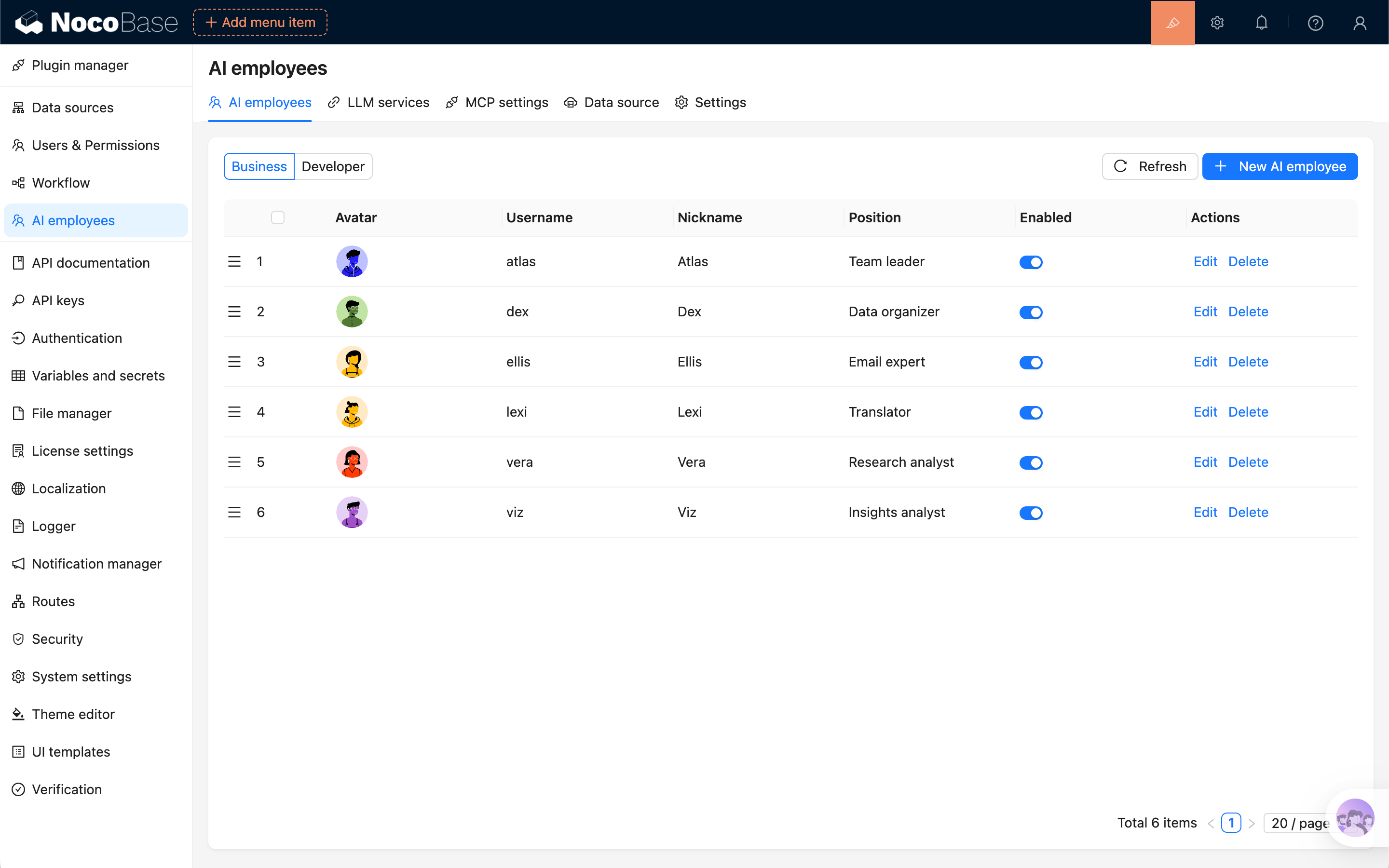
Open the AI employees management page and toggle Enabled directly in the list.

ai-employee-list-enable-switch.png

#Usage After Enabling

After enabling, the employee appears in available entry points (such as bottom-right shortcut entry or scenario-specific entry).