Vector Store
Introduction
In a knowledge base, vectorizing documents when saving them and vectorizing search terms when retrieving them both require an Embedding model to process the original text into vectors.
In the AI Knowledge Base plugin, a vector store is the binding of an Embedding model and a vector database.
Vector Store Management
Go to the AI Employees plugin configuration page, click the Vector store tab, and select Vector store to enter the vector store management page.
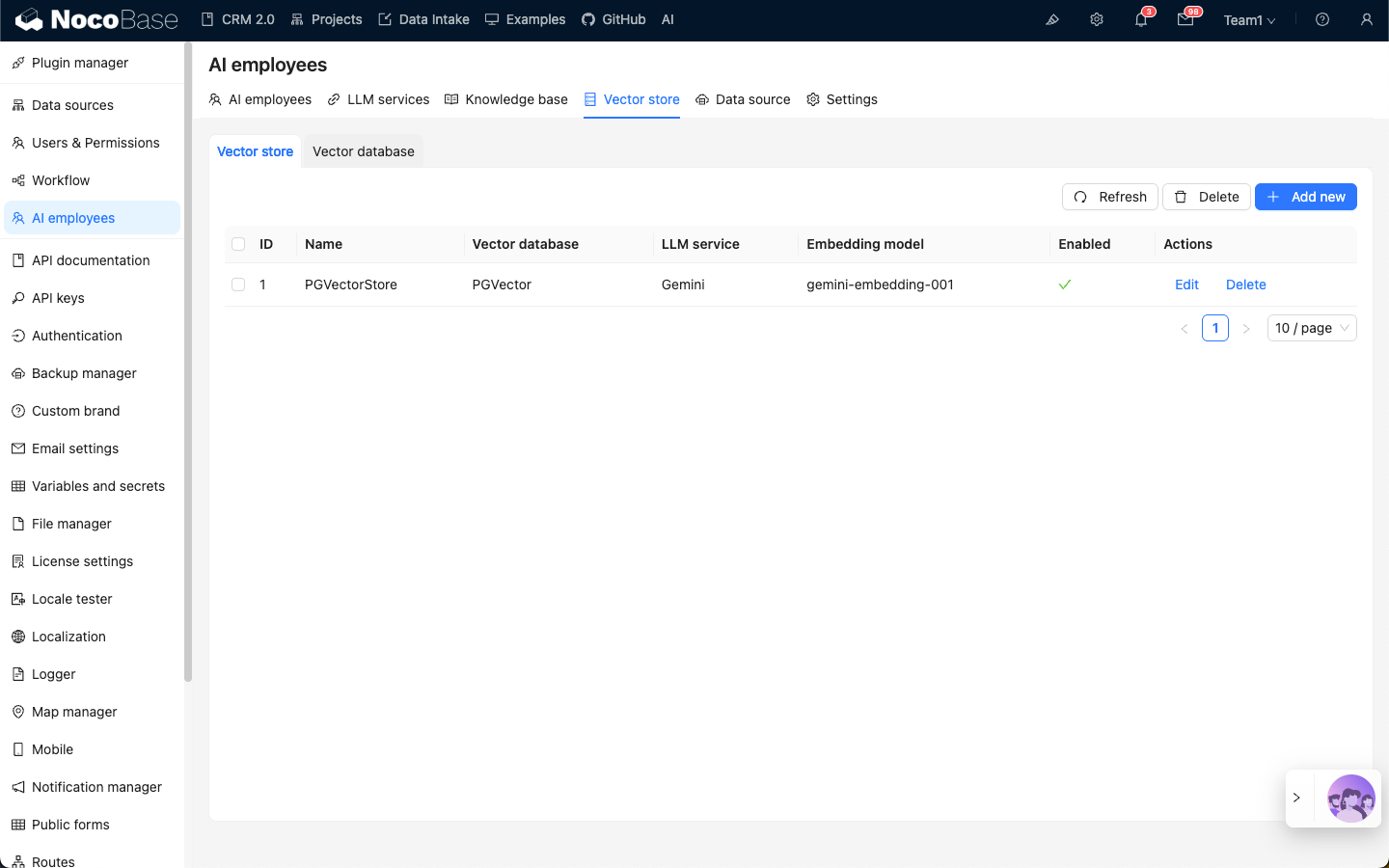
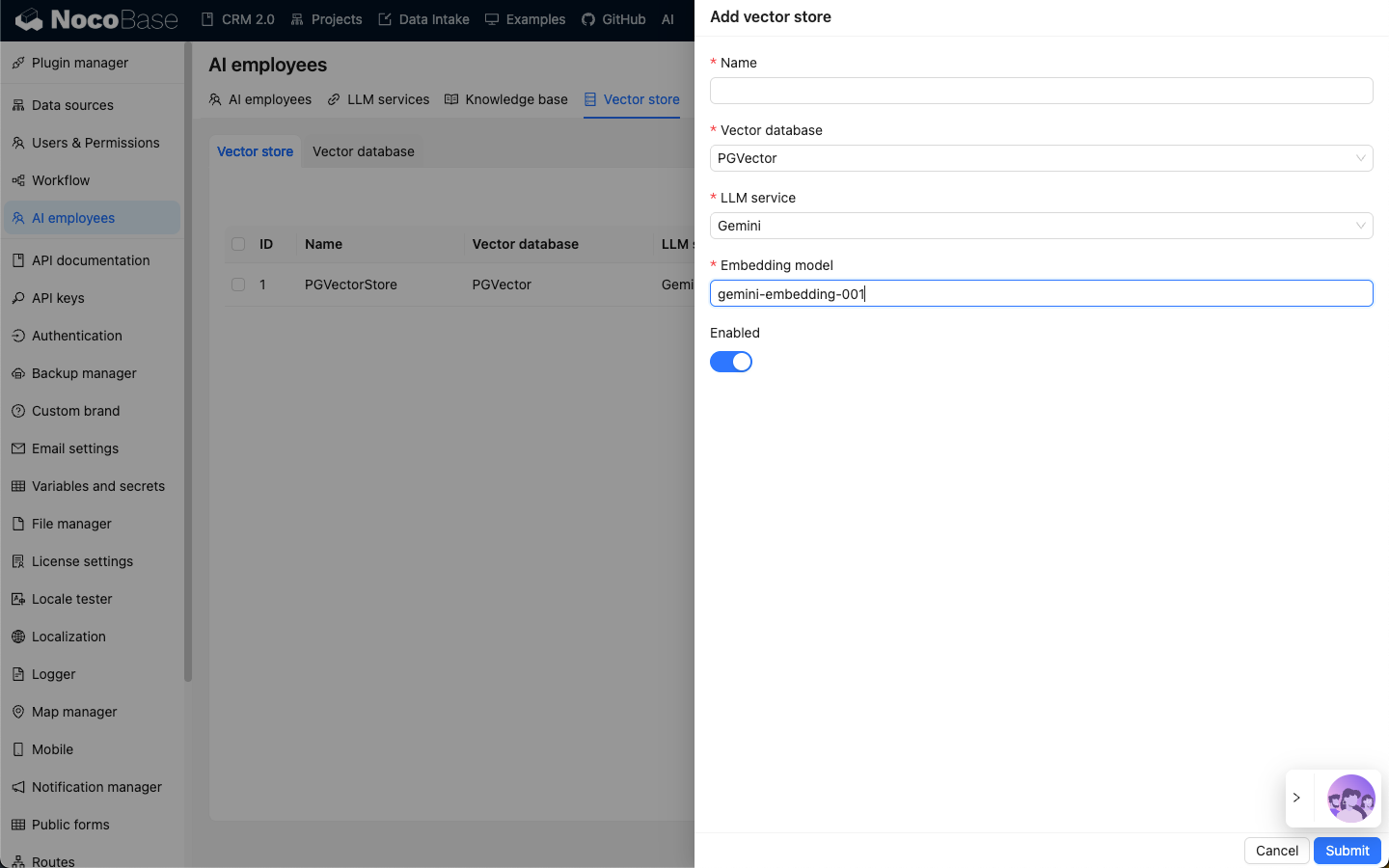
Click the Add new button in the top right corner to add a new vector store:
- In the
Nameinput box, enter the vector store name; - In
Vector store, select a configured vector database. Refer to: Vector Database; - In
LLM service, select a configured LLM service. Refer to: LLM Service Management; - In the
Embedding modelinput box, enter the name of theEmbeddingmodel to be used;
Click the Submit button to save the vector store information.