

RAG Retrieval
AI: Knowledge baseProfessional Edition+Introduction
In NocoBase, RAG (Retrieval-Augmented Generation) enables an AI employee to retrieve relevant content from knowledge bases before answering a question.
The knowledge bases an AI employee can actually use are determined by both the employee's Knowledge Base configuration and the knowledge-base permissions of the current user's roles. Only knowledge bases included in both scopes are searched.
Configure an AI employee's knowledge bases
Go to the AI employees configuration page, select the AI employee for which you want to enable RAG, and click Edit. In the edit drawer, open the Knowledge Base tab and turn on Enable.
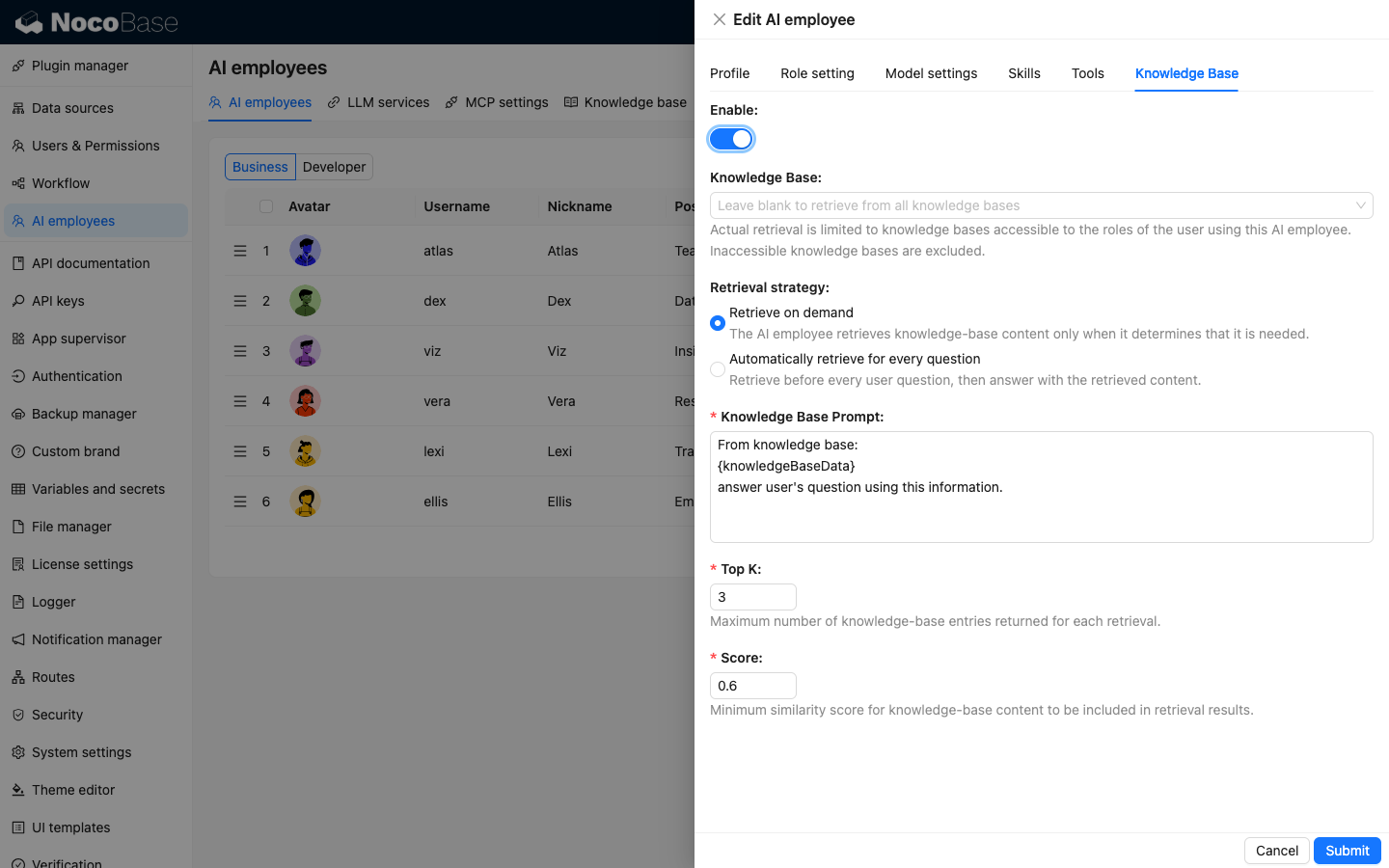
The available settings are:
Knowledge Base— Optional. If left empty, the AI employee searches all enabled knowledge bases accessible to the current user's roles. If you select knowledge bases, it searches only the selected knowledge bases that the user is allowed to accessRetrieval strategy— Controls when knowledge-base retrieval runs:Retrieve on demand— The AI employee retrieves knowledge-base content only when it determines that the current question requires it. New AI employees use this strategy by default, and it is the recommended option for most casesAutomatically retrieve for every question— Retrieval runs before every user question is sent to the AI employee. Use this when every turn depends on knowledge-base content
Knowledge Base Prompt— Defines how retrieved content is provided to the AI employee.{knowledgeBaseData}is a fixed placeholder; do not remove or modify itTop K— The maximum number of knowledge-base results returned by each retrieval. The range is 1–100, and the default is 3Score— The minimum similarity score required for a result. The range is 0–1, and the default is 0.6. A higher value returns more relevant content, but may produce fewer results
Click Submit to save the configuration.
Configure knowledge-base permissions
Selecting knowledge bases for an AI employee does not give every user access to them. Go to Users & Permissions / Roles & Permissions, select the role assigned to the user, and then open Permissions / Knowledge bases.
Select Available for each knowledge base that the role should be allowed to access. To automatically grant this role access to knowledge bases created later, select New knowledge bases are allowed by default.
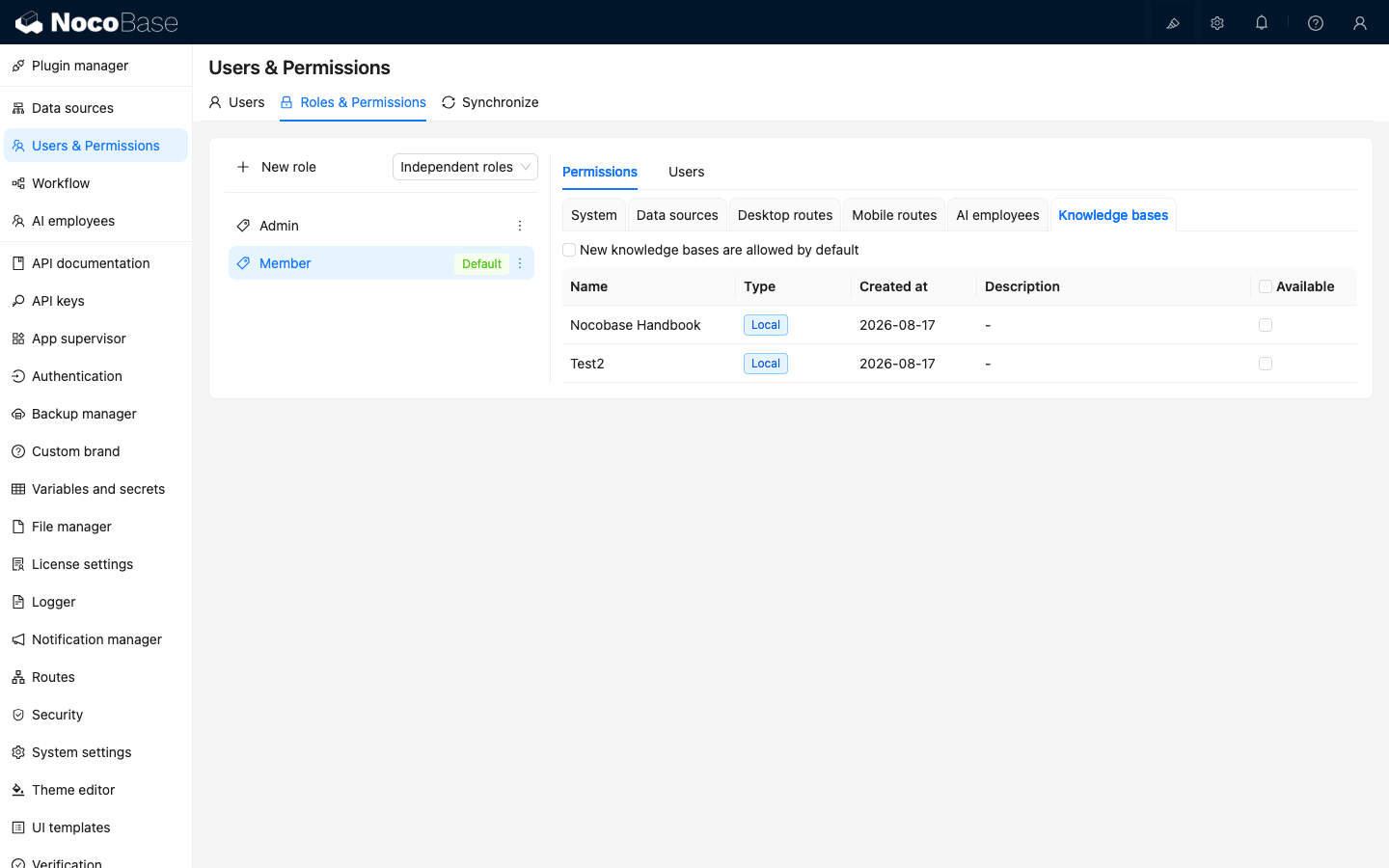
The knowledge-base scope available to an AI employee is the intersection of its Knowledge Base configuration and the current user's role permissions. Unauthorized knowledge bases are automatically excluded.
When the user has no knowledge-base access
If knowledge bases are enabled for an AI employee but its configured scope has no overlap with the current user's role permissions, the AI employee first answers with information that does not depend on a knowledge base. It then appends a prominent notice explaining that no knowledge-base content was used because the user does not have access and advising the user to contact an administrator.
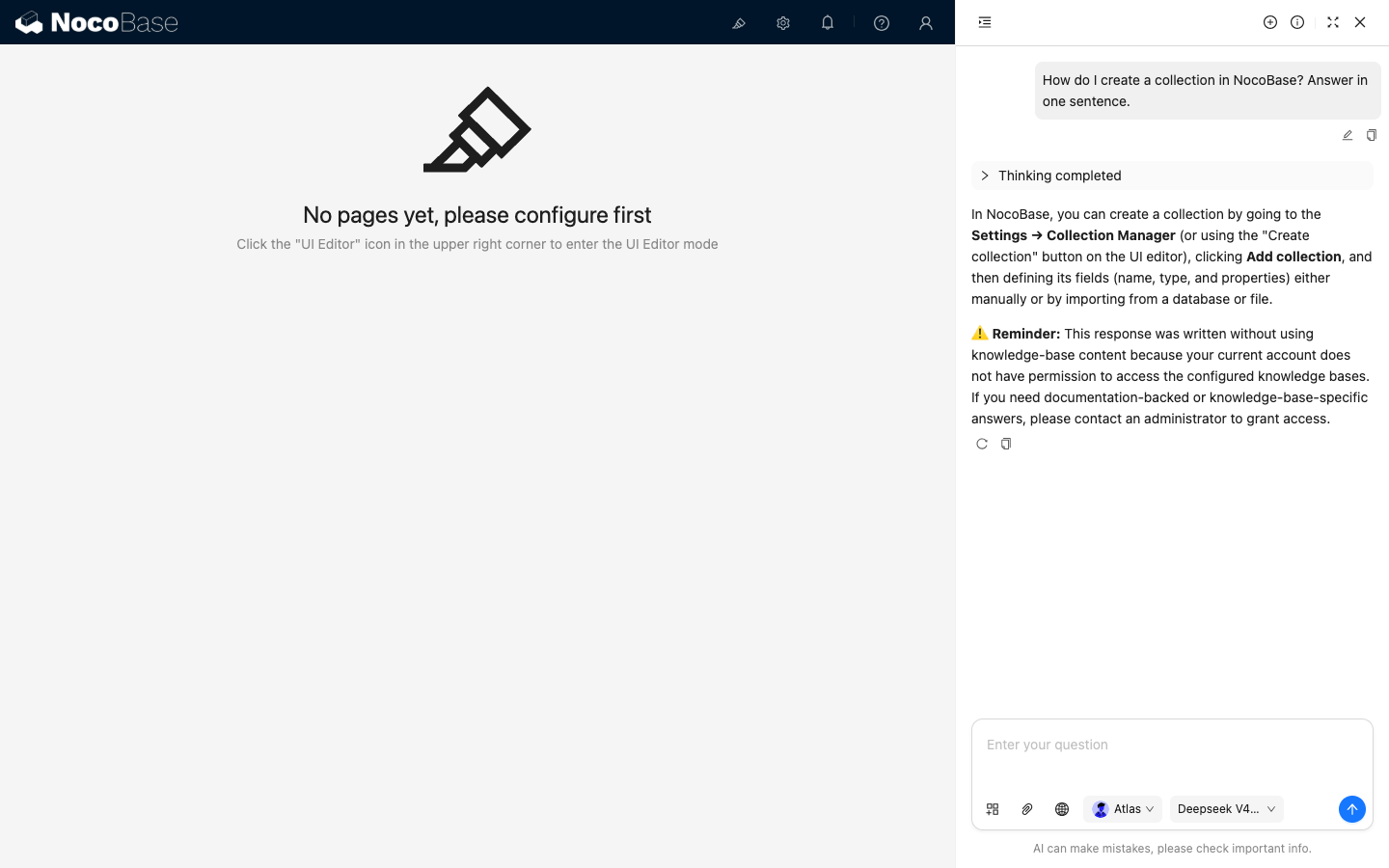
If the user can access at least one knowledge base but the current question returns no relevant content, the no-permission notice is not displayed.
Related links
- Knowledge Base — Create and maintain knowledge bases used for RAG retrieval
- Roles and permissions — Configure system, menu, and data access for roles