
Administrators configure the team under Agents. Each coding tool and model reported by a runtime can become an Agent. For initial setup, see Configure Agents.
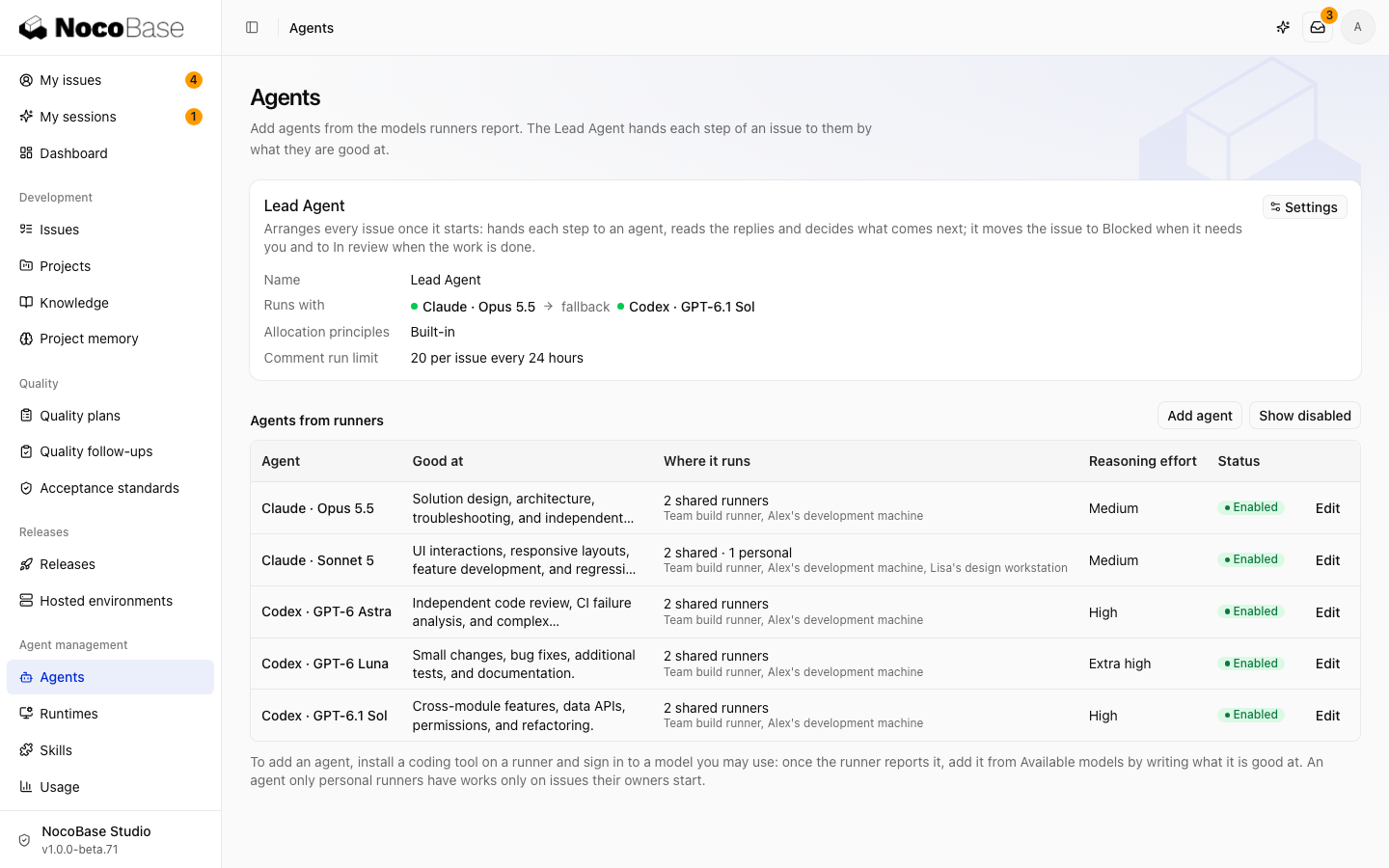
Define responsibilities
Select Edit, describe what the Agent is good at, and choose its reasoning effort. The Lead Agent assigns work using the description; it does not change reasoning effort itself.
| Work | Example description |
|---|---|
| Design and review | Design proposals, difficult investigations, and code review |
| Feature development | Regular implementation, cross-module changes, and refactoring |
| Small changes | Small fixes, additional tests, and CI failure analysis |
Where it runs lists runtimes that provide the model. An Agent available only on a personal runtime works only for that runtime's owner.
Add or disable Agents
Select Add Agent, choose a reported model, and describe its capabilities. Resolve setup or version warnings on the runtime, then check the tool again.
Disable an Agent in its editor to stop assigning new work. Show disabled Agents to enable it again. If a model is missing, check tool sign-in and runtime connectivity.
Configure the Lead Agent
All projects share one Lead Agent. Open its Settings at the top of the page to choose the first choice and fallback, assignment principles, and per-task run limit.
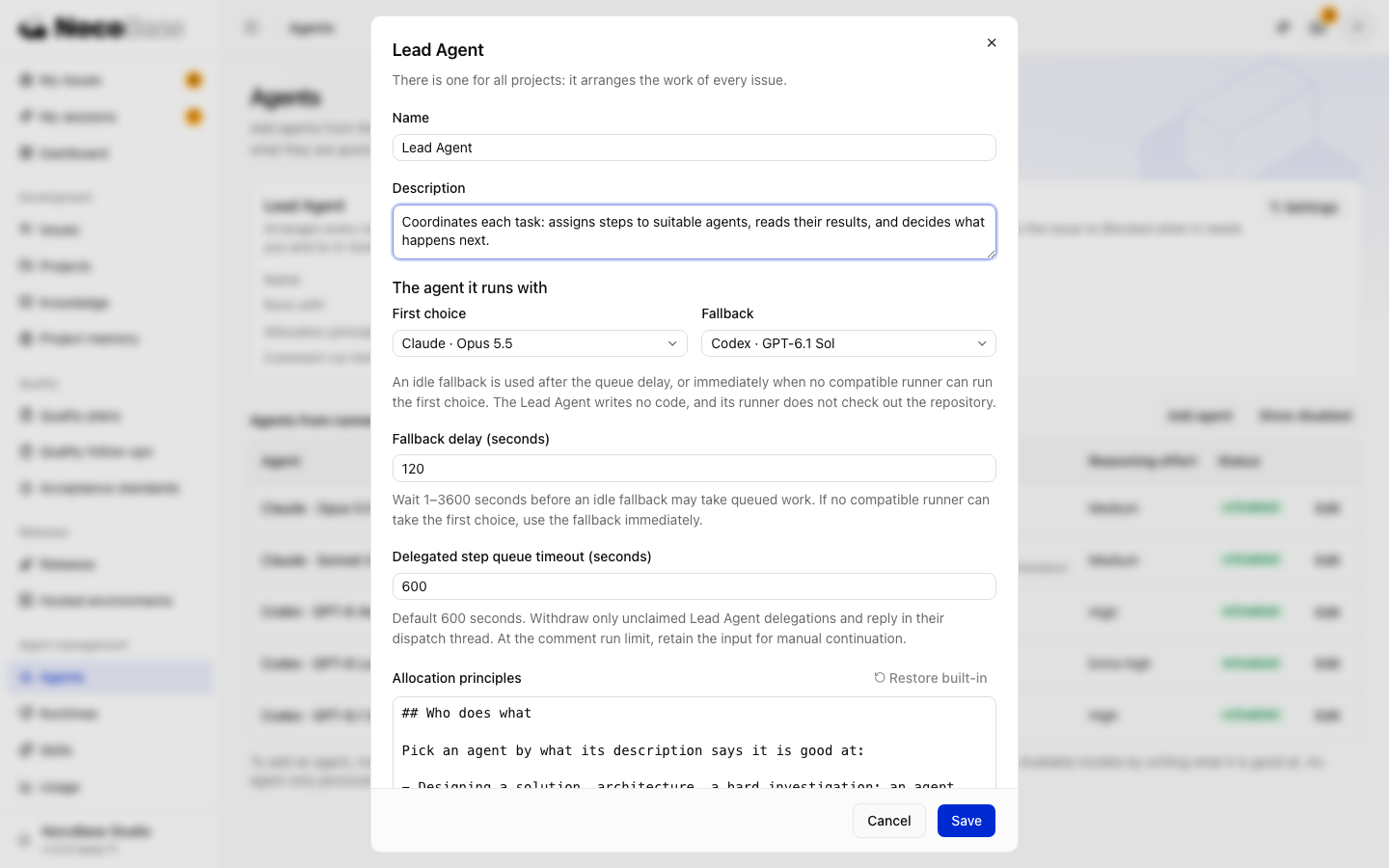
An idle fallback can take over after the configured queue wait, which defaults to 120 seconds. If no runtime can run the first choice, Studio tries the fallback immediately.
Assignment principles determine who receives work. Project Skills define how to develop, review, and deliver it. See How the Agent team works.