
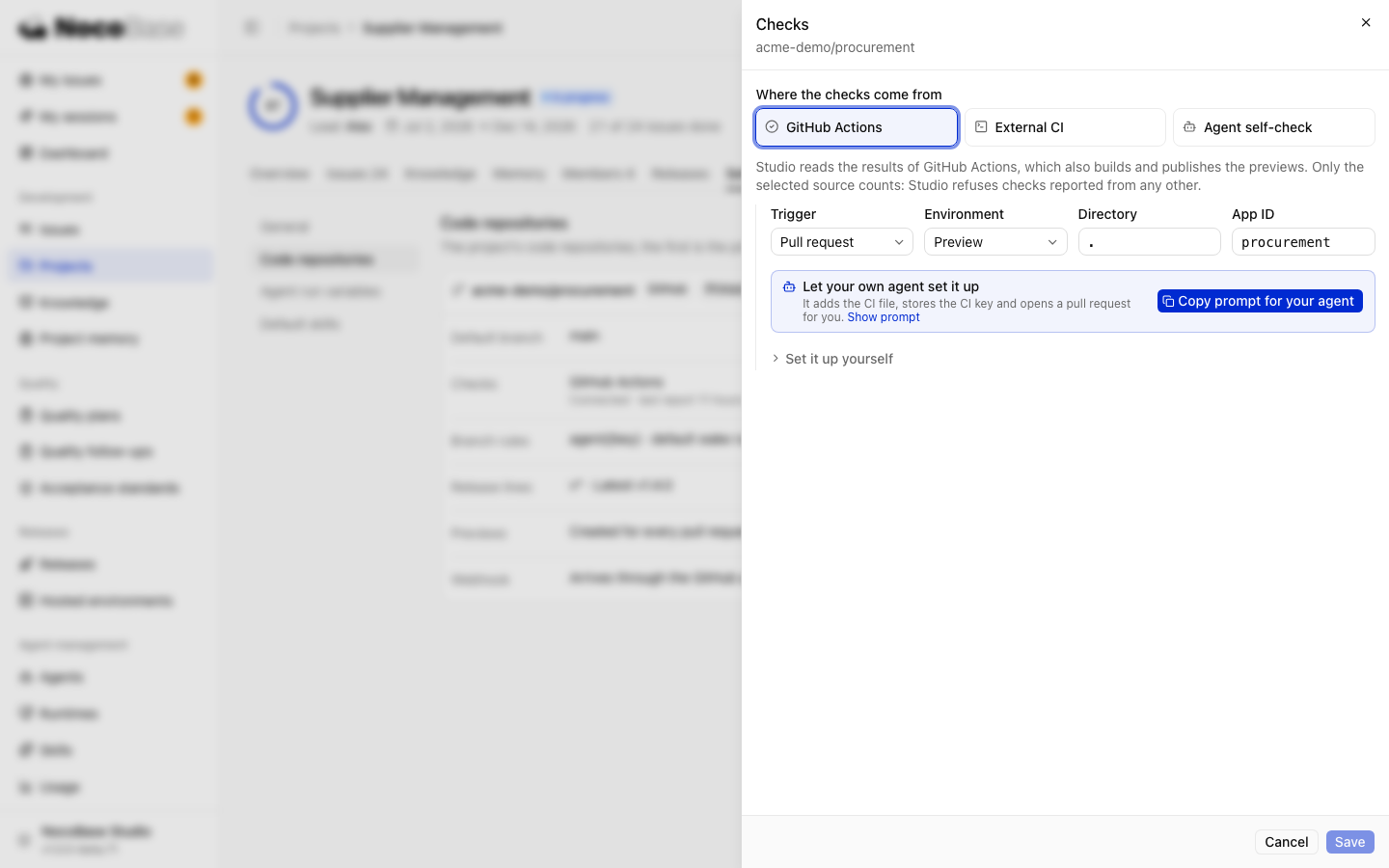
Open Project settings › Code repositories and select Checks on a repository card. Each repository has one check source. Studio uses results from that source only.
| Source | Checks run by | Previews published by |
|---|---|---|
| Code-host CI | GitHub Actions, GitLab CI, or the host's pipeline | The same pipeline |
| External CI | Jenkins or your existing CI service | The external pipeline |
| Agent self-check | The Agent, using project scripts and instructions | The Agent working on the task |
Agent self-check
Select the source and save. No CI file is needed. The Agent runs project checks, reports each result with nb-studio check report, then builds and publishes a PR preview.
The Agent doing the work reports these results. Use code-host or external CI when you need an independent pipeline.
Code-host CI
For GitHub Actions:
- Select the source, trigger, and target environment.
- Enter the application directory (
.for the repository root) and App ID. - Copy the prompt for an Agent with access to the repository.
- Have it add the CI file and configure the secret, then check the pipeline after submission.
| Trigger | Purpose |
|---|---|
| Pull request | Create a PR preview |
| Branch push | Update a test environment |
| Tag | Deliver a version to a test environment |
Generate one trigger configuration at a time. Set up each trigger you need. Expand the manual instructions for commands and CI files. GitHub uses the Actions secret NB_STUDIO_API_KEY.
CI must be able to reach Studio. Cloud CI cannot reach a local address; use reachable HTTPS or a self-hosted CI runner. Configure test targets under Hosted environments.
External CI
Select Jenkins or another CI system and generate the repository's CI key. Store the Studio URL and key as pipeline variables, then use the generated scripts. They report pending checks, results, and log links, and can publish previews.
The key appears only when generated. Keep it out of the repository. CI keys belong to the organization and expire after 90 days by default. Leads and administrators receive expiry reminders. Update the pipeline when replacing a key.
Verify the connection
Submit a PR and check the repository's build records. The task's Code & previews tab should show results and a preview link. Open the preview and verify the application works.
Not reported yet means the selected source has not reported results. If required variables are missing, set them on the environment or application as indicated. Tasks that do not need previews can use the No preview needed property; generated CI templates respect the no-preview label.
See Checks and review for how results affect task progress.