
A Runner Agent combines a coding tool and model on a runtime. In My sessions, talk to it directly to clarify requirements, inspect project code, or follow tasks.
Your team needs an online runtime and an enabled Agent. A shared runtime does not require connecting your own computer.
Start a conversation
- Open My sessions and select Runner Agent.
- Create a conversation and choose an Agent.
- To inspect project code, select the project before sending the first message.
- Send your question.
Explain how supplier scores are calculated in this project. Read the existing rules without changing any code.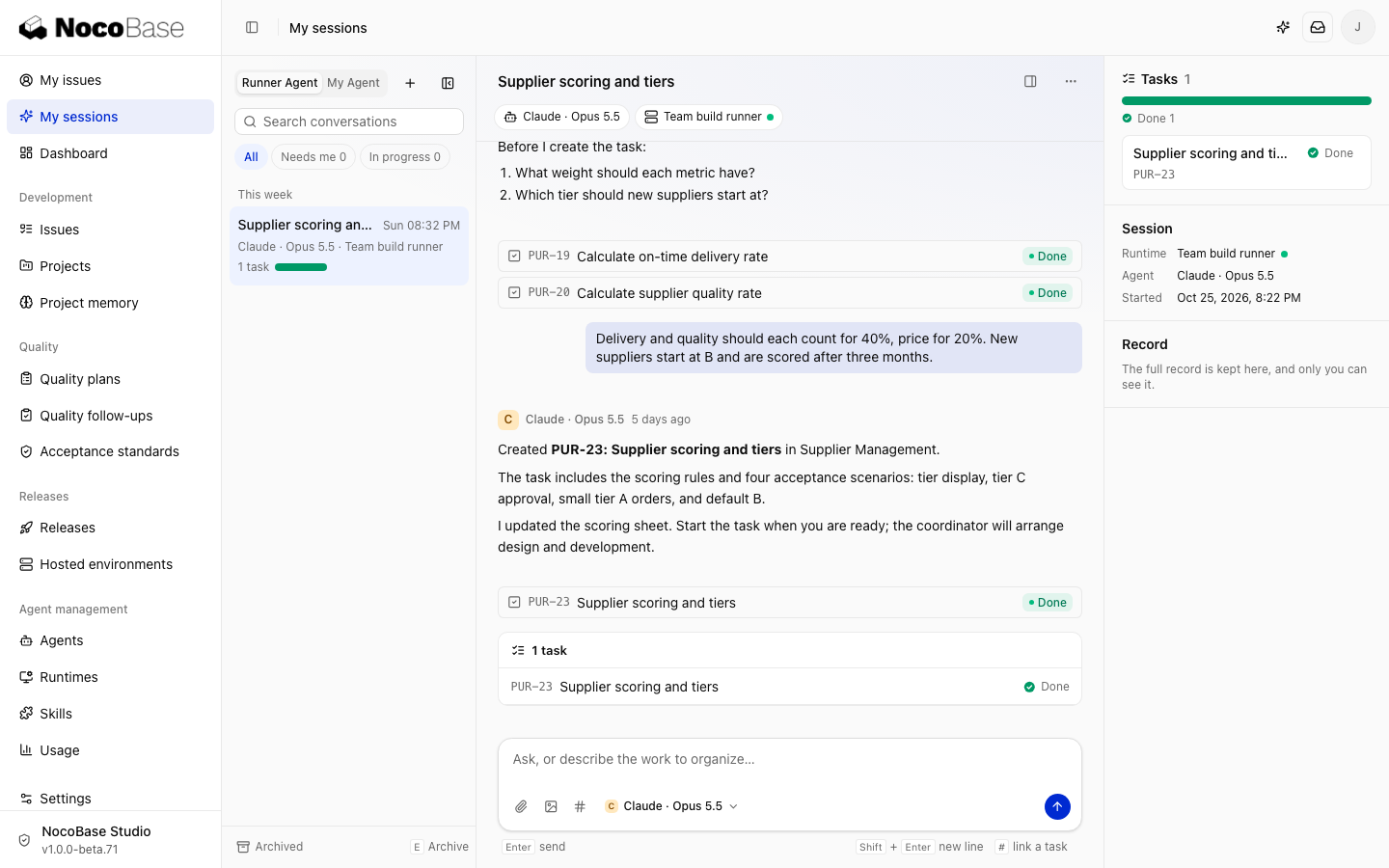
The project is fixed after the first message. Start another conversation for a different project. The Agent prepares the selected project's code. You can send text, images, and attachments; messages sent during a run are queued.
Turn a discussion into a task
Create a task for the scoring changes we agreed on, but do not start it yet.The created task appears in the conversation. Check the requirements, then select Start for the Lead Agent to arrange execution. Use #task-identifier to link existing work.
Only you can see the conversation. Tasks are shared according to project permissions, and their status updates return to the conversation.
Change Agents or runtimes
- Change Agent: finish the active run and handle queued messages first. Conversation history and linked tasks remain.
- Runtime offline: wait for it to reconnect or select Switch runtime. The new runtime receives conversation history; unpushed edits stay on the original machine.
- No Agent available: check runtime connectivity, coding-tool sign-in, and whether the Agent is enabled.
Conversations can inspect and change a project. Explicitly request a push or PR when needed. Turn formal requirements into tasks for team tracking and acceptance.