
A runtime provides coding tools, model sign-in, and execution resources. Use a separate container or virtual machine, isolated from Studio. For installation, see Connect a runtime.
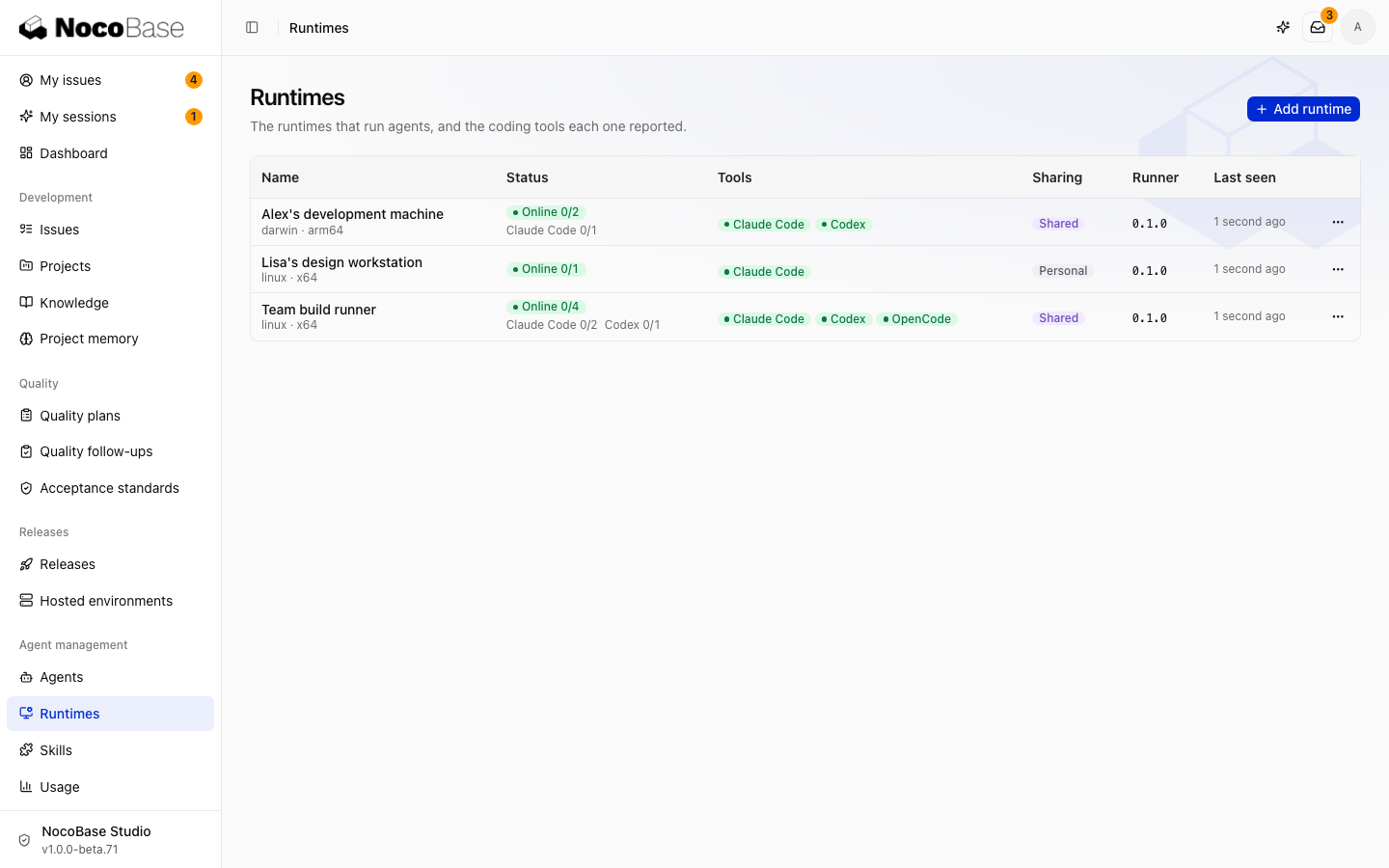
For runner registration, logs, updates, and removal, see nocobase-runner commands.
Choose the scope
| Scope | Eligible work | Connected by |
|---|---|---|
| Shared | Tasks for all members | An administrator |
| Personal | Work requested on behalf of its owner | The member |
See Personal runtimes for member setup. Variables restricted to shared runtimes are not sent to personal runtimes.
Adjust tools and concurrency
Open runtime details to change its name, enabled coding tools, and maximum concurrency. Allow for machine resources, project build costs, and model quotas. Start with one slot when connecting a new runtime.
If a tool needs sign-in, sign in on the machine as the system user running the service, then check again. If it is not installed, check both the installation and the background service's PATH.
Inspect and maintain
On the runtime machine, check status, stop, or start the service. Stopping interrupts active work:
nocobase-runner status
nocobase-runner stop
nocobase-runner start
If tools work in your terminal but are missing from the service, reinstall the service from that terminal:
nocobase-runner service installRunners can update automatically. Use nocobase-runner update for a manual update. Working directories and run history help diagnose disk usage and unpushed changes. Preserve required changes before cleaning directories.
Remove a runtime
Revoke its credential before deleting it. Run history remains. Run nocobase-runner uninstall on the machine to remove its background service and program. Register a replacement machine with a new credential.