
A PR preview is an isolated application running a specific commit. First configure checks and previews on the repository. CI publishes previews for CI sources; the working Agent publishes them for Agent self-check.
Open a preview
Use the task's Code & previews tab to see its URL, commit, and build status. Releases › Previews lists all previews for the selected project.
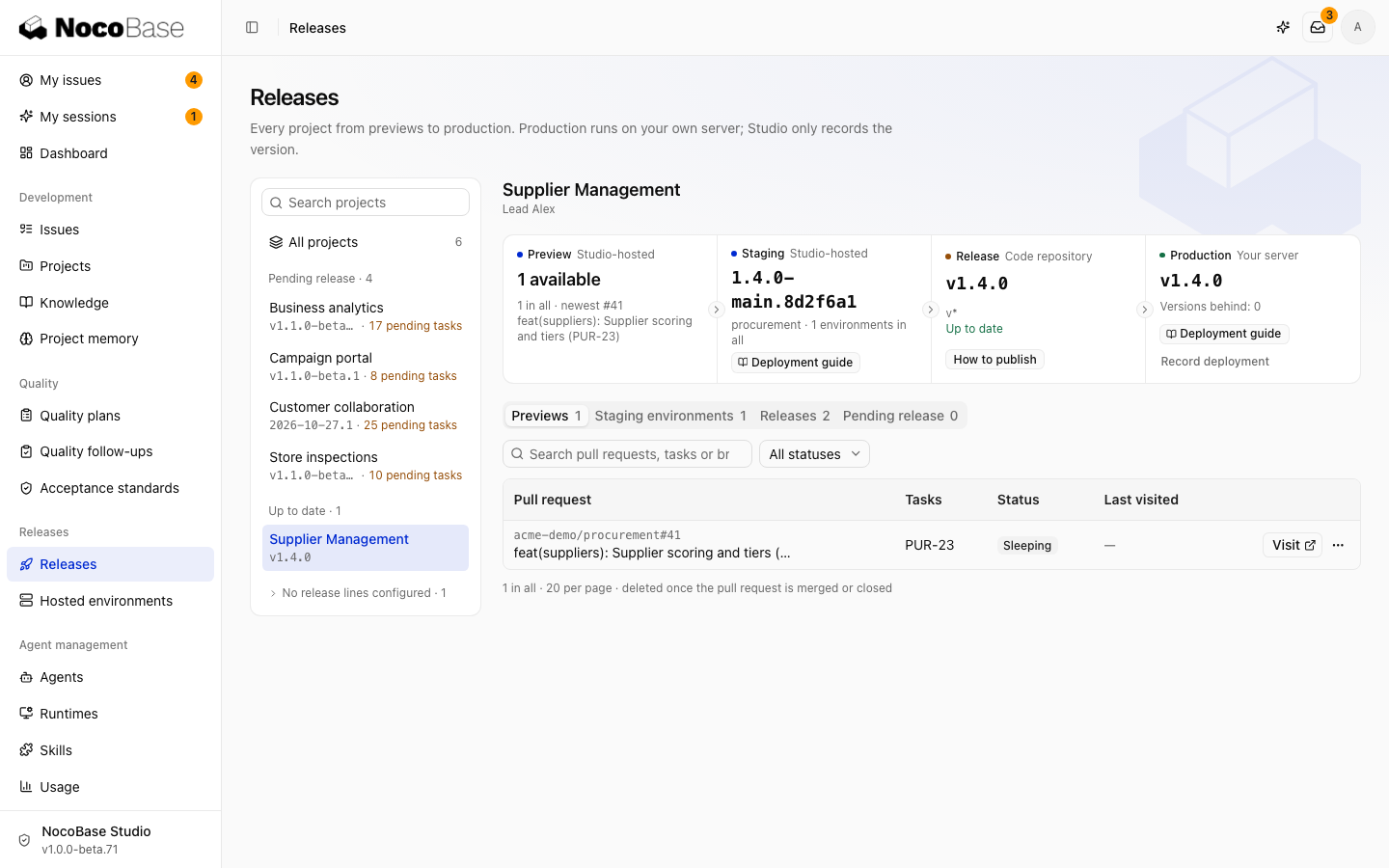
New commits update the preview after the new build completes. Before accepting a task, confirm that the preview matches the changes being merged.
Initial deployment loads sample data, not business data. Initial administrator credentials are visible only to people allowed to edit the linked task. Set missing required variables on the preview environment or individual application as indicated.
Skip a preview
Enable No preview needed in the task properties. The Agent adds the no-preview label to the PR, which generated CI templates respect. Existing previews are not automatically deleted by this setting.
Lifecycle
The default policy below can be changed in Hosted environments.
| Condition | Behavior |
|---|---|
| No visits for 10 minutes | Stop the process; restart on the next visit |
| No visits for 24 hours | Go dormant and remove extracted files, keeping configuration and data |
| PR merged, closed, or preview destroyed | Delete the preview and its data |
The default capacity is 20 previews. A dormant application takes longer to prepare on its next visit.
Previews run as application subprocesses started by Studio. For team use, configure a separate preview domain and a restricted system user. See Configuration reference.