

Overview
WorkflowCommunity Edition+Introduction
The Workflow plugin helps you orchestrate automated business processes in NocoBase, such as daily approvals, data synchronization, reminders, and other tasks. In a workflow, you can implement complex business logic by simply configuring triggers and related nodes through a visual interface, without writing any code.
Example
Each workflow is orchestrated with a trigger and several nodes. The trigger represents an event in the system, and each node represents an execution step. Together, they describe the business logic to be processed after the event occurs. The following image shows a typical inventory deduction process after a product order is placed:
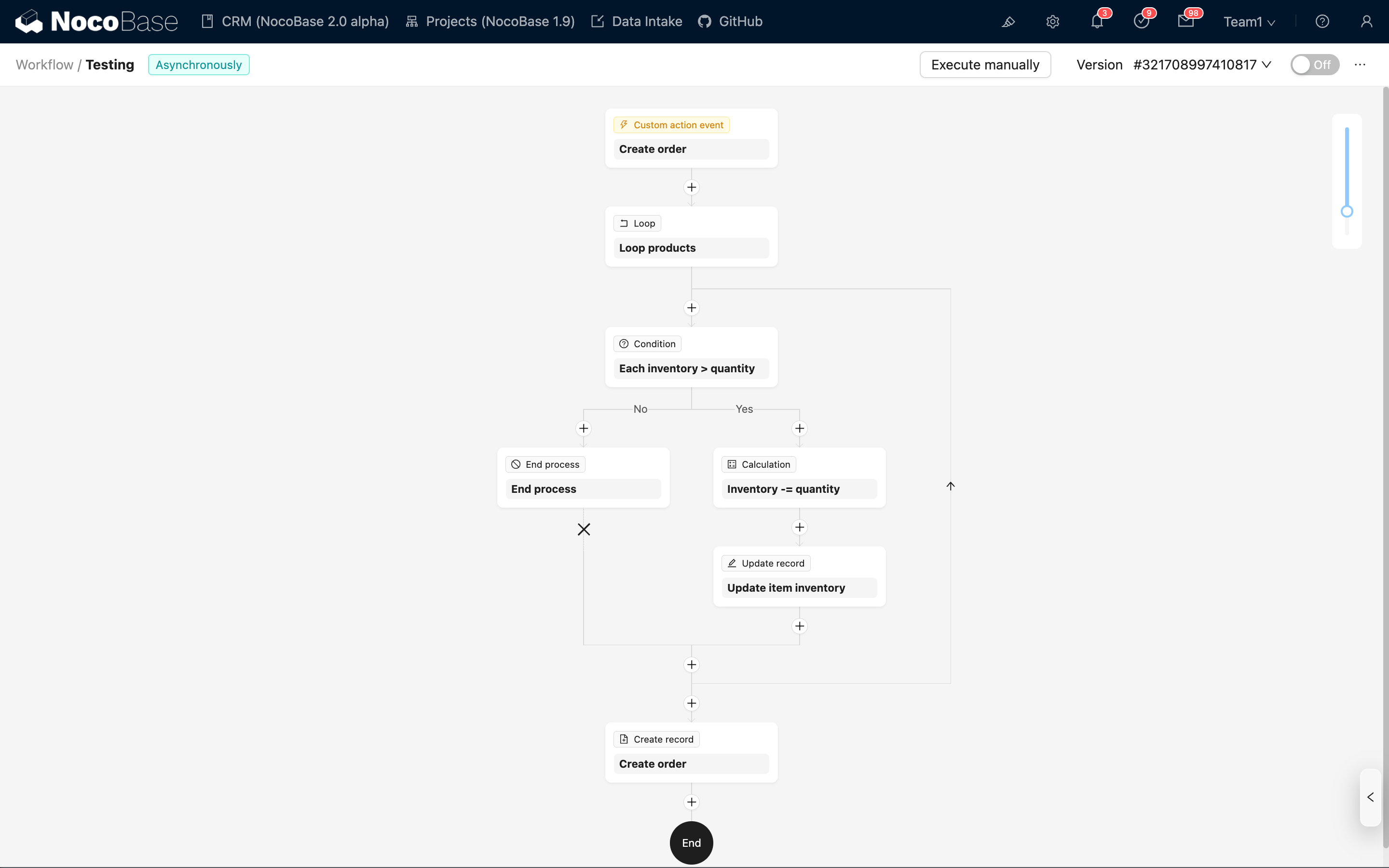
When a user submits an order, the workflow automatically checks the inventory. If the inventory is sufficient, it deducts the stock and proceeds with order creation; otherwise, the process ends.
Use Cases
From a more general perspective, workflows in NocoBase applications can solve problems in various scenarios:
- Automate repetitive tasks: Order reviews, inventory synchronization, data cleansing, score calculations, etc., no longer require manual operation.
- Support human-machine collaboration: Arrange for approvals or reviews at key nodes, and continue with subsequent steps based on the results.
- Connect to external systems: Send HTTP requests, receive pushes from external services, and achieve cross-system automation.
- Quickly adapt to business changes: Adjust the process structure, conditions, or other node configurations, and go live without a new release.
Installation
Workflow is a built-in plugin of NocoBase. No additional installation or configuration required.