
This chapter adds a "needed by" date to device requests and goes through acceptance and sending work back.
1. Raise the request
Add an optional "needed by" date to device requests. It cannot be earlier than today, and it shows in the list and the details. Requests already submitted stay empty.2. Run the business scenario yourself
Sign in as Alice and open Device requests:
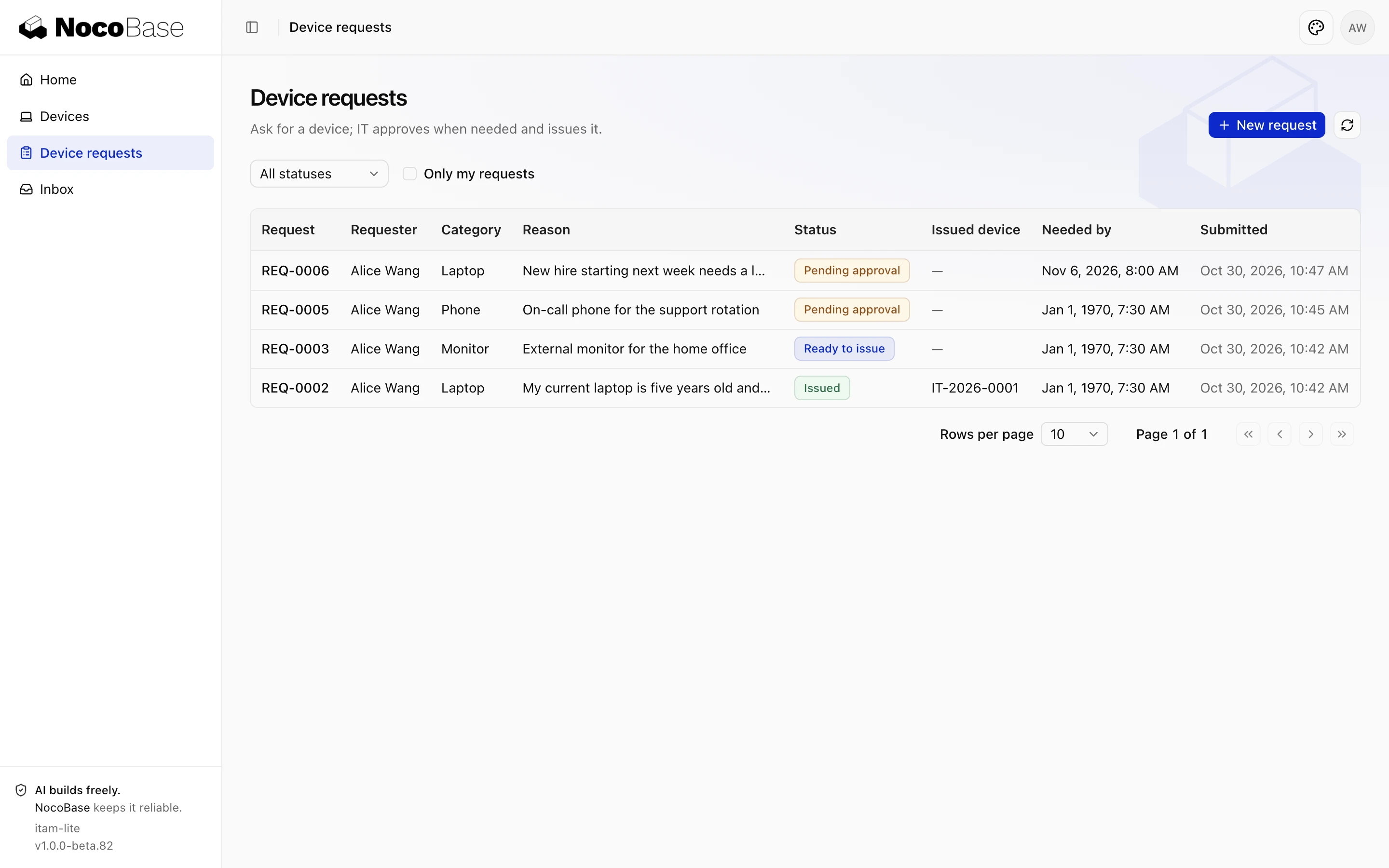
Two problems:
- The old requests submitted in Device requests and approval and Roles and permissions have no needed-by date, yet show
Jan 1, 1970, 7:30 AM. - The new request shows
Nov 6, 2026, 8:00 AM, with a time after the date.
When accepting, use existing data and walk through each role's daily work. Once a scenario is settled, you can have the agent turn it into a browser test; see Testing.
3. Send it back
Send it back when an acceptance criterion is not met, old data is shown or handled wrongly, or permissions are wrong. Give steps to reproduce and the expected result:
The needed-by date displays wrongly:
1. In Alice's Device requests, old requests without a date show Jan 1, 1970, 7:30 AM; they should show "—".
2. A request with November 6 shows Nov 6, 2026, 8:00 AM; it should show only the date.
Fix both the list and the details. When fixed, check again as Alice and attach screenshots.
The agent added a formatting function that shows only the date and shows "—" when there is no date, and made the type nullable; the new tests pass in three time zones: UTC, Los Angeles and Shanghai. Check again:
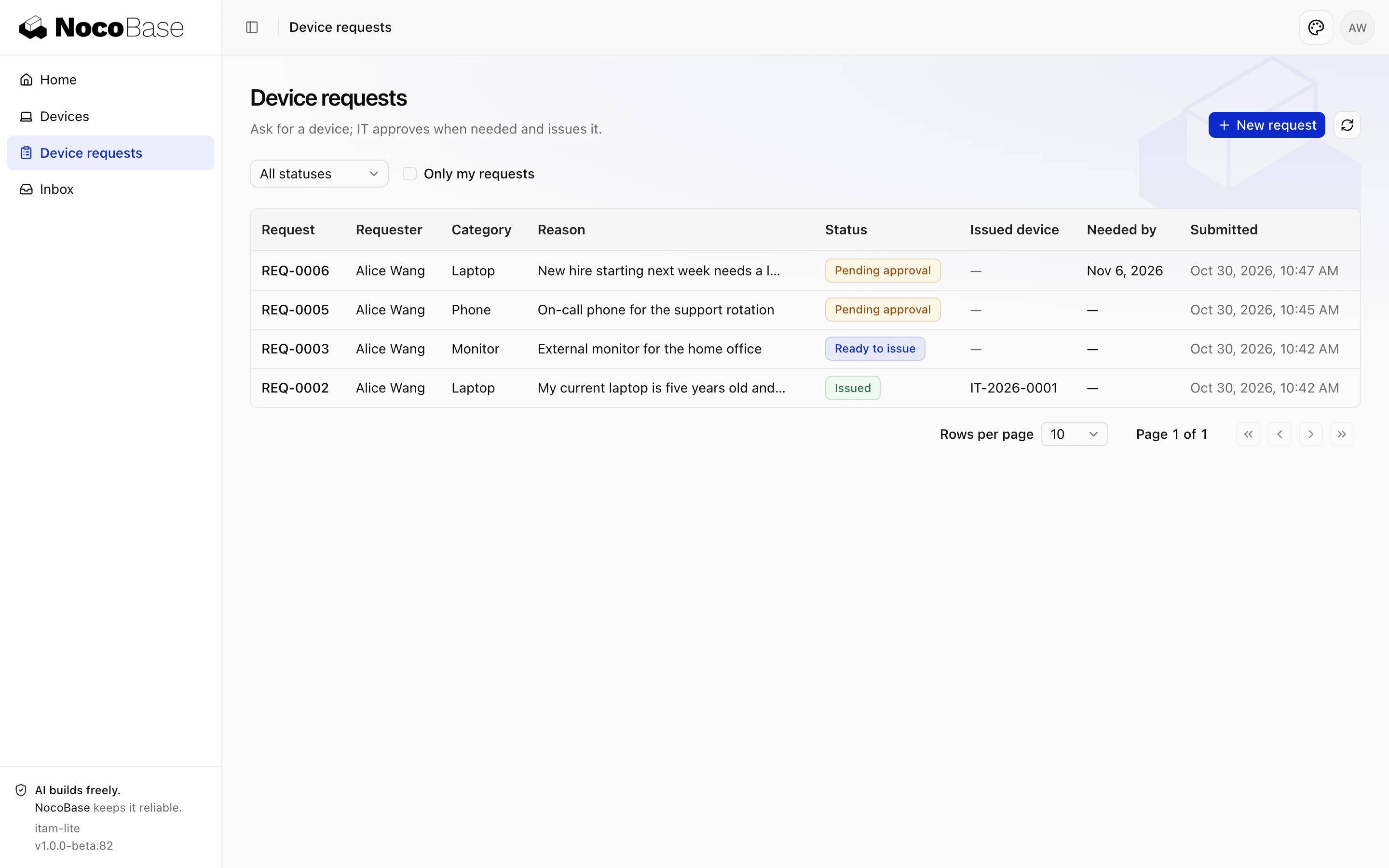
Choose yesterday again and submit: Choose today or a later date. appears next to the date field. Sign in as Ben, and Alice's needed-by date shows in the list.
Done whena new request's needed-by date shows only the date in the list and the details, and old requests show "—"; a date earlier than today cannot be submitted and is flagged next to the field; Ben can see the date; all tests pass.