
The first step in the design document is the device register. The requirements are already written in the document, so the prompt only needs to point to it.
1. Make the request
Do step 1 of docs/design.md: the device register. Only administrators use it at this step; roles and permissions come later.What the agent built:
| Part | What it contains |
|---|---|
| Table | A migration that creates the devices table, with a unique index on the asset tag |
| API | List, create, update and delete on /api/devices, each authorized separately, listed in the API docs at /main/api/swagger |
| Pages | Devices in the sidebar: a list, search, and create and edit dialogs; English and Chinese copy |
| System settings | Following the app's own rules, it also enabled the Users and Permission management pages |
| Tests | API tests and migration tests; pnpm typecheck and pnpm lint pass |
2. Try it
Refresh the browser, open Devices, and register a few devices. A duplicate asset tag is flagged next to the field.
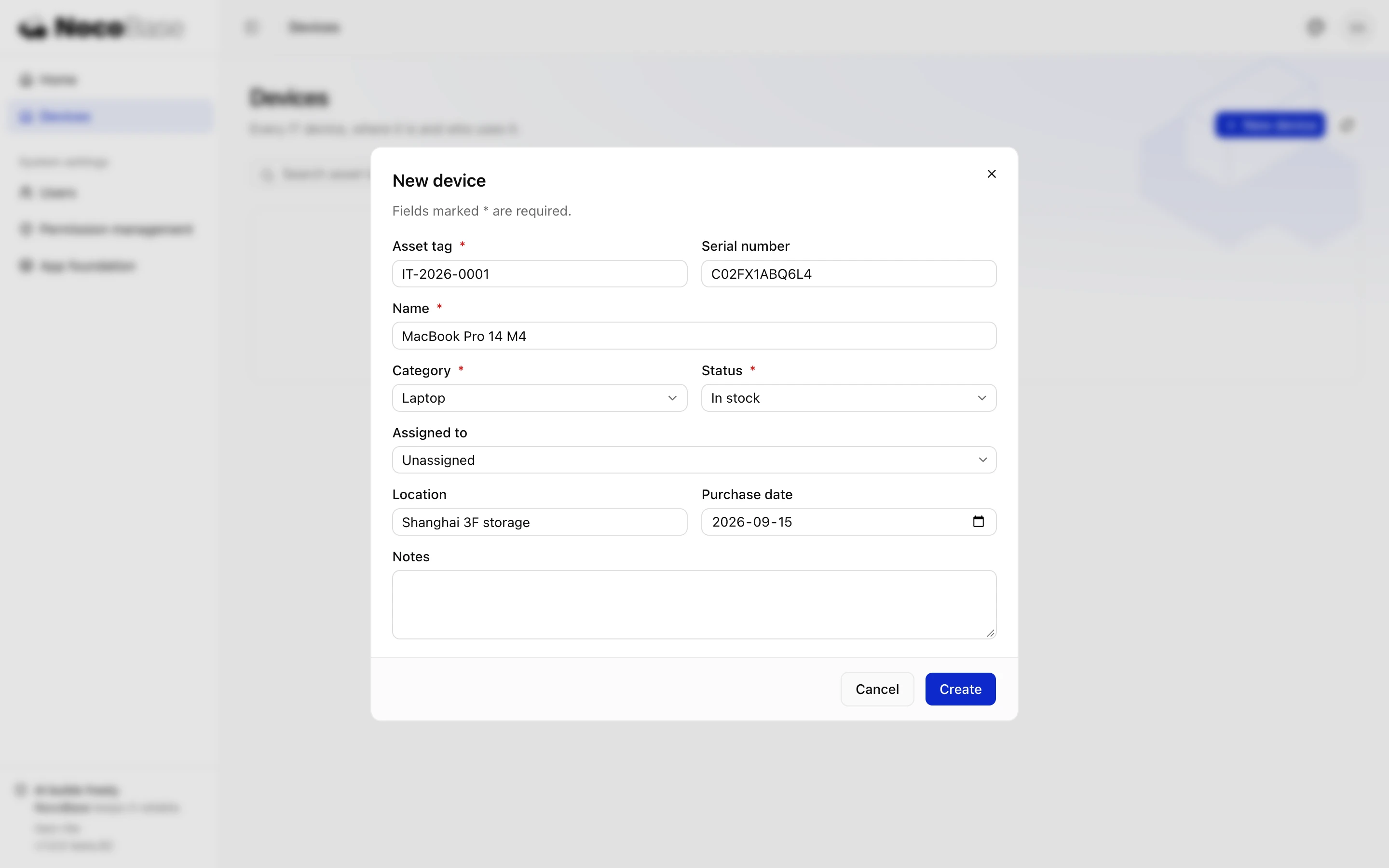
After using it for a while, you find two problems:
- Two monitors were entered with the same serial number, and both saved.
- With more devices, you want to see only the ones in stock, and there is no way to filter.
3. Ask for changes
Two changes to the device register:
1. Serial numbers must be unique (they can be left empty). List any existing duplicates for me first; do not fix them automatically.
2. The list can be filtered by status and category, and search also matches serial numbers.
The agent checked the existing data first and reported that IT-2026-0002 and IT-2026-0007 both have serial number CN0ABC123. Change one of them in the register to the real serial number on the device, then tell the agent to continue.
The agent added a new migration that puts a unique index on the serial number (migrations that have already run are not edited). The migration stops and lists the duplicate devices when duplicates exist. After the change:
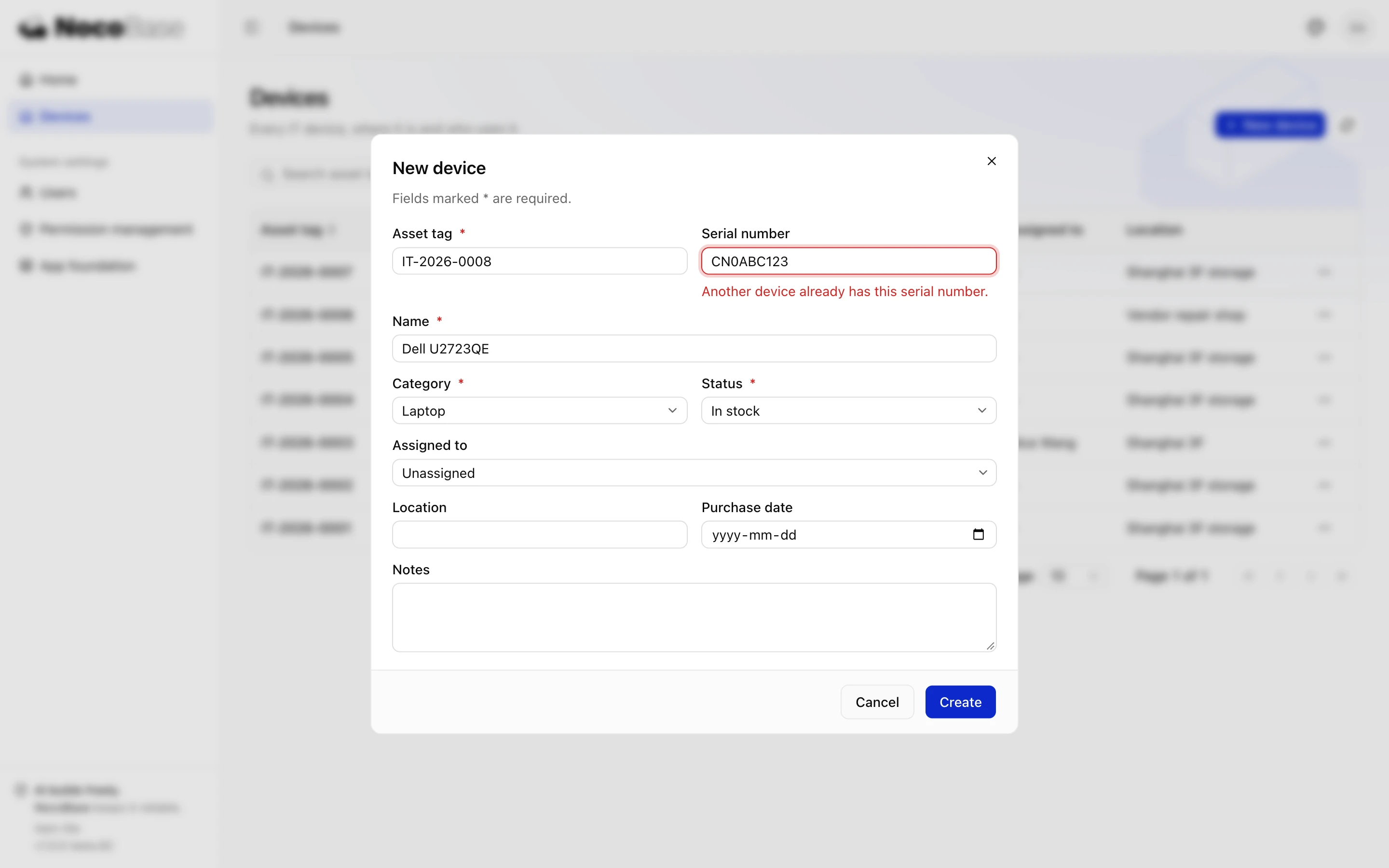
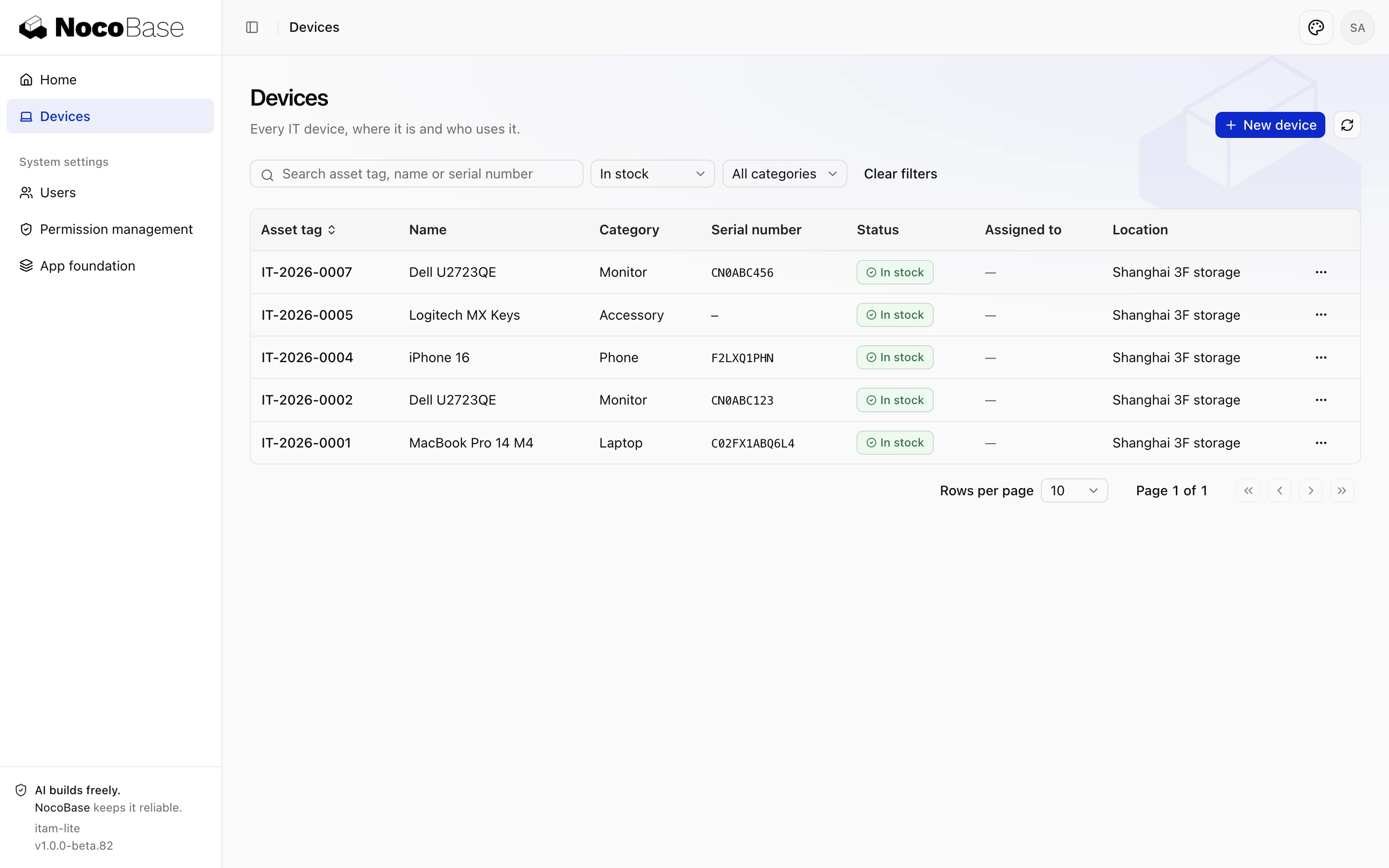
Done whenyou can create, edit and delete devices; a duplicate asset tag or serial number is flagged next to its field; the list can be filtered by status and category; the data is still there after a refresh.