
The device stocktake request came from the asset manager, yet you were the one relaying it, answering the questions and accepting the result. This page invites Xu Ning, the asset manager (a business colleague), to join the itam-lite project directly: raising requests in the Studio web interface, answering the agents' business questions and accepting the results in person, without writing code or installing an agent.
1. Invite Xu Ning
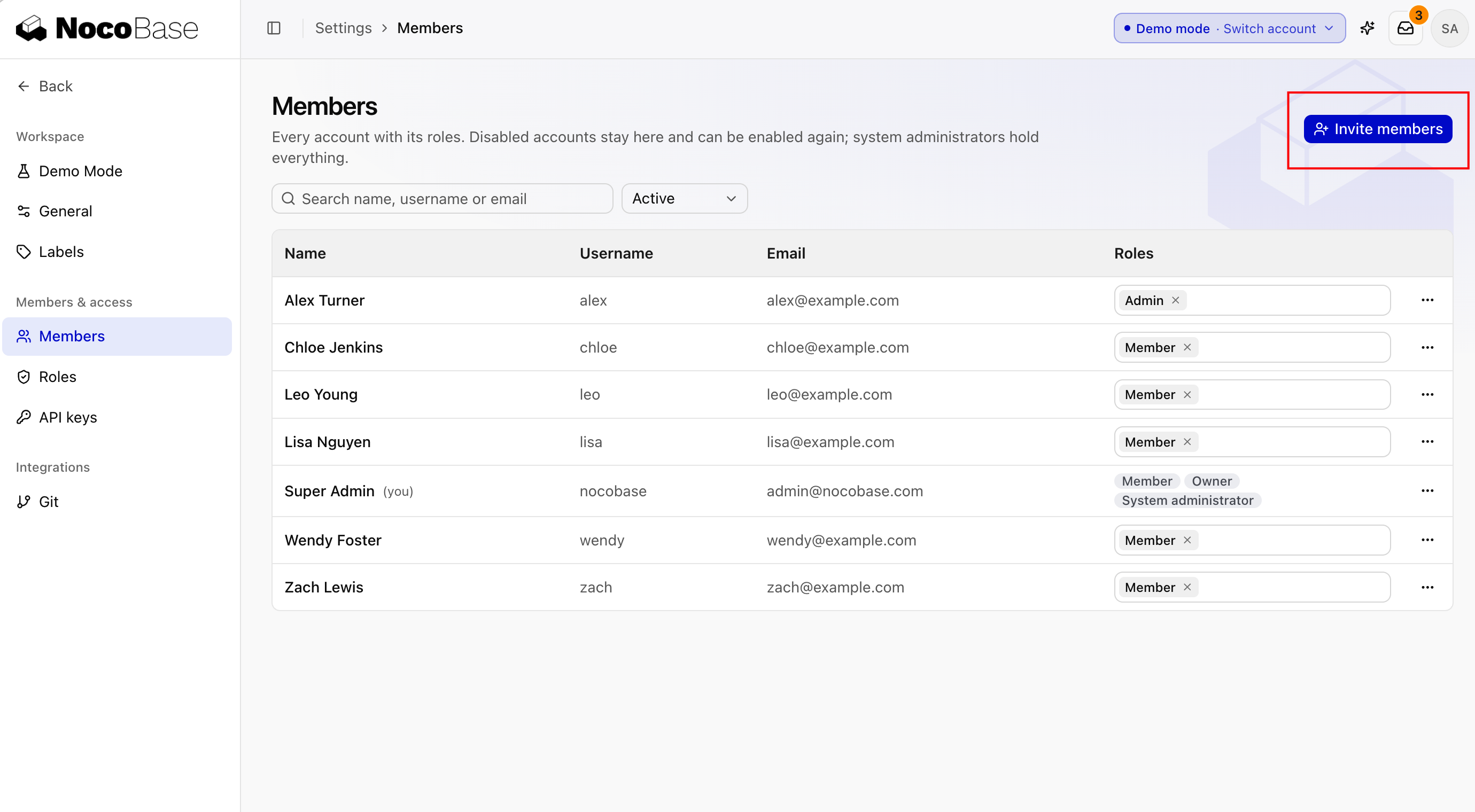
Open Settings › Members, click Invite members, enter Xu Ning's email, choose itam-lite under Projects, and click Send invitations. See Invite members.
Xu Ning opens the invitation link, enters a name and password, and clicks Create account and join. See Sign in and personal settings.
Done whenXu Ning appears in the list in Settings › Members.
2. Xu Ning raises a request
Xu Ning wants device retirement. In Studio, Xu Ning opens My sessions, clicks New session, chooses the Runner Agent mode and chooses itam-lite as the project:
When a device is broken or too old, it gets retired. Today we just delete it from the register, with no record. Here's what I want:
- When IT support finds a device that should be retired, they submit a retirement request with the reason and photos.
- The asset manager approves it. Once approved, the device's status changes to Retired, and it no longer appears among the devices available for request.
- For a retired device, we can see who requested it, who approved it and why.
Ask me about anything you're not sure of first.
The agent asks follow-up questions, and Xu Ning answers according to company policy: laptops can be retired after 4 years and monitors after 5; before that, the damage has to be described; a device an employee still has must be returned first; the asset manager approves. Xu Ning says "create the issue", then clicks Start. Xu Ning is the issue owner, so later questions and acceptance go straight to Xu Ning. See My sessions.
Done whenthe itam-lite project has a "Device retirement" issue, Xu Ning is its owner, and it is In progress.
3. Xu Ning answers questions
During development, the agent asks: should retired devices still show in the register? In My issues, Xu Ning sees the issue marked Needs your reply and clicks Reply:
Don't show retired devices in the register by default, but let people filter by status to see them. Audits need the history.4. Xu Ning accepts the result
Once the issue moves to In review, Xu Ning reads the delivery report and screenshots and tries it in the preview: submit a retirement request for a device an employee still has and check that it's blocked; after the device is returned, submit it again, and once it's approved, check that the device no longer appears among the devices available for request. If it works as expected, Xu Ning clicks Merge. See Accept the result.
Done whenthe "Device retirement" issue is Done, and Xu Ning answered every business question directly.