
This chapter checks each item against the permission matrix in section 6 of the design document, switching accounts, and has the agent fix what you find.
1. Check with each account
Sign in as Alice (Employee), Ben (IT support) and Cathy (Asset manager) in turn, and compare with this table:
| Check | Expected | Actual |
|---|---|---|
| Alice's Device requests | Only Alice's own requests | Alice sees everyone's requests |
| Alice's Devices | Only devices assigned to Alice | Alice sees all devices |
| Ben opens a request pending approval | No Approve or Reject | Approve is there; clicking it says Ben has no permission |
| Cathy opens a request ready to issue | No Issue | Issue is there; clicking it says Cathy has no permission |
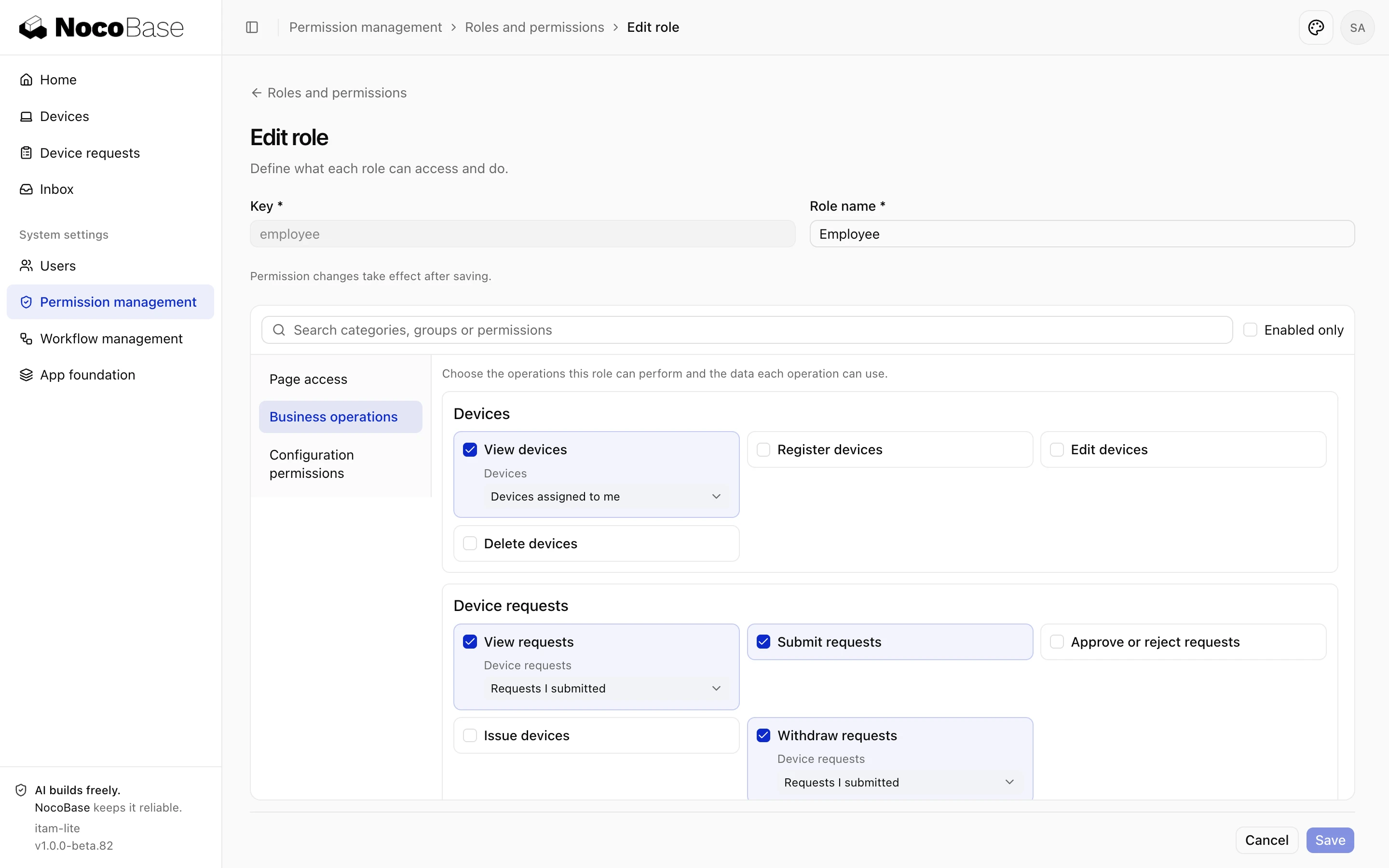
| The system administrator opens the Employee role in Permission management | Every business operation and its data scope | Only page access |
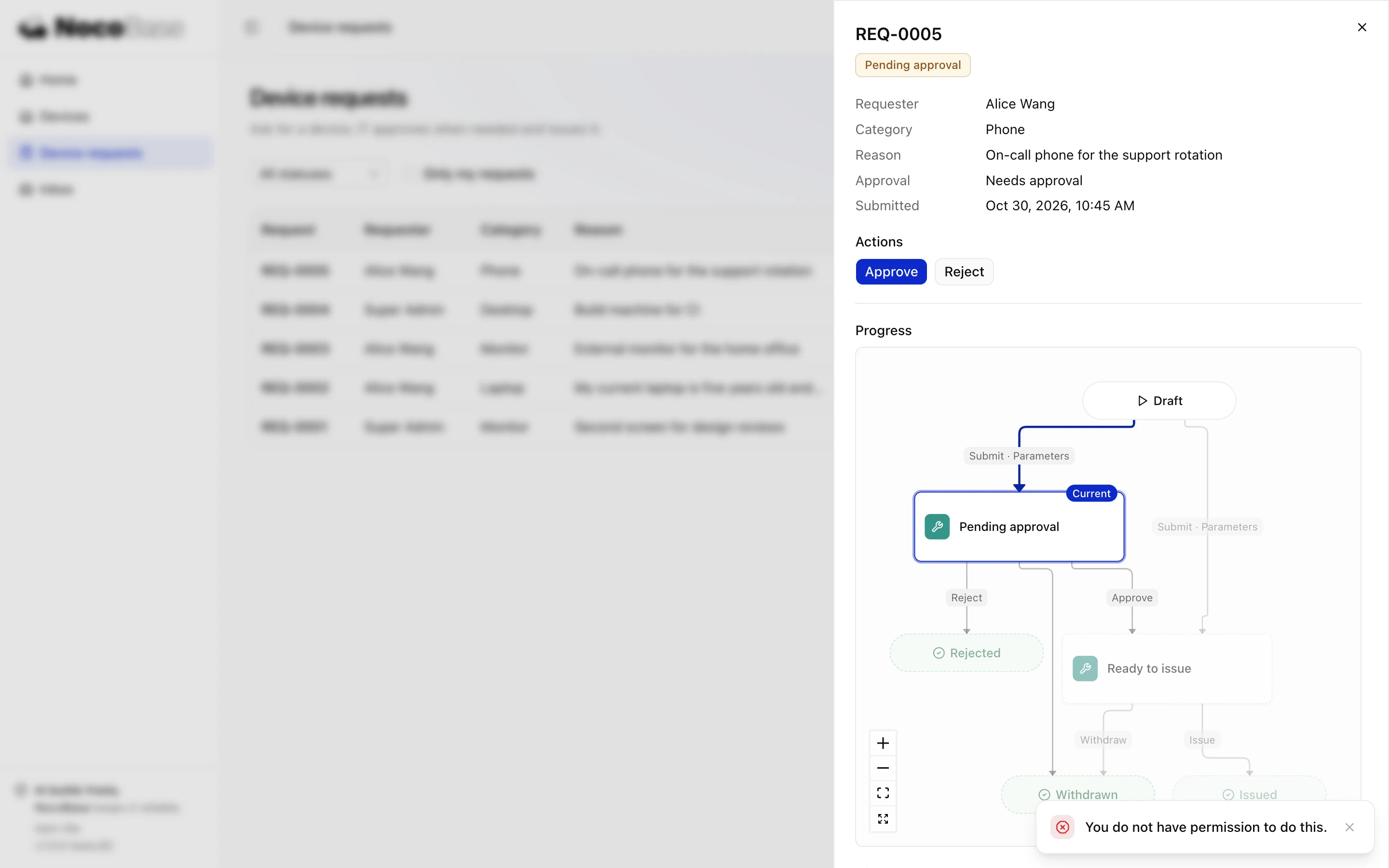
When Ben clicks Approve, the action is refused, so the server's permission check is right.
2. Ask for changes
Fix permissions according to the permission matrix in docs/design.md:
1. Employees can see and withdraw only their own requests, and see only the devices assigned to them in the register.
2. Request details show only the actions the current role can take.
3. Every action and data scope for devices and device requests can be configured in Permission management.
How the agent fixed it:
| Problem | Fix |
|---|---|
| Employees see everything | A new seed that changes the Employee role's view and withdraw to "Requests I submitted" and devices to "Devices assigned to me"; it changes the role only while the role still has its initial content |
| Buttons do not follow the role | The request details API returns which actions the current role can take, and the page shows only buttons that both the workflow and the role allow |
| Business operations are missing from Permission management | Registers the two groups of business operations and the workflow management settings in the permission editor |
| API overreach | New permission tests that call the API directly with the three ordinary accounts, covering the acceptance items above |
The agent writes the seed into the database in use by running pnpm nocobase db apply.
3. Check again
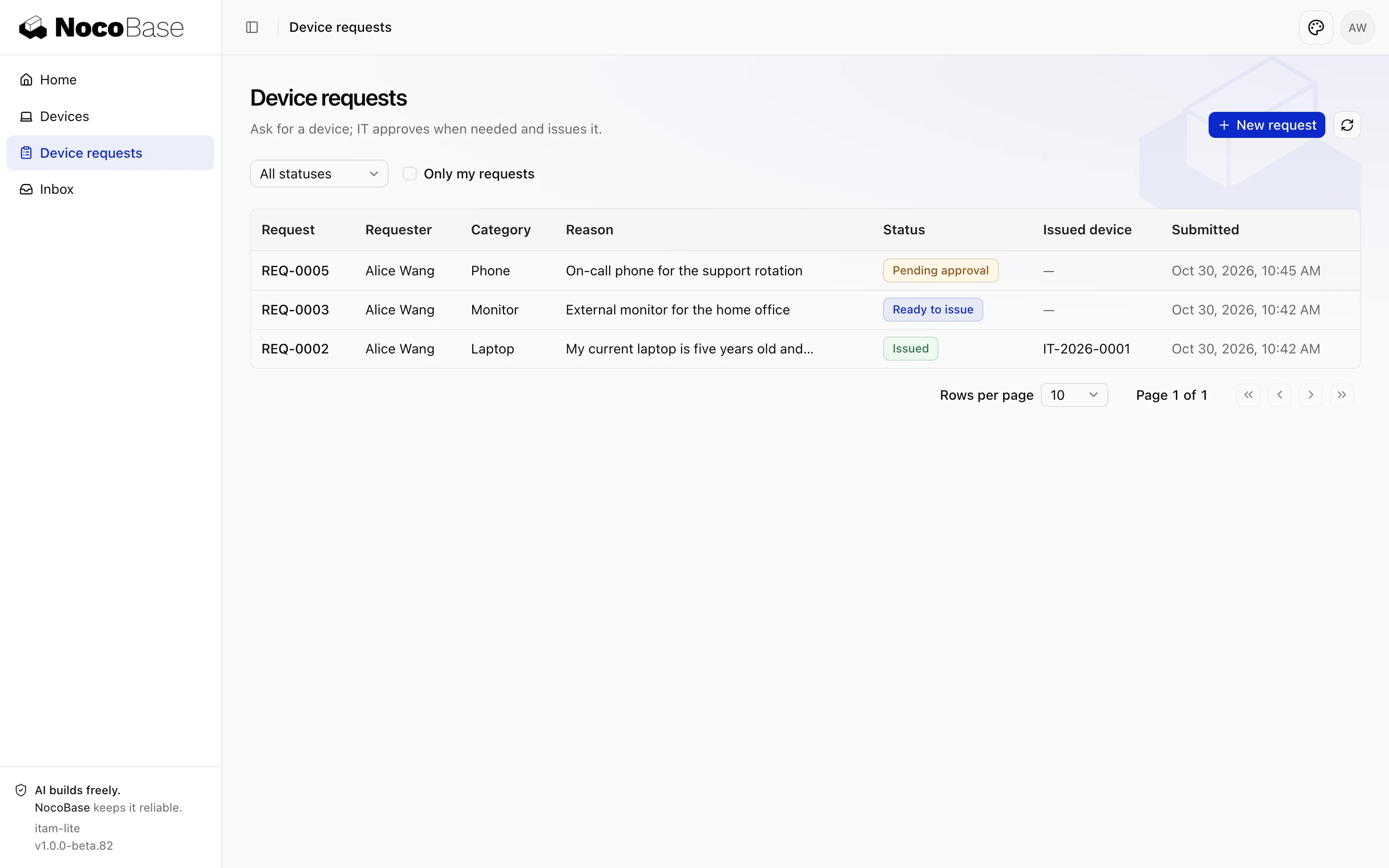
Alice sees only the three requests Alice submitted and the two devices assigned to Alice; when Ben opens a request pending approval, it only says "Nothing for you to do on this request now." Alice sends an approve request directly without the page, and it is still refused.
When the system administrator edits the Employee role in System settings › Permission management, Business operations lists every operation and its data scope, and they can be adjusted here from now on.
For how permissions are declared, checked and verified, see Authentication, permissions and data scopes; for the permission management page, see Permission management.
Done whenwhat each of the three accounts sees and can do matches the permission matrix; in the permission tests, every overreaching API call from an ordinary account is refused; Permission management shows every business operation and data scope and lets you adjust them.